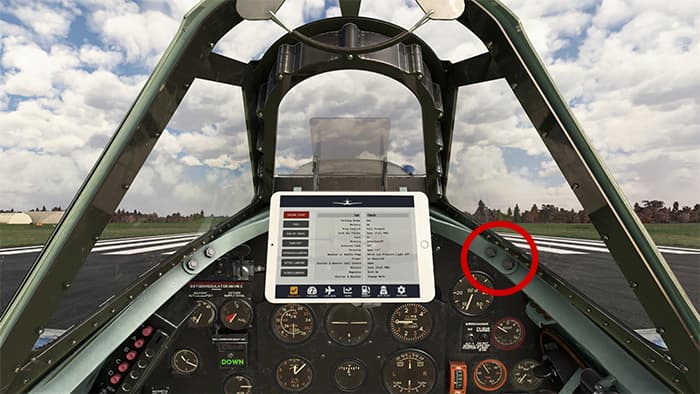
Click on the two bolts on the right side of the main cockpit panel.
I don’t think you’ve missed anything. I could’nt find any mention of how to bring up the tablet in the manual either, which is a bit of an oversight.
The info with the (new) click spot can only be found in the 1.3.0 changelog, which isn’t in the latest manual version either.