My first load after the update had zero fuel. Perhaps that is why people had trouble starting ?
2 Likes
Any news on when the Just Flight Turbo Arrow will be offered through the MSFS 2020 Marketplace? I’m getting tired of trying to keep up with 3rd Party updates, and have decided to start using Marketplace exclusively to manage my updates within MSFS 2020 Content Manager.
Yes, my tank was also empty and as an addition, the autopilot was switched on - so I could’t get the engine started and the controls were showing a strange behaviour - took me some time to find out.
I had flickering lights before. I found out it was me, forgetting to turn the Magneto switch of my Honeycomb alpha back from “start” to “both” after ignition.
1 Like
I don’t understand how the magneto can cause occasional flickering and it is certainly not the case for me. Perhaps I am not using the correct english word, when I say flickering. I could also say blinking. At one moment there is light in some of the instruments and then a second later, some of those that had light come off and others have their light turned on. That behavior then goes on and on.
Exactly this. Could not get engine to stay running, got the engine checklist, everything ticked, messed around with state saving, then turned it off, restarted the flight and all was good. Wasted an hour re-reading the POH and checking everything.
Still all seems ok for now. I am leaving state saving off for the time being, it seems to cause issues at times.
Could someone help with the rotating beacon on the tail on the turbo III. It wont work when the engines running, is this normal practice or is it a bug ?
Thanks for any information.
I think he means the starter light.
I mean the starter switch. On the Honeycomb Alpha you are able to turn it right from “both” to “start” and leave it there (which - of course - is wrong). If done so, after some minutes the interior light will begin to flicker. Just suggesting this might be the reason for the above described interior/instrument light flickering effect.
2 Likes
Well in real life that would burn out the starter motor.
You could be draining the battery what does the battery voltage look like in the maintenance section of the tablet once the flickering starts ?
For me the Radio Lights are not working.or at least im not able to turn the wheel. If i try with the mouse, it instantly turns Back to 0
You probably have some binding on your controls for the nav lights? They are controlled with the same dial.
Ah okay, than it is the Honeycomb
Most certainly.
Just make sure to turn on nav lights on your controls before you dial up the brightness of the radio stack. That should work.
Since the update the cockpit lighting looks awful in VR to the point where I don’t want to fly in low light. Any way to change the light back to the previous version?
I’m still flying version 1.0 of the Turbo Arrow, but there is something about the cockpit that I don’t like and that isn’t an issue with the regular Arrow: the whole cockpit feels washed out and low contrasty, which makes it pretty ugly. Perhaps something’s wrong with the PBR material in that one?
For comparion some screenshots of what it looks like in the sim and a version of the same shot corrected in Photoshop to what I think what it should look like.
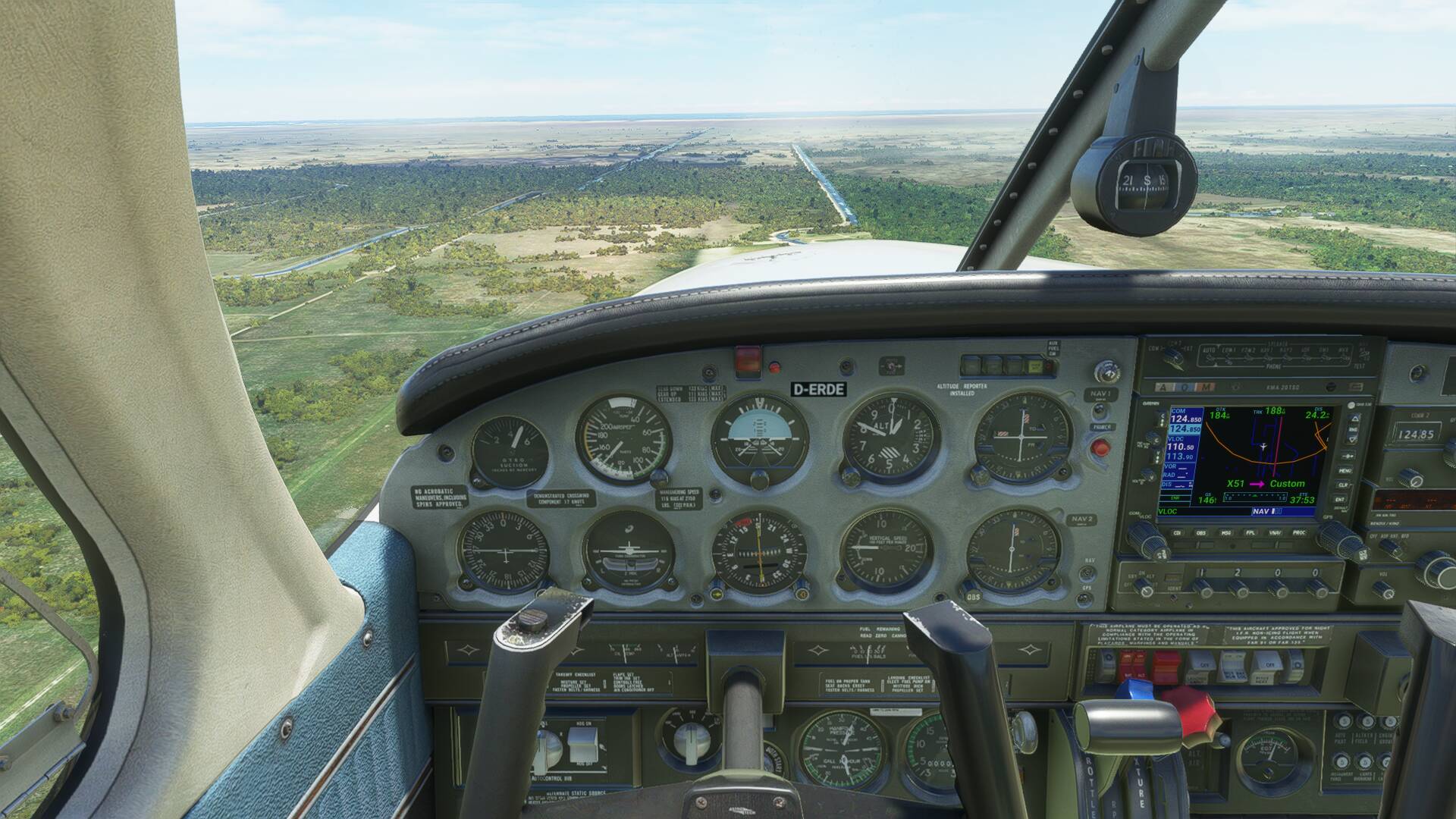
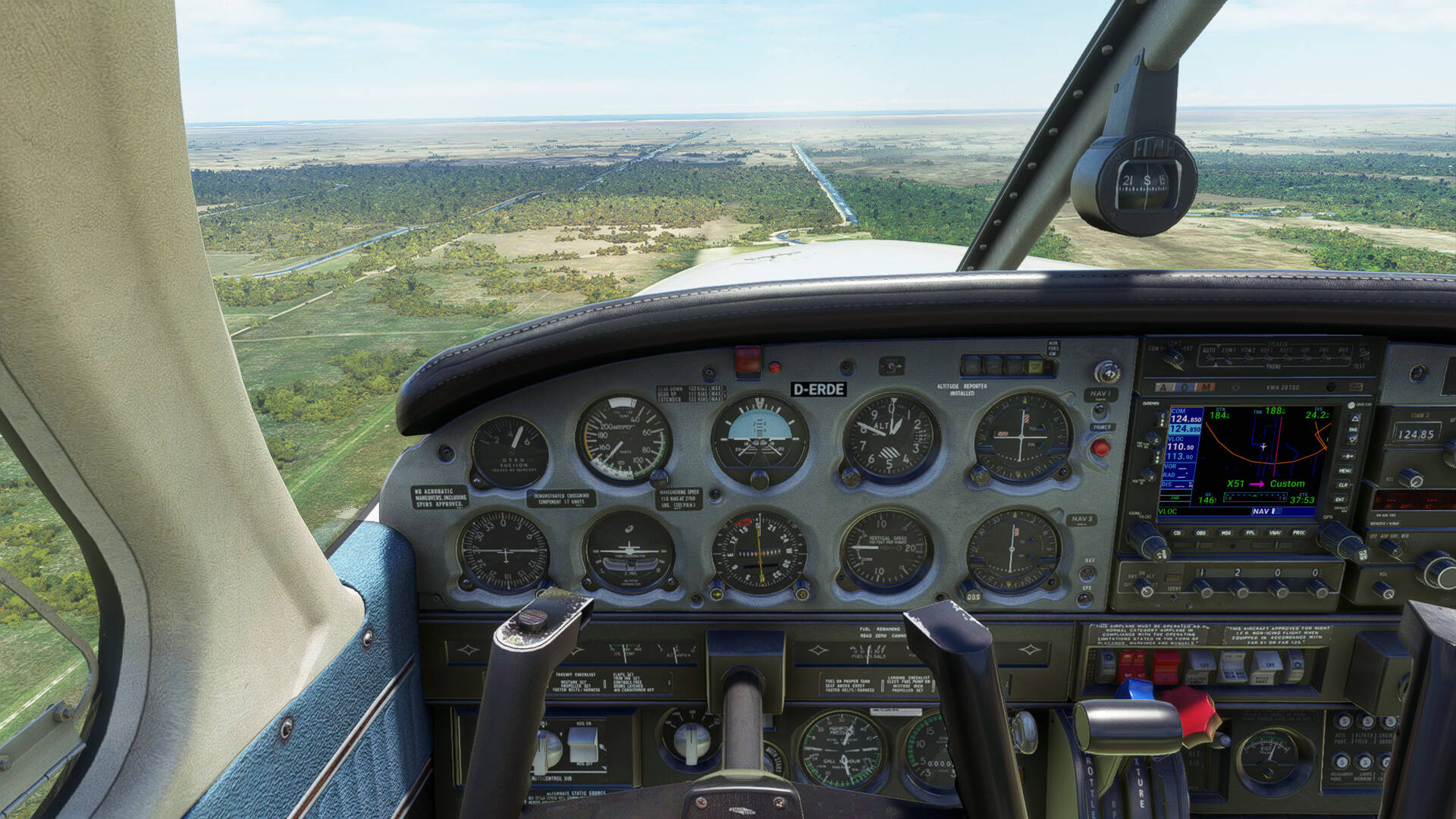
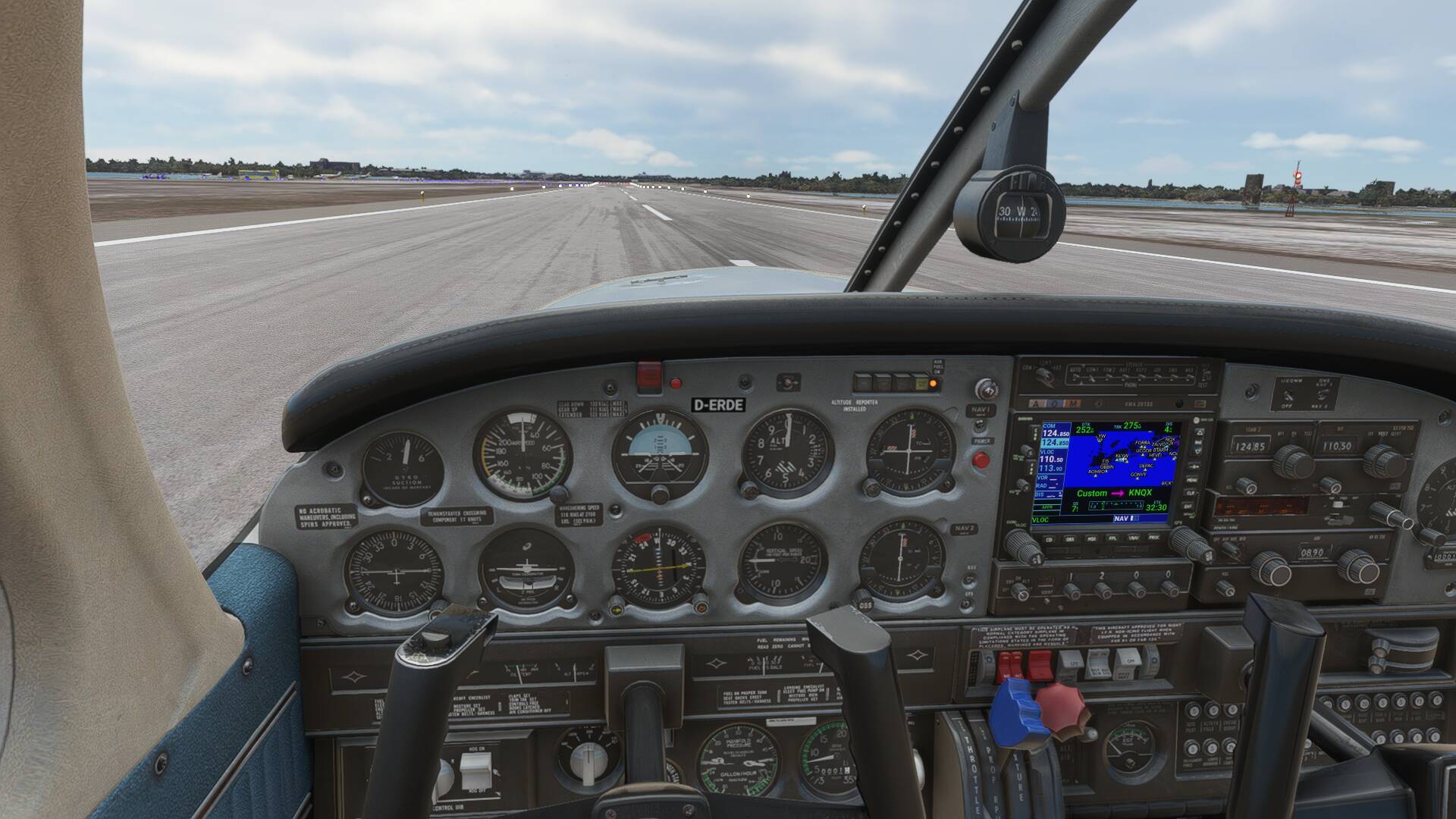
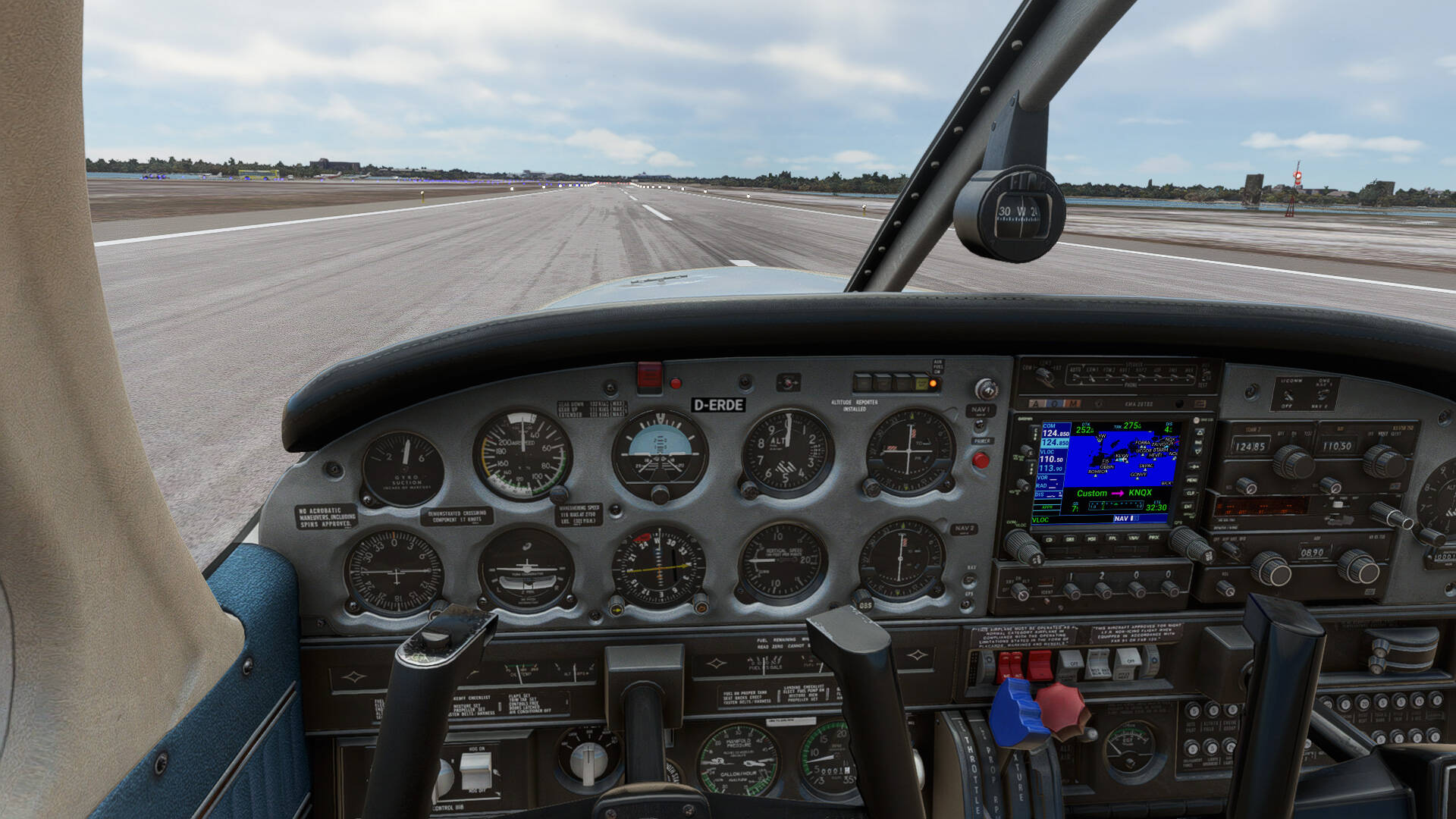
First thing to do if you face issues: Update to the most recent version.
she doesnt look washed out in my setup at all .
Looks fine to me too
I use LG CX tv and HDR10
That’s a general problem. Many instrument panels have this washed out / unsharp appearance.
I don’t know what this is related. Other Sims have very nice photorealistic (color) sharp textures.
Especially Carenado aircraft XP11.
I must really say that this problem kill a lot of immersion in MSFS2020. It look very unrealistic.
There are ways to switch between HDR/HDR10/None HDR and get slightly better appearance.
Also decreasing the blue chanel color (Display-NVCP) will help a bit.
If I increase the sharpness to get a better cockpit immersion the problem is that on the other site the wide view get very unrealistic sharp till the horizon.
Maybe DX12 solve some of this issues. I think it is some render trick to get more performance but with a very bad downside regarding immersion.