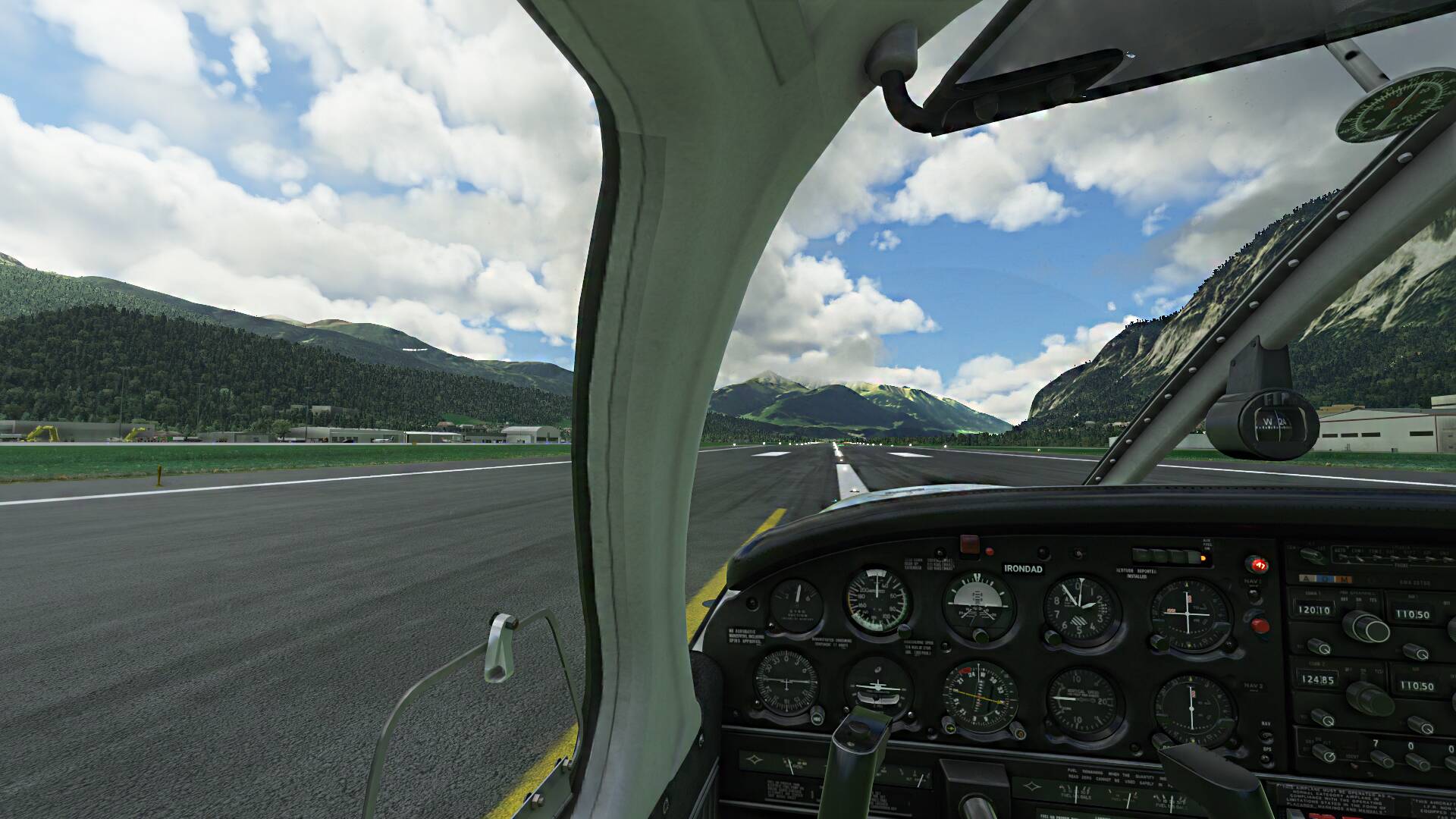
I do not agree. With HDR disabled in Windows and in the sim, all textures look great for me.
The only case I get this gray look is when using HDR at least with my monitor.
I do not agree. With HDR disabled in Windows and in the sim, all textures look great for me.
The only case I get this gray look is when using HDR at least with my monitor.
Mine looks fine.
Though to be honest I actually find super sharp highly saturated textures in games somewhat toy like, though I do realise a lot of people like things that way.
I reply to my own post on instrument lighting problems, because I now know more on when they occur. It seems that the problem does not appear all over the globe and only when the plane is heading towards an easterly direction (will be a little more precise below). Finally, I can say that the problem is not specific to the JF Piper Arrow. I have tried to reproduce the problem at 4 different places: Copenhagen (EKCH), Chicago (KCGX), San Fransisco (KSFO) and Sydney (YSSY). I first saw the problem in KCGX, which happens to be a freeware scenery addon - but that does not seem to be the cause of the problem. I saw the problem in KCGX and KSFO but not in EKCH nor YSSY. At KSFO I did a more thorough experiment: I got airborne and entered a circular clockwise rotation. I started with heading west and all lights were exactly as they should be. But when reaching the heading 335 (approximately) the panel lights would start flickering and reaching heading 350 they turned off completely. Reaching heading 135: flickering until heading 150 where the light got on steadily. Did many turns and the picture was the same in each turn. No problems with the radio lights nor the flood light. One more detail: if I zoomed in/out on the instruments, the headings where the light turned on/off changed and when zooming very close in on the instruments, the problem disappeared. It came back when zooming out again - so the distance between the eyes and the instruments also matter. In KCGX the overall pattern is the same, except that the individual headings are different and I also saw problems with the flood light here - very strange indeed! Finally, I tried other aircraft. I saw no problems in the BN2 Islander, but that might be because its instrument lighting is different. But when I tried the Cessna 172, it showed the same problems with its glare shield lights. Headings were more or less the same. Can anybody reproduce this and can anybody explain it?
A post was merged into an existing topic: COC Violation: Solicitation of Voting - WxMarc
For me the only really anoying thing in the Turbo ist the weathervaning around 50-60 kts. I could live with that but for me it is nearly Impossible to correct with my rudder. Also i didn’t have such extreme behaviour in any other aircraft
its not at all a general problem, probably some settings here and there, dont forget videodriver settings
I’ve been testing the Turbo Arrow III, and it appears to suffer from the same flaw in fuel mixture logic as other turbocharged piston planes in the sim right now. In real-life, a turbocharged engine can maintain sea-level performance all the way to the critical altitude for the turbocharger. It is not necessary to lean the mixture with altitude in a turbocharged engine. But in the Turbo Arrow III, if I leave the mixture at full-rich, fuel flow begins to drop above approximately 6,000 ft, and by 10,000 ft, the engine has lost so much power that it can hardly climb. Leaning the mixture at that point results in much higher fuel flow and more realistic engine power.
The same behavior exists in other add-on turbocharged airplanes in the sim (the Seneca V from Carenado and the Turbo Bonanza mod by Robert Young). To my knowledge, each of those add-ons is using the sim’s core engine tuning, rather than implementing their own engine model from scratch. As such, it appears to be a problem with the core logic for mixture in turbocharged engines for MSFS. Just Flight recently confirmed this in a post on their own community forum. I’ve created a bug report describing the problem:
Thank you everyone. Finally, I bought the Arrows bundle after all the feedbacks here.
The FPS performance is around 10+ FPS from my Ovation, albeit with lower texture quality from Mooney.
Tested the Turbo Arrow FPS in the streets of New York, and I am so happy, so smooth flight.
Question though, is there any available high quality cockpit textures?
I installed one from the flightsim.to but I don’t like the masking tape look from the pillar as shown below.
No offence to the creator.
Anyway, very good aircraft and very good deal using the 66% discount!
You should contact the creator. This was an issue with older textures of the addon which they at some point fixed. But seemingly the creator of the high-res addon did not update their addon to include this as well.
@Coppersens Thank you very much for your reply. I will do.
If you don’t mind clean textures as opposed to the default worn out look, Just Flight provided us with some hi-res textures you can swap.
They are found in your Community folder (Community\justflight-aircraft-pa28-arrow-iii\Cockpit\Clean).
I believe they didn’t do it for the Turbo Arrow though.
Are they really with higher resolution? I doubt it. They are just an alternative look.
I seem to remember they are, I’ve never tried them because I’m happy with the default look.
But the file sizes are double than the others so… 
Not sure about the file sizes and which of them you’re comparing, but I’m pretty sure there are no higher resolution textures provided by JF.
@Giannino2 Thanks. I checked the Cockpit folder. In the Arrow, there were indeed two folders. Clean & Default. It’s 114MB vs 104MB, so I assume these are of same resolutions.
In the Turbo Arrow, there is no Cockpit folder.
I am fine with worn out look, it was just the “masking tape” look in the modified files. I actually prefer the black panel of the Arrow. 
This is the way I understand it.
The reason why the cockpit textures in the Arrow are lower res than other MSFS aircraft is that JF decided to go with the worn out look, and thus were unable to use some of the optimizations that MSFS offers.
This is their explanation:
“The default aircraft (and others like Carenado) have a very different aesthetic to ours, favouring clean cockpits with little wear-and-tear or colour/surface variation. That aesthetic can be achieved using flat colour albedo (base) textures with detail maps then superimposed over the top to create the surface detail (vinyl, plastic etc), and those detail maps are small in size but are tiled over the entire surface to produce the appearance of lots of detail whilst maintaining a high resolution. We can’t use that method as our wear-and-tear is unique (not tiled) across the entire aircraft to exactly match the real aircraft, i.e. a scratch or discolouration on one part of the instrument panel isn’t repeated anywhere else. Instead we have to include that wear-and-tear in the albedo (base) textures and thus have to make decisions about where to prioritise resolution to balance against performance. To have the same resolution on the rarely looked at ceiling, cabin or small exterior details as the instrument panel, we’d have to include a lot more 4K textures on an already large aircraft.”
But, they also offered clean textures, which should not have this problem.
This is from the manual:
"This simulation of the Arrow III is an exact likeness of the real-life G-BGKU, including the significant wear and tear to the cockpit resulting from decades of use as a training aircraft. For those who would prefer a less worn cockpit, we have included a set of alternative textures. The two texture sets can be found in the ‘\justflightaircraft-pa28-arrow-iii\Cockpit\’ folder and replace the files found in ‘\justflight-aircraft-pa28-arrow-iii\SimObjects\Airplanes\JF_PA28_Arrow\TEXTURE.VC’ folder.
As I said, this is how I understood it. I may be wrong, I often am 
i ansolutely like it this way.
Also, on Flightsim.to, have you tried those by Archer374?
He offers two great magapacks with very Hi-Res textures for the Arrow and TurboArrow. Are those that you tried?
The reason I bought both versions yesterday of the Arrows is because of that black worn out look of the non-turbo version.
I did. Oh sorry, @Archer374 is in the house. Sorry.
I commented on the Flightsim.to.
This left pillar, see the masking tape look? If this can be removed/improved? It is not in the original.