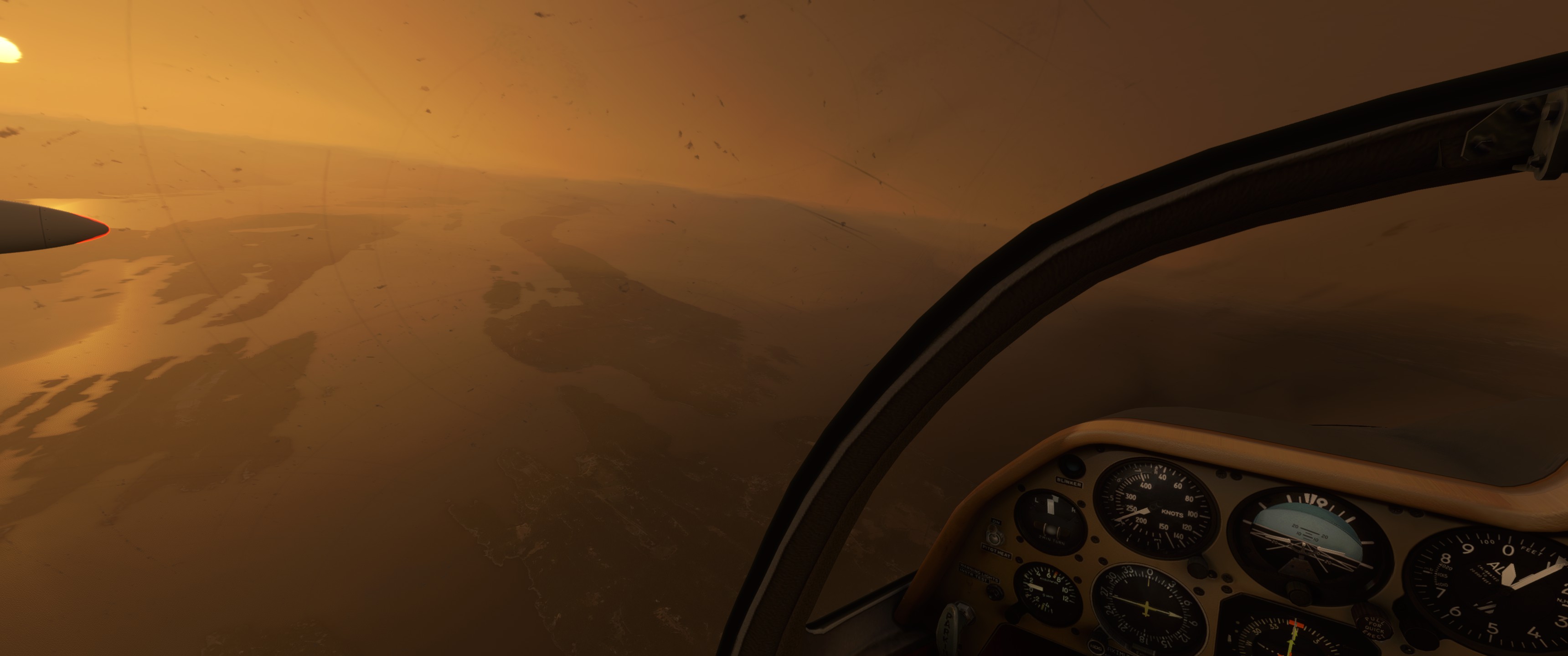
Its a good plane with two caveats: youre ok with a port of an older aircraft with no indication the textures will improve . They arent good, managing expectations is key here.
The sounds also arent good- in particular , extending and retracting the spoilers sounds awful.
With that being said, it is an inexpensive aircraft . Its unique in appearance and flight dynamics .
Its not a good msfs plane , but its a fun fsx plane to fly in msfs. I have no regrets for the few shekels i spent on this one
Very little chance that VR cockpit focus will work on this one, considering the price and ported nature of this release. Shame cause it looks like fun. In VR, if I cant zoom to instrumentation then I cant fly it seriously. Anyone know?
Hello all, a few notes from the author, for a future update:
Up texture resolution to 4K for cockpit walls (was concerned about performance)
Clean up bump mapping in general (thanks to my new high-end system, I can now see room for improvement)
Investigate mouse bug (may be the sim, not the aircraft)
Speed up elevator trim deflection a bit
improve airbrake lever sound
Note on textures: I will do what I can for the photo parts. I will not be granted access to the real aircraft again. It is a museum piece and they opened up the canopy as a very special favour.
I am unsure about “VR Focus”, however I have followed MS instructions for VR compatibility. A friend has tested it under VR before release and found that it works fine.
Can I ak you, if you for instance needed to set the altimeter pressure value in that tiny window, could you see that in enough detail in VR to do it? or maybe you just don’t bother with little details like that? I am sure some people use VR for a more leisurely approach to flying and dont need to see all the instrumentation details. I personally wouldn’t want to operate the aircraft unless i use it like IRL. Therefore I need Cockpit focus.
You shall be able to read the altimeter setting value. Alternatively, you can also use the altitude alerter by pressing the “BAR” button. It will report the altimeter setting in inHg.
I am unsure how VR works (from a user point of view) as I do not have a headset. A tester reported that leaning into stuff causes no issue and that his VR pointer stayed put. (from a modelling point of view, all I can do is instruct the sim on where the VR cursor is allowed to be, so that it does not wander behing instrument panels, cockpit walls, etc… this is implmented)
I’ve had a quick fly around with this. Once I got rid of the the beige interior (which causes some unacceptable reflections) it’s all been perfect. I’m not too bothered by the textures when the flight model is as good as it is.
It’s not my favourite addition to MSFS, but it is my favourite purchase.
Leaning into stuff in VR is great if your setup (position of you, your joystick and rudder pedals etc) allows you to lean forward but in my case I can’t. That’s when placing the cursor over a part of the instrumentation and pressing right mouse button (or whatever you have bound) to zoom right in is so useful, dare I say essential for me personally.
A lot of 3rd party devs either don’t know about Cockpit zoom or know about it but just don’t know how to implement it, or quite reasonably, don’t care that much as most potential customers don’t care and even some VR users don’t even seem to care.
All Asobo planes, some Carenado, all Just flight and all IRIS planes have it implemented but beyond them, not many have.
I wish Asobo could just put a line or two into the SDK docs that explained what is required and then I could go around annoying 3rd party devs into reading it and deciding to incorporate it.
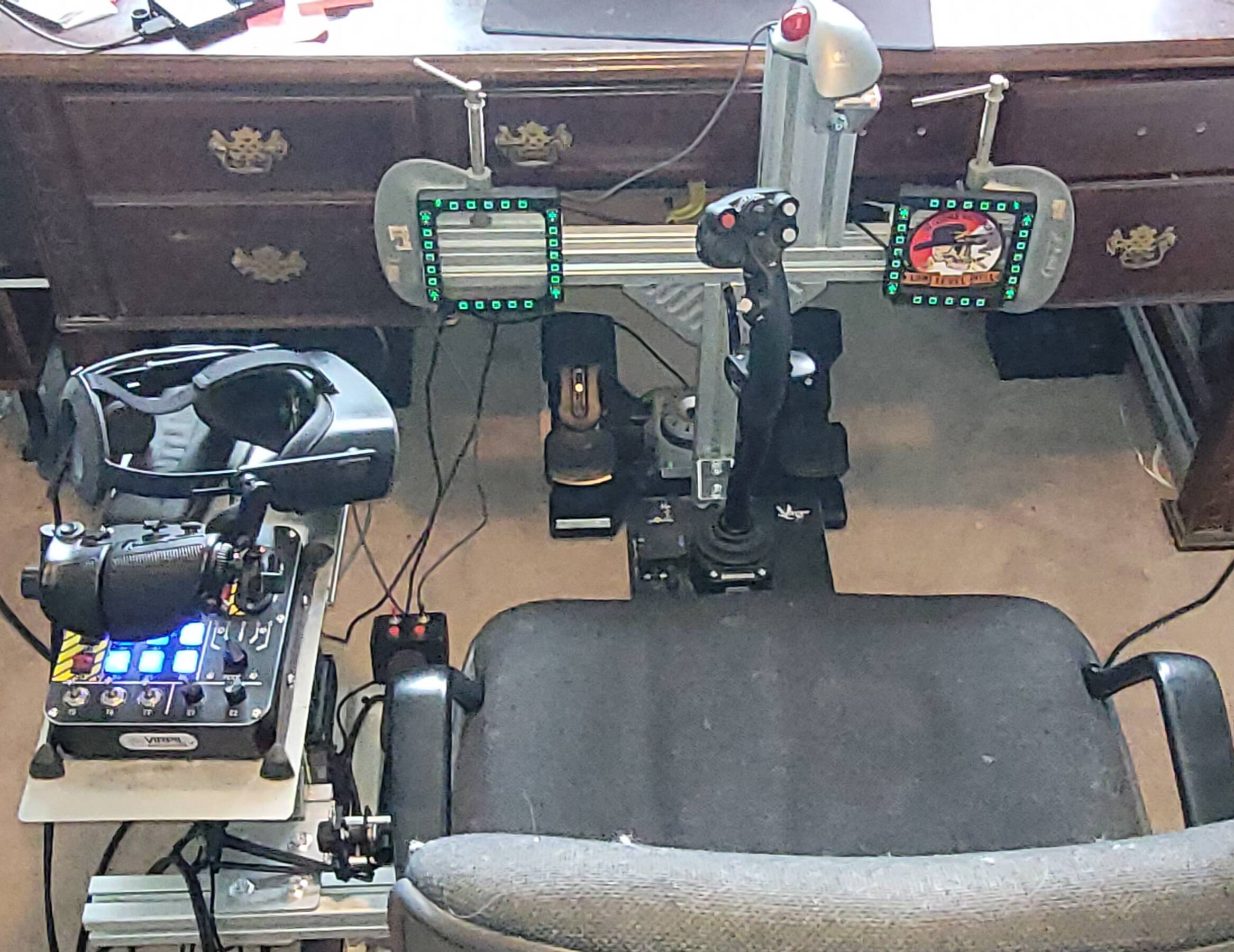
For reference , this is the equipment im leaning forward into, and it doesn’t impede my motion. YMMV
As for the little details , no i dont much bother with that. If i want to have to think about what im doing, i fly DCS. If i want to relax, shut my brain off, and just fly around, i fly msfs. If you choose to go more in depth, thats cool. We can use the same sim for different purposes
Maybe the fact that I am only using a Quest 2 is the difference here. Definitely not quite enough resolution to just lean into the instruments and see it all clearly enough to read the smallest detail. Nice setup by the way.
thank you. i mentioned the headset cuz i originally started with an OG vive, i know whats its like to have to guess what numbers the needles are pointing at. i had to lean way in to get the resolution i needed. consequently, the MI-8 was my favorite to fly back then because it had a lack of screens and i could memorize vaguely where the needles should be pointing without needing the numbers
yea, my complaint isnt the wind noise, but the crunching/scratching noise when moving throttle or spoiler levers. the control noises themselves are awful, not the effects of what they control- ive got no complaints with either the jet noises nor the wind noise from the spoilers
Emailed the developer, he expressed his intentions to upgrade some or all of the cockpit to 4K and said he didn’t before because he was worried about performance.
I tried it for the first time tonight and loved it! Very tricky to get slowed down for landing though. Is anyone else having issues activating the speed brakes in any way other than dragging the handle with the mouse? I can retract them with a joystick button but not extend them. Both extending and retracting with the joystick button do still work with other planes such as the MB-339.