Yeah, there is shimmering. Even without the scaler (I was mostly running OXR150/TAA75 previously) I get shimmering around buildings and on any white text/lines on the G1000 panels. A little bit around other high contrast scenery areas (like edges of lakes, etc).
Even though there is shimmering, I can actually read the buttons and placcards on the dash (C208 most recently tested in the Iceland bush trip). If I go back to straight 100/100 (without NIS scaler), there is definitely less shimmering, but everything is just so muddy.
That is the problem, I don’t see that. I will have to do what you did, do it manually in the registry, and that I have no idea how to do it. I saw some instructions to do the registry thing so I might try that.
Guys I am wondering. I dont use this Alpha software but have activated NIS.
In VR I see its activated because of the blue NIS on screen. I have the impression that it makes my image much sharper in VR.
When I read the Nvidia site they explain that if you see NIS on screen in blue that scaling is not working but sharpening does.
Anyone have tried this out already?
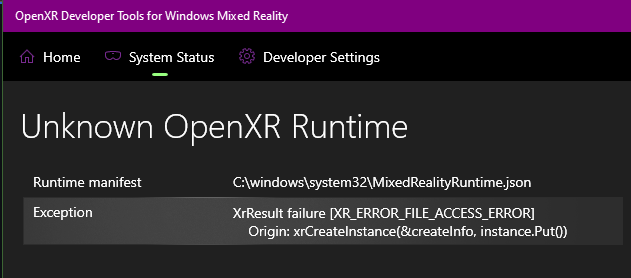
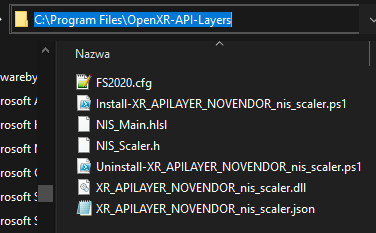
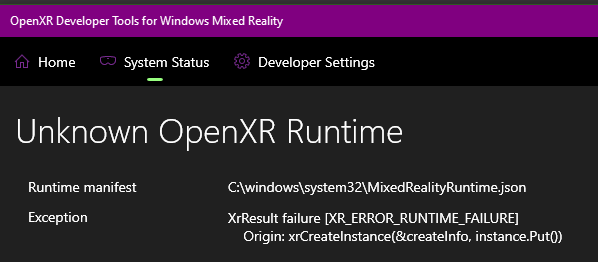
Does anyone have similar problem? I did everything as per instructions. If i change library path in XR_APILAYER_NOVENDOR_nis_scaler.json the error disappears, so i guess it has problem accessing the XR_APILAYER_NOVENDOR_nis_scaler.dll
This is what the Ctrl+F1 shortcut is meant to help with, it switches between a simple bilinear filter (which should be close-ish to what the in-game render scale might be doing(?)) and the NIS scaler. It’s not possible to truly disable the processing, because it needs the game to recreate the OpenXR session (what you do with Ctrl+TAB).
Maybe I can make a shortcut that will write a disable option to the config. It’s always a bit tricky when you write to a file in-game, because then you have to start handling what happens if the file gets corrupted during write (eg: the game crashes simultaneously). So I wanted to avoid that. But I certainly understand the desire here so I’ll take another look this week-end.
Interesting - maybe we don’t even need my software after all! I thought people had tried all this stuff at the beginning of the thread and it was bust. Certainly interest to hear to know for sure…
Yes, tried this already. NIS works on the projection of the VR screen on a flat monitor and WILL show that it is active, however it will upscale and sharpen ONLY the flat-screen image, there is NO impact from NIS in VR headset itself, without this plugin.
Unrelated - I had folks asking me how to donate, send me a beer etc.
Y’all are amazing
I’m happy to write this software and take nothing in return beyond this awesome reception and support.
We all (including the OpenXR working group and my team at Microsoft - and surely the teams in other organizations) want to make AR/VR better and better in the future, and promote that OpenXR is awesome and get more developers involved and more applications and games to support it! Working out the issues and performance with these experiments is key to that goal, and the type of work I’m doing here contributes to it!
Best you can do (once I release something a bit more polished and without all the install issues) is to help promote this software around. I’ve already seen posts on other forums and all the way to Russia! This is so cool! THANKS!
I will try again but I get the impression that my Image is sharper in VR.
Acording to nvidia is Blue NIS only sharpening.
Your did not see any improvement in sharpness?
Maybe its my imagination but since its active in the mirror screen I suspect that sharpening is working. Unless you have other information from another source.
Maybe others can try as well and see what they experience? You use a Quest 2 which I used a month ago. Working with the Reverb 2 is such a game changer with what you get presented in VR. I am sure that scaling is not running since NIS should be green. This is not the case.
I also have no improvements in framerate so apperently the Alpha software is better.
Btw I use Reverb G2 and 3080.
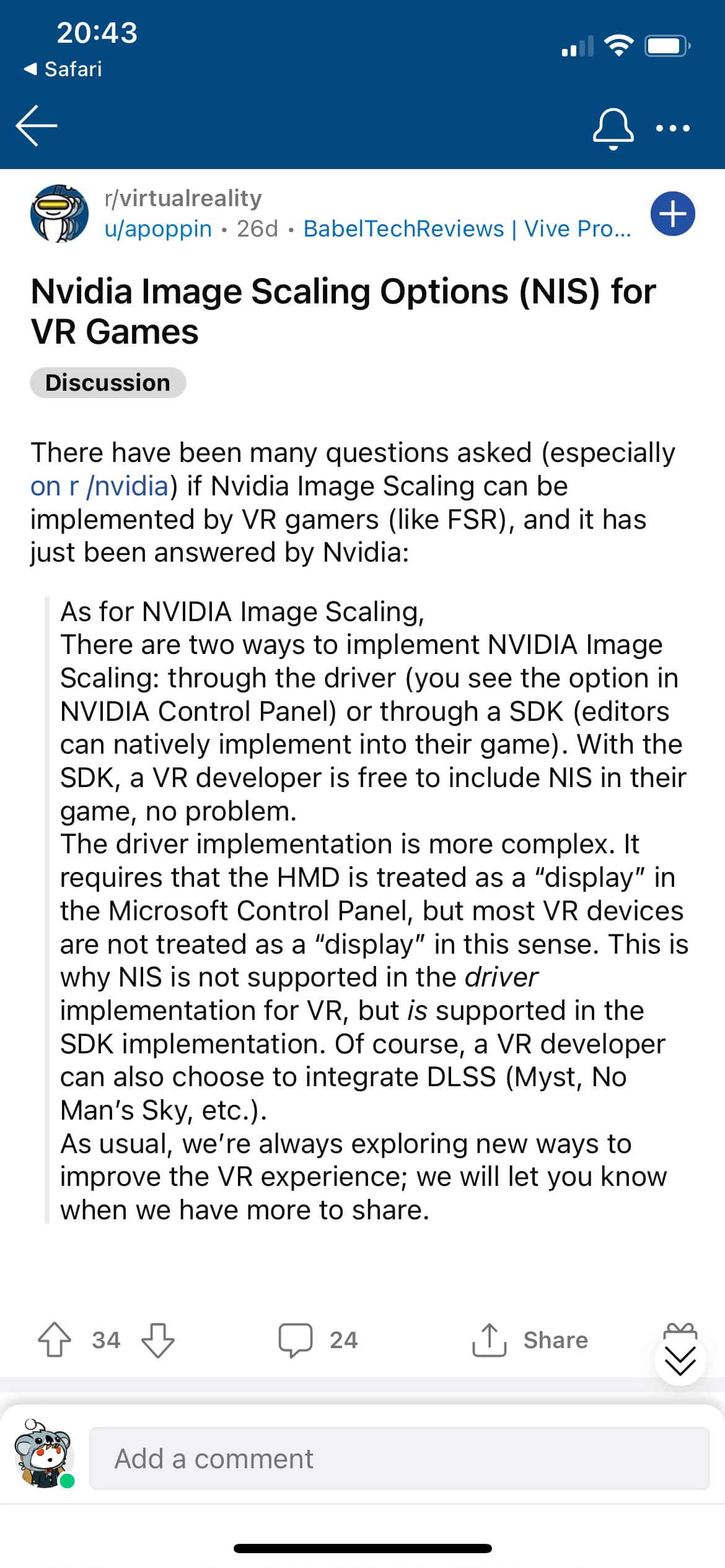
Aperently this is the official Nvidia Reply.
I see the option in the Nvidia control panel.
I can even change sharpness details. The Reverb is connected as a montor that I know since its connected to my videocard.
But honestly I am not an expert just sharing what I found. Maybe someone here really understands this.
nvidia Blue NIS is ok in VR (HP Reverb G2), (only sharpening) but nothing special, IMO.
Alpha 3 it’s way, way beyond…
Waiting until author will remove nightly odd color clouds.
I continued to play with this mod yesterday. I’m finding that, for a given NIS scaling value, the external aircraft visuals stay similar clarity to what I experience without using the mod however cockpit visuals are degraded as if I had set the OpenXR scaling to a commensurately lower level without using this mod.
The PC-6 with the G1000 is a good aircraft to use for this comparison as the displays are quite far from the default pilot seating position. If I use my pre-mod OpenXR/in-game RR settings of 80/100, I am just able to read the altimeter setting and wind vector information on the PFD. If I use the mod, even with as high as 0.9 scaling, and any sharpening level with the same 80/100 OpenXR/in-game RR settings, I get better FPS however I am no longer able to read the altimeter and wind vector information from the same position without zooming in my view, which is what I would have to do if I wasn’t using the mod and used 70/100 OpenXR/in-game RR settings.
In short, in my experience I believe the NIS scaling has a similar detrimental effect on cockpit text clarity as what changing OpenXR scaling by a similar amount does, which seems to negate the benefit of using the mod. I do like the sharpening effect though, so if mbucchia updates this mod to not try and use the NIS scaler when scaling is set to 1 and just use the sharpening effect by itself, Ill give it another go.
Thanks so much for this @mbucchia , I’ve tried a lot of settings combos using this and (as a lot of people already know) found that the openxr scale is key to sharpness and msfs scale improves interiors. After a lot of testing I’ve ended up with 180oxr, 70 msfs, 0.9 nis and 0.1 sharpen.
The results are stunning, clear and sharp to the horizon and smooth using mr, even in rain though it might struggle in heavy rain or storm.
I’m also seeing the weird colours in low light/ night that other are reporting so hope you can work some magic with that.
This is on G2, Rtx3090 steam version.
Thanks again.
In C:\Program Files, C:\Program Files (x86), C:\Windows I get XR_ERROR_FILE_ACCESS_ERROR
In C:, C:\Users... etc. there is XR_ERROR_RUNTIME_FAILURE
Turning off windows defender or excluding folders changes nothing
Hope this helps. It seems my problem is isolated, maybe something wrong my system side unless there are some other prerequisites for this to work (my setup Win10, Nvidia Driver 497.09, Windows Mixed Reality and OXR DT up to date).