Just a coincidence eh? 
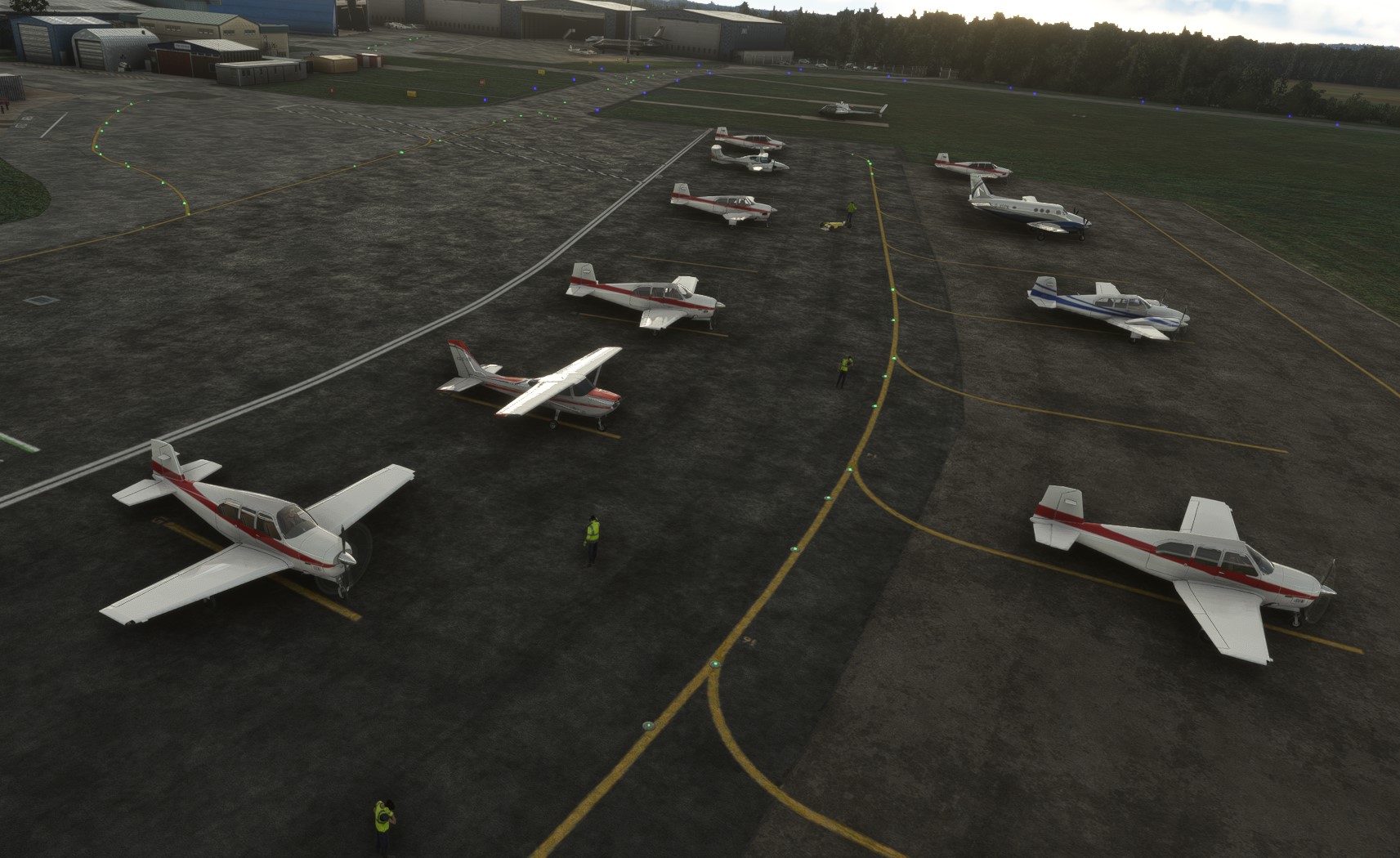
The prop blur is a model animation issue, sometimes it does appear, sometimes it doesn’t.
Most of the aircraft will only make one flight per day, increasing the sim rate to x4 or even x8 should speed things up.
Lol, yes I’m afraid so - there are three colours for each aircraft but the sim often chooses one and repeats it. Maybe they belong to the same flying school.
1 Like
That’s crazy! Why only one flight per day? Can you increase it or change or so that they do circuit work or are a bit more active? I can have static AI without buying your addon! I appreciate it but would like active AI!
2 Likes
That’s one flight in 24 hours for each aircraft - so if you have 8 aircraft on the ground, there will be 8 flights out and up to 8 flights in.
1 Like
I’m now using this together with FSLTL and my airports are full of GA and commercial (finally).
Now all we need are more liveries and aircraft variety!
@GBTAW Where can I get a clean livery template to start making some of my own to share with the community?
Great news, good to hear you’re up and running! Unfortunately there are no livery templates for the generic aircraft, the only option at the moment is to edit the existing textures.
1 Like
What traffic settings are using to get both programs to work together?
I have AI Offline traffic selected. It shouldn’t work for FSLTL but it does.
See here > https://www.avsim.com/forums/topic/624679-fsltl-live-traffic-finally-released/?do=findComment&comment=4855959
1 Like
I am enjoying the variation of IFR/VFR traffic I’m now seeing with the FSLTL & Simflea combo, especially at GA only accessible remote Pacific and Carribean airports.
Where FSLTL alone didn’t provide any traffic injection for.
1 Like
Version 3.5 - New FSLTL default AI Traffic Fix:
This fix will prevent ALL default AI traffic and liveries from appearing in the sim, including generic AI, stock AI and even third-party aircraft. Offline GA Traffic will still appear in the sim as normal.
If you wish to use this fix (do NOT use it with Aerosoft’s Simple Traffic!) navigate to your Community folder and open the Offline GA Traffic folder. Open the new FSLTL default AI fix folder, there are two folders inside: Original and fs-base-ai-traffic.
Copy the fs-base-ai-traffic folder to:
AppData\Local\Packages\Microsoft.FlightSimulator_8wekyb3d8bbwe\LocalCache\Packages\Official\OneStore
Click on Overwrite when asked. If you wish to return to the default Ai Traffic, open the Original folder mentioned above and copy the fs-base-ai-traffic folder into the OneStore folder and overwrite the ‘fix’ folder and contents.
The downside to this (which is a great add-on, by the way) is that if you run it with FS Live Traffic, the stock ATC never shuts up. 
2 Likes
Currently running FSLTL with Offline GA traffic. Using the FSLTL default AI fix. On the description of the fix it says it will not show:
I assumed this would mean I should only see FSLTL and 5 offline GA models. However, I am seeing “stock” GA planes, including Caravan, Cessna with skis, TBM, etc. Is this correct? Those planes do show up in the “FS10.AircrafTypes” spreadsheet that is included in the “fix” folder. The only generic model that still shows up is the Asobo twin jet.
The way that it is working is great but I was confused with the phase above.
Sim update 11 will have replaced the fix with the default files, you’ll need to re-apply the fix.
Which is to copy the included folder over to the Official folder, correct?
Yes, and click “replace” when prompted.
1 Like
Thank you!
Unfortunately, every time I restart I download a small “mandatory” update that overwrites that file…
I’ve checked it myself and after SU11, the file is replaced by a mandatory update after every restart.
Earlier attempts to create a Community folder mod didn’t work, so it looks like we’re stuck with the default GA for the time being.
Thanks for checking. SU11 has ruined a few people’s good work!
1 Like