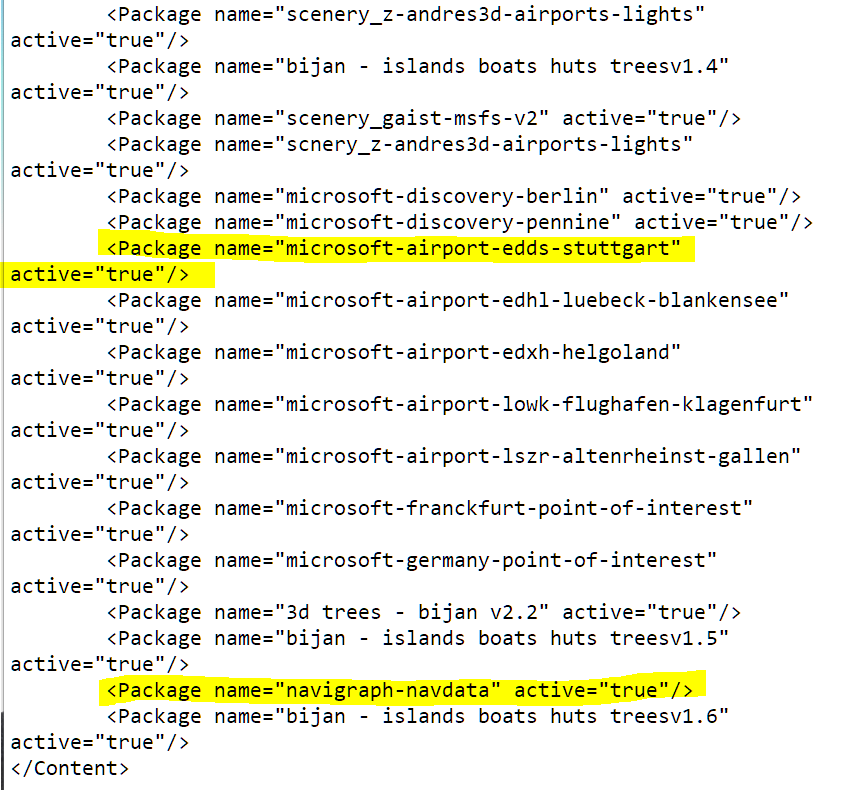
Hi there. The new Stuttgart airport looks amazing. Really. But The Localizer for the ILS is completely offset. So there is no ISL approach possible.
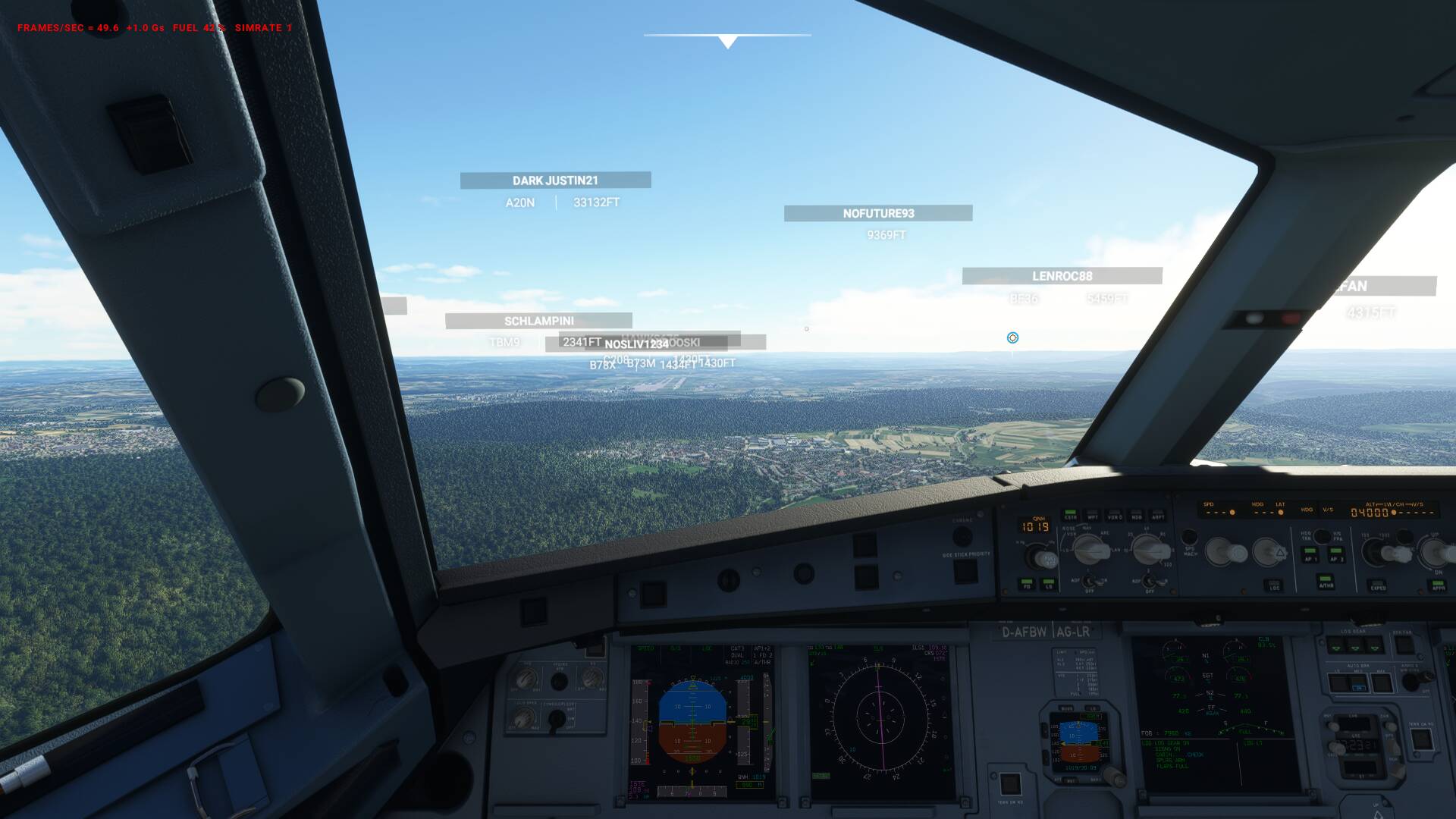
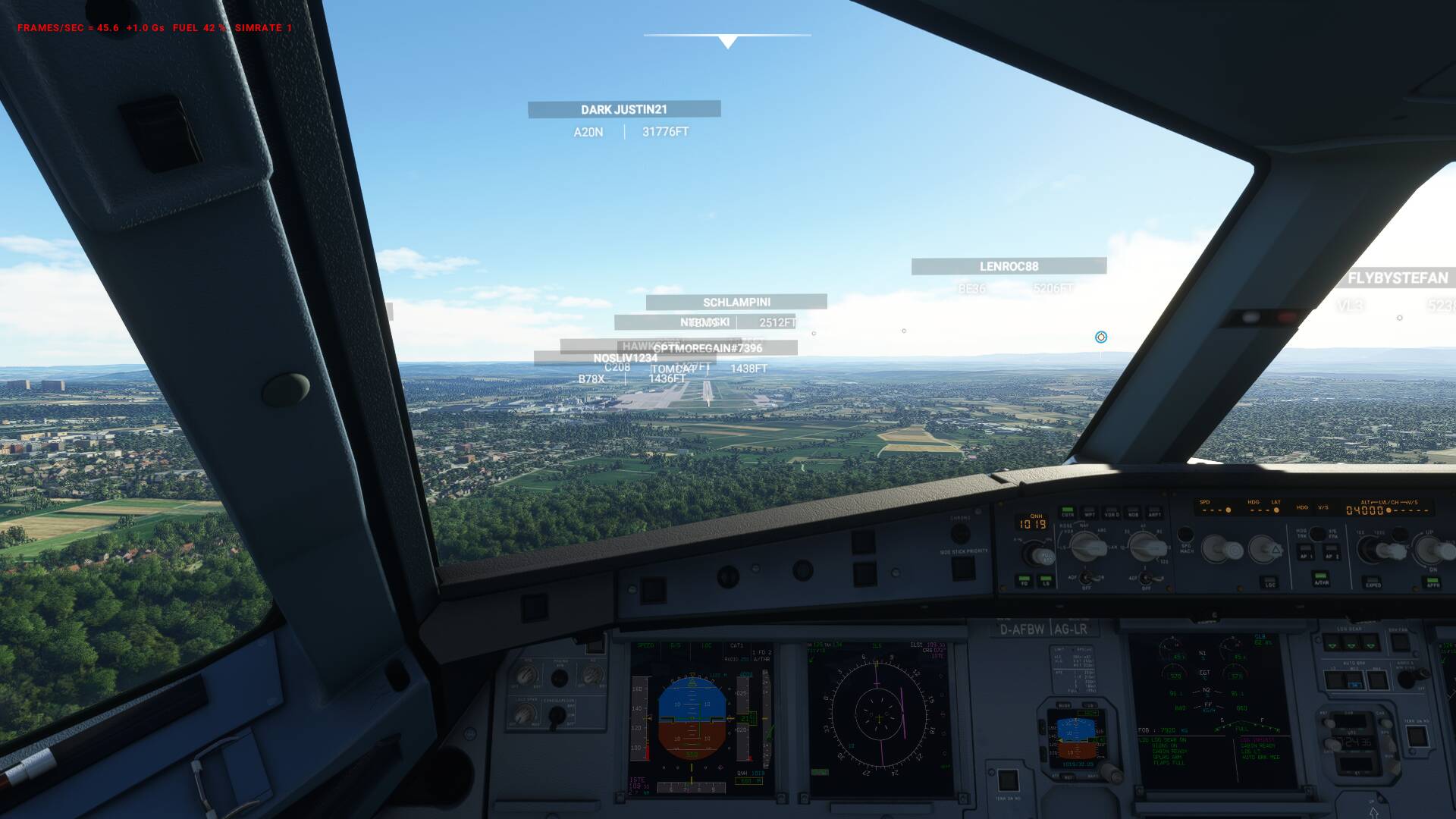
Yeah, exactly what I have.
Did you report it to ZenDesk?
Not yet. I have to find out how that works.
Ok thanks I will report this later.
same here … localizer is offset to the right

Thanks @billgranada
I also use Navigraph and if I edit content.xml to place the
< Package name=“navigraph-navdata” active=“true”/>
entry right at the end of content.xml then the ILS approach works perfectly aligned.
Without any navigraph data or with this entry in the default position of content.xml as placed by Navigraph Navdata Center then the ils is offset and not aligned.
There is clearly an issue with the handcrafted airport and the ILS set up contained within the bgl file for that airport.
There are problems with a heap of airports (most of my LatinVFR, for example) and this fix using Navigraph has been a great discovery for me. Thanks for explaining it better.
Note: The ILS for 25 is also not aligned with the default data either.
Excellent solution! Now I can get to fix such issues myself without waiting.
Thank you so much!
I have the same issue with the ILS and saw this thread
Currently en route back to EGLL, but will check out the position of Navdata in the content xml when I land
Many thanks for this tip
So this will fix this ILS…other ILS are OK..
I KNOW RECENTLY ABOUT EDDS
THANKS
Just tried to put the navigraph entry just one line Below that of the EDDS … was thinking that Should be sufficient.
There was indeed only one More line left After the navigraph one, that was from some aerosoft scenery Airport addon.
I was irritated though that ILS localizer in edds was still off (this time for RW 025). I Interpret that as Aerosoft scenery somehow overwriting the navigraph data for edds, even of this addon was a completely different Airport.
I will try tomorrow, if putting the navigraph line at the very end will Fix Thinge for me too
@Enkanath
That seems really strange.
I have to admit that until this point I didn’t also check to see if placing that navigraph entry at the end of content.xml would also correct the issue for the ILS to rwy 25.
However, I have just checked with the default Asobo A320 and I am happy to report that I am getting a perfectly aligned ILS with the navigraph entry at the end of content.xml as shown in the screen shot below
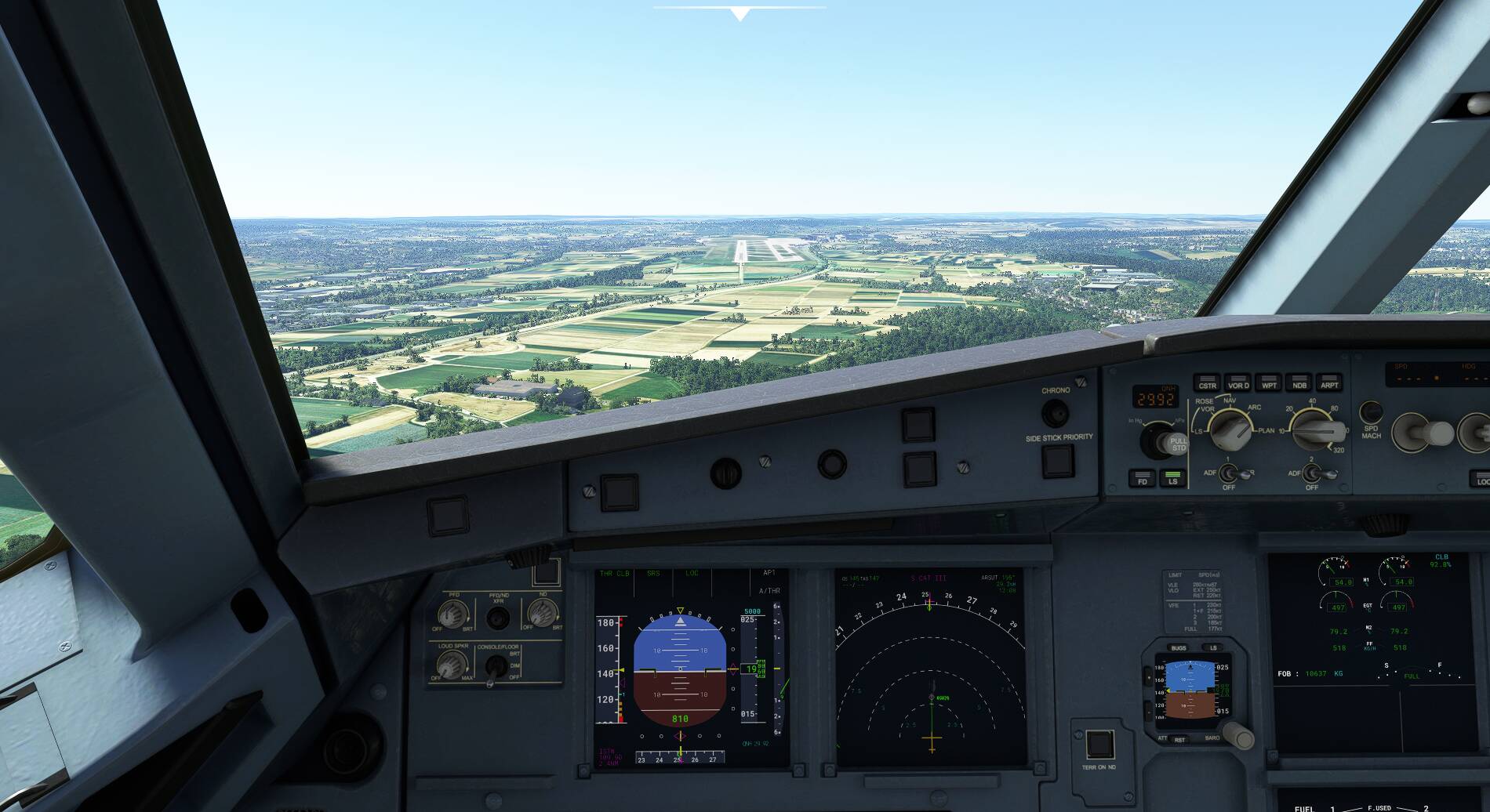
I hope you also find a suitable solution.
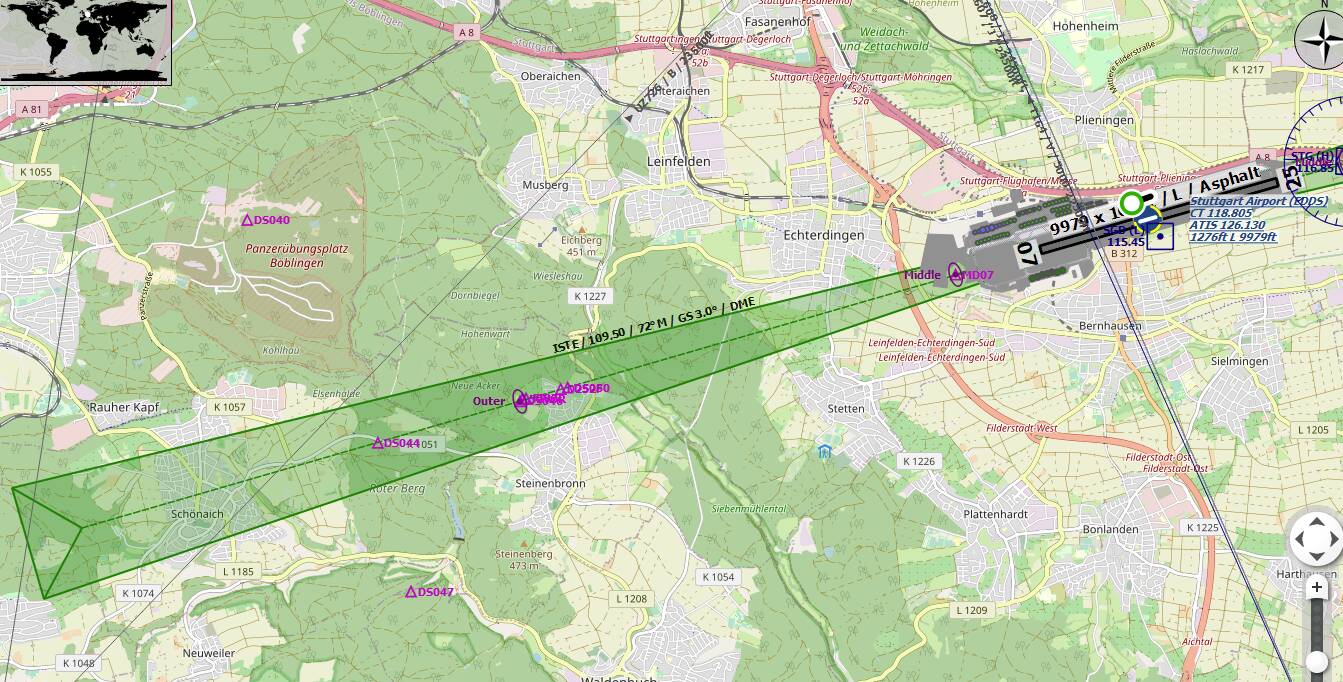
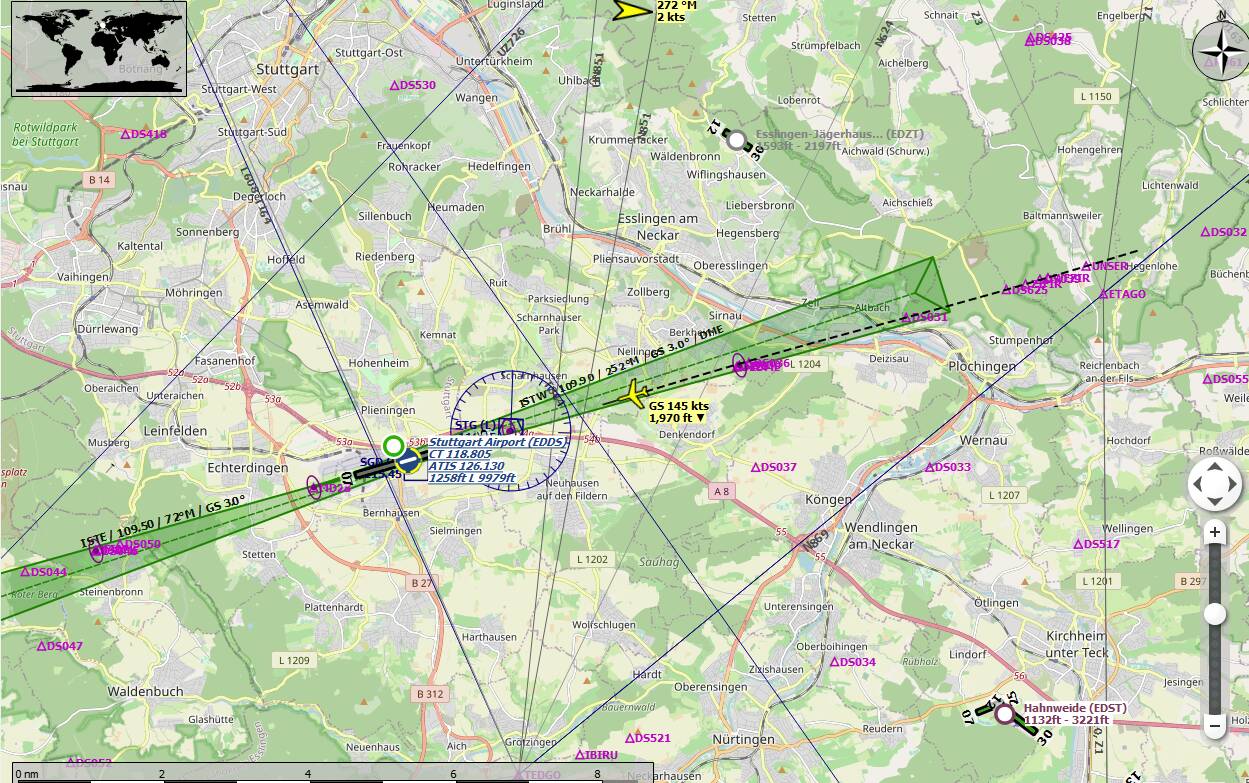
As an extra… The screenshot below from littlenavmap shows where the default data for MSFS thinks the ILS is located (i.e. offset) and the path the aircraft is flying with the navigraph data installed and activated with the suitable priority. As can be seen the actual path flown is for a perfectly aligned ILS approach.
have to correct myself. Seems my changes simply were not saved (used notepad++ which doesn’t save automatically on file close)
So the workaround with navigraph data prioritized over EDDS-Line in the Content.xml works for me too.
It has indeed to be below the EDDS entry which in my case leaves one entry for EDDH (Aerosoft) below the navigraph line.
As the expected priority should usually be: “Airport-Scenery over regional scenery over global scenery”, I wonder if putting the EDDS line at the top and leave navigraph, where the installer has put it to, would have the same fixing effect on Edds without potentially effecting all the other airports data.
If that works (try that later) I think that might be the better fix, as is would fix only what’s obviously broken.