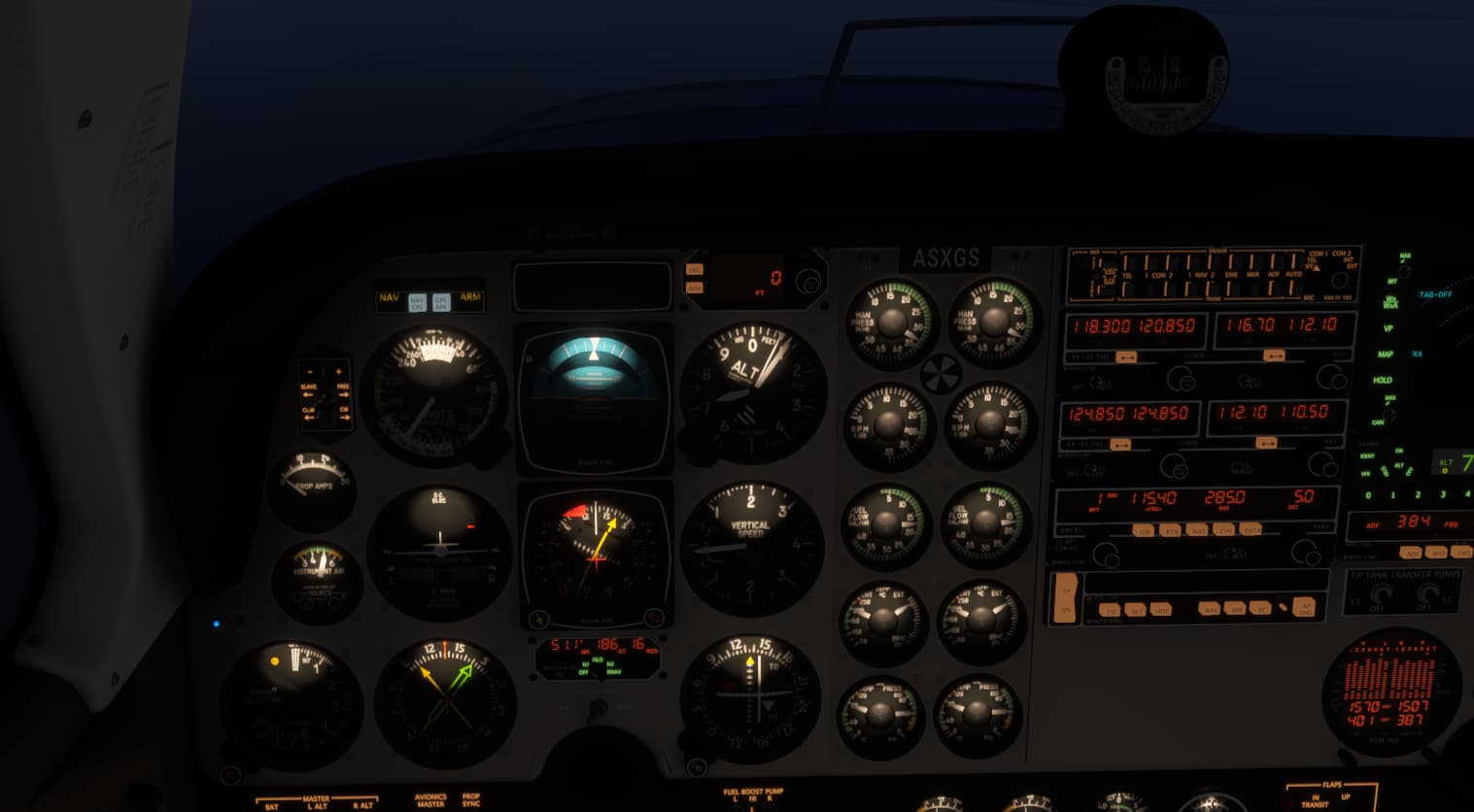
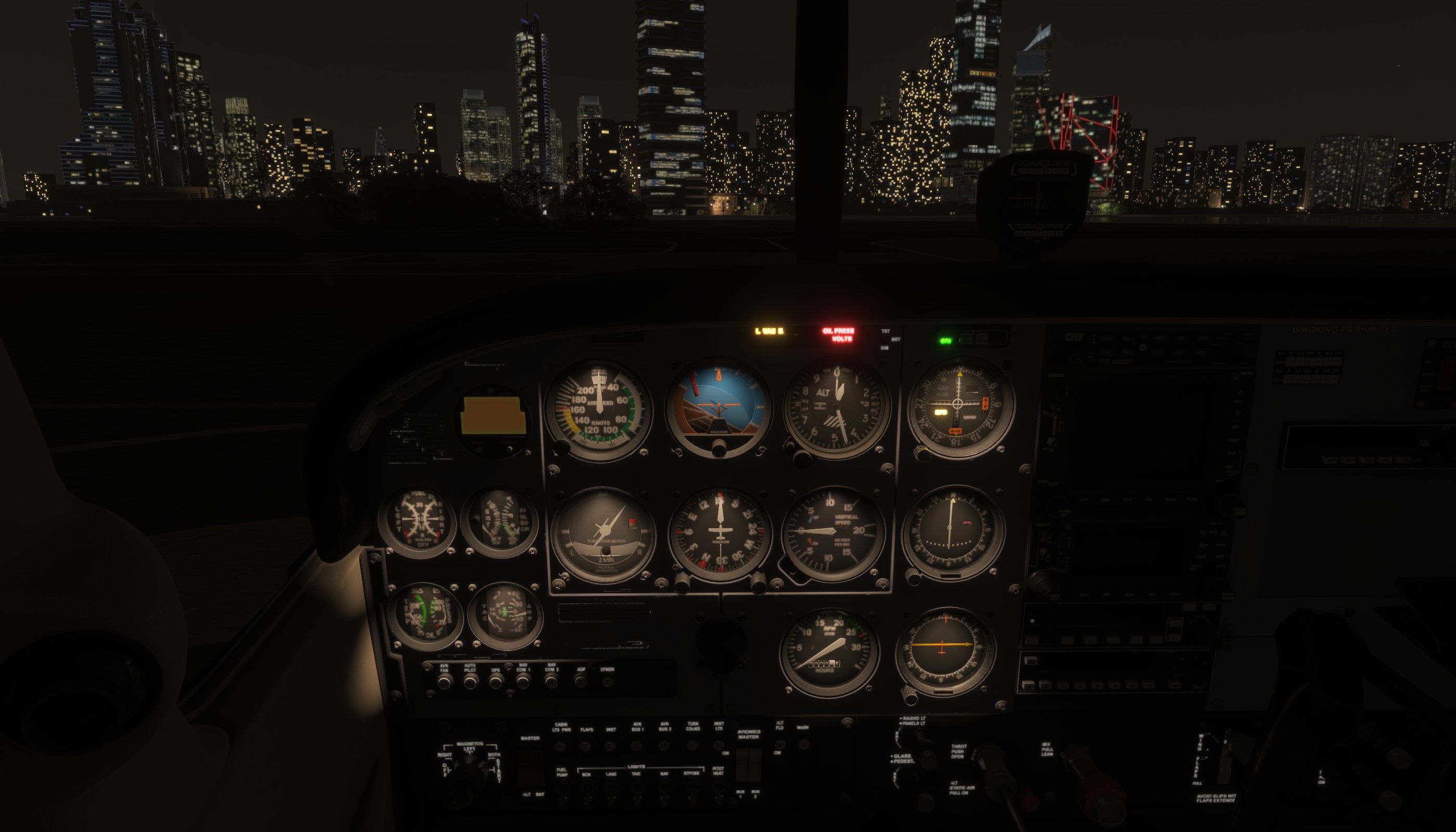
For me it did not work in 2024 version from the beginning. (And this is not only Cessna C 172) Why do not they fix this? Who knows…
Actually Instrument lights in the C172 work, just displaced.
For me it did not work in 2024 version from the beginning. (And this is not only Cessna C 172) Why do not they fix this? Who knows…
Actually Instrument lights in the C172 work, just displaced.
@Stardrifter2232
This issue is tagged bug-logged in the header of this the topic, which means that:
“The issue reported by the community has been successfully reproduced by our test team and turned into an official bug. The bug is now being assigned, prioritized, and worked on for a future fix.”
I missed that, thank you!
Same problem trying last night in latest SU3 Beta. I thought it was a bug in the Zinertek aircraft realistic lights but clearly I was mistaken.
Yeah I don’t think that addon impacts interior lighting at all.
“AIRCRAFT LIGHT ENHANCEMENTS INCLUDE:
Improved Interior Cockpit & Cabin lights”
From that the interior is certainly impacted and thought instrument lighting would be part of the interior cockpit lighting.
Dang, I want my money back for my college degree  Thanks for pointing that out!
Even in the latest SU3 Beta the instrument lights in the C172 are not working correctly.
1 tag is required - add them in the tag section next to the title above:
One for aircraft if related (start typing in your aircraft name in the tag section and pick correct option)
Feel free to delete this quote section after adding your appropriate tags.
Description of the issue: Light switches (strobe, landing, taxi, nav, etc.) don’t respond to change inputs. On all the time, can’t turn off with mouse or external controls.
How often does this occur for you (Example: Just once, every time on sim load, intermittently)?
Every flight
Please list clear steps you took in order to help our test team reproduce the same issue:
Start Flight sim, select either C172 or C208 for free flight. Did not try other aircraft.
In the cockpit the light switches do not respond to either Class Echo external controller or mouse clicks.
I closed SpadNEXT for my Class Echo controller and had the same result.
If the issue still occurs with no mods and add-ons, please continue to report your issue. If not, please move this post to the User Support Hub.
What peripherals are you using: Class Echo, Honeycomb Alpha
[PC Only] Are you using Developer Mode or have you made any changes to it? No
[PC Only] What GPU (Graphics Card) do you use? 4070S
[PC Only] What other relevant PC specs can you share? i7-9700, 32GB, 1TB, 4K monitor
7800x3d
Please add a screenshot or video of the issue occurring.
Good idea. I started the sim with just keyboard and mouse. External light switches still didn’t respond. It’s not a killer for me. Still getting nice flights though. The switches for pitot heat, fuel pump, etc. do work properly.
If you have any addons, have you tried the sim in Safe Mode and confirmed if the issue is still there?
I did clear my community folder and have no other 3rd party content. Still have the problem. Not a solution.
My guess/hope is that, like many aircraft fixes, this is something fixed internally and won’t roll out to the public until the final release.
That said, there’s about a dozen items on that list that have incorrect or outdated statuses so I don’t really put much stock in them, personally.
Yes, the C 172 looks OK.
However, L-39 still suffers - no panel light, broken GPS screen lighting, and there is that stupid white lighting in the cockpit still there - the more switches on the right panel are ON the brighter this light is. One more year to fix? Or never?
And even in their new helicopter the GPS screen is not lighted properly.