Will mouse yoke ever even come at this point? Such a simple legacy feature yet still not in the sim after nearly 2 years since release.
5 Likes
MODERATOR EDIT:
This post merged into this topic.
The ability to toggle Mouse Yoke by pressing Ctrl+Y, and the ability to remember the last position of the Mouse Yoke when turning it off, just like FSX.
1 Like
MODERATOR EDIT:
This post was merged into the topic.
If any of you played FSX or P3D, most of you might remember using mouse yoke whenever we were just limited to mouse and keyboard while playing flight sim. In my opinion, I think this should be added to FS2020 since there are probably people that still use keyboard and mouse for flight sim and can’t afford or don’t want a joystick. I think this would open up the game more towards people new to the flight sim genre.
1 Like
Yes, please!
I used mouse yoke - and mouse steering - in video games for years with great success.
PS:
As a workaround right now, give ppjoy a try to simulate a joystick input with your mouse.
1 Like
I am using VJOY as a yoke and the truth is that it has helped me 80% out of 100%. hopefully one day we can see this among other things in the simulator
I have to try it and see how it goes
Hello everyone, I’ve made a little script for doing this. You can use your mouse movement and scroll wheel as controller axes, so you can bind them to yoke and throttle. Hope you find it useful!
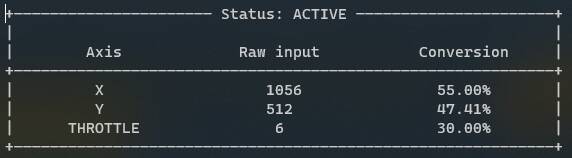
https://forums.flightsimulator.com/t/mouseyoke-mod-for-msfs-fly-using-your-mouse-in-microsoft-flight-simulator-2020-the-easy-way/554267
1 Like
Bringing this topic back up for 2023…
Any official response on mouse yoke?
A very much wanted, basic, and legacy feature that should have been implemented day one.
Bringing this back up. I’m getting a joystick today so I won’t actually need the mouse yoke, but this is just something perplexing. The only reason I’m still playing flight sims is that I was able to use mouse yoke in FSX before buying a yoke.
Implementing this would make the game so much more accessible to newcomers. I get that this doesn’t have as many votes as something like AI traffic. However, the devs should really be considering the complexity of features as well. AI traffic is a long and complicated endeavor. Mouse yoke could’ve been implemented by one dev in a couple of hours, as demonstrated by @matiaspedel0. It seems to neglect such quick changes for things that will take much longer anyways.
1 Like
Hey guys, 3 years already passed since the sim was launched, still no mouse yoke option… I personally use an external program.
Its strange that they deliberate choosed to not give this oportunity to play with mouse as yoke since all previous versions of the game had it, feeling kinda left alone by ms to be fair… pls let us use mouse as yoke
This is a topic of ultmost relevance since the not so much sim-hardcore guy can use the game to enjoy a flight with little or no difficult at all.
1 Like
Did we get any answer to this?
Mouse yoke, like in FSX, is really important for any newcomers, since using keyboard for controls is attrocious. Even using xbox controller is pretty difficult experience. Lack of support for mouse yoke just increases barrier of entry for no reason.
1 Like
I believe it has been bypassed once again in 2024… However, there seems to be basic control of the flight surfaces using keyboard commands.
I have personally been using Axis and Ohs by Lorbi SI. A bit fiddly to set up but Oliver is often a great help when things aren’t going my way. The transition from 2020 to 2024 though has been faultless after importing my profiles to the latest version of Axis and Ohs.
Yeah, I use the AAO as well, but it’s a pitty one needs thrid party product for something that was already solved in previous sim. Although I’m glad it’s atleast possible for such product to exist in the first place.
1 Like
To the Microsoft Flight Simulator 2024 Development Team:
We, the dedicated community of flight simulation enthusiasts, are eagerly anticipating the release of Microsoft Flight Simulator 2024. As you continue to innovate and push the boundaries of realism, we urge you to reconsider a critical accessibility feature that was a cornerstone of previous titles like Flight Simulator X: the return of the default mouse yoke control scheme, implemented with the exact same functionality and controls as FSX.
The mouse yoke is not merely a legacy feature; it is a vital accessibility and inclusivity tool. For many aspiring pilots who do not yet own dedicated hardware like joysticks or yokes—often due to cost or space constraints—the mouse yoke is the only viable way to experience the simulator with a degree of precision and enjoyment.
The FSX implementation offered a perfect balance of intuitive control and necessary precision, allowing users to smoothly transition from general aviation to complex airliners without immediate investment in expensive peripherals. Omitting or significantly altering this control scheme in MSFS 2024 risks alienating a significant portion of your potential user base.
Reinstating this feature ensures that MSFS 2024 remains the most accessible, welcoming, and widely enjoyed flight simulator on the market. We are convinced that the return of this specific functionality will be met with widespread community appreciation and is a crucial step in maintaining the franchise’s legacy of inclusivity.
Thank you for your time and consideration of this essential request.
Sincerely,
The Microsoft Flight Simulator Community