It wouldn’t be so much about RAM not rendering quick enough. More likely having to decide what to move out and what to move into RAM if there’s not enough space for it all. Then again, I don’t know how this coordinates between graphics ram and system ram, I didn’t notice how much graphics ram you have…
8700k 5ghz OC, 2080ti, 16gb ram . My setup
Yes of course you can add
what i don’t understand is that I thought this data is stored on your drive and doesn’t depend on internet connection. If that is the case, there shouldn’t be such a problem with this loading in properly and not look like a war torn country.
Bing Maps and Photogrammetry are not stored by default on your hard drive.
There’s no way for an individual PC to store the immensity that is Bing Maps optimized for MSFS, that’s thousands of Terabytes of data alone.
That’s why it’s all streamed.
You can try to cache (copy) very small portions (relative to the totality of Bing Maps + PG dataset) using Manual Cache. That’s broken in the current system however.
so, what are you actually downloading on the world updates?
Read through this discussion.
I have the same processor, paired with a 1060 (6GB)
A. not enough system ram
B. cpu is not fast enough to process it all in time
C. internet speed is too low (London needs 100mbps+)
Solution, fly slower. My laptop can only keep up at quarter sim rate in the Bonanza at terrain detail 200. It barely keeps up at terrain detail 50 at normal speed. Or turn PG data off.
London and the other new areas added in World update 3 are far more dense than the ones before, yet also over Rome I have to fly slower for the sim to keep up.
Thei handcrafted landmarks and airports. The PG ‘data’ is just a set of instructions where to download it from. London PG data is between 41 and 44 GB.
these are such large downloads that i figured that all of this city data is on the hard drive. I fly TBM GA and like to fly low and slow like you do. but, my frame rate drops to below 20 fps.
After “buying” it in MarketPlace, If you look at your notifications when downloading through Content Manager, you’ll see it’s a combination of Points of Interest (POIs), handmade airports, and regionally appropriate buildings for autogen (Bing Maps).
The POIs are of course landmarks - stadiums, buildings, palaces, parks, etc., that the developers showcase versus having them appear as flat terrain textures or inaccurately rendered autogen assets by Blackshark AI.
The rest of it, and the majority of your data consumption aside from potentially Live Weather, Live Traffic, Azure ATC, is Bing Maps + PG.
So, what you are saying or I’m assuming is that most of what is not fully formed around London is photogrammetry and still needs to be downloaded. But, the POI are installed on your hard drive. If i’m understanding correctly, that would explain some of t he problem. MS servers must be slow because i’m on a 1 gig connection.
For the most part.
There’s still discussions ongoing, and not clear direction / responses yet from Asobo, as to how certain Graphics settings may or may not influence the loading or appearance of PG. Plenty of fodder on that in the forums. So the whole story is not known yet.
Thank you. I will monitor this thread. Hopefully they will be able to optimize this at some point. I have other dense cities that I have purchased and am not experiencing this.
Here is a vid I made, showing MSFS in LOD 7 full Ultra gameplay… 4k https://www.youtube-nocookie.com/embed/9c_Pxzo4D4k
Ok, so i’ve been wondering if this is the place to report this:
(if not, could someone send me a link to the proper topic)
But I’ve been reading this topic a couple of days, and maybe all this is related (of course i didnt manage to read 400+ replys.)
I have a 5900X, GTX 1660, Custom graphics (Render at 110, LOD 130) internet of about 200MB. Gaming XBOX network is “open”, so i guess TOREDO is as it should be. (donno is its relevant)
And this is me approaching NYC:
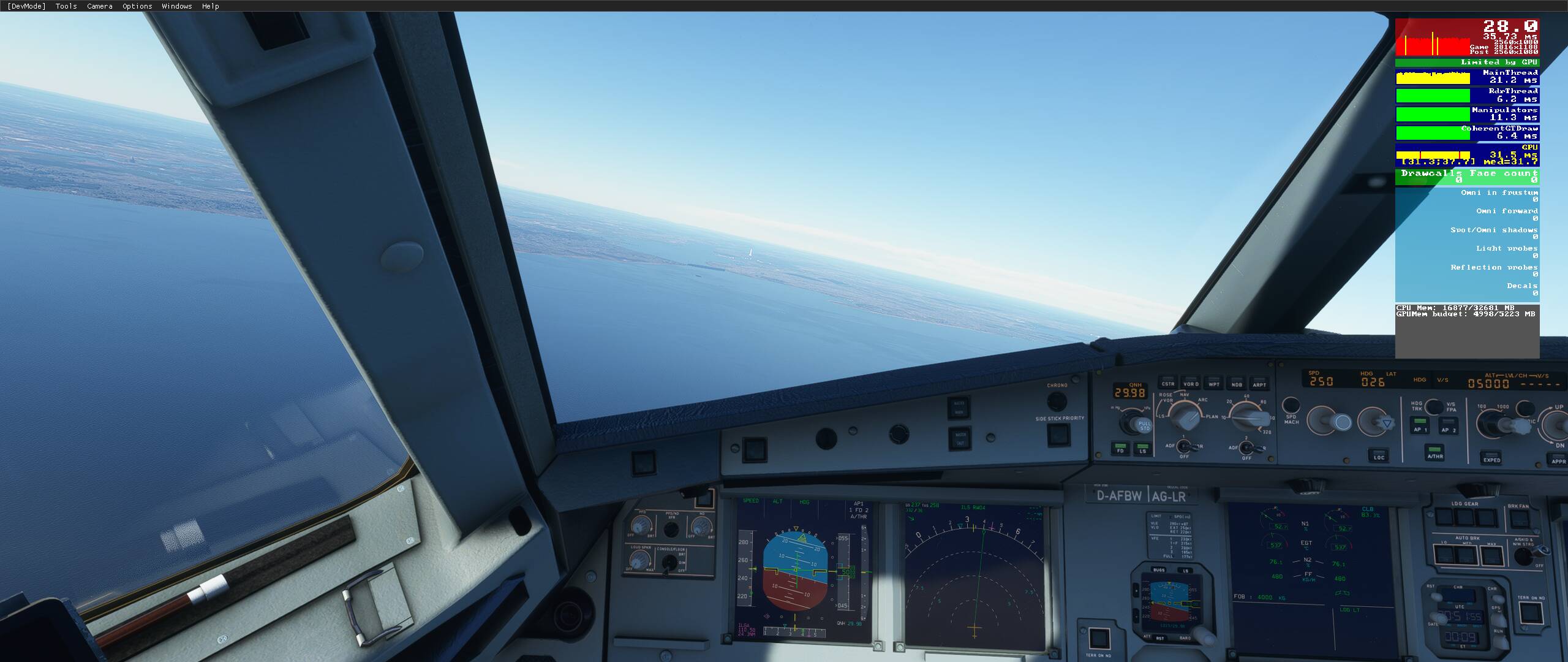
^ You can see that beautifil one builing skyline. very nice. super veru nice.
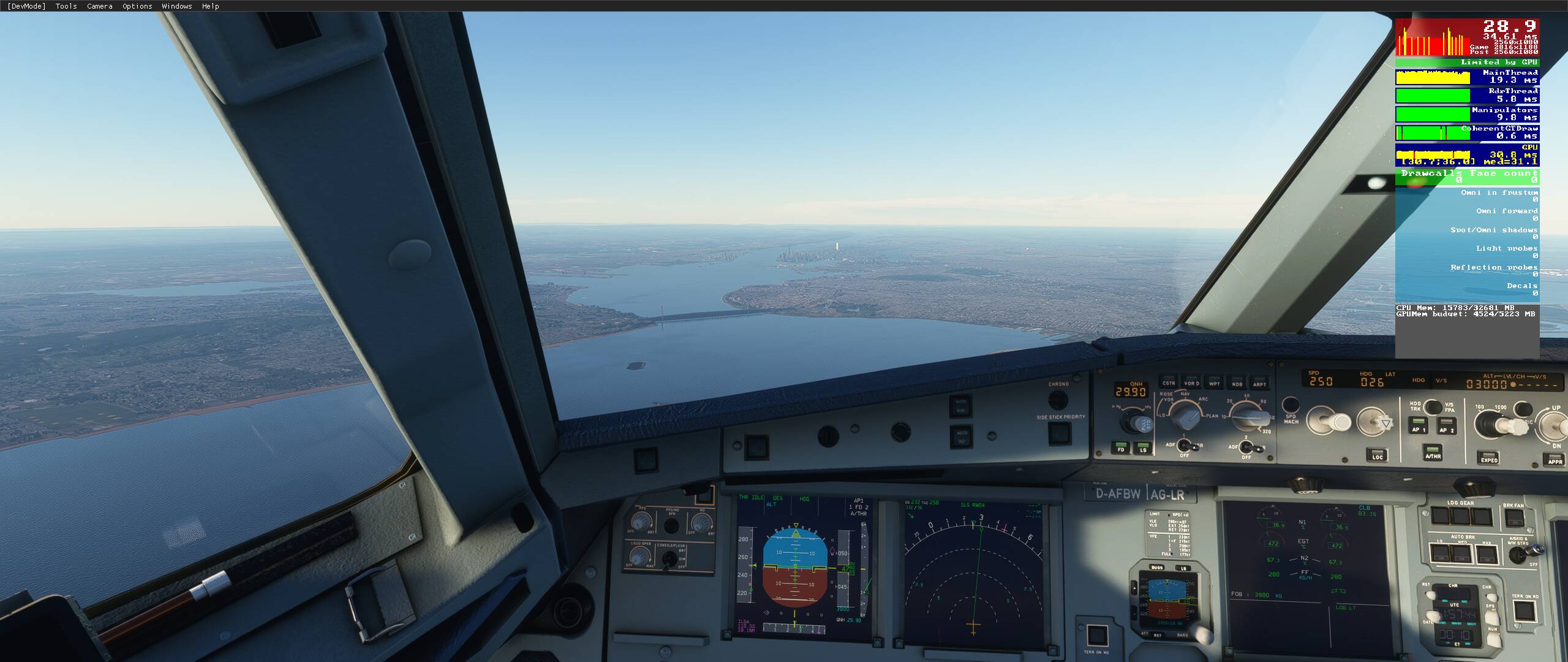
^ now closer, ■■■■■■ loading range.
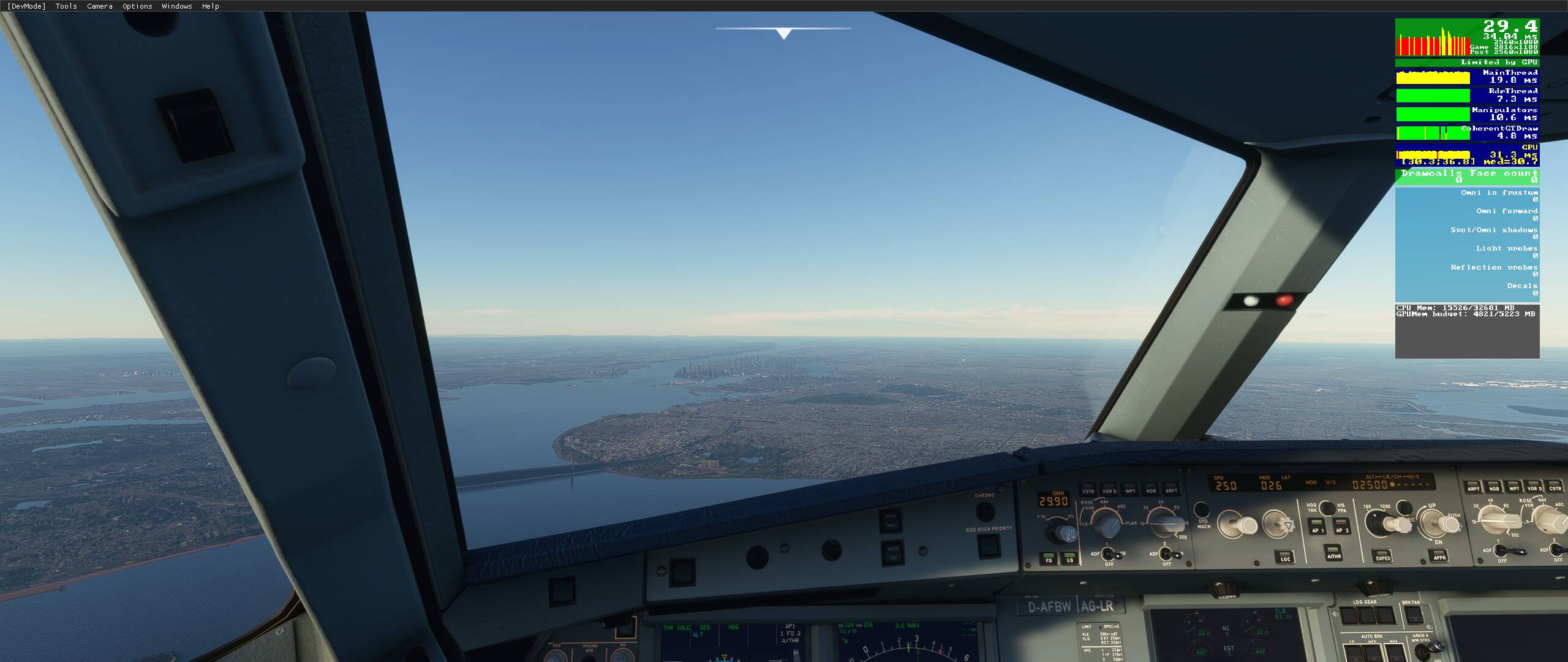
^ then this
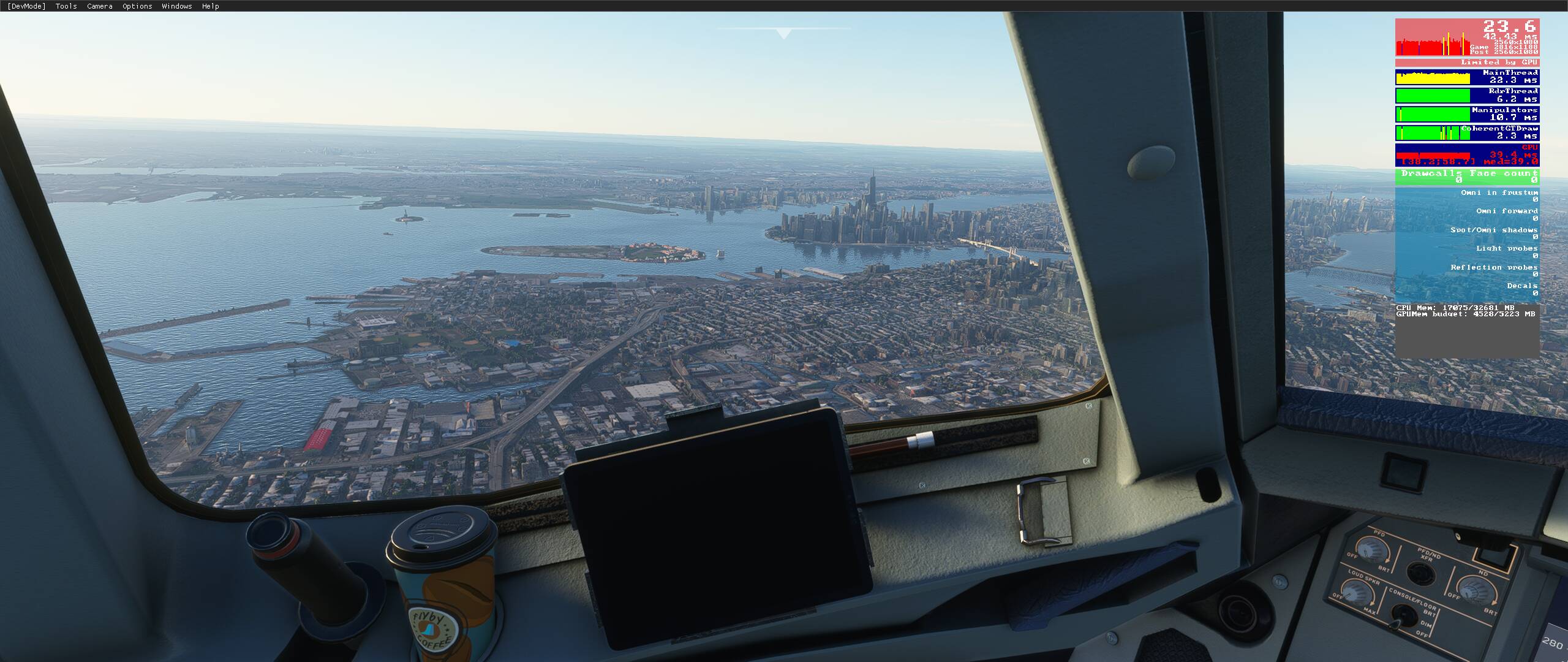
its like it doesnt go all the way on loading.
plus everything has too be way to close to be loaded.
is there anything I can do or this is part of the problem you all are addressing here and there’s nothing but wait, roll and cry?
So there are a few variables in the PG streaming, mainly LOD and the speed at which you’re moving. Internet bandwidth is actually not that big of a factor. If you can get 20Mbps down, you’re going to get just about as good of an experience as homeboy with gigabit fiber.
Linked below is the settings I use for FS2020, and it seems to work really well and really consistently for only having 8GB of VRAM and an 8/1Mbps aDSL connection.
The other thing to keep in mind, is the faster you fly, the more melty mud of PG you’ll see. PG works best when you’re in the slow stuff like the 152, 172, Cub, etc.. When you get to the TBM, and especially the jets and the tubes, that’s where you’ll really start seeing problems. You’ve already flown past the areas loaded, so the PG is constantly trying to do “catch up”.
FS has always worked this way, even FSX. just turn on slew, and jet across 10-30 miles and you’ll see not just PG, but the whole world just turn to low-res mud.
Expecting perfect PG in a 787 masking the terrain at FL10 and 300kts like that dude a few posts up going over London is completely untenable. Gigabit internet + 5950X + 3090 couldn’t even handle that one.

This is everything we’ve spent months discussing. Welcome to the club.
LOD 130 is really short, I assume that’s referring to the in game slider. Maxed at 200 is still very short and many people with high end systems increase it from the max 2.0 to 6.0 in usercfg.opt
Then you’re going 245 knots, with LOD at 6.0 that’s about 130 mbps needed to load in the high detail at that speed. (would be half that at 200 terrain slider, at 130 about 40 mbps needed)
PG is better suited to slow planes
hahaha thanks for this warm welcome to this select club, rolling and crying.
thanks @SvenZ will check on that, maybe is a solution for now to at least improve it.
thanks, I will check the latter.
and about the speed and stuff you said, i totally agree.
I mostly fly the A32NX, however that past week i did a couple of flights to NY and the scenery was like that all times… every flight is a new load from server…
I wonder if caching it manually world solve this problem.
I, TBH, don’t relly caro to super amazing graphics, but that volumetry from the skyline is something that helps the imersion.
trying to improve my LOD.. how do I adjust usercfg.opt from 2.0 to 6.0?
Thanks!