(post deleted by author)
34 Likes
Agreed, I have no idea why they made the controls the way they did. Its overly complicated and broken.
8 Likes
Now that I’ve spent some time trying it out, I think I’ve got it figured out. It’s much smarter, faster, more sophisticated and responsive. Once you get through it, it’s much more intuitive. I love it. They have invested a lot of energy and designed something new. Something different. And something MUCH, MUCH better! Just my opinion. Why don’t you take the time, try to get through it and start loving it too?
15 Likes
I don´t complain with the new logic and to learn again, if it worked properly…
I’d be ok with making it an option, but I actually like the new way a lot more once I learned how to use it.
5 Likes
Well I think I got the basics, I set up for my Honda Jet…Rudder controls, My rudder keep moving and my Trim wheel on my Alpha and Bravo not working, stuck.
I Finding it difficult with Camera controls It was perfect in MSFS 2020. I do believe it is more intuitive however I am getting a headache.
I set up for a cessna 152 profile, loaded up it disappeared. Need to take a step back,…
3 Likes
I think the smart way to do it would be to have a legacy mode for this. So you can do it the old way, or if you want to get more sophisticated you can do it the new way. This may be a case of trying to teach an old dog new tricks, so maybe after I dive a little bit more into it, It might start making sense to me. Right now I don’t have a freaking clue. A guide would be helpful.
6 Likes
Is there a guide or a YouTube video on this? I swear to God I don’t have a clue. I have worse problems, on Xbox I can’t even use my mouse to get around the cockpit because once I move it the cockpit spins and spins and spins. It’s utterly crazy. I basically can’t fly until I take care of this. Or they take care of this.
4 Likes
Yup this needs to be fixed. And in the same vein; on an Xbox controller when the collective is bound to a button there is a terrible half second delay when holding the button to when the collective moves. There was no such delay in 2020 and with helicopters needing constant and quick precise adjustments flying them is near impossible now.
3 Likes
Did anyone knows how to go forward a flight…?
There is a not  button in MFS2024 toolbar.
I have exactly the same issue on Series X with the mouse, so you’re certainly not alone. I started setting up my yoke and hotas last night and gave up in the meantime, until I’ve looked at a few guides.
Also, my Velocityone’s pitch setting seemed to be inverted out of the box, for some reason.
2 Likes
The UI design is just pure evil but we can all get used to it.
My biggest problem is speed, every time I change the filter or the device there’s an annoying 1 or 2 second delay while it “loads” the settings or something.
If they could cache this or make it faster it would be much much better.
1 Like
Unpopular opinion, but i prefer the new one, although there’s room for improvement. They should have added an import mechanism though, to port over controller mapping. That’s a must have imo.
6 Likes
I’m just flying 2020 until they get this thing fixed.
3 Likes
I’m not sure if this could help somebody, but in the presets in the lower-left corner, out of the box you get both 2024 + 2020 profiles.
If you preferred 2020’s default commands, I presume this will give them back to you:
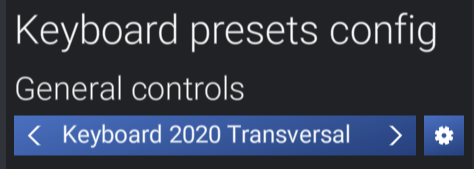
I haven’t tried it, but worth a go?
Bear in mind that this 2020 profile is ONLY for “General controls”, so only includes mappings which are tagged with “General” and not “Aircraft” or “Helicopter” in the list. As such, it will probably only include basic mappings like camera controls, pause, time acceleration and show/hide features for the interface. It won’t bring back 2020 aircraft-related mappings (gear, flaps, mixture, spoilers etc.)
In terms of the new mapping, one of the key features to understand is that each mappable command is either “General” or “Aircraft/Helicopter” depending on what you are flying. So you have two ‘layers’ of profiles to work with. Once I get used to it, it will likely be excellent.
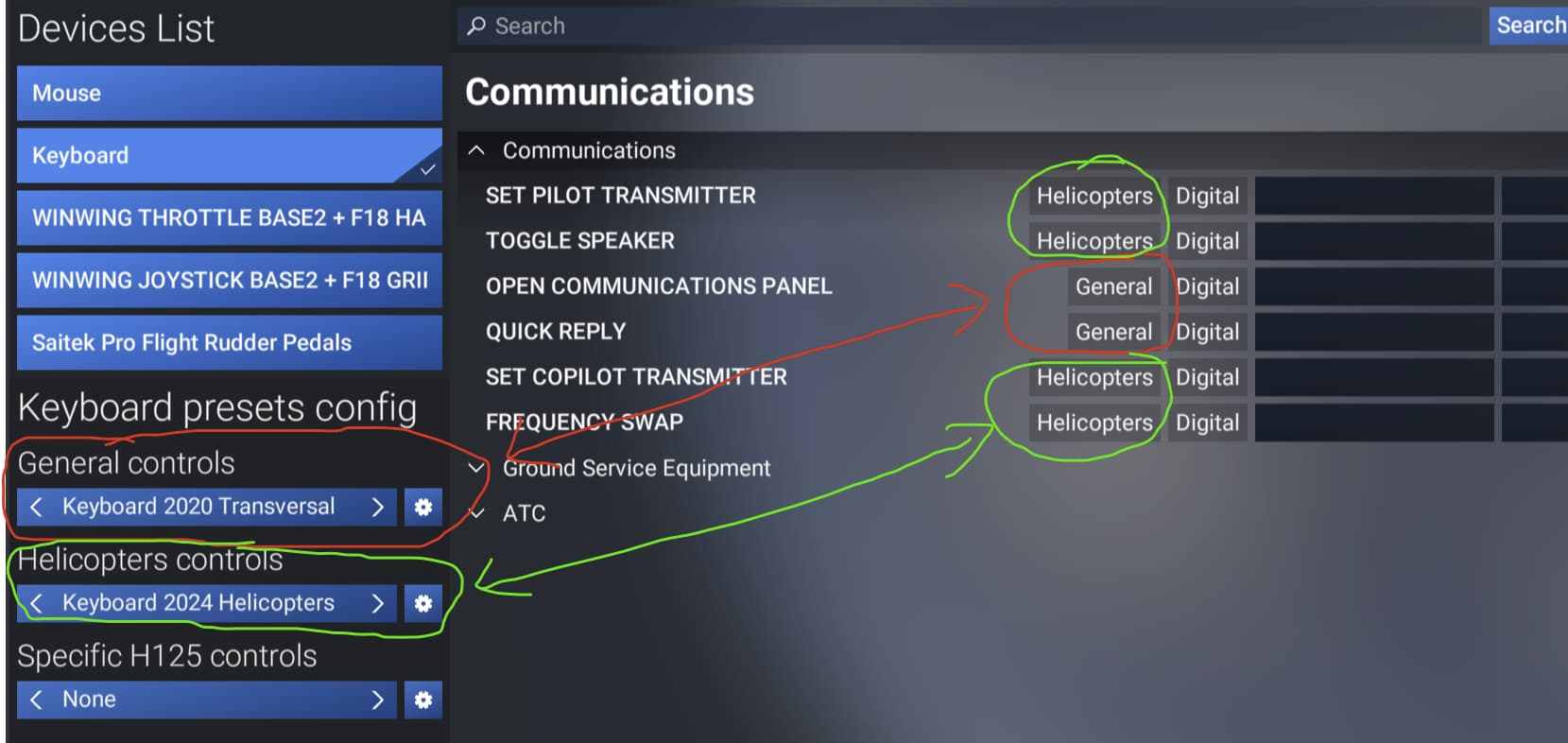
4 Likes
Yeah I took screenshots of all my keyboard bindings and mouse settings from 2020. Seems kind of wasted now.
I hope someone does a tutorial on YouTube explaining it all. That would help it all make sense. I could probably figure it out on my own but it’s a lot easier if somebody’s explaining the logic.
1 Like
For some reason, it is not available on Xbox. we are stuck to 2024 or remap each bind one by one.
3 Likes
The whole Controls Settings System has a lot to be desired…personally I hate it. Still struggling to set up my Honeycomb setup, have given up at the moment.
Why they had to completely change the system baffles me, why they didn’t do the required additions and improvements to the 2020 iteration stumps the heck out of me.
1 Like
I made some cockpit camera bindings in 321 and checked All aircraft and default. This is in my keyboard bindings. I assumed it was for all aircraft , but change aircraft to B737 max default aircraft and the camera bindings was gone.
What did I wrong???