We do nothing that could make the life of GSX hard, as everything is 100% standard SDK, and in the last three updates, nothing has changed in the cabin, etc.
Mathijs Kok
PMDG
We do nothing that could make the life of GSX hard, as everything is 100% standard SDK, and in the last three updates, nothing has changed in the cabin, etc.
Mathijs Kok
PMDG
Yeah it will be this.
I always backup my aircraft options and panel states so I can put them back if I have to clear the wasm for whatever reason, and was also getting this wasm crash in every load in until I cleared everything and then re did my options etc.
I also had to delete one of my profiles because I was getting a WASM crash. I described it here.
I’m still experiencing the init page lockup as described by others even after a new state save post the above updates.
I raised a ticket with support and provided a copy of my panel and aircraft states. Support replied that there was a known issue and a fix was in testing. Do you have an ETA for this fix please?
TY
jezs, this issue is solved with the 4.00.59 release. Are you sure you have that one installed?
If you do and still see the issue, please contact support again.
=-=-=-=-=-=-=-=-=-=-=
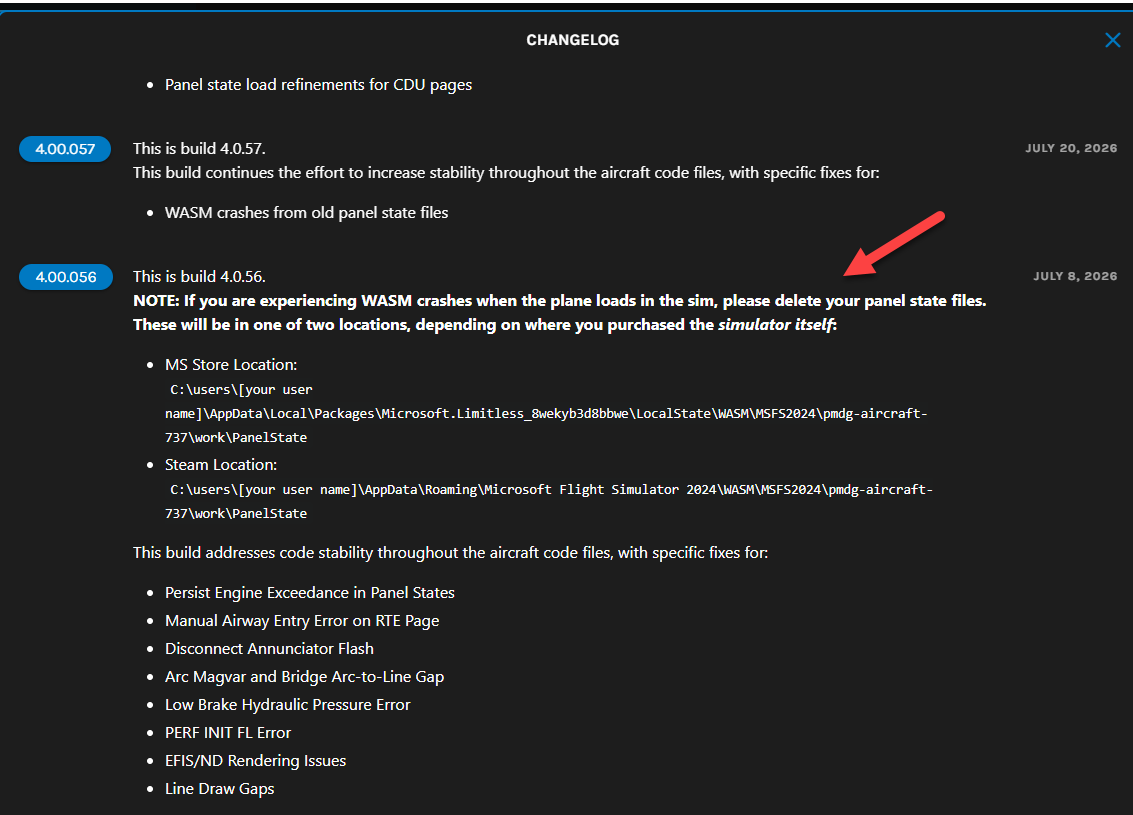
4.00.059
This build continues the effort to increase stability throughout the aircraft code files, with specific fixes for:
4.00.057
This build continues the effort to increase stability throughout the aircraft code files, with specific fixes for:
4.00.056
NOTE: If you are experiencing WASM crashes when the plane loads in the sim, please delete your panel state files. These will be in one of two locations, depending on where you purchased the simulator itself:
C:\users\[your user name]\AppData\Local\Packages\Microsoft.Limitless_8wekyb3d8bbwe\LocalState\WASM\MSFS2024\pmdg-aircraft-737\work\PanelStateC:\users\[your user name]\AppData\Roaming\Microsoft Flight Simulator 2024\WASM\MSFS2024\pmdg-aircraft-737\work\PanelStateThis build addresses code stability throughout the aircraft code files, with specific fixes for:
Question regarding panel state files: do I delete all of them or just the user created ones?
i did the latter and deleted the startup state entry in the appropriate config file. Deleted the WASM files. Everything works fine on the first run, but get a WASM crash next time (after quitting MSFS, starting the sim the next day and fly using the 737).
I deleted only the one that I had created myself ( I described it here). I didn’t touch the default panel state files.
The ones we provide should always be compatible. Note that the latest releases handle these things more ‘gracefully’’
Mathijs Kok
PMDG
Any idea when we can expect the latest release on the Marketplace? 737s seem to be at least 2 builds behind at this point while other developers are releasing updates the same day they create them. I know the Xbox build is limited to once-a-week WASM ingestion on Mondays, but that does not prevent developers from pushing updates to the PC build same-day.
That is true, but if there is an issue with the update, it takes us 15 minutes to send out a fix via our system, whereas it takes at least a week to update via Marketplace. That’s a risk we find not acceptable, so we are a bit cautious.
Some other devs have either other ideas (and I have seen the problems) or separate deals with Microsoft; for example, Marketplace-only releases that give them access to things we do not have access to.
Mathijs Kok
PMDG
And if I delete all of the provided pantel state files will they be auto-generated upon launch or are they lost forever/need to be re-installed?
If you are a PMDG store customer, simply load OC3 and use the “Verify Files” option and they should be auto-replaced.
msfs-2024 Does anyone know of a way to change the cabin in the pmdg 737 to the old 737 cabin instead of the new sky interior. Thanks
I am sorry that’s not an option we included.
Mathijs Kok
PMDG
Would this ever be considered as a feature at some point?
In the final beta and release version of SU6, the 737 has issues with external lights - emergency wing exit lights are always iluminated and the NAV lights activate the landing lights - turning the NAV lights off and back on, solves the latter issue temporarily. The Marketplace update from yesterday does not solve the issue.
I’ve seen exactly two reports of this on the PMDG Discord. In at least one of them, the original poster came back and reported it was caused by a 3rd party lighting mod they had installed.
Honestly, no. Just not a good way for us to spend our resources.
Mathijs
These mods cause major problems for us in support.
Mathijs Kok
PMDG