PMDG Boeing 777 status

If your TV supports 120 Hz and your Xbox settings are set to 120 Hz the sim will run much slower than real world (like 15 minutes for every 60 minutes). Happened to me once then I switched to 60 Hz and went back to normal.

Check this: The clock in the cockpit of some planes runs slower than in the real time on my XBOX

Ah ok, I just switched some settings around. I’ll do a flight and see what happens, thanks in advance.

4k on xbox x is just marketing, 4k 30fps is slideshow for me, the maximum resolution is 1444p with 120hz with proper hdmi if you want see some good fps like 60. :thinking::smirking_face:

Yep there are loads of issues like this. Something else I found is if you leave the moving map on the EFB open it slows the Sim time down by about 20%. So close it!

Also if you have the sun visors down, I found things got choppy.

Also polar routes (Like EGLL to RJTT avoiding Russia I believe - IIRC I took a westerly route very far north) will not happen at real time speed as there are some bugs in 2020. At least this was what I was told by PMDG and others on these forums about a year ago. The time slowdown is very severe in this situation - perhaps more than 2:1

Finally I also found fuel consumption to be very messed up on long routes. Never got to the bottom of it, but I suspect it was due to the sim not being able to run at real time (if you had 120Hz, moving map open, etc) but fuel burn happening in real time, hence you would get to a waypoint at 50% through the flight and be at planned fuel burn for a waypoint at 80%. Increasing sim rate compounded the issue as I think the Xbox just cannot keep up. It was a real mess TBH.

I don’t know if all the above are Xbox-specific (I think they are other than the polar routes thing), but I am on PC now and having done a few long hauls in the 77-F (and testing these things like having the moving map open for 7 hours at a time) have had no such issues.

Yeah these must be XBox specific. I’ve done a 14 hour long haul just last weekend in the 777-200ER with the tablet map open the whole time. Fuel burn was well within margins, flight was actually 20 minutes earlier than estimated so clearly the sim didn’t slow down sim rate at all, and performance was perfect all the way through. It was not a polar route, however. I did see someone on the PMDG did a 17+ hour ultra long haul over the south pole on PC and was able to complete the flight.

It is…. I did NZAA-KSFO last night leaving the MM open and everything was as expected (PC)

The 777-300ER is now available for MSFS 2024 in OC3.

The 200ER and F variants also received updates. Love some of the items:

  • 777F boston tea party issues resolved. Freight now back onboard
  • Copilot hiding in nose wheel bay. Called HR and found a braver copilot who isn’t afraid to sit in his proper seat.

:grin:

The whole story from their site:

13JUN25] We are not afraid of Friday the 13th…

Today, 18:41

Captains,

Today is Friday the 13th… and yes, we just happen to hit Build 113 on the 777s today. It seems a coincidence too good to let pass.

Updates and Release:
A few moments ago we pushed build 113 out for each of the 777-200ER, 777F and 777-300ER products in Microsoft Flight Simulator 2020.

Additionally, we pushed the 113 update for the 777-200ER and 777F in Microsoft Flight Simulator 2024.

Finally, as hoped, we have released the 777-300ER for Microsoft Flight Simulator 2024.

All of the above take place via the PMDG Operations Center, and affect customers who have purchased their products under PMDG.com

Your MSFS 2020 based 777s will all now show 2.0.113.
Your MSFS 2024 based 777s will all now show 2.4.113.

Expectations for Marketplace Users:
We are still working through some data received by the Microsoft team that supports the marketplace intake process, and trying to determine the best pathway forward for our Marketplace customers. As mentioned previously, the instruction set(s) provide conflicting views for how to accomplish the task before us- and we have been seeking their input to get the conflicts resolved/understood.

At this time, we do not have an ETA projection for when the 777 updates will appear for MSFS 2020 Marketplace users, nor do we know when the 777 releases for MSFS 2024 users will appear in Marketplace.

We are understandably eager to get these products available in Marketplace, but we must exercise caution in order to ensure that errors or misunderstandings on our part do not set up a scenario that is undesirable for Marketplace customers. Your patience is appreciated while we work through the particulars.

PMDG 777-200LR:
This product will enter into beta testing during the weekend, and we hope to have her released by end of month.

That is all we have for you this week… I have no new information to share on the 737 or 747 product lines this week, as we are focused on the 777 releases this week. More news on those products will be made available as it becomes relevant!

I’m using the 772 v.2.04.113 for the first time. I’m also in SU3 Beta, so 1.5.7.0.

I cannot get the left engine to light off. The starter works, but when I flip on the fuel switch nada.

Fuel is good, pressure is good, everyting appears nominal.

Bug in version? SU3 issue? Whack WASM compile?

Pretty frustrating to get all the way through pre-flight only to hit this as I sit here almost ready to taxi!

I don’t have failures enabled (unless there are hidden ones…).

EDIT:

Yeah, something is totally jacked here. Now I can’t shutdown the right engine and the brakes aren’t releasing. Bah.

Which engine variant and livery?

It was a WASM mess-up.

I quit the flight, reloaded it and it’s behaving as it should.

I should have just done that first before coming here! I know better!

No problems whatsoever in SU2. I’m probably the only person in the world yet to see a WASM crash in any airplane in FS24 :slight_smile: :slightly_smiling_face:

I must admit though that I always delete a WASM folder of any aircraft I’m going to update (that’s a habit I got from updating IniBuilds airplanes). Plus I never join SU betas.

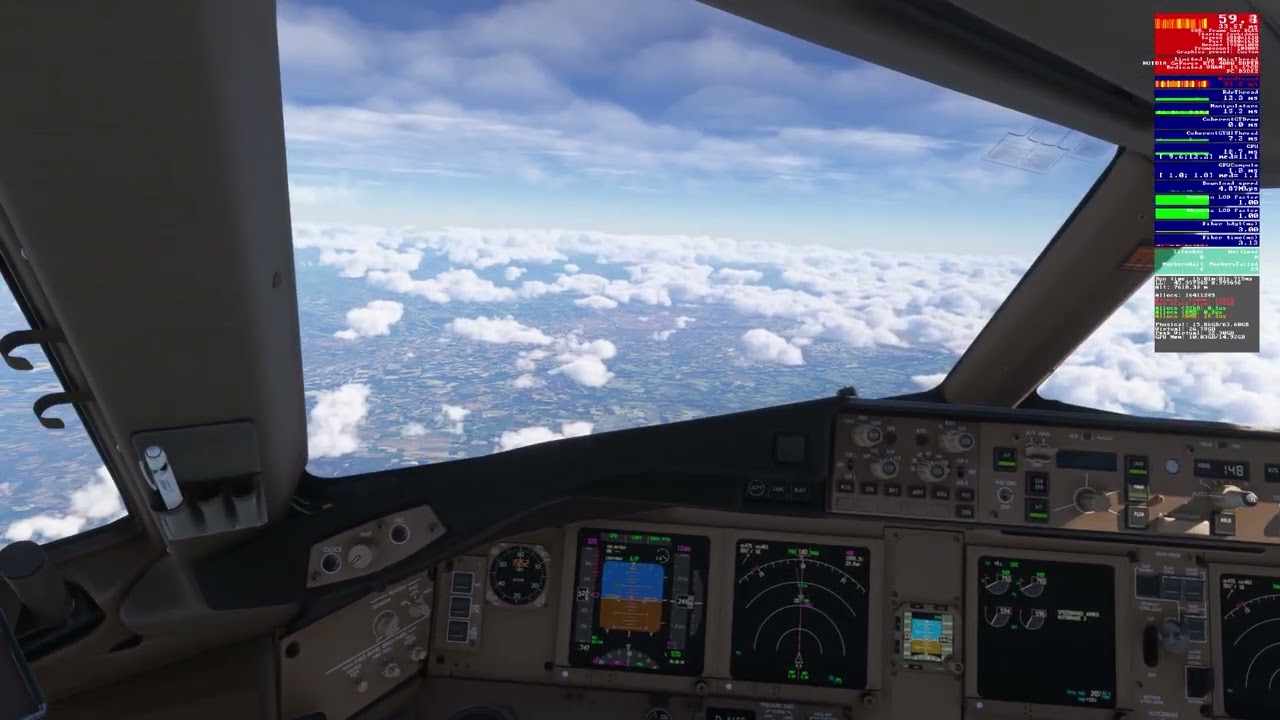
Getting some performance issues in FS2024 with the latest version of the 777F 2.04.113 (haven’t tried the 200ER since the update). Stutters in conjunction with audio crackling and purple spikes on the FPS counter. I never had anything like it with the previous version. It happens with SU2 and SU3 Beta.

Anyone else experiencing this?

Not flying the freighter or the 77W in 24 yet, as they were MP purchases from my Xbox days. That said, two flights yesterday in the updated 772 in SU2 retail release were excellent indeed!

I’ve been recently flying them quite extensively and I must say that they behave really well in FS24 for me.

Here is a video sample of the issue:

Also, after the flight some elements of the aircraft were missing (cargo containers and inside walls of the cargo hold). Never had that with the previous version either:

This is an LOD issue with the sim itself in SU3. Other aircraft are affected. There’s a bug report out there.

EDIT: Here’s the existing bug report:

Ah, okay. Thanks! I’ve been running SU2 so far and only installed SU3 Beta yesterday to see if it would help with the stutter issue. It didn’t, but explains the cargo hold situation cropping up all of a sudden.

The prior SU3 build had a line item in the changelog that I thought would fix the issue but perhaps it requires developers to change something on their end. In the bug thread I linked, there’s reference to a minor edit to a config file that will fix it.