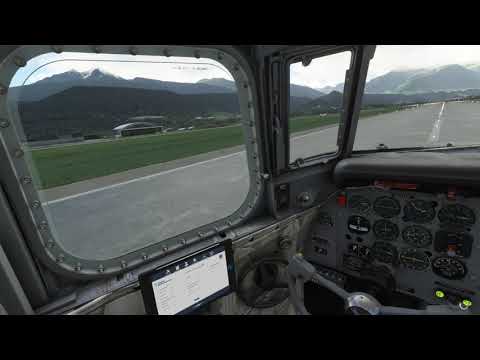
I just did my standard test flight. Jim is doing what he’s always doing.
But I did notice in earlier flights, sometimes he waits really long with the flaps. It seems to be dependent on speed or pitch (something).
Could also be your engines need repair? Maybe the airplane is not reaching a certain state.
And what happens if you switch to cruise anyway? Is Jim dead or does he continue?
How are your flaps mapped to a device? If you have a flap lever or button that is constantly sending a flaps down signal then the AFE can’t override that.
I use the Thrustmaster Hotas Warthog throttle and it’s flaps switch (3-point switch). I did not change anything.
However, I will go through all of my controls and see if any control got mapped to the flaps somehow. You never know.
Thanks
When I load the DC-6 cold and dark and just sit in the cockpit I can hear some switch being triggered every now and then, maybe once per minute. This didn’t happen before the update.
I even made screenshots before and after a trigger but switches and levers don’t move.
As I am currently fighting a VCRUNTIME140.dll CTD I several times reinstalled MSFS. Maybe it’s related.
I usually start on the runway… did the whole startup a few times, and now I’m too lazy 
But I’ll try that one later today… see if I can hear the same thing.
I just noticed by the way, if you park next to another DC-6, and Jim turns off the engines, the other DC-6 starts to synchronize. You see its propeller start a bit and then slow down. I thought they had fixed that bug…
In general I’m still fighting the throttle. I don’t understand not more people notice it’s out of sync. It’s just all over the place on my fairly common joystick, with no improvement through the updates. I can’t really control the power when coming in for a landing. And the control I do have is extremely sensitive… switch half a millimeter on the joystick and the power drops almost to idle. If I forget to press F1 after landing I shoot off the runway.
1 Like
Jim is not dead, I can activate the Climb checklist.
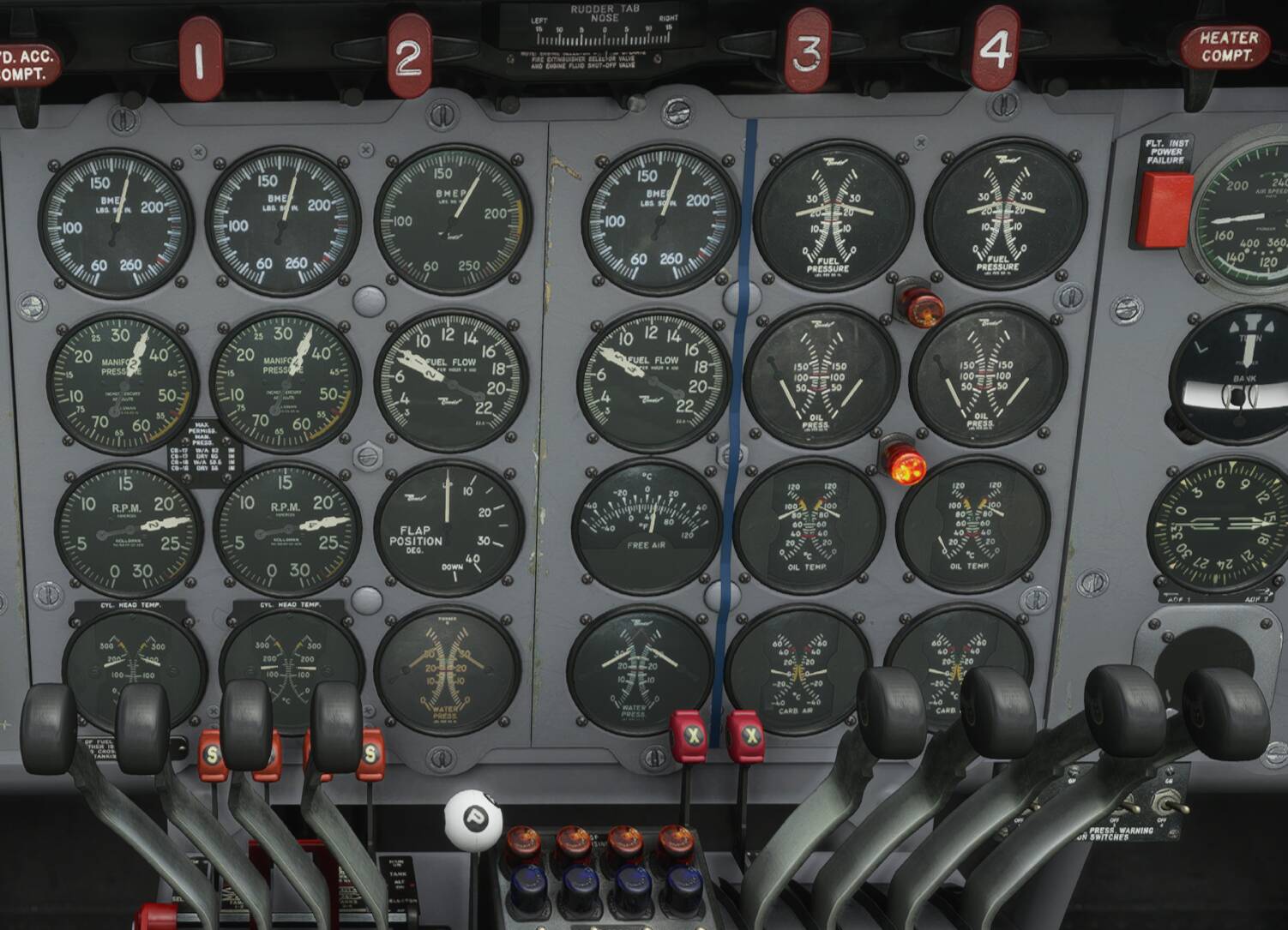
But, something is really wrong here, look at this screen shot. I made it after Jim completed the Climb checklist (but still with flaps 20). There’s more than one thing wrong with the engines. I think I try to reinstall the DC-6.
But the flap indicator says 0?
Engine 3 doesn’t seem to have an oil temperature? And there’s some pressure issues.
Why not try to click ‘repair’ on all four and then try again?
2 Likes
You have no oil pressure, and engine 3 has no oil temperature, or its freezing.
1 Like
No oil pressure, no oil temperature. But all engines are running!
At take off max power wasn’t a problem at all. All 4 engines synced.
As you can see in the screenshot speed is ~170.
1 Like
Which seems to be typical for one engine not running / performing. But your flaps are up.
I think ‘Air Crash Investigation’ will discover bad maintenance… 
But seriously: just click every button on that tablet… top up oil, repair all engines, then try again. If still problems, I agree: try a reinstall.
I myself am a bit bothered by the effects of updates in combination with liveries. That 3D model showing. Who knows what else can go wrong.
What’s the process to reinstall a PMDG bird?
Those engines are chewing through the oil! Oddly, the starboard engines are thirstier for some reason.
The flaps indicator is not responding… does he actually move the lever? It stays at 0.
The tablet looks fine. So yes… there’s something wrong.
I’ve never reinstalled, but what I would do is first look through the windows Control Panel → Programs… see if there’s an official ‘uninstall’.
Then clean out the Community folder from DC-6 stuff if there’s anything left.
Then obviously download again (to get the latest install) and reinstall.
By the way, how do you move so smoothly through the cockpit? What’s the secret? Is it using VR or something?
Yes, it can be uninstalled. But isn’t it that I’d have to unregister the DC-6 before uninstalling?
Its the TrackIR and I’m using the Trackclip Pro. Absolutely wonderful!