Yes inserting a waypoint is broken if you have an approach loaded (or to be loaded).
3 Likes
Is it possible to unload an approach? I think I may have achieved this by highlighting my destination, and issuing activate leg? Perhaps a direct to, but that wipes the plan, and also adds a user WPT IIRC.
You can remove an approach (unload) by 3 ways:
- Set another approach
- Use the contextual menu on FPL page (remove approach)
- Select the white line “approach…” in the flight plan and press the CLR button.
3 Likes
I made a flight plan yesterday for the seminole, with the GNS530 mod, latest revision, all went well untill the point of entry the app, the aircraft simply does not follow the app and drifted, I turned off the AP and land maually. I did turn the app button on the AP panel and the aproach was in the FP.
I don’t know what happened, if someone could tell me what was wrong I will apreciate.
Thanks in advance
Maybe you forgot to activate the approach (I mean activate approach in the PROC menu)?
HUmmm I didn´t…other aircraft don’t need to activate the approach, I’m gonna make another flight to check.
Anyway, really thanks for the tip.
The auto-activation of the approach has been deactivated in this mod. Activating the approach is a pilot decision. You must activate it manually.
5 Likes
A good improvement to the original dumbed down GPS 
1 Like
New release 1.0.18
Available at: https://pms50.com/fs2020/gns530/pms50-gns530.zip
Changelog
v1.0.18
- Added NEXRAD in map NAV page menu
- Added a config file
- Added weather radar as an option in the config file. See notes in readme file.
- Bug correction on procedures maps display
7 Likes
I have access at work to a GNS530 and GNS530W Pilots Guide, Installation Manual, Display Interfaces (to Goodrich Traffic & Weather), and Quick Reference Guides.
Let me know if you need any information; I’ll be happy to assist in any way possible.
1 Like
Simply AMAZING … While the Weather radar is not RW, having seen it in operation, I am going to assume it was a 2020 RW update Mod to the real GNS530, and use it.
Thanks this may help. For now, I’m limited by the lack of documentation in the MSFS SDK.
It is 80% in this state with no visible change from the launch:
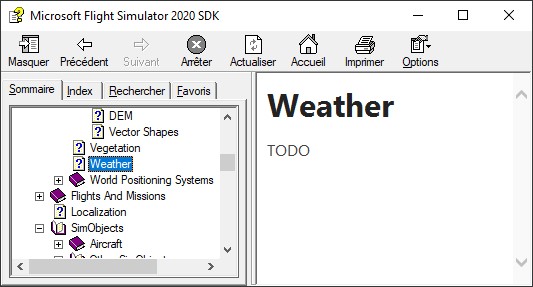
This is a terrible situation and you may understand why there are no third-party airplanes at this time except good but broken ones from Carenado (don’t blame them, they do what they can do).
4 Likes
Now the weather radar in MSFS is limited (but works fine): No tilt, no track and no gain controls. The only parameter is the cone angle.
2 Likes
Well, it looks “pretty” and “impressive” if you don’t think too much about it !!!
Here’s a link to what is most likely being used for MSFS weather.
Isn’t that what the weather in this case is supposed to be, an ADS-B Nexrad weather feed? Or are you showing a weather radar as if the plane has one?
(Sorry, I haven’t had a chance to try it yet, I’m working)
I added nexrad as a standard feature since it’s in the original GNS530 but also a real weather radar in both horizontal and vertical modes. This is a hidden feature since not standard.
See the readme file.
Will show some screenshots after the new MSFS update that just occurred now!!!
Really – another “surprise” Update ?? Wonder if that is the rumored AP fix !!!
Yes. I hope nothing more broken.
Many hours of work for me to compare at each update!!!
1 Like
As a first impression, this is an update related to third party aircraft issues.
The M20R seems working now without CTD. Great news.
The waypoint issue is still here.