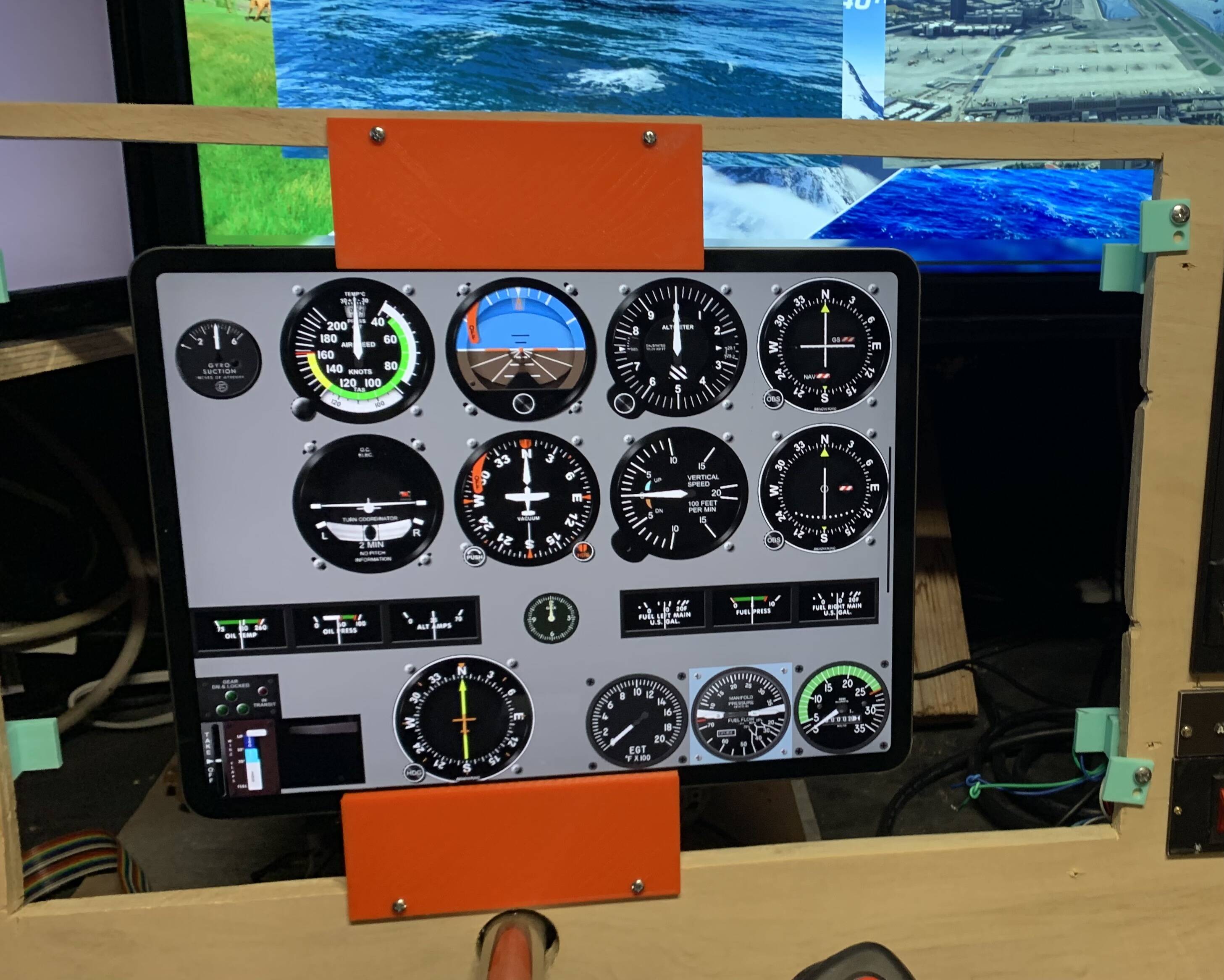
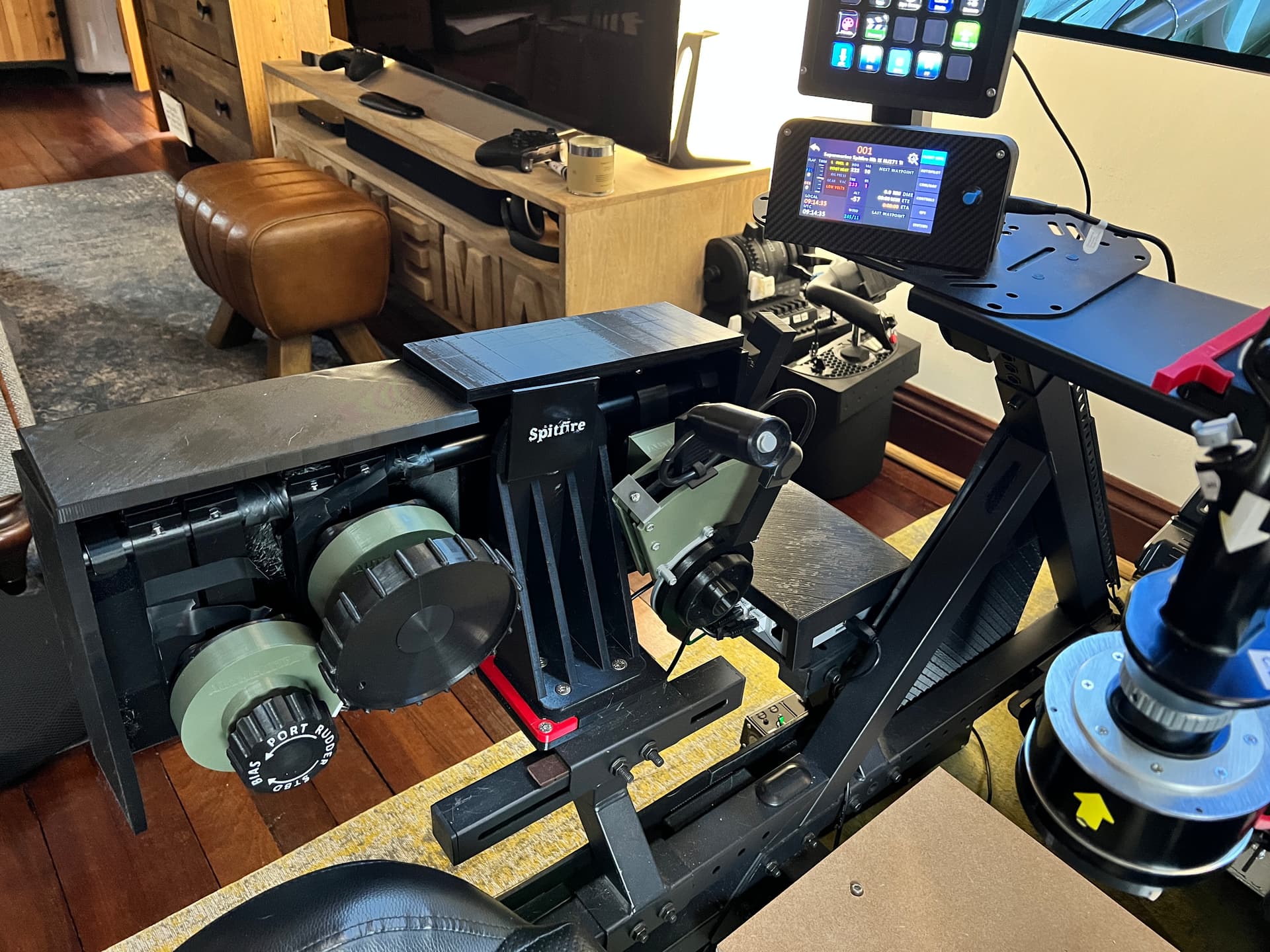
I have used the project immersion mounts so that multiple controls can be swapped really quickly. The side panels around the Authentikit spitfire controls were printed by me. Finally I built the centre mount for the Joystick myself. Yes it is a bit rough around the edges but it works. I wanted to test the design with bits of wood I had lying around and now I will look to 3d print something.
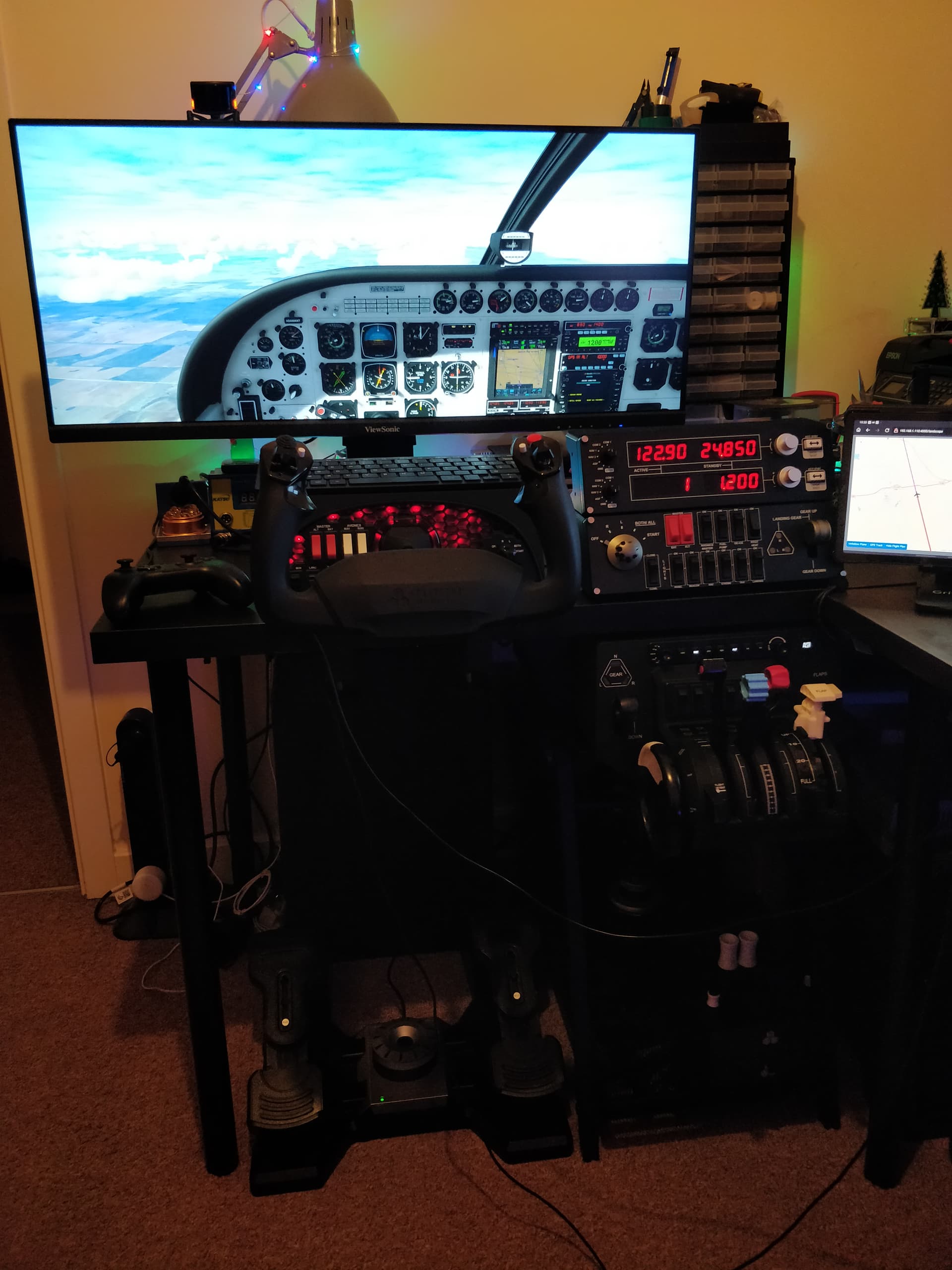
Not sure if this qualifies as a “cockpit” but it’s getting there. Finally managed to get my throttle quadrant UNDER the desk today and thank god for Ikea cause it’s made it start to look A LOT better now AND it’s much better positioning too.
P.S. For anyone else having a severe deficiency of under desk throttle quadrantage, any Ikea desk at a 70 cm height combined with a Trotten drawer unit and some thick drink coasters for clamp padding (thin desk top for clamping) makes for a near perfect fit for Honeycomb Bravo Kept looking for fancy clamping or magnetic or under desk hanging solutions, but this works GREAT!
Thanks for the kind comments here’s an in-flight version too. Would’ve loved to use the tablet on the right for the TDS GTN750 but currently it only runs in 1 of 2 places, sim or external, not both, one can dream haha
I am way behind on reading threads, but as to an “authentically” loud engine, you might also want to allow for a set of hearing aids in a future budget. IRL, an open cockpit and a loud engine would be a recipe for serious hearing loss. Motorcyclists traveling at 60 to 70 mph or more can suffer hearing loss just from the wind whipping by their ears if they don’t take steps to protect themselves from that, never mind the loudness of their cycle. I used to drive around in a 1986 Toyota Camry at 70 to 75 mph with all the windows rolled down and the car radio blaring as loud as possible over the wind noise. Today I wear hearing aids! (my 1990 John Deere riding mower might have helped a bit, too - it took me a while to latch onto really good ear protection for that).
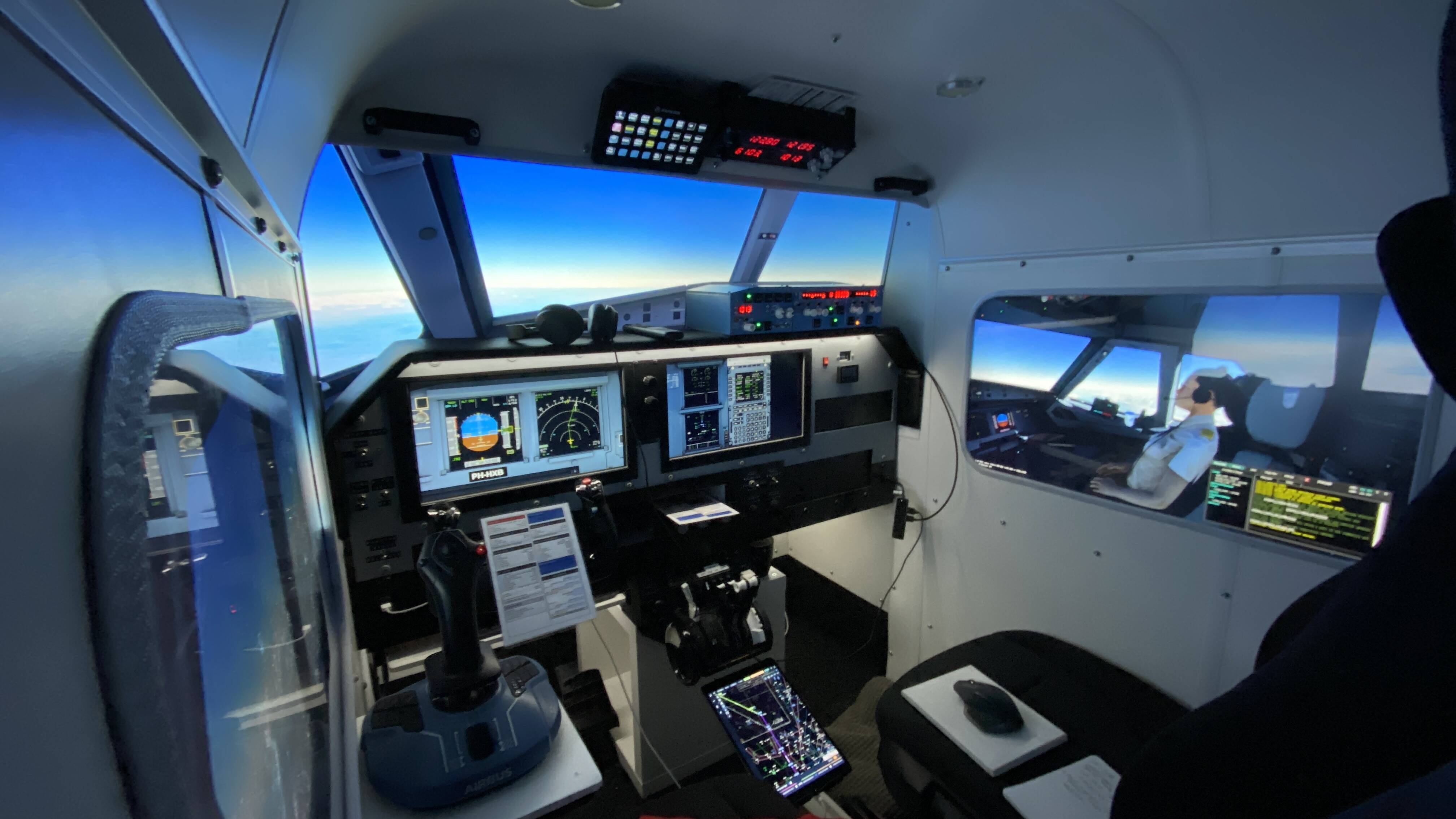
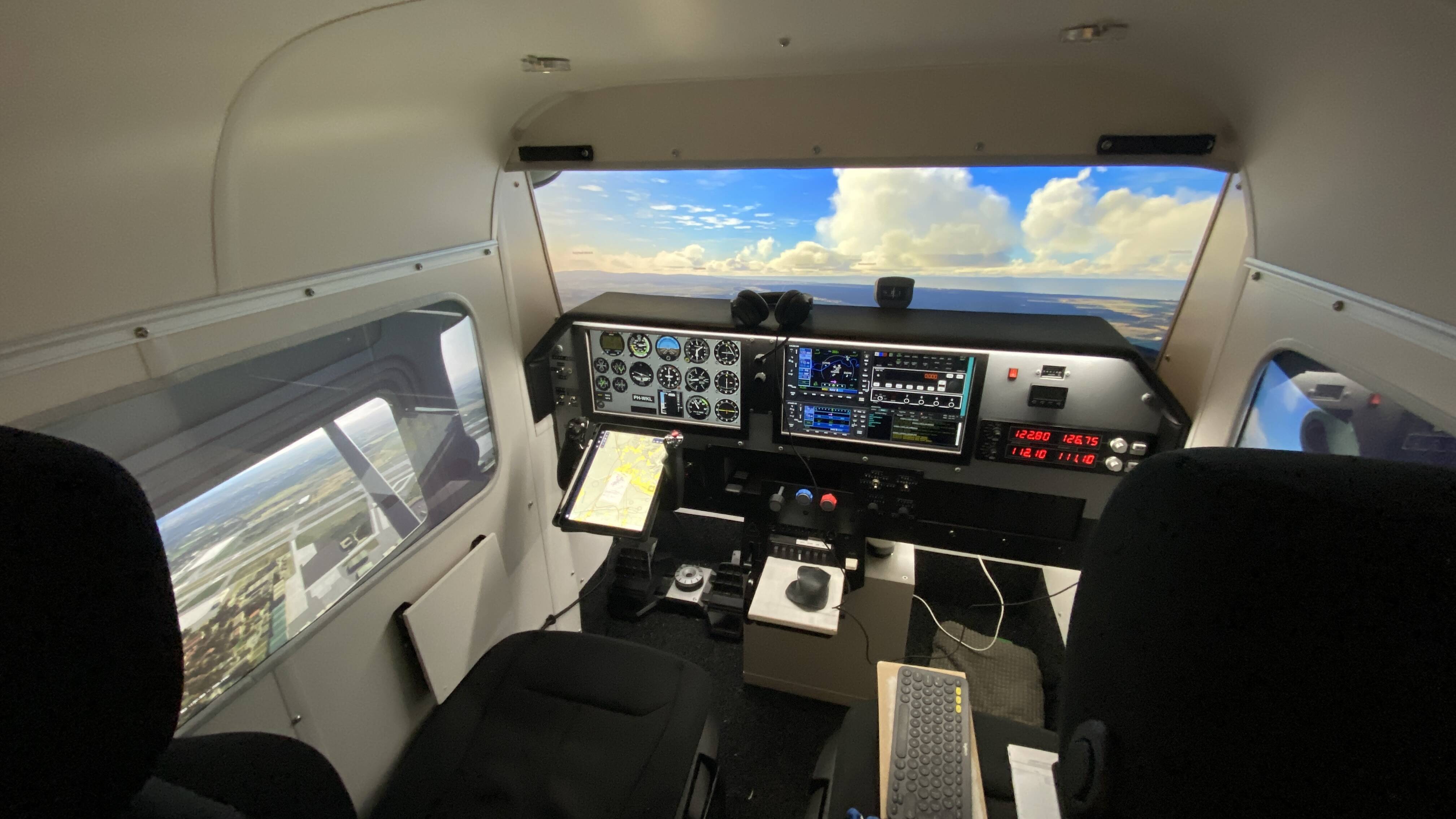
At the top I have a Stream Deck XL with custom buttons running on AAO. The Logitech Radio Panel next to it also runs on AAO.
I have 2 16” Touchscreens that use AirManager with different panels. In the middle is a DIY knobster.
The other hardware switches run on Mobiflight.
(The ugly EFIS/FCU also runs on Mobiflight. Was my first project 2 years ago with components from AliExpress and an Arduino Mega).
I have a Honeycomb Alpha en Bravo. Also a Thrustmaster Arbus Sidestick that sits on a little foldable table. I also have a custom TPM module from BitsandDroids. The Rudder Pedals are the Logitech ProFlight Rudder Pedals with custom pedals 3D Printed (1on1 copy of the Cessna 172 pedals).
I have 2 seats mounted on Rails from a BMW 3-series. The Pilot seat features a Buttkicker Gamer 2 underneath with SimShaker for Aviators and the custom plugin from Andrei.
I also run Navigraph on an Ipad air
For monitors I used a 65” 4K TV and on the side I have 2 32” PC Monitors.
The frame is made out of aluminum 30x30mm bars. And the shell is MDF 3mm. The roof is Soft bendable PVC.
My PC runs on an AMD Ryzen 5 5800x, RTX3090TI and 32GB DDR4 RAM @ 3600Mhz
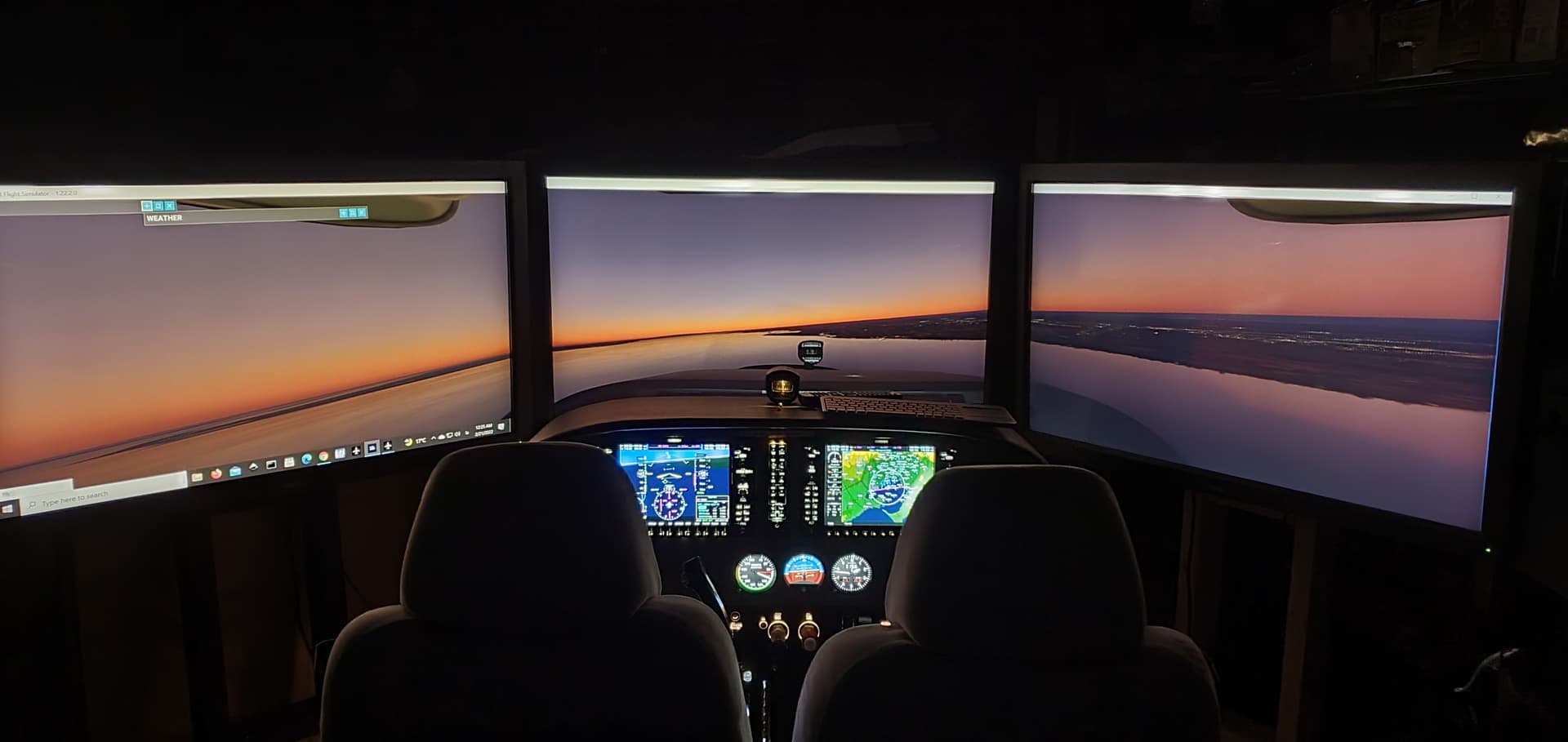
Cleaned up my pedestal with new switches and added a 7th monitor…making it 4 touchscreen’s along with the 3 55" q7 main monitors. The small 7" is for stand-by instruments when in a c178/182 etc and adds a working auto throttle to the vision jet using “Otto’s” full vision jet air manager panels. My rig can easily handle an 8th monitor (I have tested and no performance losses as long as I don’t
put a pop out on it ) and I am working on a overhead setup…another touchscreen 28" like the asus on the left…but im planning on a powdered device to raise and lower the overhead so it can be positioned perfectly for fixed wing aircraft and helicopters.
I made my parking brake similar to yours except I used a 3D printed handle (thingverse) and telescoping brass tubing and brass plate so I could solder it all together (available on Amazon). Getting the slot cut in the outer tube with my endmill was defiantly harder than your 3D printed one.
I have had so many issues with Mobiflight lately that I switched all my switches, dual and single rotary encoders etc to Leo Bodnar BBI-32 type boards because they require NO background software running and simple 1 step programming …except for my Composs which requires VirtualFly’s background program.
I NEVER have switch/encoder issues after MSFS updates anymore. The Leo dual pushbutton decoders are the exact same ones that the Knoberster’s use and are easily recognized by MSFS…and unlike a lot of Arduino boards , all have different ID numbers.
The Leo Bodnar cards are over priced for what they are IMHO and from what I’ve read they are not that responsive when used with faster changing signals like you get when you rotate an encoder fast. There are cheaper/better solutions in this regard. I thought MF was stand-alone. What s/w has to be running?
Very nice setup! I don’t want to derail this thread, but I haven’t been able to find out if the Logitech Radio panel is always on or if it turns on and off with the avionics switch like a real plane? I’m planning on getting it soon and I’m hoping it isn’t on all the time.
 but it works. I wanted to test the design with bits of wood I had lying around and now I will look to 3d print something.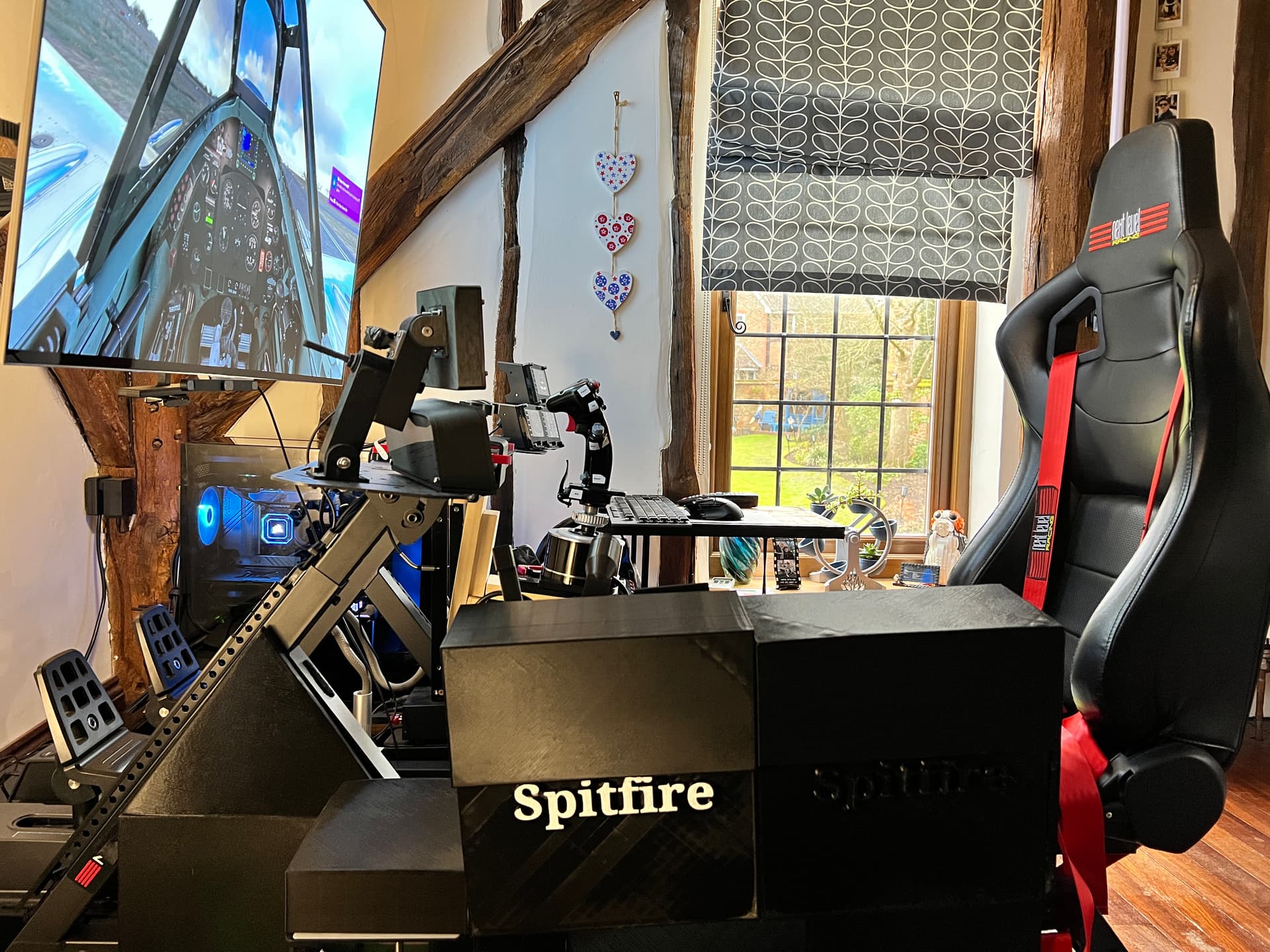

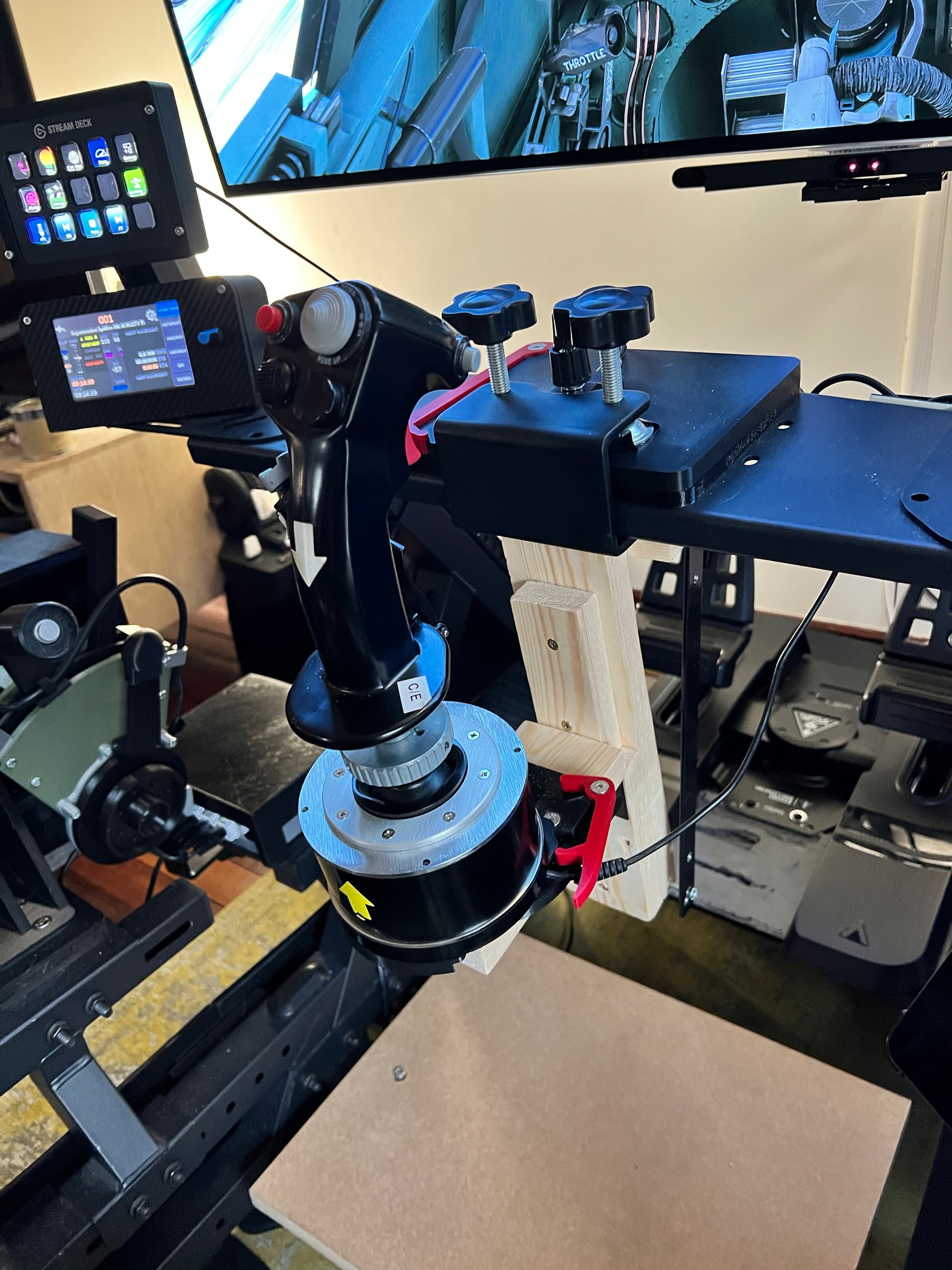
 AND it’s much better positioning too.
 Kept looking for fancy clamping or magnetic or under desk hanging solutions, but this works GREAT!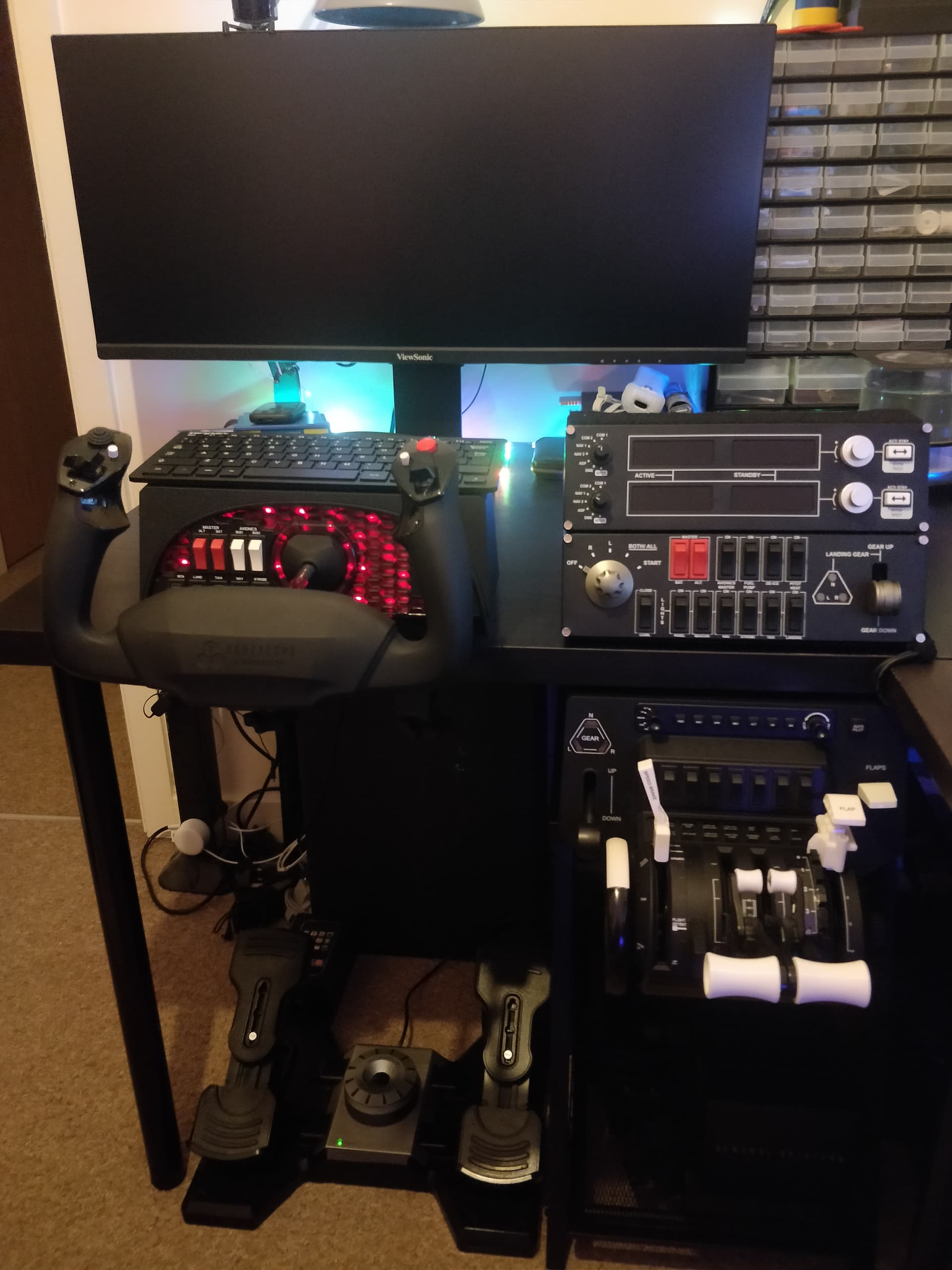


 (my 1990 John Deere riding mower might have helped a bit, too - it took me a while to latch onto really good ear protection for that).