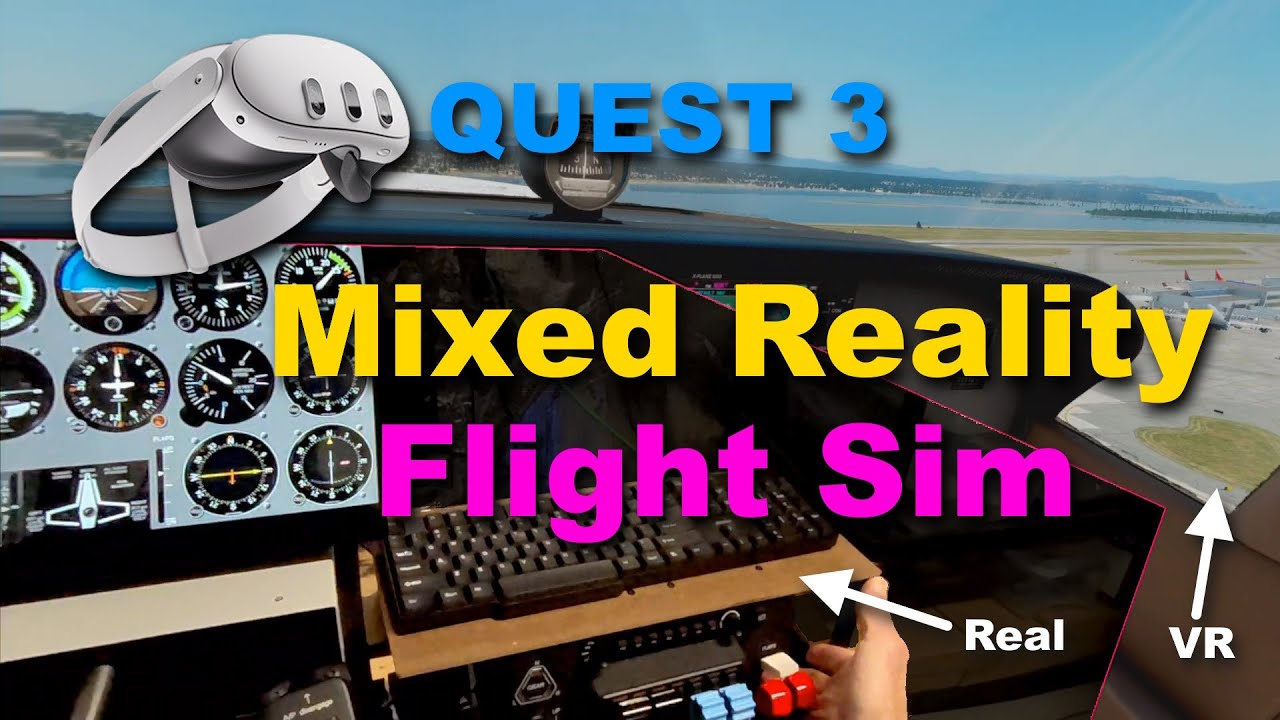
I get around 50 fps, latency at 60 ms.
In dense sceneries like London (starting from EGLC) 36 fps and latency at 80-90 fps. No pixelated / overblomed sky.
Are you on latest MSFS beta and using Open XR toolkit?
On Virtual Desktop’s home page it states that the computer “must be connected by Ethernet to a 5G router.” Is that literally true? My Fight Simulator PC is connected by Wi-Fi 5 and runs great. I have 500Mbs service and routinely get over 300Mbs on that PC per Speedtest.net. If the bandwidth is perfectly sufficient to run Flight Simulator 2020, will VD simply not work, as its developer seems to claim?
What the VD dev is mostly implying is that support for performance issues is focused only for direct connection. VD does work though even if the router is connected to the pc wirelessly.
Wasted a whole week a $$$ on this mess. Tried Oculus PC Link original cable, 3rd party fancy cable, OpenXR, Steam VR, and VD… the final result is:
100% VD (with VDXR that comes with the VD Streamer) is the best result.
Surprising since PC Link with original cable should be the best, bun it’s not. VirtualDesktop on Godlike is amazing.
My PC is connected thru ethernet to an eero mesh router so it’s actually going wireless from there to the other mesh eero pod. But VD doesn’t know that.
Getting the full 1200mbps
No OpenXR toolkit involved. I disabled it.
MSFS running on DLSS
Is this the part you’re referring to on the VD website?
“ I get choppy performance when streaming my desktop?
Make sure your computer is wired to your router and not wirelessly connected. You need at least an 802.11 AC Router and it is required to use a 5 GHz connection. “
If so, your current setup is probably fine. The VD website is basically saying a wired connection between your PC and router is best as it helps to reduce latency. Additionally, a wiFi 5 router (802.11ac) or higher supports a fast transfer speed to the VR headset (e.g., 1200 Mbit/s), again helping to reduce latency. Most of what VD is doing is happening inside your house (i.e., between your VR headset, router, and your PC).
My PC is connected to the router via gigabit Ethernet port, and then from the router it’s connected to my headset via 5Ghz mode on wifi 6.
Generally speaking, your actual internet speed (how fast you can download something from the internet, or via an online speed test etc) doesn’t affect the performance of VD too much. Your internet speed more so affects things like photogrammetry and how quickly it can load in MSFS as you’re flying along.
AA doesn’t work, i have 4070 i7 32gb turn on ultra 40fps with VR but cloud have pixel et trees shimmering. I have tested all setting dlss TAA résolution.. openxr .. sharpen 0.. reinstall.. fov .60 .. ultra/low reboot… Link/airlink.. dlaa fxaa vsync.. directx 11 /12beta and i have Always this cloud with pixel and trees shimmering my plane have shiny outline. Im desperate.
i have a rtx 4070 ,i7-12700K, 32,0 Go ram. quest 3 ,i use the cable and oculus debug tool.
pixel per display override 1.5
FOV 0.8;0.7
45fsp asw or disable ( depends on the aircraft )
encode bitrate 500
sharpening quality
option fs (depends on pc).
taa
100
high caching
high field
high or intermediate building
intermediate trees
vegetation, cloud, low,
shadows, effect,… deactivated
I’d be so appreciated if anyone could share me a nice tutorial how to set quest 3 step by step. I checked some videos from youtube as well as some posts from here but still haven’t found the perfect solution. I somehow managed to open the game by using the quest 3 but I get 12 FPS also when I look around the screen just goes black and then come back.. My system is RTX 4090/7950x3D
So now that the dust have settled, what’s the consensus regarding upgrading Reverb G2 to Q3? For those of you who used G2 before - Is it an upgrade at all?
Is the improvement worth the price?
Is the performance better or worse than G2, considering PC now has to encode the video?
Are the visuals better, or just the sweetspot?
Is ASW better than WMR Motion Reprojection (less wobbles? More smoothness?)
I understand that I’d have to upgrade the sound and the strap at the very least. But is it worth it, or should I wait for something else to be released? What? Reverb G2 was within my budget a couple of years ago, but I couldn’t justify spending thousands on pro-grade VR. I only play PCVR, mostly MSFS but not exclusively. For me, the question is should I wait for something else? Does Q3 have substantially better visuals with similar or better performance? I have 4090 + 7950X3D, so top-of-the-line hardware. But with G2 I could never get a perfectly stutter-free experience. Also, while MR wobbles are not too bad, and smooth flight is impossible without MR, they are always there, impossible to forget about.
I will simply buy a Quest 3 and find out by myself
But I will definitely check this thread in more detail for the tips and tricks.
Then I will invest the time struggling with all the tools and approaches to get it running in the best way possible on my system (only 3080 and 7800X3D).
Worst thing that can happen is that I have to sell the Q3 again with a little loss and save money until I can afford a used Varjo Aero (700 € ?).
As I have gathered from Russ Barlow’s comments, Reality Mixer should work with MSFS when a version of Reality Mixer compatible with OpenXR becomes available. I believe he said that the developer is working on that, but I’m not at all sure about it. Please don’t consider any of this factual. Go to one of Russ Barlow’s 2 YouTube videos on Reality Mixer and ask him about it in a comment. He’s usually very responsive to questions left there