[RELEASED] AS 33 Me Glider | Got Friends

To clarify:

The Strobe Light simvars (specifically LIGHT STROBE:1, LIGHT STROBE:2, and LIGHT STROBE:3) are what actually control our ballast valve system. These aren’t just alternative inputs — they are the core variables driving our ballast logic. The reason for this is multiplayer compatibility and custom control. MSFS doesn’t provide custom L:Vars or events that are shared across the network, so like many third-party developers, we use a workaround by leveraging light-related simvars. These variables are synced in multiplayer, which lets us simulate real-time drainage per valve using our own custom logic. This approach allows each ballast valve to drain at realistic, independent rates instead of all dumping at once. By tying the system to the strobe light indexes, we can fine-tune each valve’s behavior — and more importantly, you can actually see your friend dumping water during a multiplayer flight, just like in real life.

The problem, as you noted, is that users can’t directly bind to individual strobe indexes (e.g., no default control binding exists for “Toggle Strobe Light #2”). To make ballast control user-friendly, we had to intercept other sim events:

We chose “SET VOR 1/2/3” to control individual ballast valves (mapped to each strobe light).

We also intercepted “TOGGLE WATER BALLAST VALVE” to trigger all three valves at once for users who prefer a simple “open all” option.

As a side note, “TOGGLE STROBE LIGHTS” also affects all three since MSFS toggles every strobe index simultaneously by default — which is why it’s listed in our docs as an “alternative keybind,” even though it’s technically the underlying system.

So calling it an “alternative” is more of a simplification for users. Behind the scenes, the strobe lights are the ballast control system.

As for your Alpha unit — it sounds like Honeycomb has internally mapped the strobe switch to LIGHT STROBE:0, even if no binding shows up in the MSFS control settings. This is likely a firmware-level hardware mapping, not something configured by us or Asobo. Because of that, assigning a separate action like “TOGGLE WATER BALLAST VALVE” to another switch can cause conflicts, even if nothing looks wrong in the UI.

In short:
If your Alpha’s strobe switch is already toggling the ballast system, you don’t need to bind anything else. Avoid assigning VOR controls or the water ballast toggle — doing so will likely cause overlapping inputs.

It sounds like you’re seeing a conflict between the Alpha’s built-in strobe switch and your manual binding to the ballast toggle simvar. Since both are trying to control the same system, they’re likely interfering with each other.

Honestly, I’m a bit surprised to see this behavior on the Alpha, as most of the hardcoded mappings we’ve run into have been with devices like the Logitech Switch Panel.

If the Alpha’s behavior can’t be changed through the MSFS settings alone, your best option may be to use third-party software like FSUIPC or SPAD.neXt to remap or intercept the switch logic.

Let us know if the issue persists after cleaning up the bindings — happy to help dig further if needed.

Yes, the default tow plane behavior is quite the mess in our honest opinion. Hence why we decided to include the Wilga. Unfortunately, we didn’t catch this critical issue on release (it was a single parameter in the coding) that caused CTDs.

This is fixed now on the external marketplaces with this last update for PC users who purchased the 33 or Discus from our Website, Flightsim.to or Contrail

However, the official in-game marketplace (Xbox) is always behind. So I would expect you to see version 1.0.2 (AS 33 Me) and version 2.1.3 (Discus-2c) on the Xbox either this Thursday or next. We have submitted it to Microsoft and alerted them that it’s a critical update.

In the meantime, please launch using Winch or Autonomous. Don’t spawn with the Wilga or you will risk a CTD. You may spawn with the Cessna 172, but as you stated, it’s nose diving tendencies are quite the annoyance.

I would like to also remind you that you can spawn Autonomous and then use our teams built-in “Quick Winch” launch system by clicking the SD Card on the Navigation Bezel. This is our prefered launch method to quickly get into the sky without worrying about using Asobo’s native launch systems.

That’s what I liked about the GotFriends team right from the start:

“It doesn’t work” - does not exist!

If it doesn’t work that way, it can be done in another way.

:heart: :heart: :heart:

Others should take an example from them.

I spent many years teaching gliding, but gave up some time ago …flying this is bringing it all back and the flight model feels pretty good to me within the limits of FS.

Well done i say!

I really appreciate the clarity of your answer. Understanding the behaviour removes any frustration, as I see strong reasoning why its the way it is. 3rd party remapping was not something I was aware of.

Haven removed my conflict bravo binding, the Alpha’s strobe is managing the gliders ballast with no issues - I’m content.

Thanks for prompt reply.

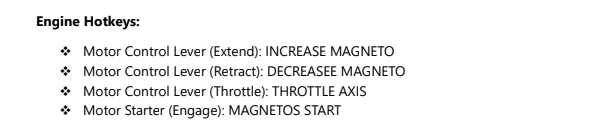
I would like to toggle the deployment of the engine with a switch. Can someone tell me what the function is called in the SIM on XBOX?

Best regards
Andreas

From the manual:

Will also look into this. I am seeing the same rapid toggling behavior of the ballast valves with Thrustmaster controls. Oddly the first flights were full of the clicking issues but not so much now for some reason. Anyway, thanks for the troubleshooting!

On Xbox, you are currently on version 1.0.1.

Once you are version 1.0.2., which has been submitted to Microsoft (so hopefully this Thursday or next), then you will be able to use “Autostart” or “Autostop” to extend and start your motor with a single button.

Cheers

AS 33 Me | MSFS 2024 Upgrade
Now Available — Free for All Existing Customers!

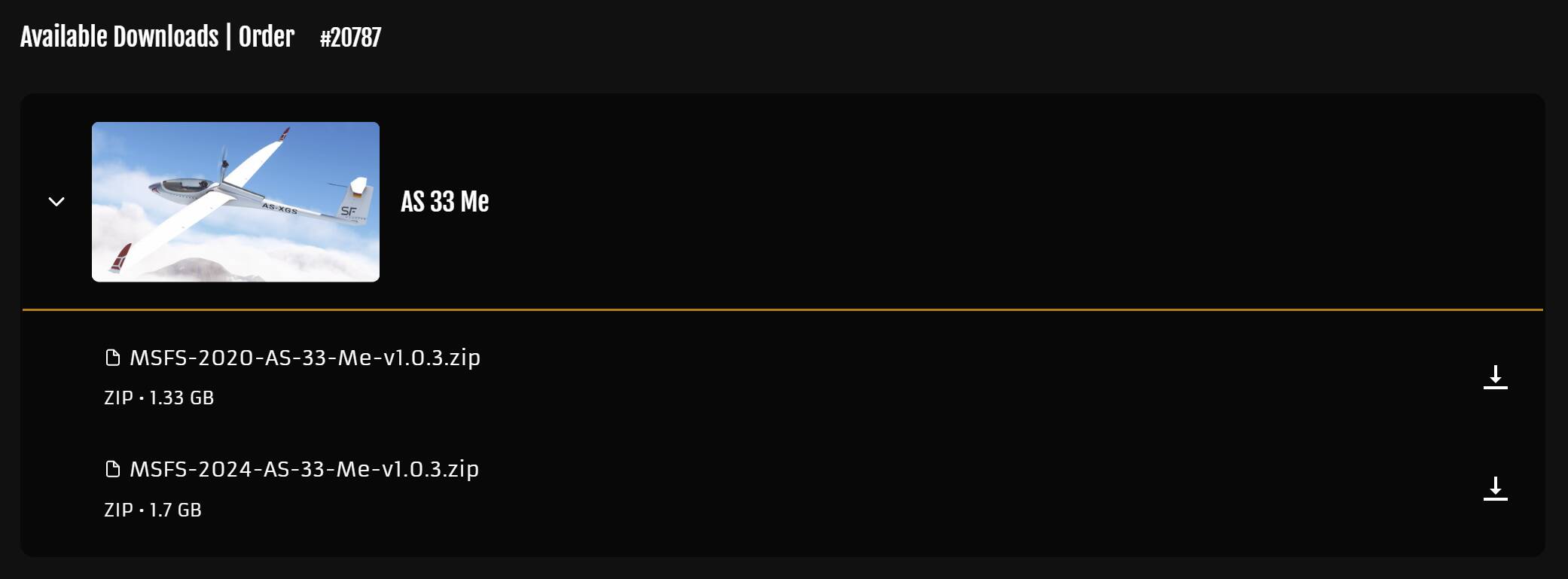
Today’s the day! The AS 33 Me Upgrade for Microsoft Flight Simulator 2024 is officially here. If you’re still flying in MSFS 2020, version 1.0.3 is also available starting today. If you have been using the 2020 version in MSFS 2024, please remove that version from your community folder prior to installing the 2024 upgrade!

How to Get Your Upgrade:
Website Customers:

  • If you bought the AS 33 Me from our website for MSFS 2020, you’ll now see a separate MSFS 2024 download in your library. Just download that version and install that upgrade into your MSFS 2024 Community folder. The 2024 version won’t work with 2020, so be sure to install the right one. Each file is clearly labeled in their download name for the correct simulator.

Contrail Users:

  • We’ve sent the new version to Contrail. Please allow up to 48 hours for it to appear in your account. The MSFS 2024 version will be added for free, just like on our website.

Marketplace Users:

  • The update and upgrade have been submitted to Microsoft. It may take 1 to 2 weeks for them to go live. Once available, you will need to manually “claim” the free upgrade (notification will pop up upon starting the simulator). Once claimed, you will be directed to a screen to activate it.

Version 1.0.3. | MSFS 2020 | Changelog:

  • Fixed Issue Causing Battery Loops (Disrupting Battery Off Conditions)
  • Fixed Power Update issue on LX Family causing Rare Boot Freezes
  • Minor Update in Bug Wiper Logic for LXN Slider Control
  • Minor Update in 3D Model for 2020/2024 Synchronization

Version 1.0.3. | MSFS 2024 | Upgrade:

  • Added Asobo Character Support
  • Added EFB to SD Card Software Options
  • Added Enter/Exit Glider Using Seatbelt Harness/Buckle
  • Added Pre-Flight Walkaround, Interactive Surfaces, Objects and Dots Overlay Feature
  • Added Pre-Flight 3D Details, Chocks, Pitot Tubes and Covers
  • Added New Computational Fluid Dynamics to Fuselage and Improved Flight Model
  • Added MSFS 2024’s Wear & Tear System
  • Added Visuals for Bugs, Dirt, Dust and Grime
  • Added Various Thumbnails and EFB Outline Background
  • Added Adaptive Exterior Registration for Livery Creators

Cheers everyone, thank you for staying patient with our team as we sort out this busy release schedule for this month!

I had CTD in fs20 xbox/x, 1.02, aftet landing I opened canopy and got into showcase camera to move around glider and it freeze down and CTD. Wilga landed safely and was still crawling along the runway in due time.

Here’s some important information I wanted to re-share on these forums, as it highlights the biggest change between the MSFS 2020 and MSFS 2024 versions. As far as I know, this is the first glider to fully utilize the new CFD Flight Model—which should be a major upgrade for real pilots looking for a more authentic soaring experience in the simulator.

The 2024 version uses the new CFD Flight Model, which simulates real airflow across a fully 3D wrapped skin of the aircraft, essentially placing the glider into a live virtual wind tunnel. Instead of relying on basic data tables like in 2020, this system calculates how air moves over every surface in real time, creating a much more realistic and precise flight model. It is more challenging to fly because it behaves exactly like the real thing, not just how the numbers say it should. In short, the 2020 version flew on numbers while the 2024 version flies on physics. This is an expert-level glider experience, now with even greater accuracy thanks to the new CFD system. It’s designed to push realism to the next level, and we expect it’ll take some time and practice to truly master in the new simulator.

That said, weather in MSFS has always been a bit rough around the edges, and with the AS 33 Me now using a virtual wind tunnel-based flight model, those imperfections have a bigger impact than before. Since the glider reacts to every subtle shift in airflow, any oddities in the weather system will be more noticeable in how it flies. To get the best experience—and to actually find usable thermals and ridge lift—we highly recommend using a SCC Weather Preset during your freeflights: https://flightsim.to/file/56827/soaring-weather

Here is a visual of the new CFD Flight Model System in action:

Absolutely loving this …might have just become my new favourite aircraft!

Well done GF … smashed it out the park with this one! :100:

Anyone else accidentally able to select the Wilga tow plane in Free flight on Xbox?

I currently am flying it, with no functioning anything inside, no flaps, and it weirdly wiggles its wings on low throttle. Doesn’t stall until all of a sudden it drops a wing and crashes. Oddd.

Shame, I would like a free fully functioning Wilga!

It’s part of the Discus-2c and AS 33 Me update. It’s an AI towplane used for glider launches and was included in each of those packages for additional variety.

There’s a bug in MSFS 2024 that makes some AI-only aircraft show up as flyable, even though they aren’t marked as “User Selectable.” That’s why you’re seeing the Wilga listed as an aircraft you can choose.

Since it’s only meant to tow gliders, it’s not fully functional and won’t fly like a normal Wilga—it behaves more like it’s dragging a heavy glider behind it. The aircraft has also been stripped of most (if not all) functioning animations and interactions in the cockpit.

Regardless, if you like the Wilga, I highly recommend purchasing it from the Marketplace. It is our top-rated aircraft for a reason.

Cheers!

What a strange bug. But I also recommend buying the Wilga because it is a very well made addon with many fun variations and lots of cool details. The flight model is top notch and Jonx and the GF team should be proud of it because it is one of the gems.

The last few comments were moved from another thread so it might seem strange to mention the Wilga.

But if you are liking the flight model of the AS 33, you might also like how the GF Wilga flies. The floatplane version is superb. It works better than any other floatplane I have tried.

@DigitalJonx congrats on the 2024-native release of a really amazing aircraft. First time I decided to try a glider, and I’m having a blast with this one.

Couple of things with the 2024 version:

  1. Starting cold and dark, the main display is already on when you enter. I assume it’s not intended behavior?

  2. More of a general question: what can and can’t be done in terms of cold and dark with a glider in MSFS 2024? Can I start from a parking position and be towed to the airstrip, or it only allows autonomous takeoff? Because if it does, I didn’t figure out how to!

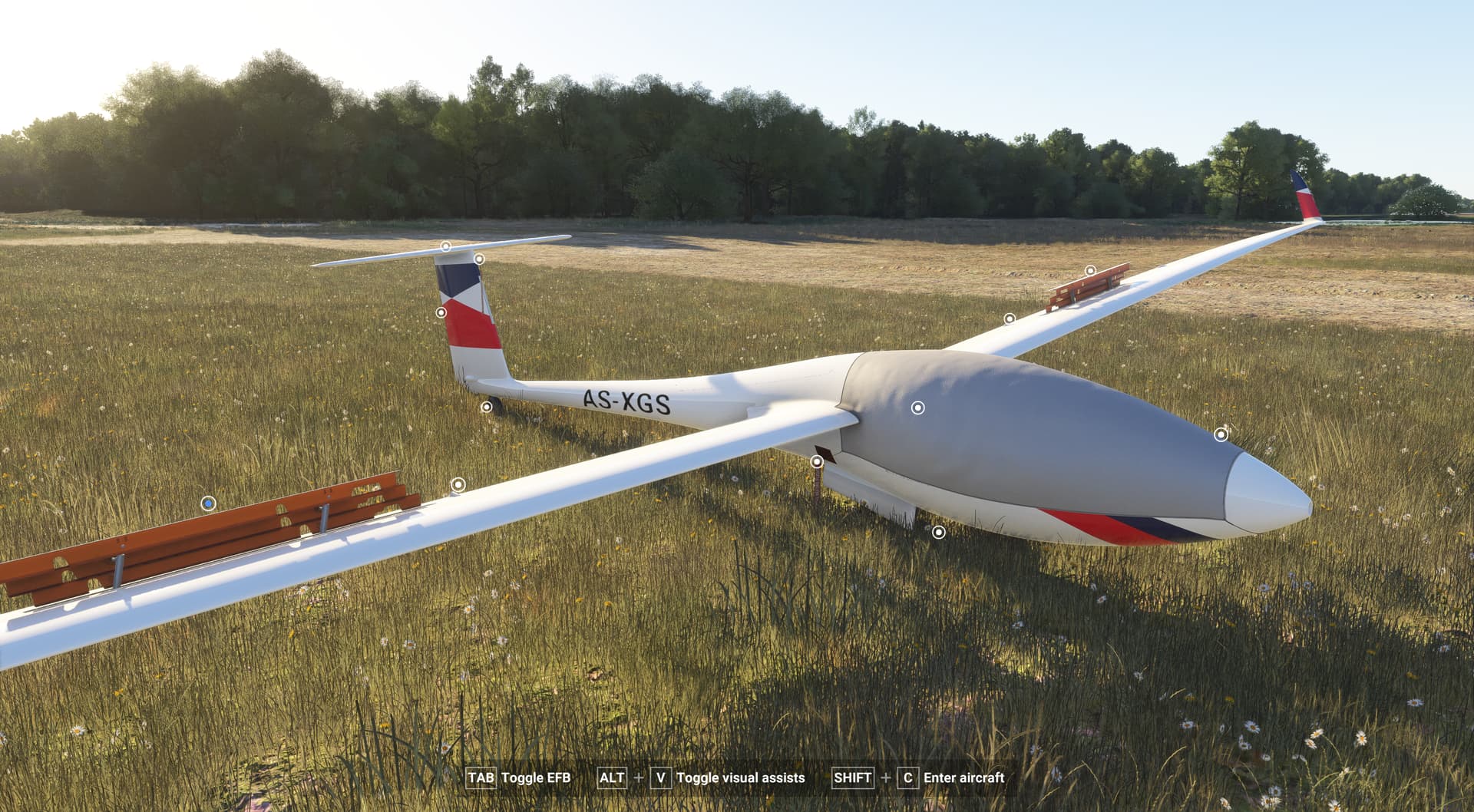
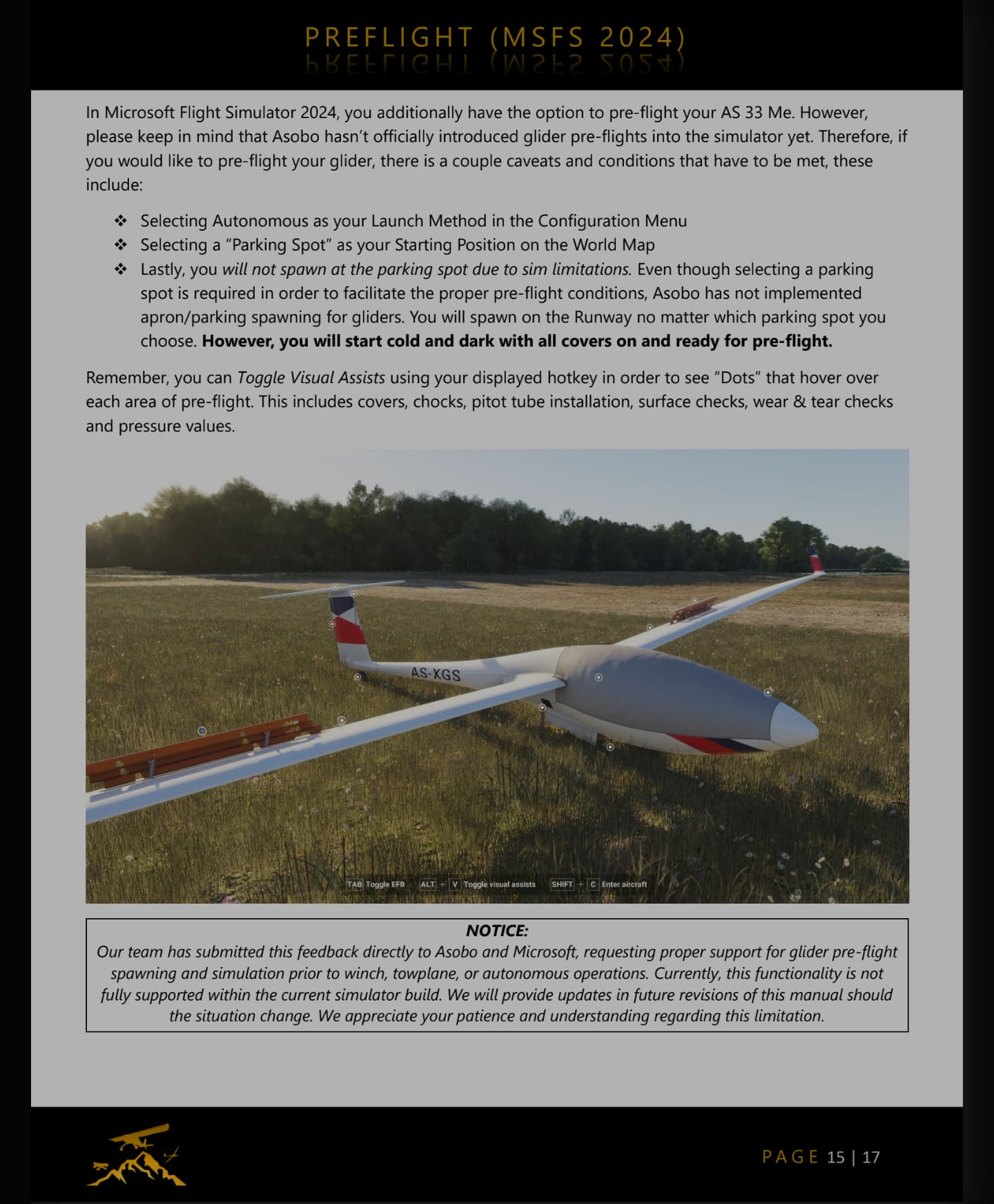
Preflight operations and limitations can be found in the flight manual. (Image Attached Below)

In short, Asobo hasn’t built in support for preflight operations with gliders.

If you would like to read our official report, as well as Asobo’s response, you can find it here:

https://devsupport.flightsimulator.com/t/autonomous-gliders-enforce-atc-flight-plan-issues/14904?u=jonx

Cheers!

“If I’m not mistaken”, it sounds like they didn’t understand.