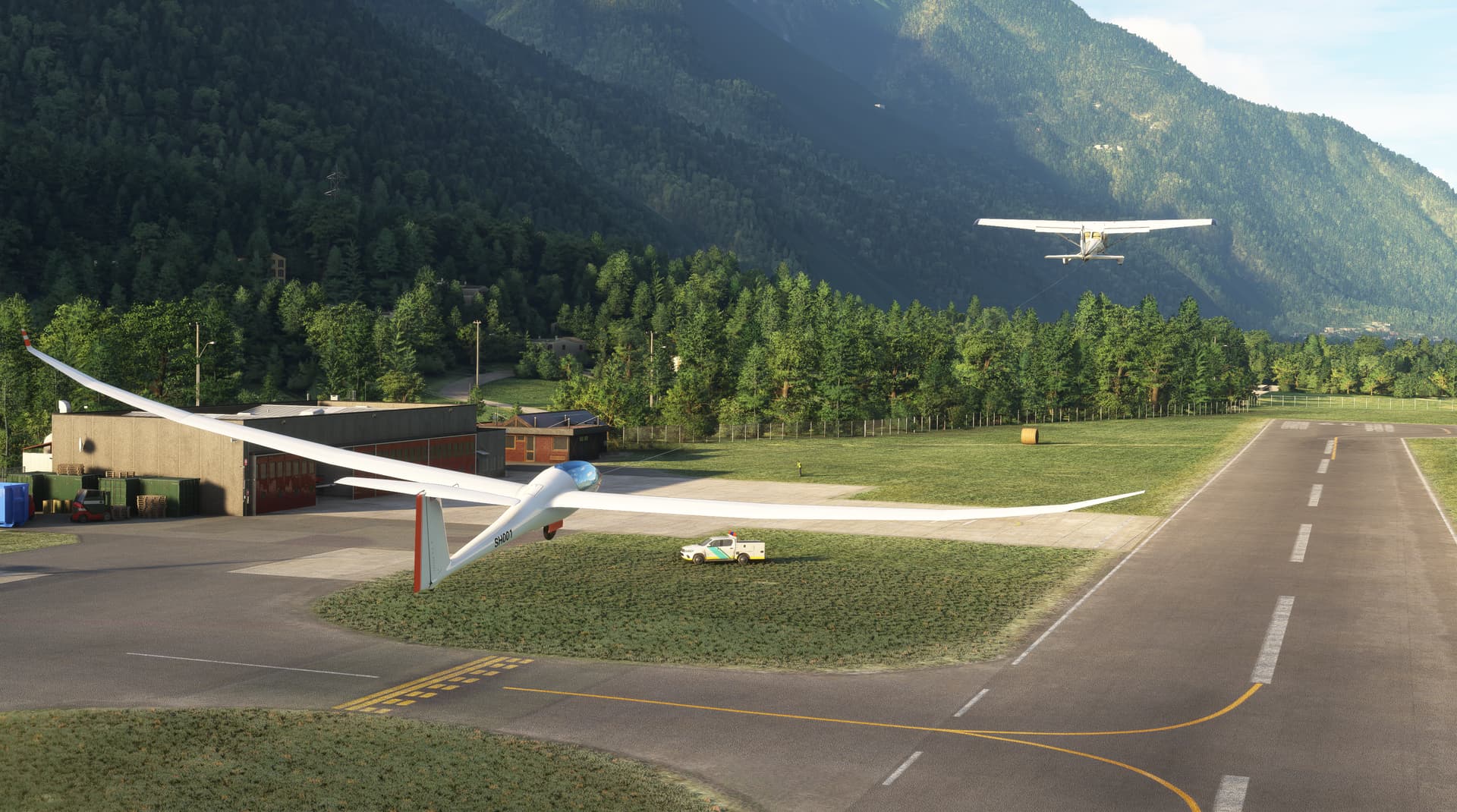
This has been a common issue with towing and winching since gliding was introduced into the simulator. It is an issue eith spawning and Ai behavior in the sim (2020 & 2024—not the gliders themselves).
Some options that can help:
- Refrain from using Live Weather
- Ensure Wind is pointed into Runway Heading
- As Mentioned, Consider a Longer Runway
- Enable “ATC Enforce Flight Plan”
Unfortunately, thats all that we can do as a community right now. As mentioned, the issue revolves around “Vehicle Spawning Criteria” and their associated “Ai Behaivor on the Runway”. It’s written into core coding, so it can’t be modified by 3rd Parties at the moment.
Really? Interesting, I’ve actually never had it happen before, and first time I’ve heard of it and I’ve used 2020 since the beginning. Another joyful gift from the bottomless pit of MSFS non-linear jankiness!
I’ll see if any of the tips work, thanks.
Discus-2c Premium and Standard Update (Version 2.1.2.) is Now Available!
This update adds some additional features and fixes that made it’s way to the AS 33 Me Release Today!
Changelog
- Added Trigger Trim: Hotkey (INCREASE TACAN 1 VOLUME)
- Minor LX Navigation Update for Heliports / Wordmap Visuals
- Improved Wilga 35A Towing Characteristics
- Added Variotone Deadzone (± 0.25 m/s)
- Fixed Minor Thermal Dot Issue while standstill on Variometer
- Complete Overhaul of Leaflet Update Algo (Improves FPS Spikes in Leaflet and Bing)
- Complete Overhaul of Leaflet Destroy Algo (Improves FPS Spikes in Leaflet and Bing)
- Complete Overhaul of Glider Icon Overlay Algo (Improves FPS Spikes in Leaflet and Bing)
Email’s are being sent for the Updates, so look out for that in your inbox. If you would like to download the Discus-2c Updates right now, they are available on our website via your Account Download Library. Please give the Discus-2c update around 24hrs to reach Contrail and 48hrs to reach Flightsim.to.
Thank you for your patience and enjoy today’s busy schedule!
If you would like a short-sweet overview of our newly released AS 33 Me, Georg from Sim Soaring Club made a great video here:

Contrail doesn’t seem to have the latest version up. Still at 2.1.1
New Update Available Now!
Discus-2c Premium & Standard | Version 2.1.3.
We’ve been doing a lot of work in the background getting this aircraft ready for it’s MSFS 2024 Upgrade. During this process, we have added various improvements and those changes are now available to download for the MSFS 2020 Version. This update includes critical CTD fixes that were happening after completing an aerotow, therefore we recommend you download and use these updates as soon as possible.
AVAILABILITY STATUS:
- Got Friends Website: Available Now!
- Contrail: Estimated 48 Hours or Less
- Flightsim.to: Estimated 72 Hours or Less
- In-Game Marketplace: Submitted (Estimated 1-2 Weeks)
Discus-2c Premium/Standard | Version 2.1.3. | Changelog:
- Fixed Major Wilga Tow Plane CTD Issue in MSFS 2020
- Added Parking Brake to Air Brakes when under 2 knots and Fully Extended (Stops Ground Roll)
- Added Additional Localization Tooltips and Features
- Added VR Flight Stick and VR Zoom Panel Compatibility
- Added Additional Size Requirements for Small Lights and Decals
- Added EFB to SD CARD Software Options when using MSFS 2024
- Improved In-Air Spawning and Fixed Various Slew Bugs
- Improved Wing Flex G-Force Coding and Various Bugs
- Improved Lighting of Lights and HTML Displays
- Fixed Morse Code Audio Bug with Radio Unit
- Fixed FLARM Volume not Linked to Variotone Volume
- Fixed Bugged Variometer Total Energy Ring not Visible
Download Available At: https://www.got-friends.com/ under your Account’s Download Library!
Also, if you’re on the fence about gliding, check out this amazing video from Mark at SimHanger Flight Simulation:
Discus-2c Official Updates
Update Status:
Discus-2c Premium & Standard | Version 2.1.4. | Changelog:
- Fixed Issue Causing Battery Loops (Distrupting Battery Off Conditions)
- Fixed Power Update issue on LX Family causing Rare Boot Freezes
- Fixed Elevator Trim not Spawning in the Neutral Position
- Fixed Speed-to-Fly (STF) Curves on the LX Family with Standard and FES Variants
- Updated LX Family to Version 2.2.0. with Various Stability Fixes
- Minor Update in 3D Model for 2020/2024 Synchronization
Air Brake Reminder:
We’ve chosen to keep the Air Brakes fully open (100%) on spawn. This acts as a “Parking Brake” to prevent the glider from rolling on uneven terrain. In MSFS 2024, it’s also helpful for pre-flight inspection visibility if they are open. This applies to runway spawns as well, to avoid the glider creeping into the towplane on sloped uneven fields, which is common with grass runways. So don’t forget to close them prior to signaling the tow vehicle for take-off.
Towplane/Winch Reminder:
Both MSFS 2020 and 2024 have a known bug when launching with a towplane or winch from your chosen airfield. To avoid it, make sure ATC Enforce Flight Plan is Enabled in your Assistance Settings. This forces the towing vehicle to spawn correctly with your glider. If it’s disabled, you can get a desync between the glider and tow vehicle — the towplane may refuse to take off, veer off the runway, or the winch may even spawn behind you. This is a base-game issue, and Asobo/Microsoft are aware and working on a fix for a future update.
Volume Reminder:
Another common question is how to adjust or mute the Variometer and FLARM system volume. Simply use your mouse scroll on the top knob of the LX Variometer to raise or lower the volume. You can also enable Headphone Simulation from the LX Navigation’s Aircraft Settings page or by using the physical switch located near the top-left of the dashboard to universally lower the volume of all cockpit noise.
Thanks for all your support as we roll out this round of updates! Quick heads-up — the AS 33 Me is available for a 1-day free trial on the MSFS 2024 Marketplace. Give her a spin and see if she’s the right fit for you. You can also rent it for 3 days for just $0.99. Cheers, and we hope you all had a fantastic weekend!
Hi fellow glider pilots a quick question: The included airfield GTFD seems to have the runway numbers reversed: 03 is pointing southbound and 21 is pointing northbound. You see the same?