Please contact us via our support channels, as the rules of the forum restrict direct customer support: Contact
The Bo105 and MH60 fly fundamentally very differently. The Bo105 has no SAS or AFCS system, as such the aircraft requires a lot more input from the pilot - constant pedal to counteract the torque, extensive use of trimming and force trim. The MH60 is heavily automated, so the aircraft is inherently made stable by the SAS system. Each FM therefore reflect this.
Regarding “normal turns”, please note that all turns under 60 knots require pedal. Turn coordination only starts to aid at speeds above 60 knots, with “no pedal” only occurring above 100 KIAS. Turn coordination is managed by the SAS system following these parameters.
That said, we do not have major FM changes planned at this time - only polishing the high-altitude performance characteristics. Please note our FM has been independelty tested by pilots of the type: https://www.youtube-nocookie.com/embed/J0c5e3Bnzd8
Will any of the patches allow turning off or muting the transmission whine sound? It maybe sounds realistic, but I feel like it’s going to give me tinnitus after a while.
Please contact our support channels directly. We are unable to provide support through here as per the forum rules.
That said, the only reason would the aircraft would be glitchy in a specific scenery area (and work fine in others) would be due to memory - if VRAM required exceeds VRAM available, the simulator will automatically start shutting down systems. This could be due to the combination of LA being extremely dense, LAX being a detailed airport, high traffic, heavy aircraft, VR, etc.
MH60 V1.1.0 Changelog - Releasing in a few hours at Contrail (Miltech Simulations Store), Blackbird Store and IniBuilds. 1-2 Week leadtime expected on Marketplace.
[FIXED]: Floating GPU across Multiplayer
[FIXED]: Sounds improved over multiplayer. Reduced the footprint of multiplayer AI sounds and added new limitations to avoid interfering noise at short distance.
[FIXED]: APU not spooling up due to closed fuel valve fixed. APU fuel valve has been completely removed; fuel now flows directly.
[FIXED]: APU cannot spool up without battery power anymore.
[FIXED]: R/T door shadows fixed.
[FIXED]: Fuel transfer will no longer occur when engines are OFF; negative pressure is now required.
[FIXED]: MH60 no longer available as AI Traffic.
[FIXED]: Starter 1–2 status on WCA corrected to green instead of amber.
[FIXED]: Wind arrow 180° reversal corrected.
[FIXED]: Altitude AFCS PID no longer executes while the aircraft is on the ground.
[FIXED]: Under −10°C, anti-ice effectiveness increased to allow windshield defrosting.
[FIXED]: Internal lights now function correctly when starting Cold and Dark in FS24.
[FIXED]: MH60T HF antenna position corrected.
[FIXED]: AFCS departures under 40 ft now correctly gain altitude.
[FIXED]: EXT PWR Available flickering resolved.
[FIXED]: COMM2 now correctly transmits on vPilot.
[FIXED]: Timer option in Keyset fixed.
[FIXED]: Romeo ASW station display no longer remains on without electrical power.
[FIXED]: DRM updated.
[FIXED]: Incorrect switch positions when spawning “Ready to Fly” corrected (Engine Ignition, Blindfold Master, Fuel Pump Boost).
[FIXED]: Norwegian livery roundel corrected.
[FIXED]: Base bearing calculations corrected.
[IMPROVED]: Main systems cycle standardized across FS20 and FS24.
[IMPROVED]: Mipmaps reviewed and high-resolution tags modified for improved memory consumption.
[IMPROVED]: AFCS bank threshold increased from 2° to 4° to better filter controller noise.
[IMPROVED]: Collision mesh of the ceiling and walls slightly relaxed.
[IMPROVED]: Improved visibility of altitude and speed on the PFD.
[IMPROVED]: Loadstation positions on the EFB adjusted for better visibility.
[IMPROVED]: Torque-on-density values adjusted to be more restrictive at higher altitudes.
[IMPROVED]: Improved Flight Model: Improved inertial responses to yaw/pitch/roll, improved turn coordination.
[IMPROVED]: Display brightness control improved.
[ADDED]: Tail Wheel Lock keybind added: TOGGLE TAIL HOOK HANDLE (FS20), TOGGLE WING FOLD (FS24).
[ADDED]: PCL keybinds added. INCREASE/DECREASE THROTTLE 3 (Engine 1), INCREASE/DECREASE THROTTLE 4 (Engine 2)
[ADDED]: NVG support added in FS24.
[ADDED]: Mission Hub attach nodes added for SAR and VERTREP operations.
[ADDED]: Yellow warning added for AP temporary disconnect.
[ADDED]: Pop out panels are now supported for all 4 MFDs
Where would these be? I checked your site and couldn’t find anything. I haven’t made it all the way through this forum yet, so sorry if you answered further down. Just bought this (from your site) a few days ago. Having a blast with it and MH.
Hi, can I request a trial or rental version of the MH-60 in the Marketplace (MSFS)? Unfortunately, I’ve had a very bad experience with the Osprey and C-17 from Miltech , and I’m really afraid to buy your products.
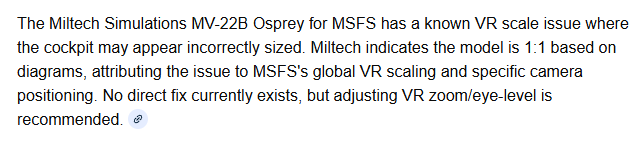
It’s a waste of money to use these add-ons in VR.
Both the Osprey and C-17 are the wrong scale in VR, and I only fly in VR. Everything is too big, and that’s a lot. It’s strange that you don’t have a VR testers (or if they are, they are not doing their job properly) and I really know what I’m talking about, because I’ve been involved in the simulator market for 20 years, and in VR for at least 7 years. At 100% scale, the MFD looks like a 30-inch TV. I’m afraid the same mistakes are made in the MH-60, although fortunately, the former Milviz also worked on this model, so there’s a chance the scale wasn’t overstated.
Nothing like that. We’re talking about 100% scale, which is the default scale. This problem isn’t present in any other models, and the scale in VR is fine. The problem is Ospray. This was already present in MSFS2020. It’s as if inches and centimeters were confused. You feel like a dwarf in a giant’s cockpit. The C-17 has the same problem (it’s even worse there). In my opinion, there’s a bug where, even though the scale may be correct, the SDK interprets the cockpit as much too large. Miltech should have VR testers, whom I’d be happy to talk to. It could also be the “focus” option that was misinterpreted and implemented in VR in Miltech models. I can only guess here if the scale is correct.
I’ll check now if anything has changed in MSFS2024. I previously used V-22 in 2020 and abandoned it for that scale issue reason. I bought it from the ORBX store, I just installed it to 2024v and I’ll check it because maybe something has changed for the better and I’m giving incorrect information. Since the MH60 is under the Miltech brand, I have the same concerns.
I checked and it doesn’t make a difference – the MV-22 still has a scale issue - so I have some concerns about MH60. The center panel (In MV-22) looks like a table, and the throttle grip itself looks like two of my legs, MFDs are about 4x too big. The stick model is the size of an RPG, seriously :).
That’s why I’m worried about the MH-60, whether they’ve made this mistake again. Mitech has this problem with every model. The scale might be right, but either the focus/FOV is poorly designed, which rules out their models, unless you want to feel like a Lego Man in the adult world ;).
@CorrelateTuba06 If you’d like to fix this problem once and for all, I’m here to help with testing. I have years of experience supporting Milviz/BB, GAS, Rara Sim and Aerosoft as an official beta tester. Now I had a 2 year break on DCS but I am going back to MSFS. I’ll add that the default models (Asobo, MS) don’t have this problem, nor do most companies. From what I’ve seen, it only affects your VR add-ons.
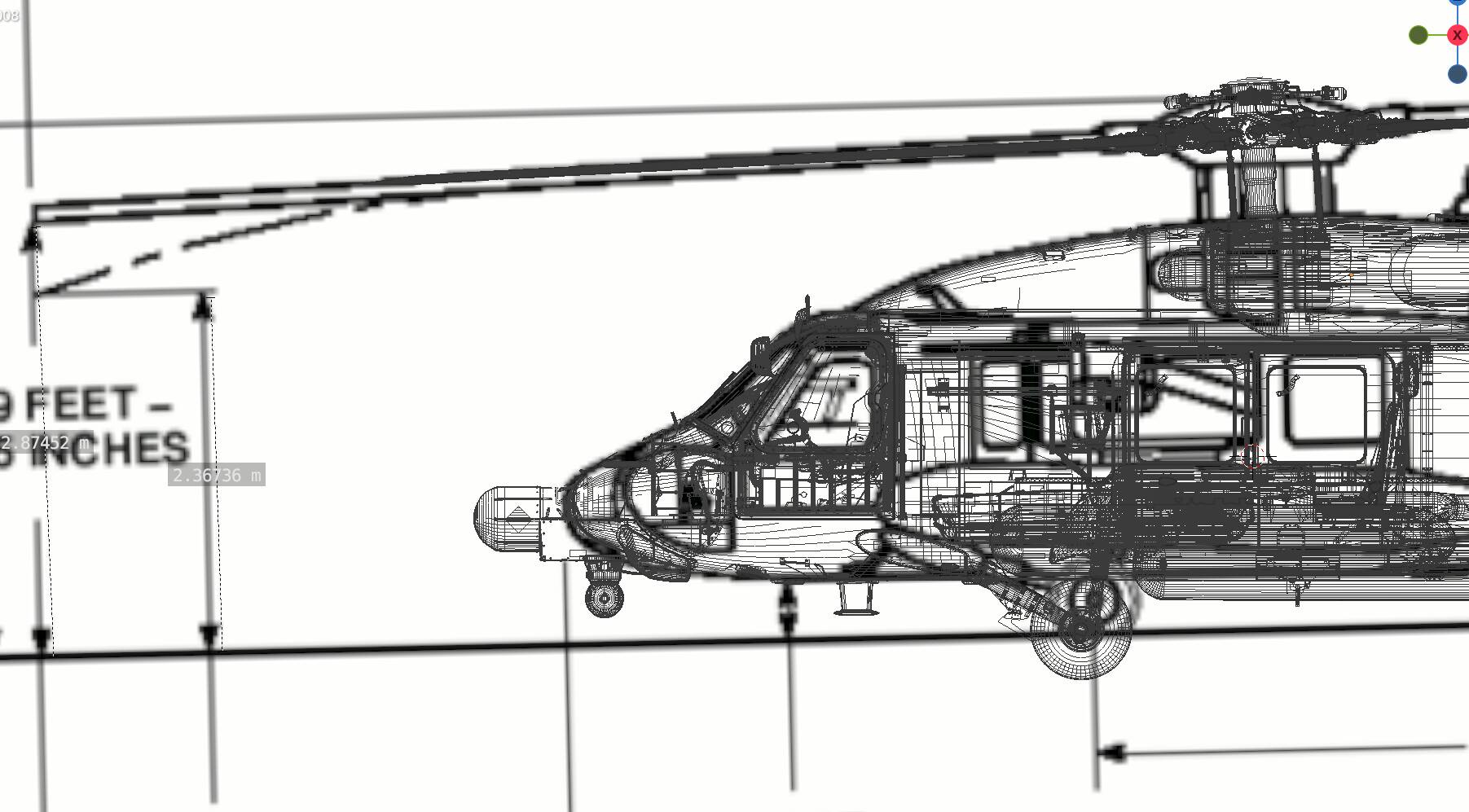
The MH60 has been modelled based on an in-person survey of the aircraft, and the measurements have been cross-referenced with the aircraft manual. There is under a 5% uncertainty margin with external measurements (which are well documented, and using 5% margin as standard for the industry). Interior model is made to fit, and the datapoints we have match the same accuracy level. However, please note that for this aircraft a full 3D scan was off the limits and as such minor inaccuracies may exist, just impossible to know. Many users have report its great in VR, I have been unable to test myself due to lack of equipment, but others in the team do fly in VR and no issues.
At this time we do not offer a limited-time Trial or Rental period for this aircraft. However, this may come in the future.
MV22 was our first product ever released, and it is no longer representative of the quality of newer products, for that aircraft we also had very limited dimensional reference. A full remake of this aircraft is currently in the early stages.
Dimensional accuracy ultimately depends on the reference material we have for the aircraft, which tends to be limited for certain military aircraft. We do our best effort to capture the size and dimensions as accurately as possible. As others mentioned above, the World Scale slider may also adjust it to your preference.

 , and I’m really afraid to buy your products.