Just one click and you’ll be safe:
The key to success in achieving better clarity is determining your Interpupillary Distance (IPD). At first, I thought all I had to do was adjust the little knob on the bottom of the headset until it was as clear as possible. It was a bit better than before adjusting it, but I was still disappointed. Then I read about the Calibration setting in WMR. This is where you can enter your IPD. If you don’t have that number on a recent prescription for eyeglasses, you can always consider getting a reading at an Optometrist. My IPD is 68, which happens to be the uppermost number on the scale (far right position for slider on headset). Everything looked totally out of focus at first, but then I adjusted how I wore my headset, and now my clarity is definitely a notch above where it was. I pull the back part of the headset down to near my hairline, and then I slightly rotate the front part until the headset is resting on my cheek bones. I know it may sound really odd, but I works for me, and it’s very comfortable for at least a two hour flight. If you haven’t already, give it a shot. I hope it works for you.
I don’t think Reverb G2 allows you to adjust the IPD in the settings. How did you manage to change the IPD number? I assume you are speaking of the OpenXR Developers Tool.
The Calibration setting in WMR works in sync with the slider on the headset. The headset needs to be both powered on and active in order for the Calibration setting to be active, so you must be wearing the headset. I am lucky because my IPD is 68, which is the highest number on the scale, but if your IPD is 63, you will either have to guess how far to move the slider or have someone else watch the reading in the app change along with your moving the slider on the headset. I hope I’m not being too wordy in explaining this. It is somewhat convoluted.
You can observe the desktop in VR and see the changing IPD value
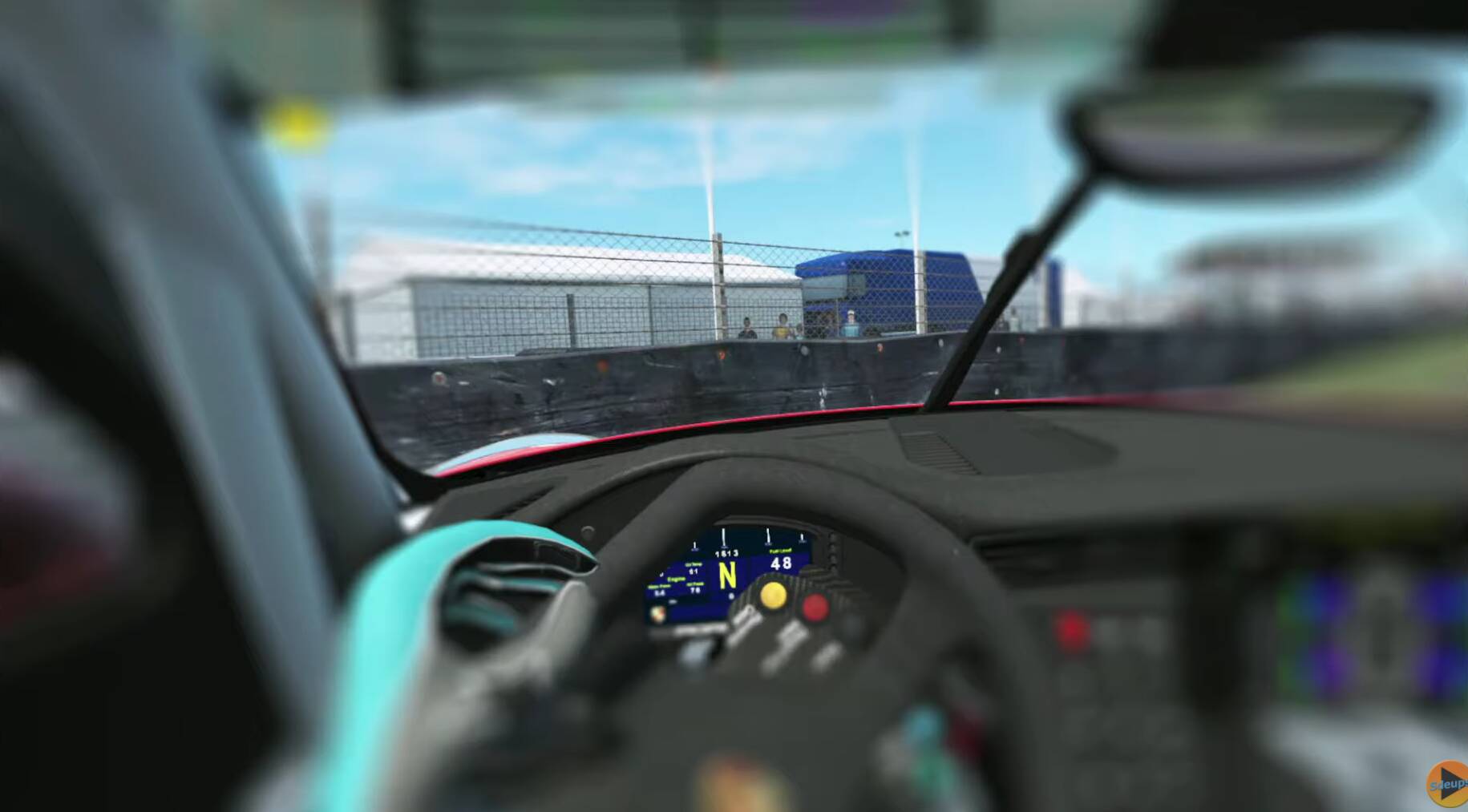
Mine is not nearly as noticeable as this picture, but it’s difficult to compare picture vs VR. I just don’t notice the blurry as much as I noticed it looking at this picture.
Thats BS. Of course, with a little patience, you can screw up everything to the worst.
As said many times above, a sweet spot at least of the PSD size is no problem with the G2. Everything else is a problem behind the G2. Maybe this person is well advised to look to the optician.
I run 100/100 (I prefer this over a few fps for the crisper avionics) with 100 O-LOD and 200 T-LOD on an 2080ti with almost no problems outside PG-areas. And its awesome.
And I am wearing strong glasses and I have everything from nearsighted to farsighted to astigmatism to different cylinders. But I also have glasses that correct these errors well  .
.
Hi CptLucky, apologies if I have missed this, but what OpenXR and sim Render Scaling were you using when you describe not being able to see the main 6 pack? As there seem to be quite a few other reports (eg post 68 on this thread) saying the sweet spot is large enough for the 6 pack or PFDs if you can run both scaling options near 100.
I have a Reverb G1 and can confirm that this image is total BS. The image blurriness off center is way less noticeable than with this fake screenshot.
Hi,
I don’t remember specifically but the lowest I used in the G2 is TAA 100 + OXR 50. For what it’s worth it is about the same post-process res (OXR 50) as the Index (SS 124). I really can’t run OXR 100 on the 2070S but I tried of course to see whether it will help and I agree this helps a little, but the smaller center disk of clarity is still there and the falloff still visible albeit it is more gradual and therefore maybe less annoying.
All these tests and comparison between my G2, my Index, and my experience with the G1 back in June 2020 are telling me the G2 is forcing you using 150% scaling because of its optics, vs 100% with the G1, and not only it takes more resources but the optical elements themselves are less comfortable to me than the G1 (it might just be my G2 only as well but it seems there are others with exactly the same eye-strain induced optical problems reporting either here or at reddit). The G2 is certainly a high res headset on paper, or at OXR 150, but you can barely appreciate it fully because of the smaller disk of clarity which is pregnant and the peripheral pixels more blurry than the Index at a lower res.
Having said this, the more I pay attention the more I see the Index also has a disk of clarity, but the falloff is larger and doesn’t exhibit as strong as with the G2, and even when looking off center (eyes moving) it is not as blurry compared to the center giving an overall seamless and clearer picture edge to edge (85% off center to me). It is just a better optical design and it must also be related to the dual-lens element the Index is using, which in itself, shows they have put more R&D in the optics (of course some might say they needed to add a 2nd lens to the 1st because they can’t make good optics with 1 lens only)
G1 user here. After reading this very long debate in this thread, I checked my sweet spot yesterday. In tbm 930, OpenXR80 and in sim scaling 100 gave me more than PFD clarity. That means I can read every detailed text on PFD just by moving my eyeballs with fixed head angle. RTX3090 with 457.3 driver. Hope this gives you a reference.
I really feel like I’m missing something here. Over and over you all talk about disabling the custom render scale in OXR and then promptly talk about setting it to some value. I don’t get it. What am I missing?
Although I had decided to give up this G2, a Youtubeur convinced me to test it. I received it yesterday. Frankly I bought it, thinking I was going to send it back before I even received it, so I only read negative about this G2 starting with the sweet spot. But it has nothing to do with what I imagined. As he had told me the sweet spot is much better than the CV1, it is even wider. In the Cessna 152 when I was looking at the Altimeter with CV1, I saw the numbers to the right of the speedometer blurry, but I could make out them. On the other hand, the figures on the left were illegible. With the G2 I can distinguish the figures on the left, better the figures on the right with the CV1.
And I’m not even talking about the picture quality, my eyes thank me.
(I cross my fingers and touch wood to keep it going …)
Yeah, I think most of the G2 bashing is due to the fact that the sweet spot is incredibly clear for a VR headset, as clear as a monitor! So the difference with the surrounding area is more noticeable than with other headsets that are all more or less blurry.
I also decided to keep it (99%).
I agree with the assessment.
I am very happy with my G2. I also own an Index. Even with the recent SteamVR updates, as well as CptLucky8’s guides, G2 is still the clear winner for me – by far. Overall, it just feels more real.
I also printed the Jewcookie mod recently and it makes it even better:
I also printed the Jewcookie mod. What did you take as a foam seal?
I happened to have a Oculus Go VR Cover foam laying around. It’s pretty thin and works perfectly. You can purchase the Vive one on Amazon. There are also 4x5mm magnets on Amazon.
[quote=“Gsx31, post:67, topic:362212”]
I came across a test where the person tried to show what to expect with the Sweet Spot
[/quote]
Between all crashes with MSFS
And now to discover this deplorable quality on ACC, I am really over it, once the wow effect has passed, and we discover all the negative points.
That’s a ridiculously exaggerated picture! What you see through a Reverb G2 is nothing like that. Sure, the center area is sharper but all the surrounding area is still easily discernable despite being less in focus. Makes me want to try to take a real picture to show.