I believe all you have to do I change ‘Asobo’ to ‘Salty’ in the config files. So simple even I might give it a go.
Yep, literally takes 30 sec per livery. Would be a shame if all the livery creators see fit to reupload all their liveries given this is a simple fix for most users. Takes less time to fix one than redownload, extract, place in community folder, etc.
Guess that’s what I’m doing the next rainy day!
Is there something I am doing wrong but I seem to… ( back story, when they falked the A320, I remember doing a very similar exercise and getting a very similar result…)
I seem to find when I do this, I end up with two 747 options in the aircraft selection/world map and the aircraft that I changed, only a handful are in the Salty/flybywire selection and the rest are still in the default/Asobo selection??!!
I followed the required fields that you needed to change, the required names changed from the default/Asobo747A320 to the Salty/flybywire but there are always a number of liveries that for some reason don’t seem to work.
I noticed that there are some other label’s within those notepad files that have Asobo name/titles along with the actual folder that these liveries are physically named… for example… Asobo/747/Qantas… Did we need to change everything that has a Asobo label to salty/flybywire
I used this video to help me change my liveries from the Asobo 747 to the Salty 747 when I installed thier new update this afternoon, I had no issues with the liveries moving to the Salty 747. Have you tried this process?
I’m the wrong person to ask, sorry! Use the British AvGeek vid.
Its great to drop it into FBW installer. I tried it but the terrain or weather no display and dont know how to open the side pad . Is something i did wrong ?
No. Those features just aren’t implemented yet.
All, I don’t know if this is a bug with the aircraft or not, but I tried flying from DXB-ATL last night, the T/O and climbing/cruise was amazing, however, I went to sleep with the laptop running the game and when I woke up for the descent, the pilot avatar model or whatever was covering up the ND and other useful knobs and instruments and I couldn’t make it go away.
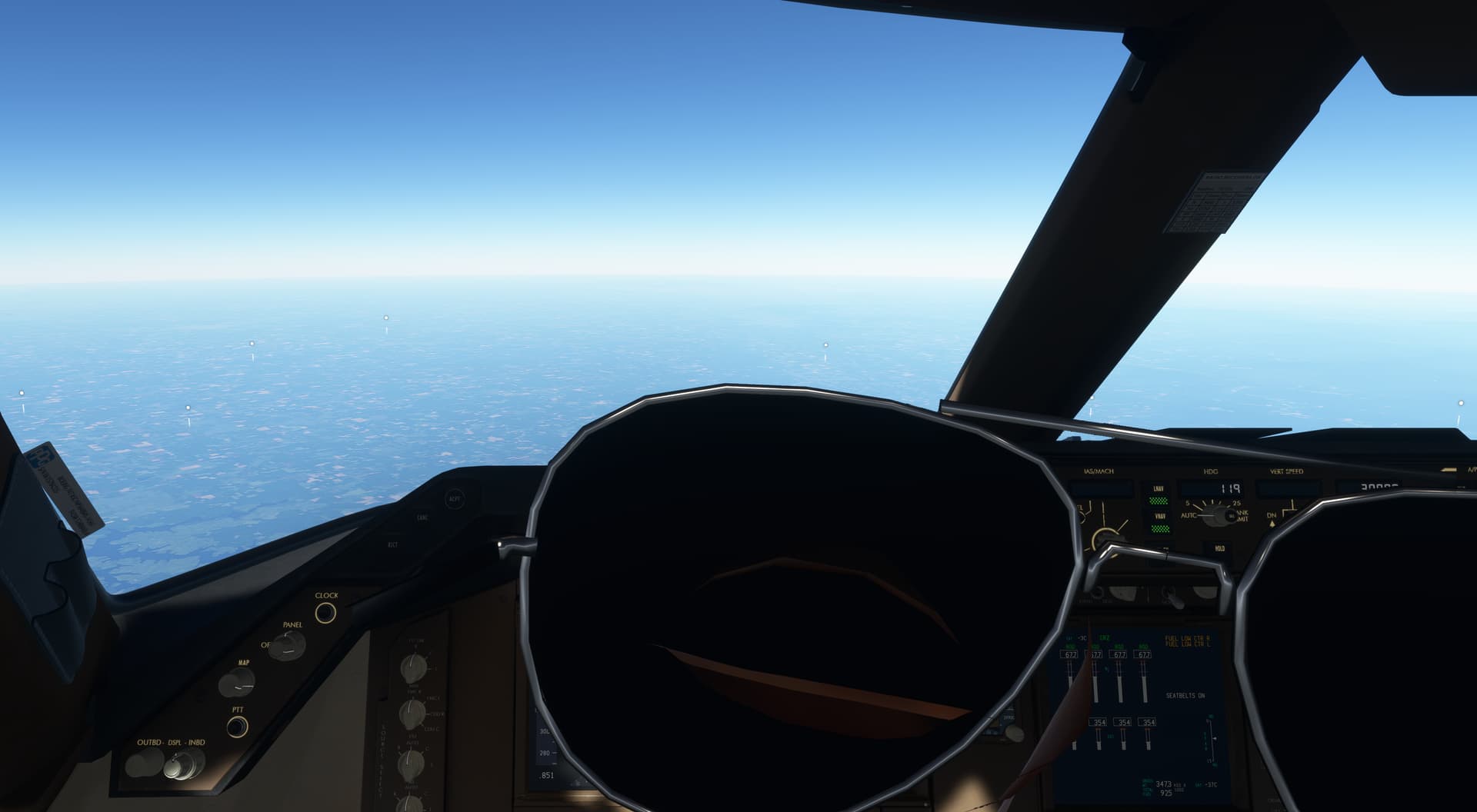
In addition, the game started getting laggy and then crashed when I was basically almost at final. >:( Anyways, just wanted to know whether this was a fault with the aircraft or if I have to just update my PC or something. Or maybe I should stop doing 15 hour long flights and leaving my PC to run in the night. Idk.
I have downloaded the salty mod and placed in the comunity but it is not shown in game, anyone has the same issue?
What’s the current state of this mod? Does it work with SU11? Is Vnav working (well) yet?
Are there any other 747 mod or payware worth looking at?
Thanks!
it didn’t get any update via fbw installer for a long time. very quiet recently
Works very well with the current SU. VNAV is functional and follows restraints.
No other 747 mod worth looking at or even exists for that matter
I’ve posted something on this previously but have a bit more information and looking for some assistance. I appreciate those who responded previously.
I have the latest dev version, but this also occurs with the stable version. I cannot operate the exterior light switches with my mouse or keyboard. The mouse pointer changes to a hand when hovering over the switches, and they move ever so slightly. The wing lights and Logo do work. I have a HC Alpha yoke, and someone previously suggested that this yoke controls the lights and will not allow the mouse to work. They switched to another yoke which seems a bit extreme. My Alpha switches do not operate the lights, and when I remove the mappings the mouse still does not operate the light switches.
Can someone explain to me why it’s not possible to DEactivate certain buttons (like SPD, VNAV) by pressing them when they are activated? Is this a bug or realistic behavior?
If the latter: does it really only want me to deactivate certain functions by overriding them with other functions?
You probably want to watch a tutorial video on how to fly the 747
Ive watched several and none of them mentioned this. In fact i think i saw some where they were able to deactivate the mwntioned buttons by clicking them, which never seems to worl for me
Hello,
I can’t get APU running after update of dev.mod 
How to get liveries for Salty not default B747?
Thanks
Looks like APU only starts when GPU is connected first.