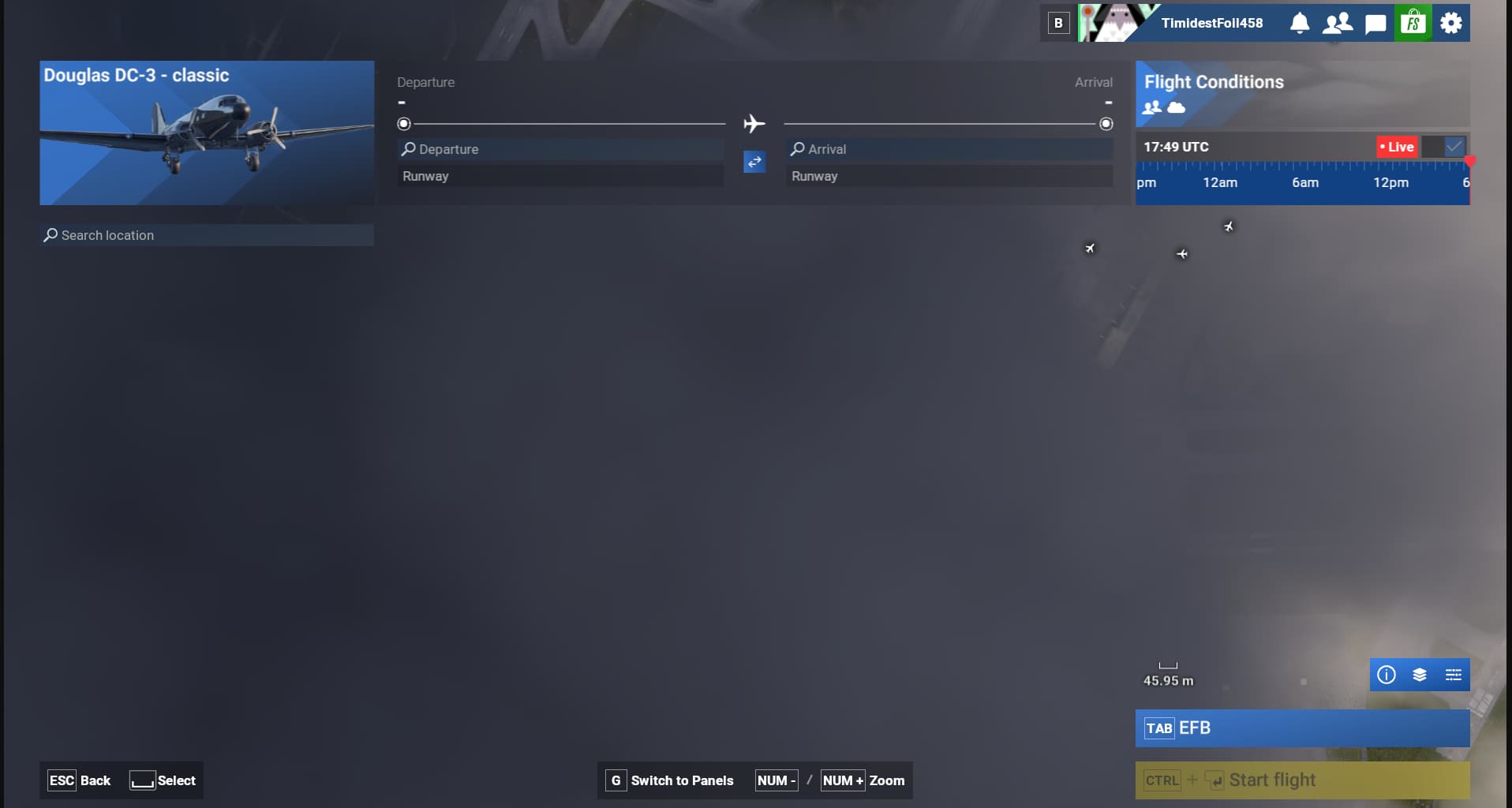
Here is KDTW. Impossible to see any details unless you zoom super close in and then you lose the context of a large complex airport. You can turn the cloud layer off, but 1) it doesn’t persist, and 2) it’s nice to have the clouds but at an appropriate level of zoom.
Hi @TimidestFoil458, in addition to this Wishlist topic, there is a related bug report (for the clouds) here:
3 Likes
Thanks @Speed1994 ! That is more inline with the problem I’m trying to highlight. I like having the clouds on when zoomed out, I just don’t like that it obscures the details of an airport when you’re trying to sort out that plan.
1 Like
5 years in and I still have to set the world map filters each time when logging in, why can it save last used? another ridiculous open item.
9 Likes
373 votes as well, so clearly it’s something a lot would like, surprising such a simple thing they could add has been overlooked.
4 Likes
I would add to this, and say improve the filters. If bespoke airports are marked with a little star, but often can’t be seen until zoomed in, then have a filter for the world which ONLY shows bespoke / 3rd party airports. That way I can plan my flights to only those places. There can be too many to remember sometimes.
it is like ground hog day
Would like the ability for options selected on the World Map when picking airport / start point, to remember if I set Advanced filter to hide the clouds, it remembers these setting between restarts.
1 Like
Added my vote for this in 2024. It takes too many clicks to set the same things every time.
2 Likes
I have to change the filter every time, i want it to be saved.
2 Likes
I always have to turn the cloud layer off so I can see the map. Otherwise, it’s a white blob most of the time. If the Advanced view just stuck, I’d be happy.
3 Likes
Can’t believe this is not implemented yet, one of the best Quality of Life changes they could implement. So many filters and layers needs to be set every time I boot the game.
2 Likes
It’s baffling that to this day the world map filters do not save
6 Likes
Would like to see the map where one selects the departure and arrival airports to remember the settings, i.e., if i de select grass runways to remember to not show them on the next start up; also to remember the layers selected (precipitation and ground winds for example, instead of clouds)
Regards
2 Likes
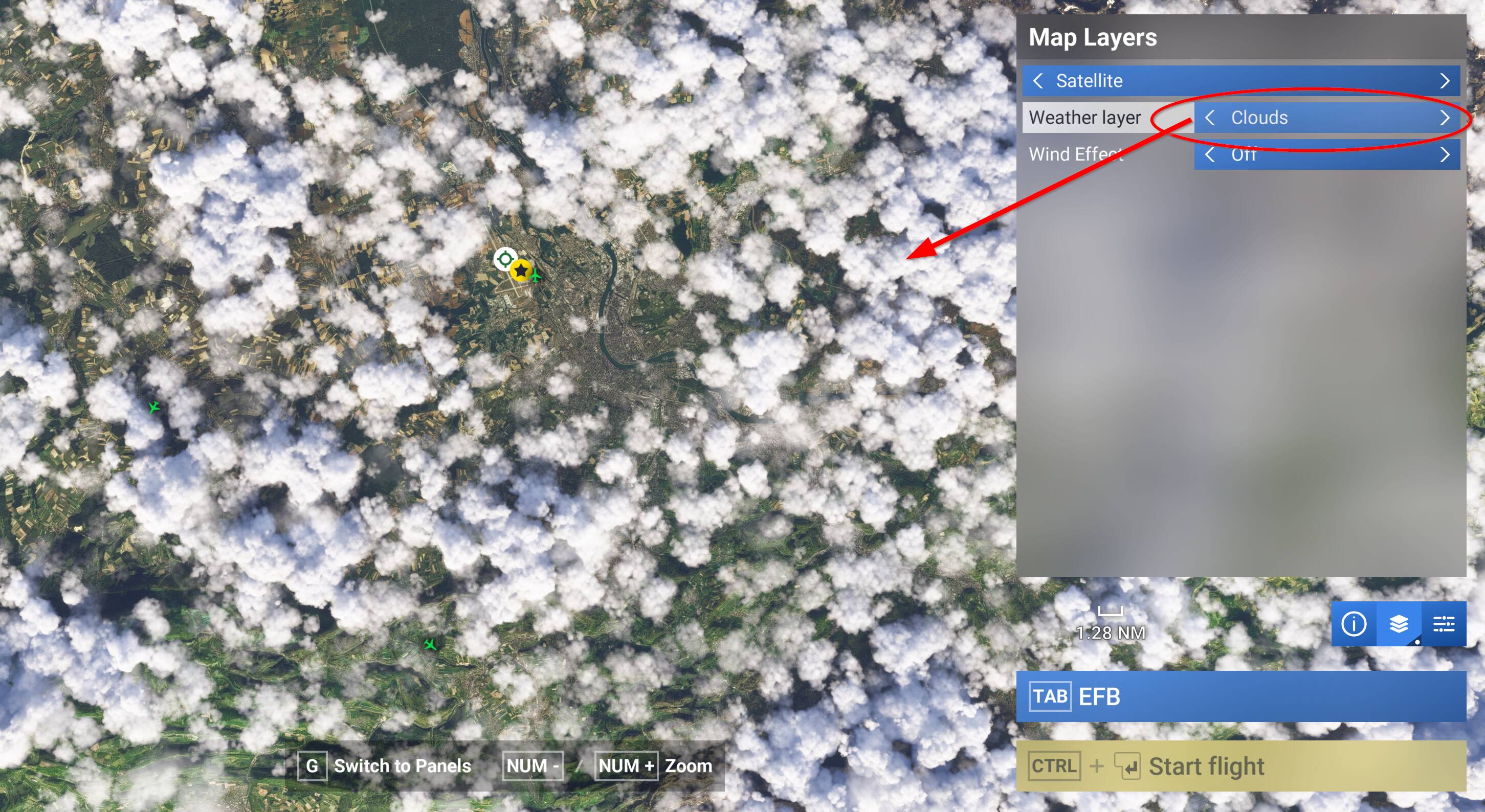
ISSUE DESCRIPTION
The advanced display options are not saved, I have to systematically remove the cloud layer to see something.
FREQUENCY OF ISSUE
Every time
REPRODUCTION STEPS
Please list clear steps you took in order to help our test team reproduce the same issue:
-
Set Map Layers Advanced option Weather Layer to OFF (remove Clouds)
-
Go fly or what you want
-
Close FS2024 and restart, Clouds Weather Layer is back
MEDIA
5 Likes
This is so annoying! It’s cool seeing the clouds every once in a while, but for the most part I’d like them off.
3 Likes
Even worse is the fact that we CAN turn them on or off. Why?
If we have an option to set a preference, our choice should remain active until WE decide to change it. We can change graphics settings, weather settings, traffic settings, assistance settings, etc. Why not all World Map settings?
4 Likes
Dear Asobo team, almost every time I want to select my departure airport and gate/ramp, I have to disable cloud layer in Map Layers/Advanced menu to see the airport layout when clouds are dense or low when I zoom in to details. Is it possible to let the sim remember my preference?

10 Likes
Editing the WorldMapFilters.xml in \Official\OneStore\fs-base\worldmap works for me (MS Store version on Win 11 PC). But this approach is susceptible to future xml changes from program updates.
Instead, I use JayDee’s World Map Filter Presets. This is just a small collection of variations of WorldMapFilters.xml, but done as an addon mod in the Community folder.
Once I’ve edited the xml file in the addon, it doesn’t matter if MSFS changes the default xml file. The addon overrides the default xml and uses my choices.
1 Like