Ok so I had Sim Update 5 installed for a few hours now and have tried it out. My specs are below:
Alienware R11 2020
Intel i7 10700KF at 5GHZ (overclocked in BIOS, no temp issues)
RTX 2080 Super (overclocked)
256gb nvme and 1TB 7200 RPM (MSFS installed on mechanical HDD)
32GB RAM 3200 MHZ
My problems before SU5:
- Low FPS at Paris Charles de Gaulle airport (sometimes down to 15 FPS when looking at a terminal)
- Low FPS over London at London City Airport (sometimes would drop to 10 FPS then recover back to 30 fps)
- Diamond 62 had this cockpit glitch where the inside cockpit would flicker. The temporary resolution was to disable the camera shake.
Fixes after SU5:
- FPS issues at Paris have been resolved. I can use a 787 and maintain 30 fps at a resolution higher than 1440p but less than 4K.
- Camera shake issue in the Diamond 62 has been resolved.
- London City and the London area no longer have random FPS drops.
Problems after SU5:
- No lights on AI Traffic (tested offline AI and real world traffic)
- The ATC menu seemed to have a glitch where it looked like it was repeatedly being spammed (ATC button was flashing in the toolbar at the top). Fixed it with a restart of the simulator.
- Unable to move World Map. Fixed with a restart of the simulator.
- Water appears to be flowing over bridges in photogrammetry areas. Sometimes some bridges don’t show up. Restart did not fix this. This is noticeable in Tokyo with the Japan update.
- Using the King Air spawn on Runway 26 at KPHX (Phoenix Sky Harbor) and the airline terminals will not show up. Interestingly, if you take off on the opposite Runway 8 it works perfectly.
- Building/trees pop-in. Not as bad as other users posted though. Seems to be related to how much VRAM is being used on the GPU. More VRAM = More Pop-in.
- Note: I had two CTD’s in which one of them I believe can be explained with running an unstable GPU overclock so I dialed the settings back on MSI Afterburner. Ideally, I should run without an overclock but temps are well within limits. I have never experienced a CTD in MSFS before.
cracking open MSFS after an all day update download session, anyone flying the steam gauge C172?
I am trying to interact with the trim wheel with my mouse wheel. It only does full up or full down, no in between.
I have a hardware trim wheel that I created, it works and shows the correct position via AirManager but in the sim it is stuck in position (no autopilot on either).
Otherwise, really loving the performance improvements!
I wonder if it is only us.
Of course: we’re special! 
I’m going to see if I can replicate your problem and will edit this post accordingly.
Edit: So I used the C172 at KPHX and was not able to replicate your issue. I used left click and held it, then the scroll wheel on the mouse to move the trim up and down. I could go up 1.4, 1.5, etc, and down.
Have you tried a restart? A redownload of the C172 steam gauge?
Cockpit camera view does not stay fixed in one spot. It floats round and only Reset brings it back, only to have the camera view start moving (floating) again. Unusuable. I have read on AVSIM that other’s are experiencing the same problem.
1 Like
Yes. I’m glad I’m not the only one experiencing this. The ctrl+E autostart will not work and after manually starting, you can’t move the throttle to the left ‘taxi’ position. The plane is useless now.
2 Likes
The game is crashing in the world map here. I have no files in the community folder.
2 Likes
There’s a few threads on this, I recommend keeping discussion on those; but if you have the Summer N / Winter S foliage pack, several people including myself have reported that removing it resolves this. You might have to restart the sim after removing it. There may be other Marketplace content items that also cause this problem, so check what you have installed.
Is anyone able to talk to AI ATC at any airport in the sim, at all? All airports in the Los Angeles region I’ve checked come up now as uncontrolled airports including:
(I’ve reported it to ZenDesk.)
1 Like
I have the sim updated from both the Store and the Content manager -
So far after 5 or 6 flights I have seen much more micropauses and jitters (unsmooth performance) and also - activating the drone camera via default ‘insert’ key causes all subsequent view changes to be spastic. As if the view jumps twice from exterior to interior (or vice versa) before completing the switch.
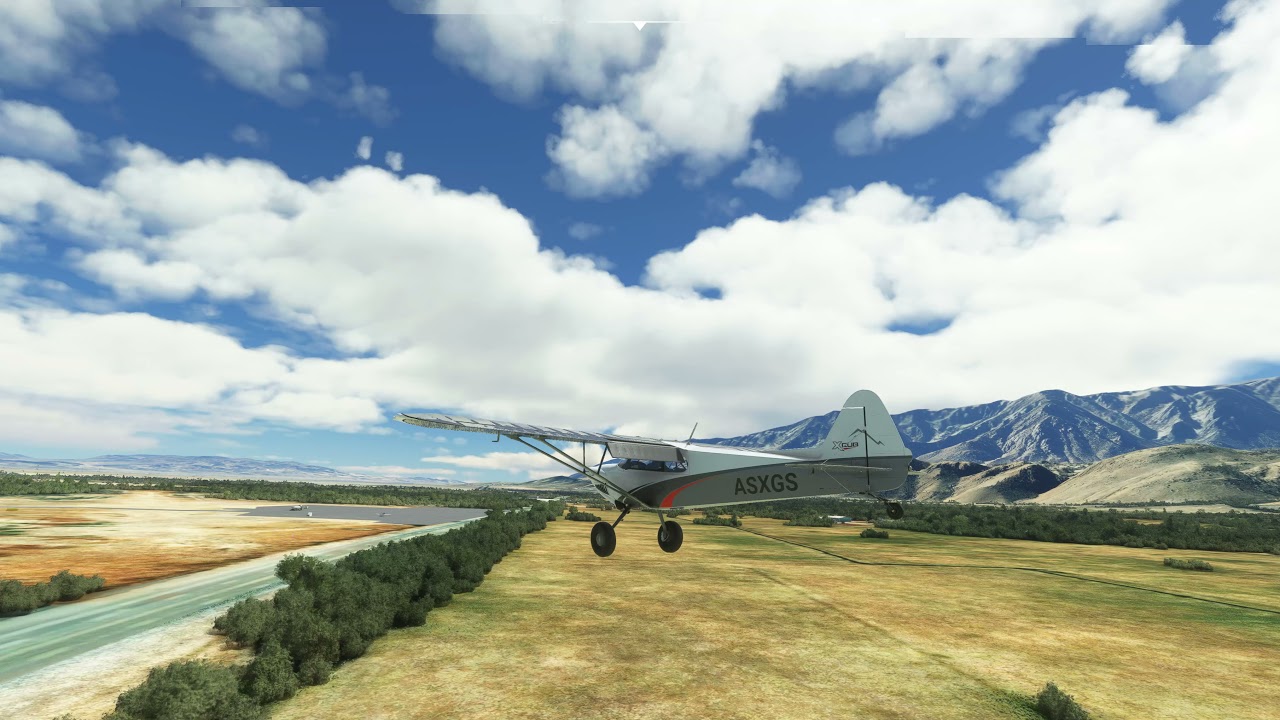
Also - the Asobo float equipped Cub will not turn during taxi ON DRY LAND - it turns in the water though..
here is a video that shows the micropauses and the camera view switching issues.
Note that camera view switching using the default ‘trigger’ on my T1600 worked fine UNTIL I used the drone camera ‘insert’ key to see those views.
there is also some odd ‘tearing’ along the top of the screen but it doesn’t happen every time I run MSFS. I have G-sync enabled and Vsync OFF - again - it is not present every time I have run MSFS since SU5 today
I’m going to see right now if AI KLAX ATC works.
Edit: I was not able to have that same problem. I did however spawn directly at KLAX. I took off and flew a bit away from the airport. Then selected full stop landing for KLAX. AI ATC responded as normal.
2 Likes
Random CTD with Exception code: 0xc0000005 is back  I recall I had this issue in the past but thought it was fixed long time ago. It has been stable until now . I am on my 6th CTD. I do LOVE the performane improvments (50% fps increase) but not with the CTD 0xc0000005 crashes.
Faulting application name: FlightSimulator.exe, version: 1.18.13.0, time stamp: 0x00000000
Faulting module name: unknown, version: 0.0.0.0, time stamp: 0x00000000
Exception code: 0xc0000005
Fault offset: 0x0000000000000000
Faulting process id: 0x4c48
Faulting application start time: 0x01d78361222d15ef
Faulting application path: C:\Program Files (x86)\Steam\steamapps\common\MicrosoftFlightSimulator\FlightSimulator.exe
Faulting module path: unknown
2 Likes
I turned legacy control interaction on before trying this, maybe that is my issue.
I’ll try reverting this and see if it fixes my issue. Thanks for checking!
I too am getting the issue where the game load status bar gets to 100% and remains there without going any further. This is how I fixed it:
- find your Community folder and rename it to ‘Community OLD’ or similar
- make a new, empty folder and name it ‘Community’
Now try running the sim again and see if you get further, because this worked for me. Obviously it’s not ideal because all of your delicious add-ons are not installed or available, but it does perhaps point to there being something in your Community folder that’s causing this particular issue. You can then start to move things across from ‘Community OLD’ to ‘Community’ as a process of elimination.
I hope this helps, although your mileage may vary.
Davey.
G1000 - Dialing in a COM frequency only works in one direction. No matter which side of the dial you click or which direction you move the mouse wheel, the frequency only tunes down, not up.
Flight Planning - There are now weird “Time Climb” and " Time Approach" waypoints added in on all plans (I only tested VFR). This is new and I’m not sure what’s going on. Those waypoints don’t show on the flight plan in the airplane, but autopilot wants to take you to them anyway.
I guess we can sum up this Sim Update accurately by calling it a hot mess -
I don’t see performance enhancements, I see visual quality reduction, increased stutters, broken camera views, broken functionality, and a ton of impairment.
Asobo seems to be so bent on getting Xbox up at all costs they’ve bricked the program for the rest of us.
12 Likes
Yes again a another mess up by MS&CO
1 Like