The sluggish/laggy map is a strange one, I’ve had it happen a couple of times but it’s not all the time so hard to nail down exactly why it happens (using VR).
New update out -
Sky4Sim Pad 1.2.1 Release notes
World Update 7 is here, featuring beautiful Australia & New Zealand landscapes and cities! All the new POI are now part of Sky4Sim too! Let’s plan your new discovery flights!
This release also add some other improvements and bugfixes:
Features
- Navaids type differentiation: It is now possible to differentiate VOR, VOR/DME, and DME only beacons on the map.
- Heading layer filter: It is now possible to hide/show the heading and distance tooltips on the map, allowing more clarity.
- Save map background: The map background is automatically saved when you change it. you will not have to change the map to your preferred one on each flight start.
Improvements
- Design fixes for low screen resolution: map buttons should now take less space.
- Design fix on Flight plan application ->Open save flight plan that was hiding the menu bar.
- Thinner tooltips
Bugfixes
- Resolved a bug that was preventing MSFS to start sky4sim properly from exe.xml file.
- Resolved a bug that was leading to wrong page number when manually entering page number in PDF viewer application
3 Likes
Are sure there are no other fixes because I downloaded the update and took two flights, one in the Azores (sparse-ish scenery) and one in central LA (very busy scenery) and none of the previous juddering experienced in VR, happened at all. A few stutters here and there in LA but that is unsurprising. I flew below 2000ft in the cub crafter. Zoomed in and out of map multiple times and it was smooth as a baby’s.
1 Like
Maybe it was something to do with the default maps. The default view /map is now being saved. Maybe the previous version loaded all maps in the background or something. This one does feel smoother even in 2D.
How are the fonts looking now in VR?. I saw a change they have been made smaller but still viewable in 2D/4K (phew). My aging eye sight can’t cope with tiny fonts any more!
I guess it all must be OK as I didn’t take note of the font size as such, as I was perfectly happy with the readability in VR. If everything stays this way I will be very satisfied with the package from now on.
I just wish I could see weather (current sim wind direction and strength etc) in the main map window as I have got used to seeing it in Rafael Santos’s Enhanced VFR map and I don’t want to have to run his map, I would like it all in one package.
1 Like
You can always ask. Silly me just noticed I had ‘airports’ selected, but was not seeing some of them, tonight I noticed that I had ‘ILS’ checked, filtering only ILS runways only doh! I don’t even remember checking that ILS filter box! I think it should be under Airport/Airport ILS tbh, but my mistake. I see update log is mentioning WU7 POI’s so perhaps Sydney YSSY is now showing as it had ILS and was missing from sky4sim. Must go back to check.
Yeah, that’s why I mentioned the paved and lighted filters above. I forgot about ILS.
The filters are a little confusing. But I get that they are designed like that for simplicity.
1 Like
All in all it’s looking better now with this latest patch. Like the saving default map, smaller airport labels/ borders around mouse over text for vors/ndbs etc, text sizings better, DME’s designator icons now unique from VOR/DME. However aircraft icon still disappears behind airport labels, I guess it’s down to preference of whether airport ICAO code labels are more important to be visible at all times than the blue aircraft icon. I also just tested YSSY Sydney and it is showing up now on the map, sky4sim must need tweaking for expansion/WU scenery airports.
I like the way it’s working now. Agree that having some localised weather/wind/baro pressure overlay for the main map would be a nice bonus, but all in all happy with it right now & it keeps getting better.
Only thing that doesn’t seem to scale for me is the ‘Home’ screen icons and their text (which is still tiny at 4K) but that is a fairly minor gripe tbh.
Thank you to the dev. for the updates 
1 Like
I would like to know what people think of this virual iPad in comparison to g-sim‘s kneeboard. They do offer similar features but g-sim is twice as pricey. G-sim uses open street maps while this uses Bing maps. I heavily prefer open street maps which is a big plus for me. I am not 100% sure but I think that it is also possible to upload images with g-sim, which would give g-sim a slight advantage. But right now Iˋm going back and forth between these two. So whatˋs your opinion?
1 Like
Have the same question myself and this is why I haven’t bought Sky4sim yet. The first review for G-Sim in one of the stores that sell it reads:
Most useful feature is uploading of pdf documents and pictures right onto the kneepad. Here you can load anything from performance and airspace cheat sheets, OFP document, checklists, ATC speak, maps, books,…
Some of these documents won’t always be PDFs and it’ll be a pain to start converting everything to that format. I would really like image support to my kneeboard.
Another issue that I have (which applies to many in-game kneeboards and EFBs) is that they are accessible only via MSFS. Yes, they can be detached from the game to a separate window but this triggers the known performance issue which causes severe fps dropdowns. We really need to be able to run these kneeboard apps independently of the sim. Not everyone cares about VR but (hopefully) most do care about kneeboards in general.
Thankfully according to Sky4sim virtual iPad (maps, frequencies, weather, pdf viewer and more) - #122 by BragRaindrop933 we should be able to run Sky4sim in a browser which is a game changer for me.
If you give me a day I’ll check this out for you. It does run a websever which is accessible from the desktop browser, it’s jst a question of whether that port is accessible to another device. I need to go mess with the McAfee firewall to test it out. Will report back.
1 Like
I just tried it and it works (EDIT: no maps unfortunately see note at bottom). The default URL needs tweaking. In the desktop browser on the same machine as FS is running on the URL shows as-
http : // 127.0.0.1:18085/
{note: 127.0.0.1 I think denotes ‘local host’ on that machine so this makes no sense using this URL elsewhere on another device}
So you have to change the 127.0.0.1 part in the URL on the external device to :
http ://yourfsmachinename.lan:18085
in the external devices browser for it to see it properly.
(note 1: I sussed this bit out from how little nav map does the web server)
(note 2 : ignore the extra spaces in those URLs as I put them in to stop this forum from trying to create hypertext links)
Please also note that you have to open your http port 18085 on your FS PC’s firewall too to allow ‘all PC’s’ access (see third image for how this is done in McAfee firewall)
This is sky4sim pictured running on Firefox browser on my Fire HD10 tablet.
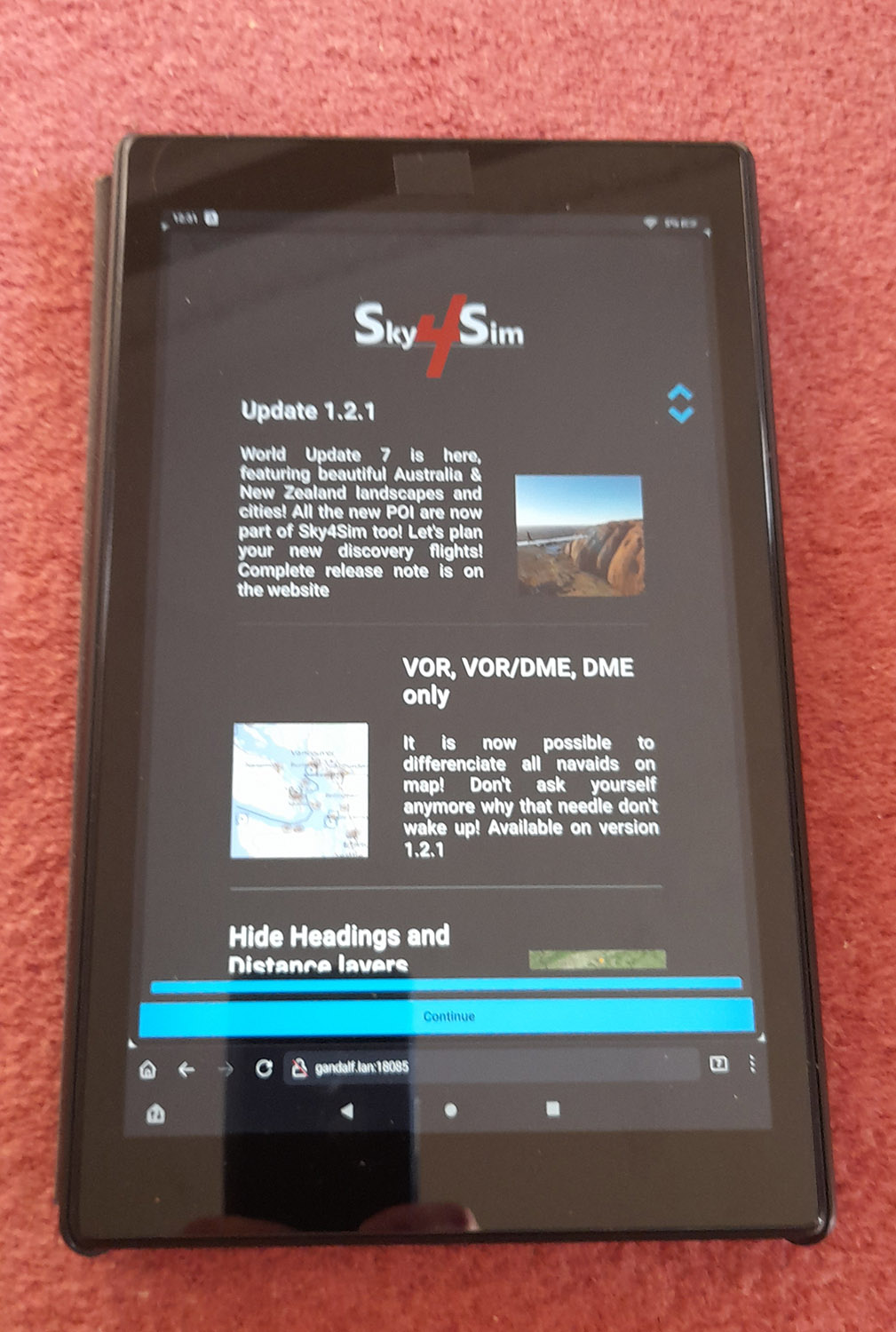
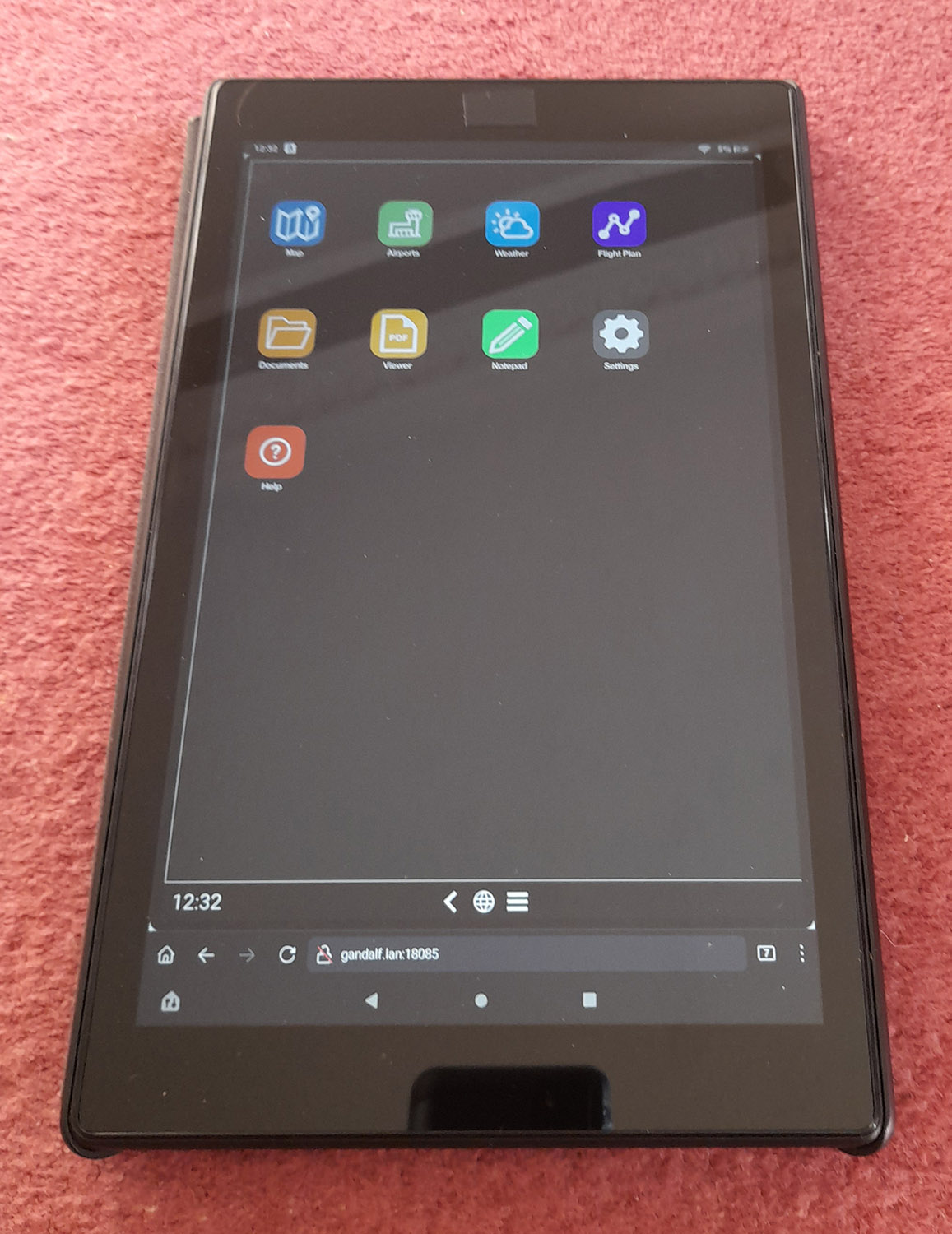
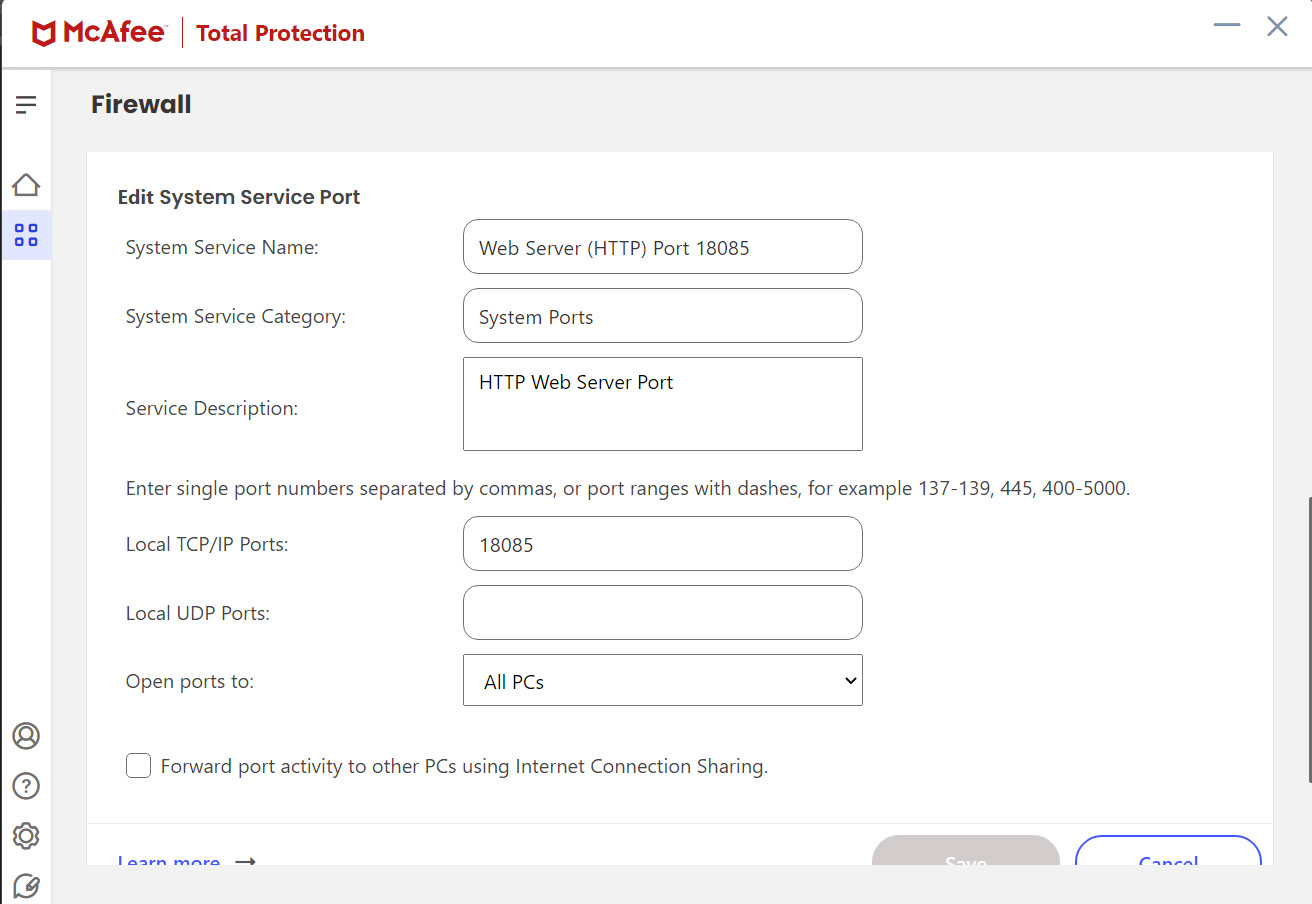
Hope this helps people.
EDIT: see comment below: MAPS currently are not working on remote device.
2 Likes
Excellent. Did you try out all features and do they still work? Because I remember watching a video where the reviewer mentioned that he got it working on an iPad but unfortunately some features like the moving maps did not work correctly on the tablet.
Will try that for you later. I don’t see why they wouldn’t, but will report back. I tested it without having FS booted up as I didn’t have time. Will try it with maps tonight.
Send a request to the dev for open street maps as an optional layer. They are receptive.
I like open street maps since they tend to have some detail on airports. You can drill in and see the runway numbers and taxiways.
The bing layer is good for the satellite view since ethat is what the sim uses. But I can just look out the window instead. So I prefer a transitional map layer myself.
OK, just tried it and it unfortunatley isn’t looking good for map access in sky4sim on an external device. The map won’t load. I can see the homescreen of sky4sim, I can open the ‘apps’ but can’t search for an airport or display any map.
That’s disappointing as it works on a browser on the host machine.
I wonder if it’s to do with the Bigs maps API code being locked to one particular device or something?
Anyone have any ideas? Bing map data being locked to being used on a browser on Windows only?
In theory it should work. I’ve developed map applications myself with Bing and have never had any cross platform issues.
There may be some additional scripting that’s trying to emulate a tablet that doesn’t work on a tablet.
Another possibility is the tablet browser may be blocking something because of the local network or non-ssl connection. But if that were the case I’d expect Chrome or Edge to do the same.
Or the local web server and tablet browser may not be agreeing with each other.
You should be right. And it could be interesting to have a try using a Web Browser on another Windows PC on the same local network. It could also be something like hard coded non relative URLs with 127.0.0.1 base host.
1 Like
There is all kinds of stuff these days around browser security settings and privacy that can cause issues. I’m not saying that’s what it is, but it can get complicated. I’ve spent many hours of my life trying to track such issues.
1 Like
JUst tried this combination as I hadn’t thought to try another Windows PC. The map is still not visible as soon as you leave local web host platform. I tried on my windows 11 laptop on Edge, Firefox and Chrome & much like the tablet, sky4sim shows, but no map is seen. Yet on the FS PC it runs fine in a browser. Not sure what else to try. Is the map data maybe using another port that needs opening up?
EDIT: Just tried completely disabling the McAfee firewall and still no luck so it looks like it’s not firewalled port related.