ISSUE DESCRIPTION
All for the Cessna 208B in Career and Free Flight mode
Since SU6 the plane flies crooked in the Garman screen when actually straight and level.
Dash lights are now so bright one cannot see the dash just spotlights, picture doesn’t do it justice.
EFB no longer reports direction of next waypoint or distance to next waypoint.
waypoint marker will not disappear stays behind you bobbing across the screen all the way to the destination.
FREQUENCY OF ISSUE
REPRODUCTION STEPS
Please list clear steps you took in order to help our test team reproduce the same issue:
-
Upgraded to SU6
-
Fly my usual flights like in SU1 thru SU5.1
YOUR SETTINGS
If the issue still occurs with no mods and add-ons, please continue to report your issue. If not, please move this post to the User Support Hub.
What peripherals are you using, if relevant: Thrust master HOTAS Warthog
[PC Only] Are you using Developer Mode or have you made any changes to it? NO
[PC, MSFS 2020 Only] Are you using DX11 or DX12? Win 11
[PC Only] What GPU (Graphics Card) do you use? RTX 4080 super
[PC Only] What other relevant PC specs can you share? I7-14800F
MEDIA
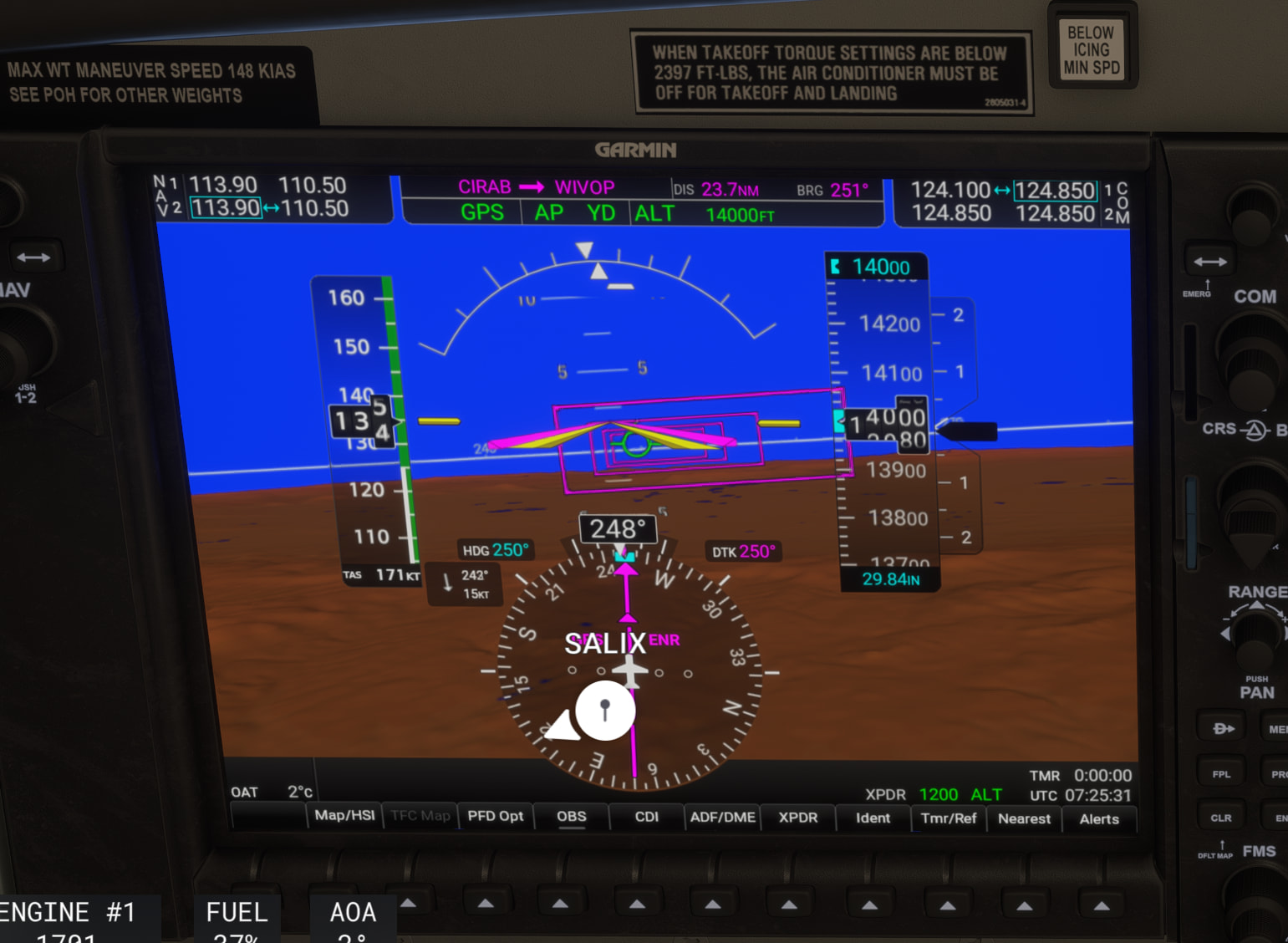
Even though the plane is flying straight and level the display is not showing it.
SALIX is a waypoint behind me.
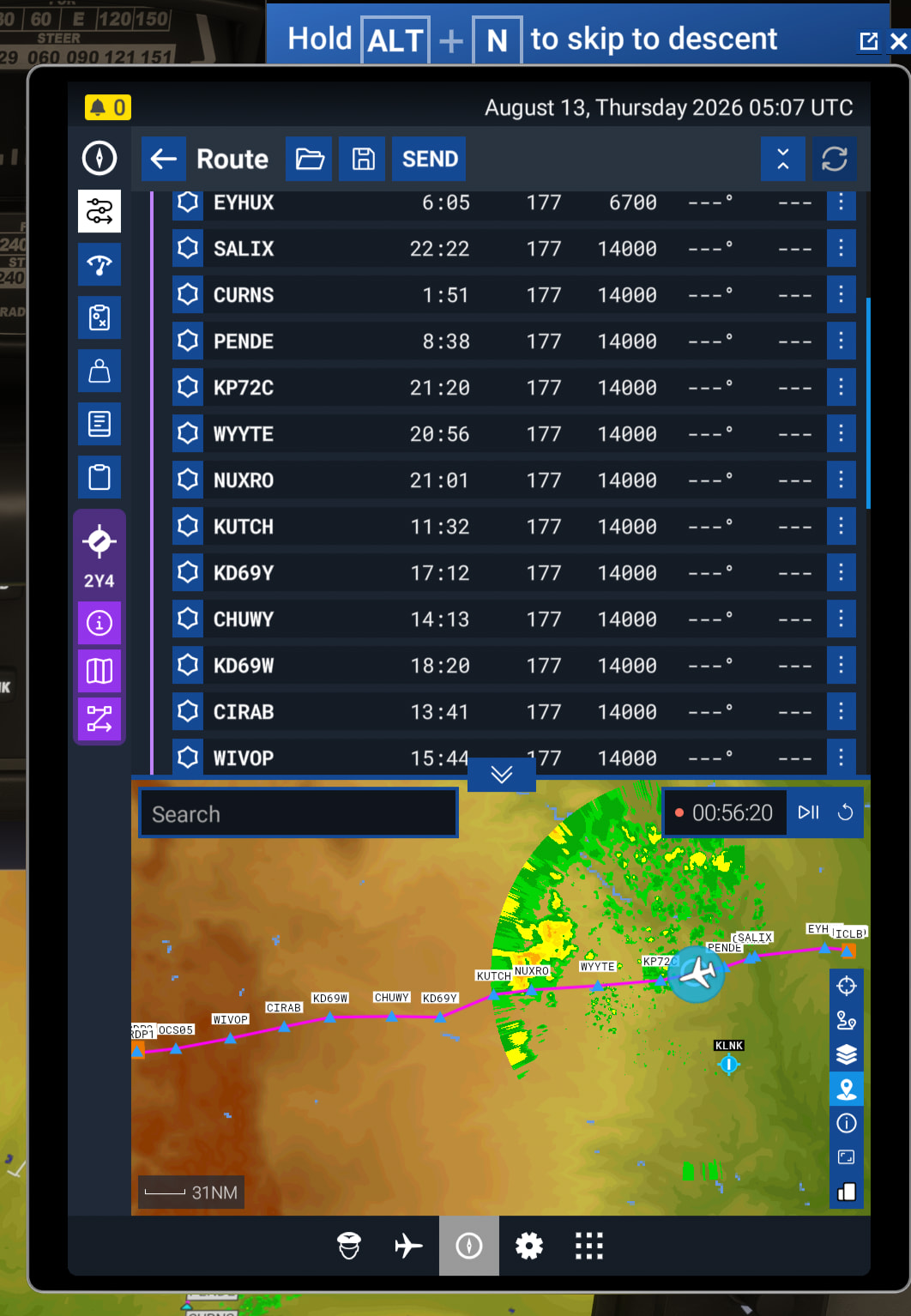
Distances and direction are all missing.

LED turned up so bright you cannot read them anymore. One notch from bottom is still too bright.
Seems like we got one step forward and two steps backwards.
All these items have been fine through SU1 to SU5.1 Why are they suddenly broken?