Same issue. Seemed to appear after active pause was on for about 5 min.
Can you please do it in english
Same here. Everey day flight is a nightmare
…don`t worry guys Asobo is working with Nvidia on a screen shot contest…just what we need ! but really wish would be optimisations, better driver integration and VR performance increase!
I have to say on places withtout the big bug from 76T, the sim is much more fluent with this full screen optimization disabled, certainly a keeper optimization ! 
I tried it and I’d say the opposite.
You bring up a good point. But the release model I think most of us who’ve been around for awhile are used to are incremental versions (FS95, FS98, FS2004, FSX, P3D, and so on) each with a set of recommended system specs that we could pretty much rely on for whatever system we were using. Gaining performance was obtained by migrating that version of FS onto a more powerful system. New features were were gained by purchasing the next subsequent version of FS with it’s new set of recommended system specs.
Are we to assume now that FS will act more like a mobile phone operating system, in which new features are going to be continually added until it brings our current hardware to a crawl and we’re forced to buy newer equipment? That may be fine, but what is an acceptable timeframe that we as consumers can rely on what the recommended systems specs are being advertised as? FS has always been a hardware pusher, but we need to have a somewhat stable system to rely on. I really do hope things improve, because there seem to be drastic swings in performance from update to update. That can’t be sustainable for a serious simmer. And imo, it’s way too early to be talking about advancing the sim out of it’s initial recommended specs only 7 months in.
I agree, Jr.
However we have already seen the bottom end GPUs get left behind. I am only guessing but I would expect that each year of updates will basically increment the Min, Rec, Ideal list one slot north.
I would hope that the upcoming optimization focus the developers have alluded to will extend that time frame, but I have a sinking feeling that by the time we have helicopters and thermal soaring integrated those minimum spec systems will be chugging and blowing smoke.
I don’t think there will be any doubt that many of the new to the sim hobby crowd that nursed their i7-2600 through the install will be all over this forum crying foul before the summer is over. The really scary part is with the silicon rarity it is going to get nearly impossible to get the next gen hardware and when you do find a piece somewhere you will have to take out a mortgage to get it.

don’t be fooled by some know-it-all. it’s not fixed, they just flagged it. when it’s really fixed, they’ll post a message as always. for now, it still makes sense to vote up to increase urgency and post some details in the thread to help them identify the cause of the problem and where and on what hardware it’s occurring.
see also here:
Well I can tell you first hand, the 3080 is not gonna solve this b**ch.
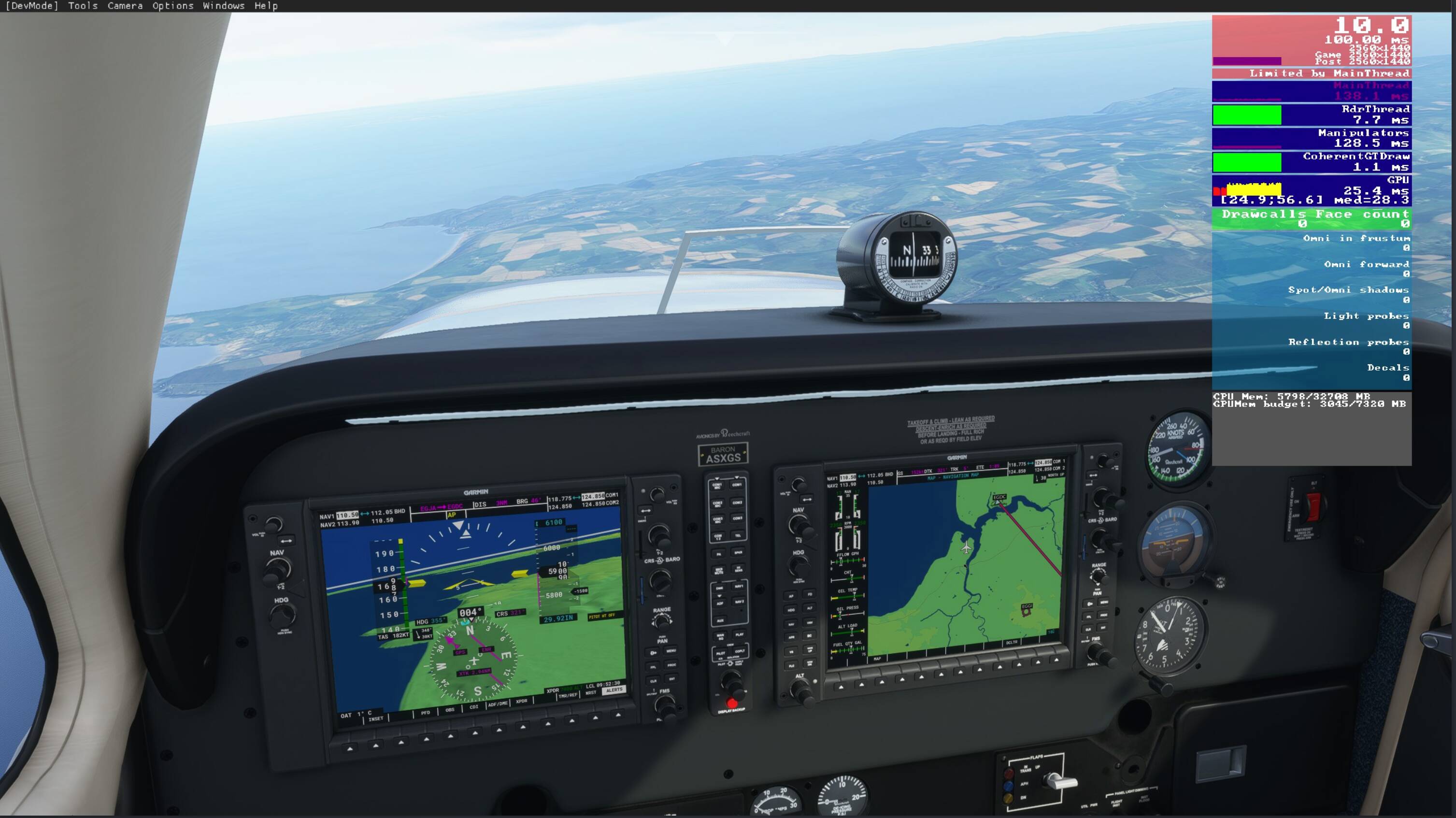
For me, it seems to be a rolling cache issue. The slow fps resolves itself naturally within a few minutes, but when I go in a delete the cache file and reset it, the fps immediately returns.
- bob, a.k.a. “Tiger”
was my first thought too. but at least for me even disabling both cashes and later also disabling all online data didn’t resolve the problem.
man i feel like this should be an ASAP priority 1 incident with Asobo with a hofix already in place, the sim is almost unplayable at times and granted it’s just a game but it’s a very expensive game that we aren’t getting our money’s worth out of.
Hardware:
I7 10700K overclocked to 5.2 Mhz
RTX 2070 Super overclocked
32 Gigs of 3200 RAM unlocked to 3200
2 TB on an NVMe Gen3x4 PCIe M.2
page file changed, no help
settings reduced, no help
rolling cache was first deleted and unchecked, no help, re-instated rolling cache, increased amount to 100gb no change
no specific locations for FPS drop, happens anywhere, dense areas, open ocean, low density locations
Most of the time this happens after an hour or more of flight, sometimes it’s immediate
so many variables I don’t envy them tracking this down but ■■■■ guys get on it
=>
please read the context
PS.: and of course should users vote.. nothing else we said 
my rolling cache 5 gb – try a smaller size
…neither 3090 as I have one !
Same problem here, started with world update 3 (UK)
Definitely having the same issue. HUGE FPS hit in VR. Stutters, screen drags, its awful.
The last 6 flights I’ve attempted, the sim crashes to desktop before I can leave the ramp when I try to power through it, hoping that once I get in the air it’ll smoothen out.
I’m on a 10700k, 32gb ram, and a 3090 with Reverb G2.
Hi Tom, as requested I did the approach a few times. Both with the A320, as well as with the Robin DR 400, which I normally fly. With both aircraft I could not perceive any stuttering or extreme fps drop.
BUT - I could not detect any more stuttering yesterday, even on my test route that I have flown over and over again in the past few days.
How it came to this yesterday, I don’t know - maybe a lower server load or some changes on the side of Microsoft …
But I will continue to monitor the situation.
Best regards
christian