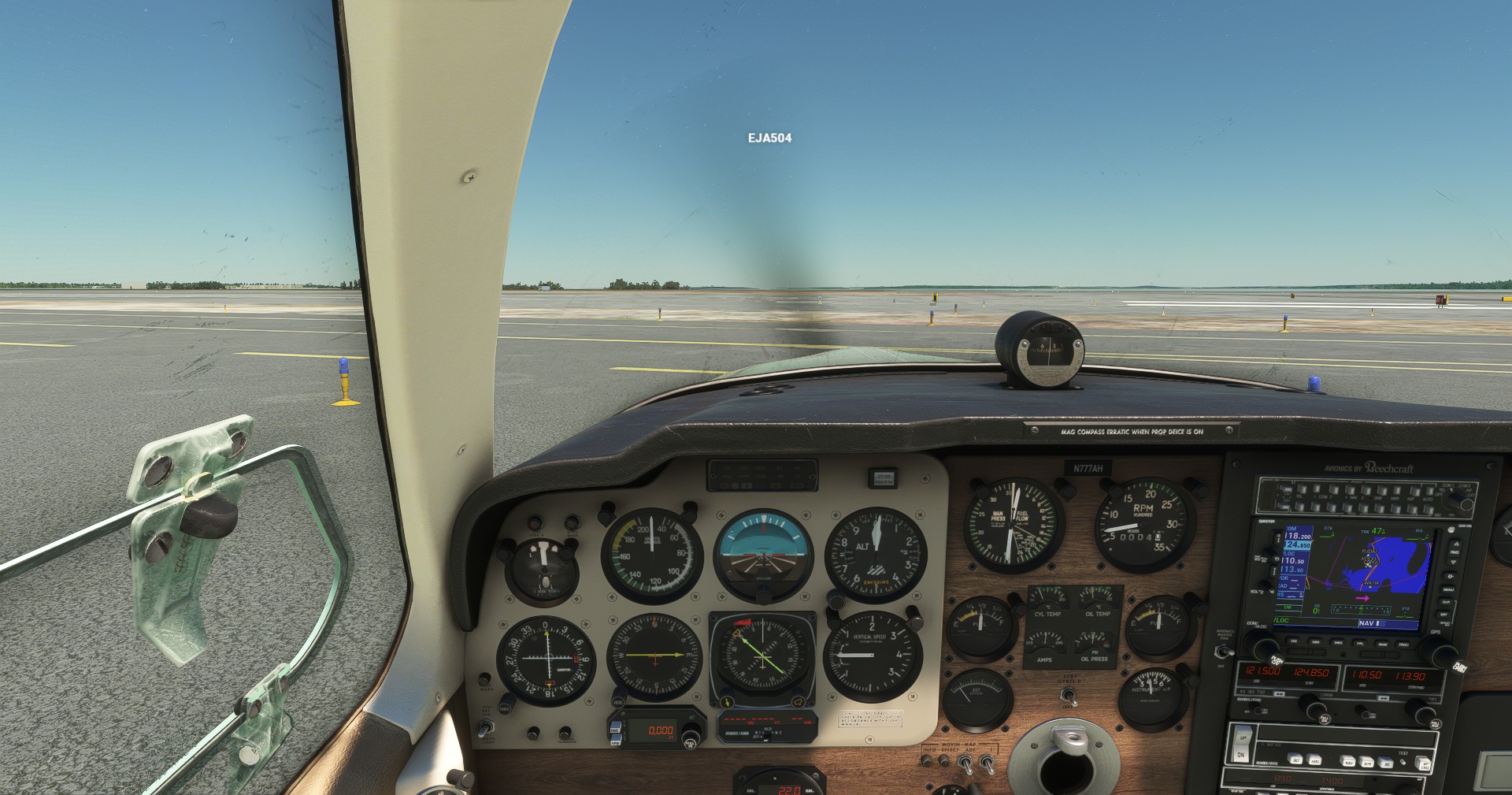
The ‘dark cockpit’ problem seems to have been with us (or me at least) for a long time now and it doesn’t appear to have been addressed - with any degree of success anyway. My most commonly used aircraft are the Baron, Bonanza and X Cub and unless I zoom right in, I am unable to read switch labels etc in any of them and with the Beechcraft I can’t read the trim wheel position or standby compass even then. The lighting, flood or panel, makes absolutely no difference.
I don’t see the issue mentioned on the Dev Update blogs or feedback notes. Is this a problem peculiar to me or widespread?
1 Like
I guess, you also use the dimming knobs for the lights, as without them , you won’t be able to read anything.
Does the head torch help?
Thanks fellas, but neither option should be necessary on a nice summers day surely? I have sat in thousands of cockpits over my 50 years as an engineer and never, as far as I can recall, had to turn on panel lights, flood lights or use a torch to see the instrument panel. If I’m upside down with my head in the footwell then yes, but sitting in the seat - no.
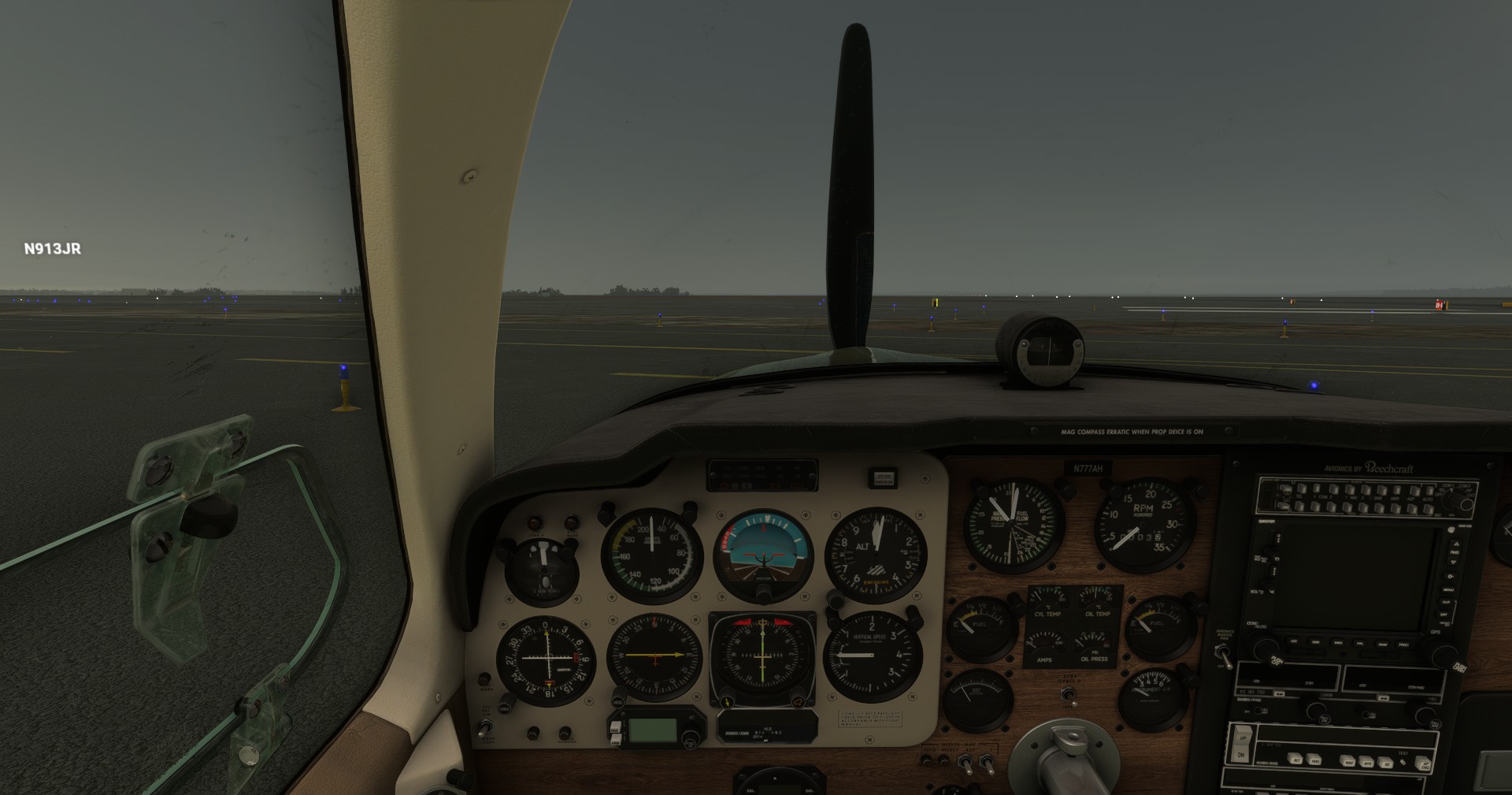
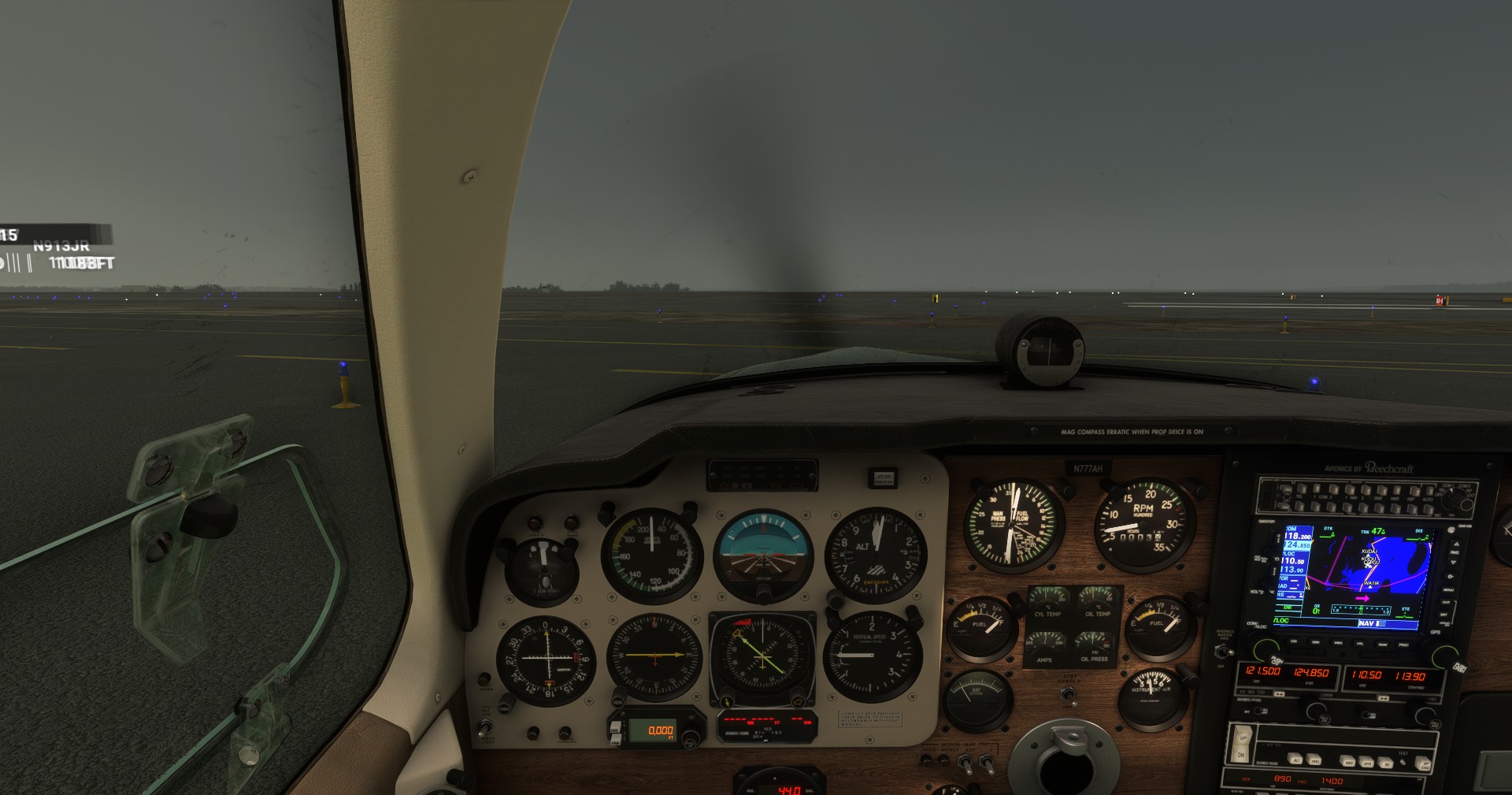
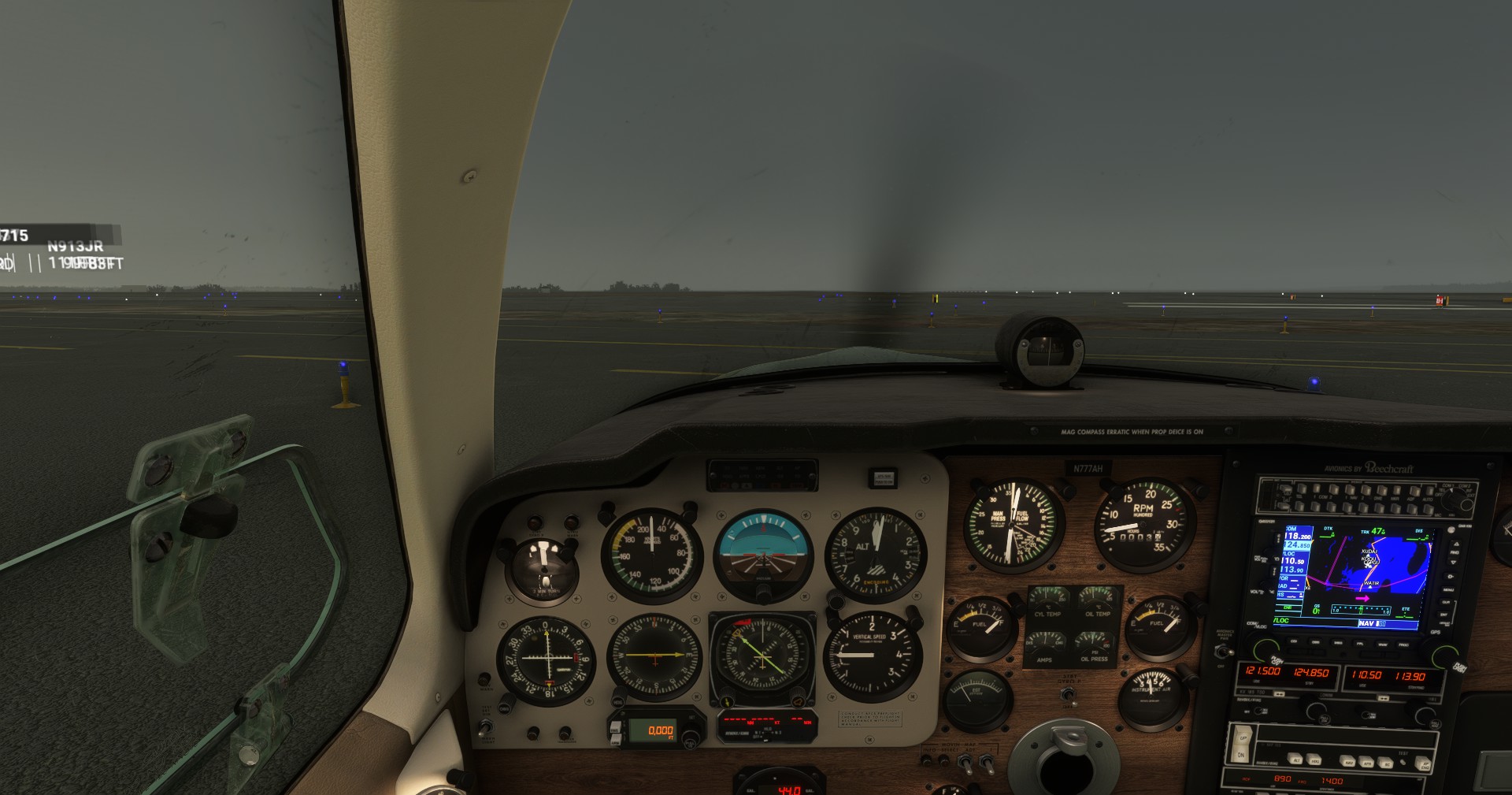
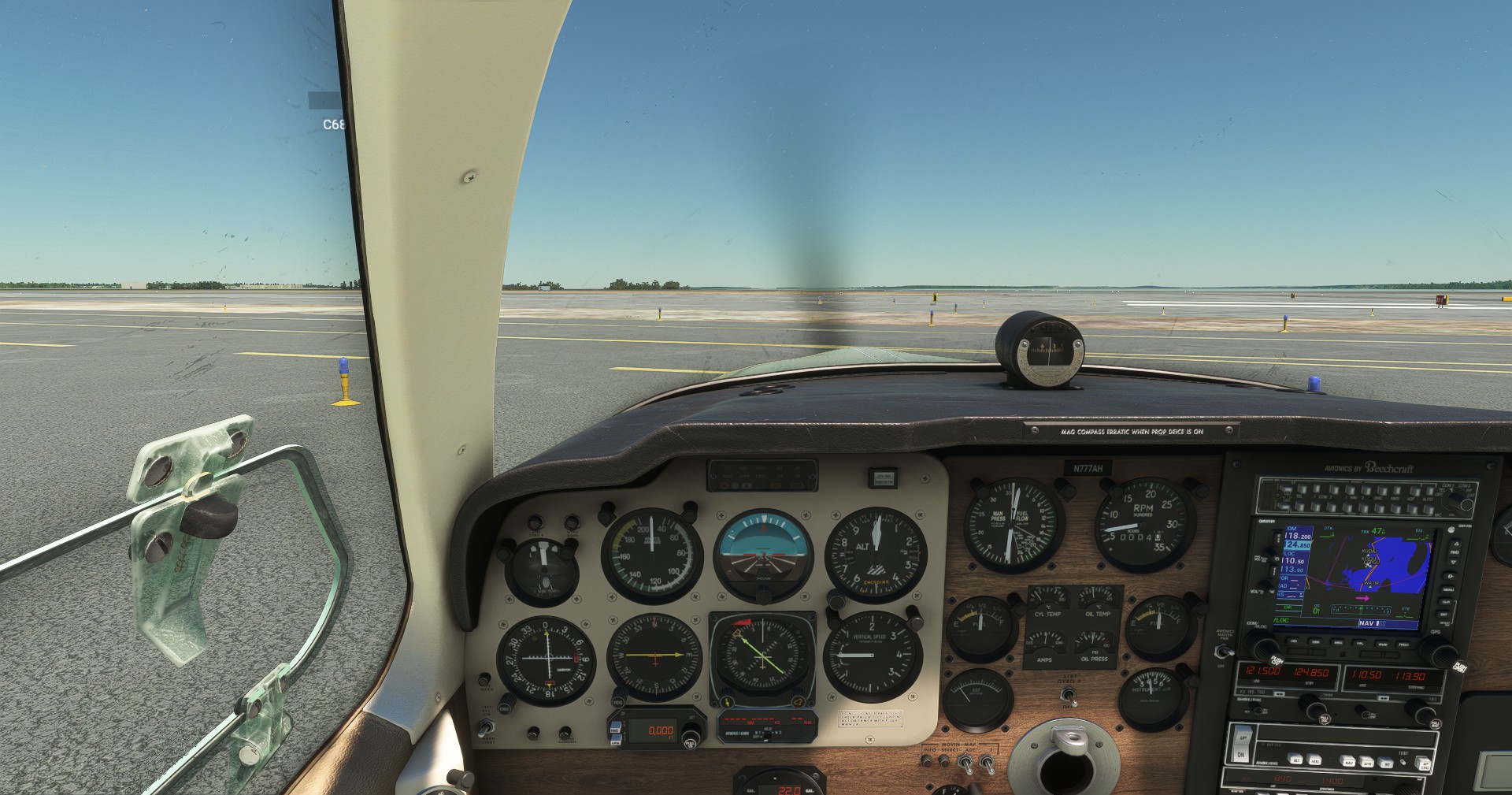
I’m assuming you mean the Carenado V35B because the Bonanza G36 is a G1000 cockpit and is not dark at all. All shots were taken at default Pilot View POV. Live Weather which is pretty dreary where I am.
Looks pretty readable to me, and my eyesight got a lot worse since my SP days.
In order of photos below:
Cold & Dark
Engine and Avionics ON, no Panel Light Adjustments
Avionics Brightness MAX
Avionics Brightness MAX + Panel Lights MAX
Second test - Clear skies, midday, worst case scenario for glare and brightness. Same order of characteristics as above.
Perhaps the OP is referring to the Light Adaptation of the Image when looking out the window to then looking at the instruments, I know in VR this is overly done so when I look at the window the instruments are too dark, much darker than they would be in real life.
They they brighten up when I turn my head directly too them but it takes much longer than the eye does it naturally so it’s slightly offputting, not a huge issue but it could do with a tweak perhaps.
1 Like
The OP is right and this has been discussed here a lot of times in the past years. This is happening because the view in MSFS emulates more of a digital camera rather than the human eye. The human eye has a tremendous dynamic range and can clearly see bright and dim objects in the same field of view much better than a digital sensor.
This approach has generally not changed by the devs and is indeed a negative point in realism, because it is over exaggerated. As I have said before, IRL the only time you cannot see your instruments well in the cockpit is when you are flying towards the sun in a bright sunset. Pretty much like when driving a car, are there any times you cannot see your dashboard & instruments well? Just when the sun is setting right in front of you. It’s not a different world up there.
3 Likes
The solution here is to be able to set a light point, instead of that being the centre of the screen.
Currently if your focus is towards the windows, it will adapt the lighting as if you’re looking outside. Looking right down will adapt the light as if you’re looking inside. But that’s not suitable in all cases.
Being able to adjust that light metering point will solve this issue for most users.
There’s a postproccessing eye adaption filter in the UserCfg that may help. As far as I know it’s an on (1) off (0) setting, default is on.
It’s probably also a good idea to check that your TV/monitor is not using Dynamic Contrast or any other effect that is mainly intended for watching movies.
Wow, that is a highly informative and comprehensive indication of the qualities of the night time cockpit that is . I have limited real life night flying experience and the same in the sim. My difficulty is with in cockpit visibility in the daytime.
Thanks for the advice. I have spent quite a while in the monitor settings trying various options and the changes that I have made have not been very effective. It has crossed my mind that my fairly modest quality monitor (iiyama 34" GMaster Red Eagle) may not help the situation.
I’m not sure what a ‘post processing eye adaption filter’ does TBH and I have always been reluctant to dive into .cfg files, being acutely aware of the shortcomings of my aged grey matter.
Again, thanks.
There are many factors that come into play with regards to cockpit lighting and visibility.
- Instrument markings albedo color - To appear realistic, you can’t use full white color, it’s really more of a gray. But this can vary quite a bit across aircraft.
- Instrument glass - This can reduce visibility depending on the material settings
- Interior lights - Can vary in intensity. Many aircraft have a brightness control but the range could be less than some people need
- Monitor brightness - I think this is the most variable factor. How bright the image appears can be perfect for some but far too dark for others.
For the aircraft I create, I try to make the panel lighting seem realistic while balancing for people’s hardware situation. I personally see the lighting as too bright most times, to I set things to be fairly dim when I fly. But I get a small percentage of users commenting that it is much too dark. What to do? I guess the only solution is to have a wide range on the lighting brightness controls.
The other option would be to try and modify your copies of the aircraft you use often. It’s possible to edit the material settings in the gltf files to change the color of the emissive materials.
1 Like
Thanks Sal1800. I can well understand that the large number of variables is a challenge for devs and, to the layman at least, the option to have a wider range of brightness/contrast controls would seem like a way ahead. How that could be implemented and by whom is way beyond me.
Everyone is focusing on the eye adaptation feature of the sim that stimulates pupil dilation as your view is in and out of the cockpit (albeit poorly simulated), but didn’t you say this is also happening when zoomed right in and not having a window in view? That doesn’t sound like an eye adaptation issue to me.
A screenshot would be extremely helpful here.
It sounds like you’re saying with the sim set to broad daylight your screen is too dark. As far as I know the problem is peculiar to your monitor setup. Have you investigated getting a new monitor.
No, I don’t have any problem reading gauges or labels, either on my old 1920 x 1040 screen or my current 55" 4K TV I’ve used for a few years now.
I did have one monitor which was quite dark I tried once, but, it was a work monitor and I got it replaced.
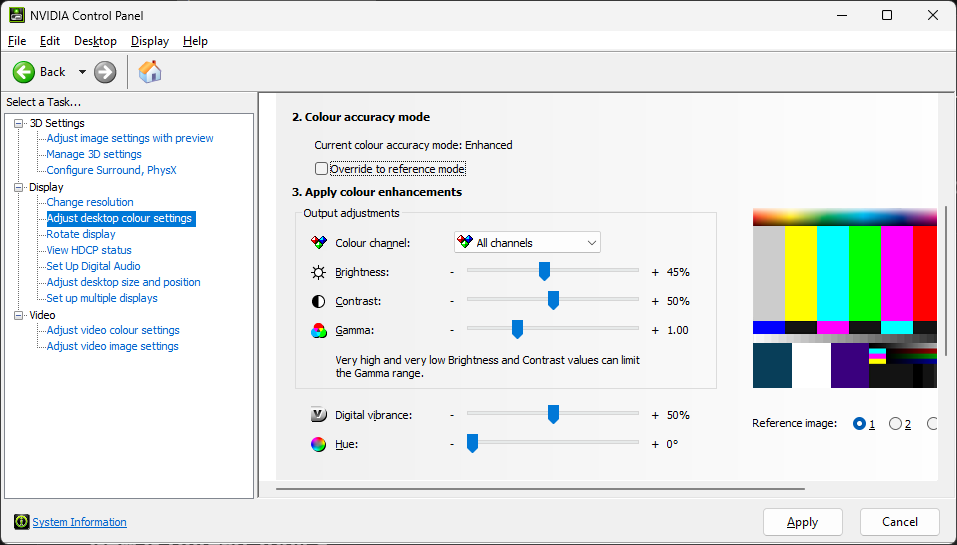
Suggest the OP fiddles with gamma in NVCP … I’m sure AMD must have something similar
It isn’t, I don’t think that the screen is too dark, just in cockpit. I have played around with the simple monitor settings like brightness and contrast with no perceptible improvement. The monitor isn’t very old, probably a year or slightly more but, gone are the days when I am prepared to throw money at problem solving for the sim. Of course, at approaching 80 it may just be that my eyes aren’t performing quite as well as they used to!
I am an AMD user so I will definitely have a dig around in the card settings, so thanks for that prompt.
The monitor I was talking about was a few months old. I would ask if you’ve tried another monitor, but I understand if you don’t have access to one, and I think it’s an excellent idea to review your graphics card settings.
1 Like
@Albatross75160,
I occasionally see the same as you report in your OP on my 55" 4K Hisense U7 TV.
On my TV, it clearly is a function of the TV adapting to what it perceives to be an overly bright area of the screen (what we see as outside the window) to an overly dark area of the screen (what we see as the cockpit instruments). It is more noticeable when heading towards the sun shortly before sunset, and also with clouds present when the sun is behind the aircraft late in the day, causing the clouds to be extra white / bright. The TV decreases the brightness of the entire screen to compensate, causing the panel to darken.
This auto-adjustment by the TV can also, if flying low to the ground - such as during landings - cause terrain near to the aircraft to darken too, which makes finding grass airstrips trickier shortly before sunset, depending upon ones direction of flight relative to the position of the sun.
Switching to external mode immediately causes the whole screen to brighten, as the bright / dark difference caused by being in the cockpit no longer exists.
This is, IMO (at least on my PC), not an issue with MSFS, nor Windows, nor my graphics card settings (I have an Intel Arc 770). I have not found a perfect solution, but have been able to significantly minimize the effects by modifying various parameters on my TV. It is still noticeable, but now rarely, and not enough to make the panel totally unreadable.
1 Like
I could not find an option to adjust the Gamma setting in the Adrenalin Software but did find an option in the monitor settings. I changed that from 2.2 to 1.8, opened the sim - to another update (presumably AIRAC) which, downloading at 2mbits/sec, was still bumbling along when it reached whiskey o’clock so I haven’t revisited yet!