yes. that’s correct

What can be seen in the red graphs of wind speed variability and called “baked in gusts” is a pretty typical turbulent regime in a slightly unstable air near the surface. Changes from 13 to 21 knots in 10 seconds are indicative of large eddies in well developed turbulence. It is also correct that the vertical air velocity reflects the same.
What is blatantly incorrect in MSFS is that the aircraft immediately balloons 1000 ft/min upwards when encountering an air column with e.g. 8 kts of vertical velocity, when it should in fact just start accelerating upwards for a fraction of a second, as experienced in real world like the “bumps”.
Thanks @hobanagerik for your tests!
AS decided to cooperate yesterday and so I had a full flight with AS controlling the weather. Nothing special to report as it was calm winds.
Once I had landed though I switched to MSFS live weather and I have to say it looked much better visually. My experience is also that MSFS depicts the weather I see when I look out the window much more accurately than AS.
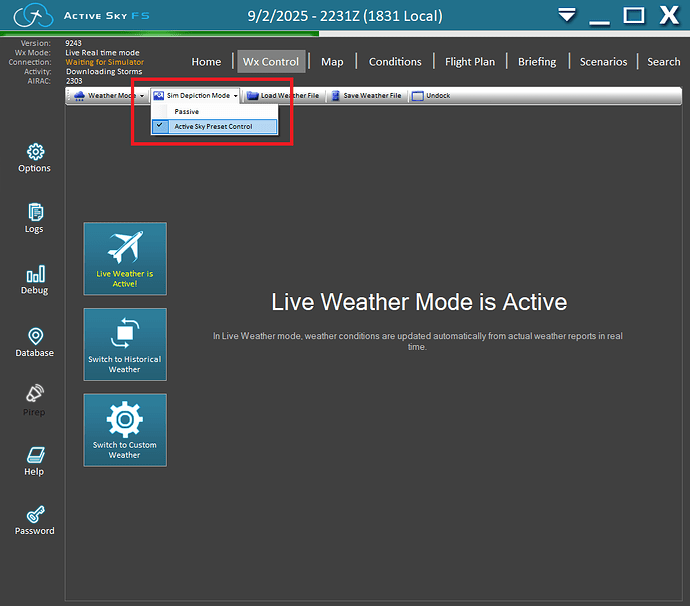
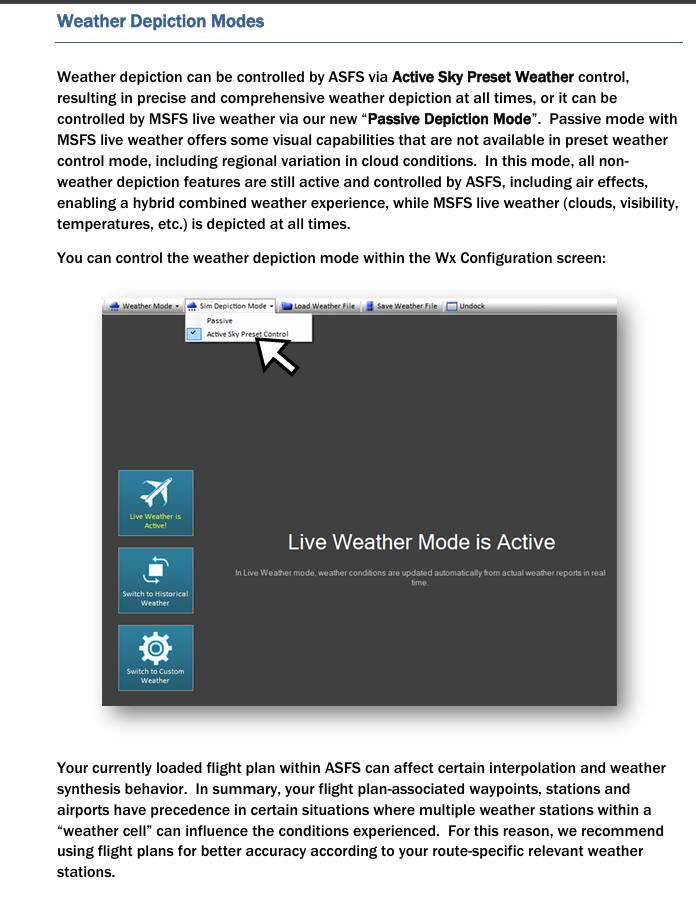
So for me the best solution is the hybrid one. Let AS handle all “non-weather depiction” stuff while MSFS handles the visuals.
One issue is “which one is correct?”. Asobo live weather, and ASFS weather are drastically different.
Asobo weather has those gusts, and I’ll come to the “baked in” part later. The ASFS preset weather has a more bubbling kind of wind that stays within a knot or two of a centre point. Switching to ASFS Passive brings those larger gusts back, but I don’t think I did a comparison of Asobo vs ASFS Passive, so will try to do that tonight.
With regard to baked in gusts, I have a write up in 2020 that illustrates what I mean, and it’s not what you may think. Let me dig out that post for you….
At different airports, with different winds, there was a detectable, repeating pattern that was always present, whether there were 1 knot winds, or 20. I highlight these near identical peaks, and troughs in one image with the green arrows.
I saw this again in the release version of 2024, though the pattern was different, but I fortunately I didn’t see that last night, so maybe that repeating pattern got removed in one of the subsequent SU’s.
That entire thread is worth a read, and this post in particular:
Thanks. Where can I find that document?
The manual is included with the software.
Thanks. It must be in the installation folder, and I just didn’t see it.
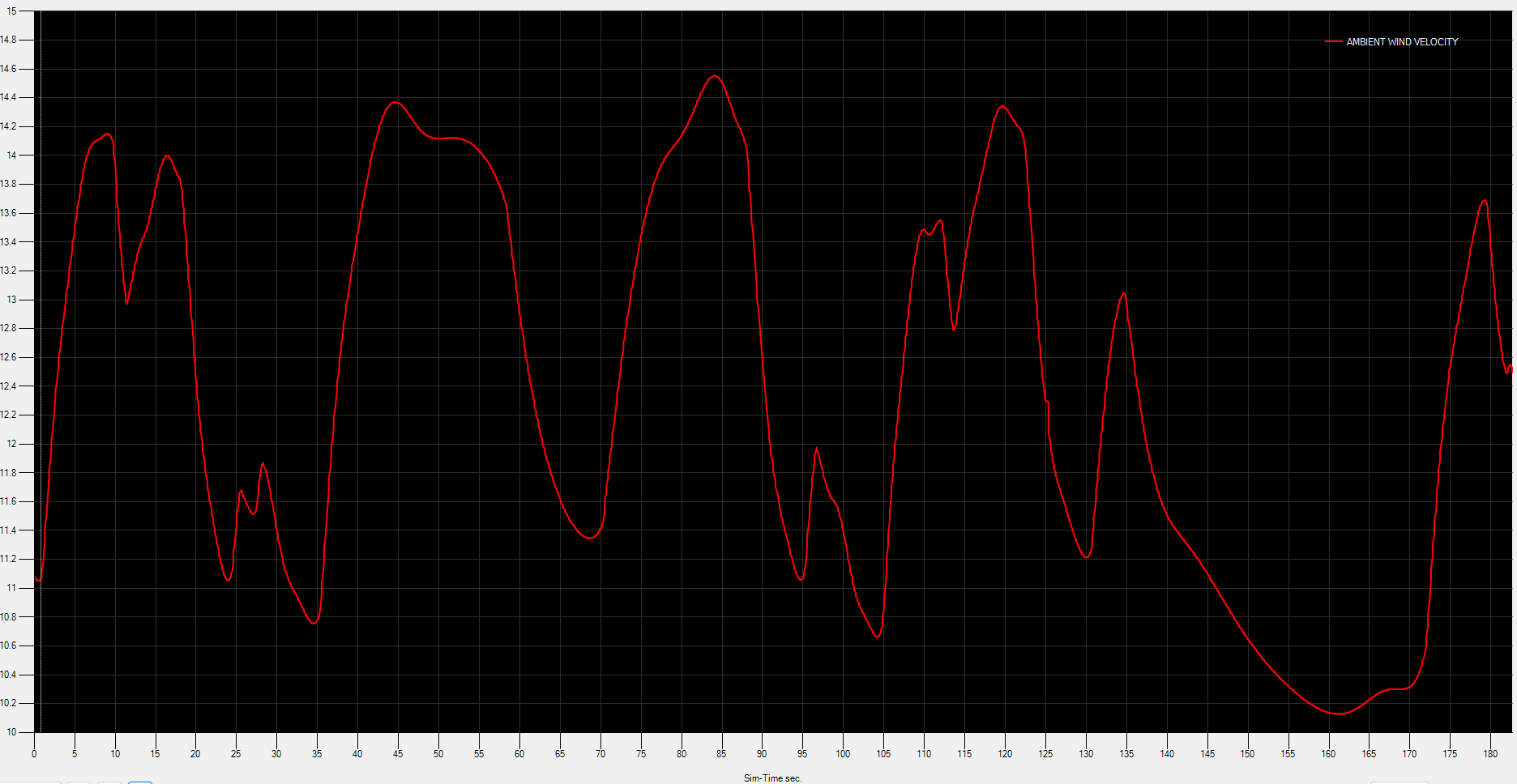
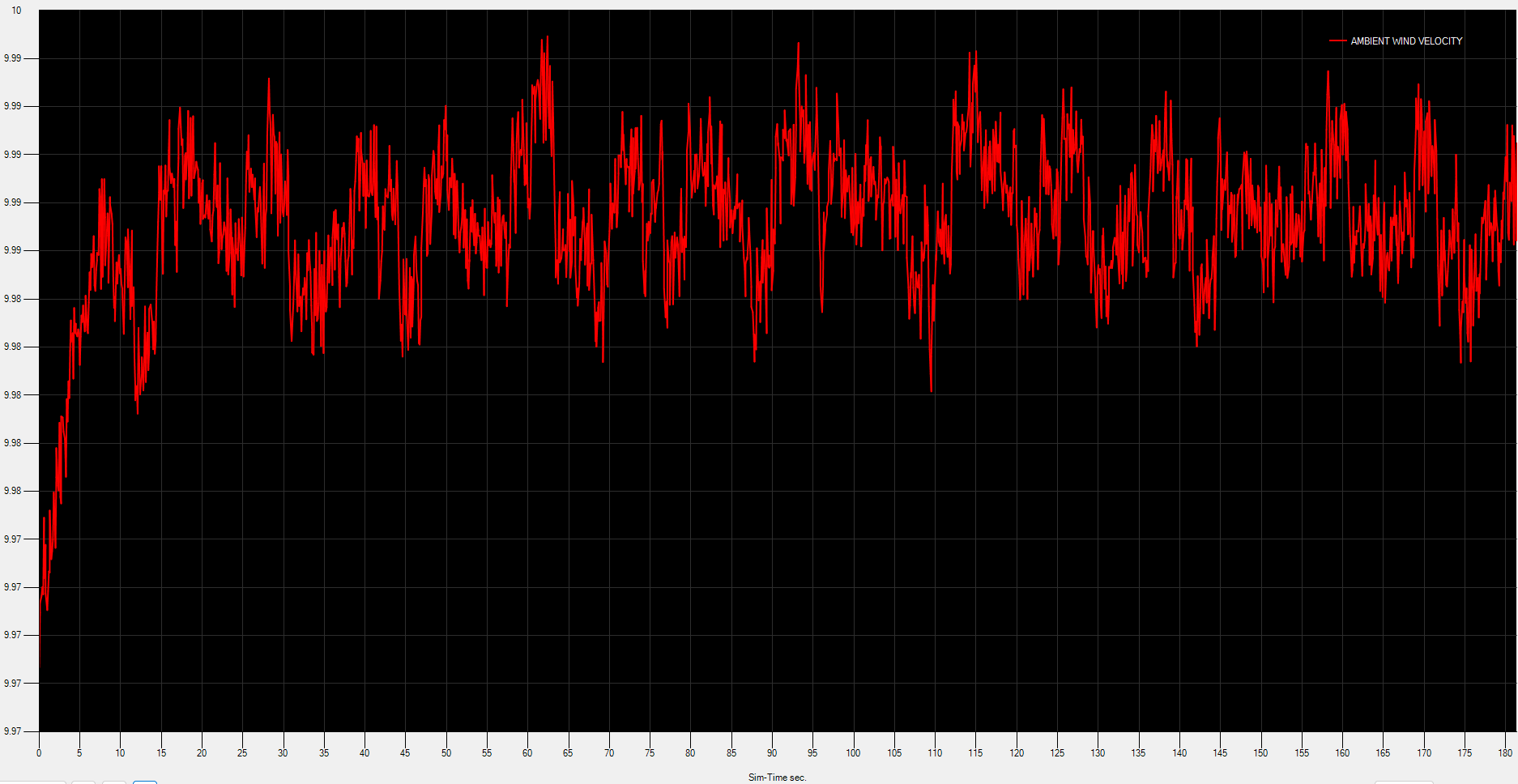
Ran another test, comparing Asobo Live, ASFS Passive, and ASFS Preset. All live weather.
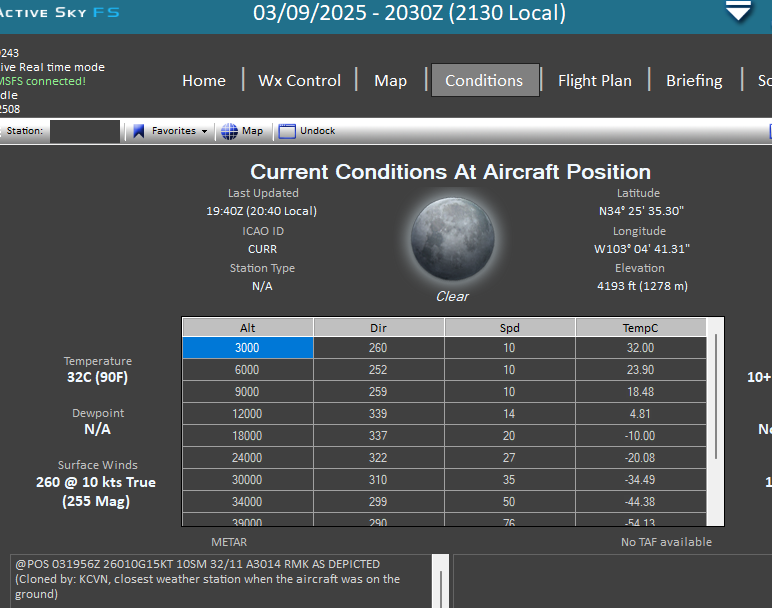
KCVN 031956Z AUTO 26010G15KT 10SM CLR 32/11 A3014 RMK AO2 SLP161 T03170106 $
Asobo live
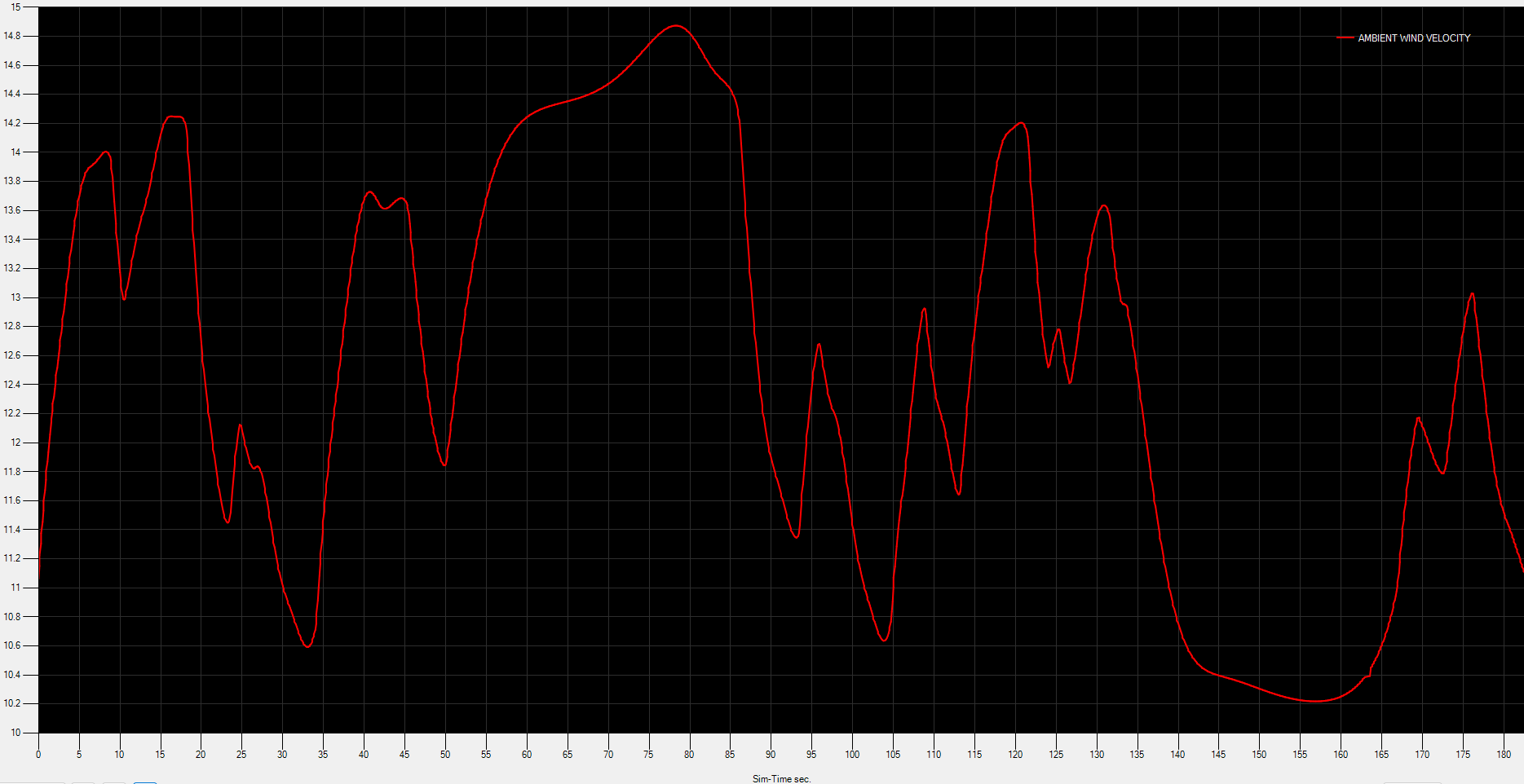
ASFS Passive
ASFS Active Preset
ASFS conditions
What you can immediately see from the Active Preset is there there is never any evidence of gusting beyond 10 knots, and certainly no where near 15 knots. I don’t really know how long I would need to leave it recording to see that. It’s also far more bouncy over short period of time, kind of looking at the trace from a polygraph!
There was no real difference between Asobo live, and ASFS Passive. I was parked on the ground though, so I would expect to see more differences if I was monitoring things like acceleration along all three axes when flying near clouds, for example, something that ASFS seem to illustrate better than Asobo default.
If you look at the first two charts you may pick out that certain peaks appear at roughly the same location in relation to each other, albeit it at slightly different peaks or rather velocities.
Looks good! The top two are boundary layer turbulence, the bottom one like nothing (maybe hair dryer  ). Thanks!
But it does show that two products are demonstrating entirely different wind for the exact same location, time, and conditions. The ActiveSky preset I mean, which is nothing like the first two images. Only one of them should be right. They are vastly different.
Yes. Probably the AS version works well for the simulator pilots because the aircraft response to the realistic turbulence in MSFS is wrong. In other words, AS fixes the symptoms by dumbing down the thing that is actually correct.
This said, the airplane physics seems to be working well in the longitudinal and latitudinal direction, i.e. the ground speed remains pretty constant even when the airspeed varies. It’s the aircraft’ vertical response which is incorrect.
I might take this over to the ASFS forums to see what they say there. Just uploaded a post there.
When I look again at the comparison images, same location, but at different times, there does in fact seem to be corresponding peaks at different velocities, but at roughly the same time period when comparing the two. I’ll try to put together two of the images into one, and highlight those peaks.
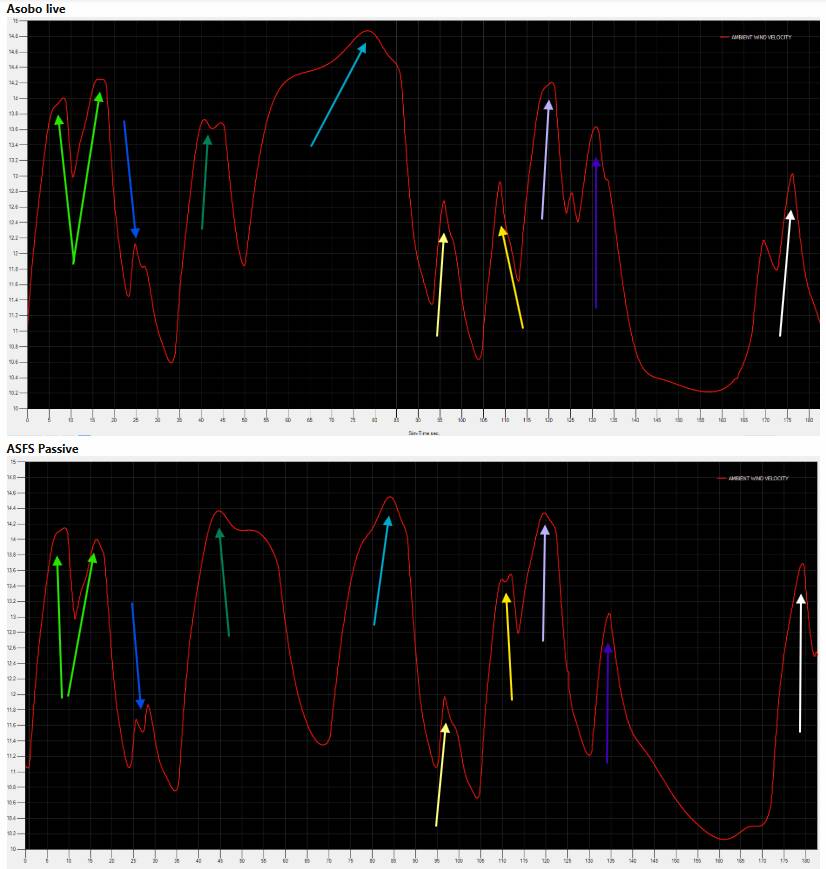
These two data sets were captured roughly 4-5 minutes apart.
This does seem very similar to what I saw in 2020. In the 2020 weather page it actually prints out the gusting behaviour on a little chart, and back then what I saw in the sim chart was near identical to what I was seeing in the live data via LiveFlightData
I run historical weather and for a while it was working fine.
As of a few weeks ago, however, the ATIS information no longer syncs with the time set in the simulator and Active Sky. It’s always “real time” and the weather information and time don’t match.
Is the sim weather setting still set to Custom?
Yup. Weather setting is custom, ActiveSky weather preset is connected, ActiveSky is connected. ATIS and the weather remain different.
I’ve shelved ActiveSky for now. I can’t get it to work properly no matter what I do.
I’ll try it again after SU4.
Have anybody spotted an issue when using Active sky in career mode after su3? For me since su3 active sky doesn’t work anymore well in career mode. It is like a 50\50 chance to get it work. After starting career mode in active sky there is a yellow warning talking something about an sync issue and it is stated a word: IDLE. Anybody using active sky in career mode? Has anybody noted the same? I already installed active sky again from scratch but the issue remains… temperature and winds not matching doesn’t matter if I select active or passive mode. As well no impact if online life weather active or disabled…tried everything
Just discovered this bug report. Maybe this has an impact on Active Sky too. Can maybe anybody report back if this might disable Active Sky of working properly?