There is not a fix for this problem from Asobo?
have the same issue. after an hour ish the fps drops to half.
but if Asobo cant even fix their own programmed white dot on the screen I dont have much hope for any of these more complex issues.
Maximum frame rate is now on off in Nvidia settings and this help me. Try this out guys.
That makes sense in my case too - it was flickering when I posted a while back but then took a long break from it. When I returned there was the usual big sim update and then it advised me to update my video drivers too.
I installed the latest Nvidia set and did it as a clean install as usual but this time I have not touched any settings in the NVCP at all, I believe max framerate is off by default and I have a feeling I had it on before. Its working now so I’m leaving the NVCP alone completely
Hi, to those following. After a couple more rather long (>4 hour) flights with zero stutters, I can confirm that, for my system, flying with rolling cache completely disabled (and deleting the rolling cache file) has done the trick. This has nothing to do with photogrammetry or Bing data they remain enabled.
I don’t believe this is a surprise to many since it seems quite a few already knew this. In any event, I don’t experience any downsides at all with rolling cache disabled.
For me this is a simple workaround, and I am a happy camper. Give it a try.
I think that somehow the memory is full after a long flight. That’s why it stutters like hell after landing. But there are also players who don’t have this problem.
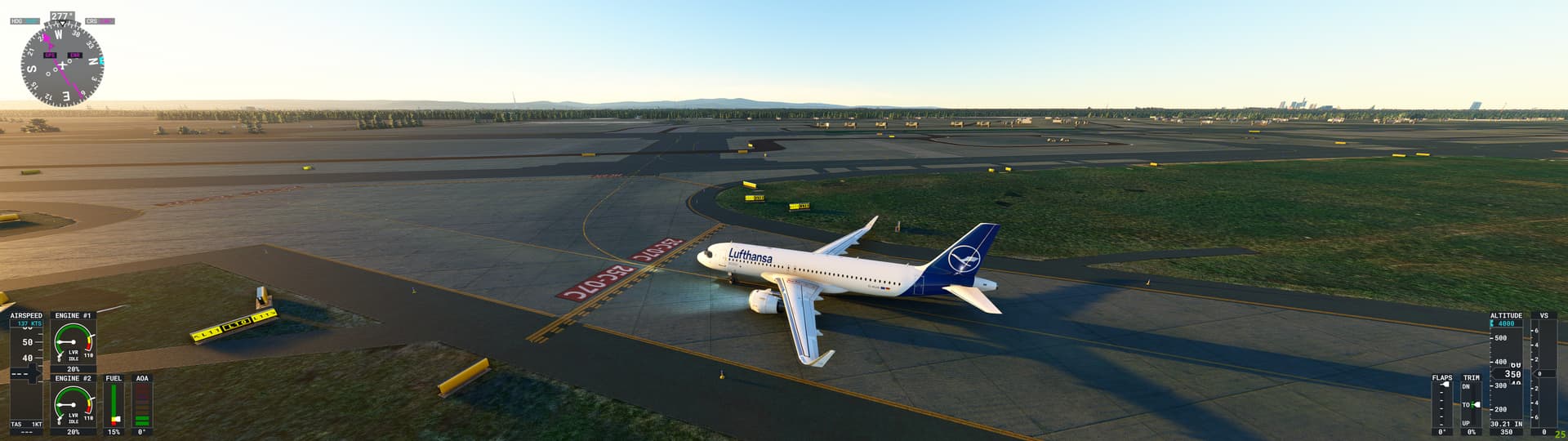
This problem had mostly gone away for me until this week. I am really hoping it is to do with server issues (probably overloaded due to all the updating).
Since updating to SU13 it is back with a vengence. I have a very good system (5800x3D 4090 etc). I load up my aircraft in VR and get 55fps. 20 minutes later by the time I have taxied out it is down to 45fps.
Half an hour into my flight it is down to 23fps.
On final approach I can barely manage 18fps.
After landing it is down to an excruciating 12fps.
Reloading a new flight with the same plane in the same location, back to 55fps.
Please, please, please, please, please fix this issue (as I said, it had recently improved with me do nothing to change my system or install).
After reading the SU13 notes and seeing this problem marked as fixed I had high hopes, but it is worse than ever!
This is just getting ridiculous now. Can not complete a flight more than 2 hours and 40 minutes without these giant pauses/stutters which usually occur on the decent. Temps are fine … system specs are good … rolling cache deleted and off. I am out of ideas.
Found an interesting thing on my side.
After an hour or so of flying my FPS are going down a lot.
When it happens, it appears that my GPU is charged at 99%…
I just go to the graphic menu, and turn antialiasing to DLSS and go back to the flight for a few seconds.
Then i go back to the menu and come back to TAA.
No more FPS drops, and i can still play with a very good frame rate…
Tell me if it works for you !
You don’t hear anything from Asobo about this memory problem. They don’t seem to be interested
That’s not true. This is one of the topics that was covered in the last dev livestream.
Scroll down to “Stability and Memory Improvements” in the transcript for more info…
They say that things have improved in their exam, but nothing has improved here with us
That’s because the fixes are still in Beta testing.
This is from the Sim Update 14 Beta Test Release Notes:
General Bug Fixes
- Fixed ATC that was mixing voices in localized languages
- Performance optimizations for long flights
- Fixed localization bugs
- Several crashes have been fixed across the title
It is scheduled for release Dec 5:

anyone testet this in the Beta already?
i did, no change for me, feel like i would need to say it’s even worse:
https://forums.flightsimulator.com/t/fps-drop-over-time-is-better-feed-back/617491/2?u=ju1ius2416
Yeah, it’s definitely worse than SU13!
I also tested the beta and it’s fine now. I hope it still like this with the release!
Do you have the same issue if you follow the OP’s steps to reproduce it?
Yes
Provide extra information to complete the original description of the issue:
This problem isn’t a graphics card issue, it’s a coding issue. I use XBOX Series S to play MSFS and MSFS used to have no problems running smoothly (aside from lagging experienced every now and then, and that was easily correctable by cycling the master and avionics switches), but now after flying for only a few minutes, the game starts freezing and lagging every few seconds on every single flight. It makes it almost impossible to land. MSFS used to do this every now and then and I could correct the issue by shutting off the master and avionics switches in the airplane for a few seconds and then turning them back on. Cycling these switches and systems doesn’t help resolve the issue anymore. Now if you want to stop the lagging, you have to shut the master and avionics off and leave them off for the remainder of the flight, which is next to impossible to sustain during IMC operations and conditions. The stutter/lag issue is no longer an intermittent issue like it used to be (experienced once in a blue moon), it occurs every time I fly now. I decided last night that I can no longer play the game until this problem has been fully resolved, it’s too aggravating. Another side-note, I have deleted all add-ons that I downloaded from the marketplace, although all of the add-ons that I had were developed, created and released by Microsoft or Asobo. Deleting these add-ons has not changed or made the problem any better. It’s still a consistent issue.
If relevant, provide additional screenshots/video:
I haven’t taken screens of this issue, it’s really not necessary. It’s real simple, the game lags hardcore after flying for only a few minutes.
I did a long flight for 4 hours with a airliner. Is not more that bad but it still. Fps are jumping from 5 to 25 on the airport where I landing. It stutters. The memory still have a problem. You then notice that the simulation in the menu is very slow because the memory is full.
As I said, things have gotten better but the problem is still there.