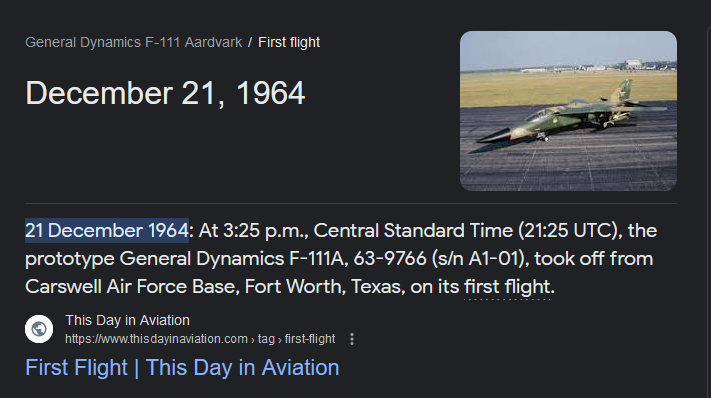
I don’t think they regretted buying the f111s… More so, they were considering upgrading them due to their unique mission profile, “low and fast” but the Afghan operation comfirmed an end of an era in the fighting style that the F111s were designed for and thus, the decision to retire them was made…
They served as a great deterrent for the RAAF… Great aircraft, just not time but military tactics caught up with her…
I belive they were seriously considering buying the remaining desert bound Usaf f111s including the EF111 ravens if memory and reading the classic Australian aviation mags serves me correct.. That was just pre 9/11
Where did you buy it?
I see lots of posts asking this.
I have tried GKS, Simmarket and and an internet search and can only find the FSX version.
Nice, do you have a manual somewhere?
Buying it now…
It’s in the marketplace.
MSFS’s own marketplace
It is good!
Good initial release.
-
unable to start #1 engine during cold and dark. Even when initiating a start on #1, it starts #2 (while #2 is still in cutoff)
-
Wing sweep select marker appears to be 10 degrees off (too much), but I’m not sure if this is how it’s supposed to be.
- Since it is a manual wing sweep, it would be nice to have a guide/table for an optimal airspeed/sweep angle relative to aircraft weight. (If/when there will be any sort of documentation for the addon)
- VORTAC, TACAN, HDG SEL, ILS, and ALT SEL work great with the autopilot
- Hopefully there really will be an update to include “NAV” mode that is linked to GPS, so flight plans can be followed from the World Map. Then we might get GTN750 functionality with it’s SimBrief import for both VOR and GPS flight plans.
- Having an editable NAV frequency chart under the glare shield makes VOR navigation easier, when utilizing the channels. I really like this implementation.
- A manual would be nice, but the videos will suffice if they are as good/informative as the cockpit introduction video published on the 19th.
-
I can’t figure out how to address the Left and Right “Eng Spike” warnings. They are always illuminated. To my limited knowledge, the variable spike is automated based on Mach number. I’m left wondering if it’s telling me I’m supposed to adjust something.
-
The powerplant audio seems to be the default F-18 engine sounds. Even so, it is better than the FS2004 audio of the MiG-21bis.
Overall, I like the addon and look forward to updates that will bring improvements. And… I’m still looking forward to a MiG-21bis update.
See, I tried that, but every time I try to move it back, it goes back to forward. That tells me it’s tied to some axis, one that I seem to have assigned, but I don’t know which one.
Check if it is the propeller axis.
IIRC the FSX had that binding so who knows…
Flaps are non-standard. I have to hold my incremental up and down buttons to get them to behave. Spike caution lamps below.
The manual is available online.
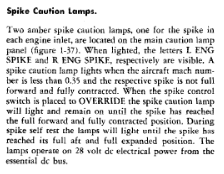
Good article on the engine spike.
I have found a glitch, but a small one: the rudder pedals are animated backwards. The airplane flies and functions with my controls as it should, the animation is just backwards on the pedals.
I’m loving it so far, it makes me very excited for the MiG-21 update.
Any autopilot tips? I’ve been struggling to figure it out. Hopefully you’ll have a video that covers all the details just on that. Id love to do some longer “missions” in this beast!
My observations with this:
- If flaps are extended at all, the wing sweep is locked forward
NOTE:
- Remove any binding for “SET ANTI ICE”. Currently, this keybind moves and then locks your wing sweep to the 70 degree maximum. SO, it might not be an axis causing the wings to lock in the forward position. It could be a keybind too. However, I don’t know what keybind locks the wings forward. I’ve only experienced that any extended flaps lock the wing sweep forward so far.
Here you go, was only able to find it on ORBX
Very little info, was hoping for a manual before I purchase.
OP mentioned possibility of off marketplace purchase in a couple of months. Let’s hope so.
Better to wait couple of months for initial purchase, than same amount of time (or never) every time there’s a patch with the marketplace version.
Thank you for the purchase and detailed feedback. We will do our best to make it perfect within next updates.
Some unswers
-
The 2nd engine is started from bleed air from an already running engine. In order for a running engine to provide sufficient compression, it must operate at 80% of its speed. Insure that bleed air switches in AUTO position.
or just use “ready to taxi” state option -
Spike warnigs - we will chek,
-
Next tutorial videos on the way… engines starting procedures and preparing for take-off
Where do we find the aircraft state options?
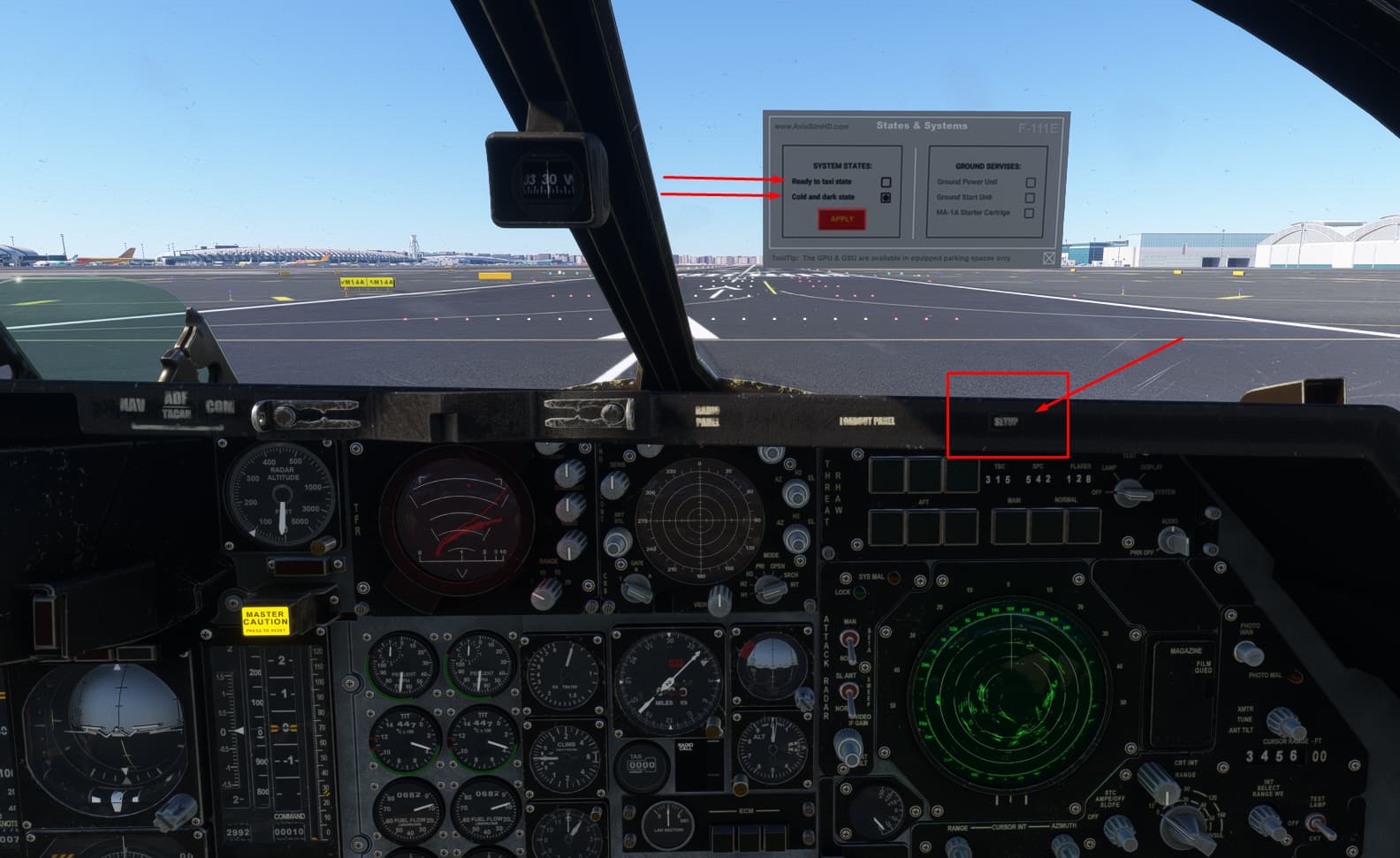
Awesome, thanks!