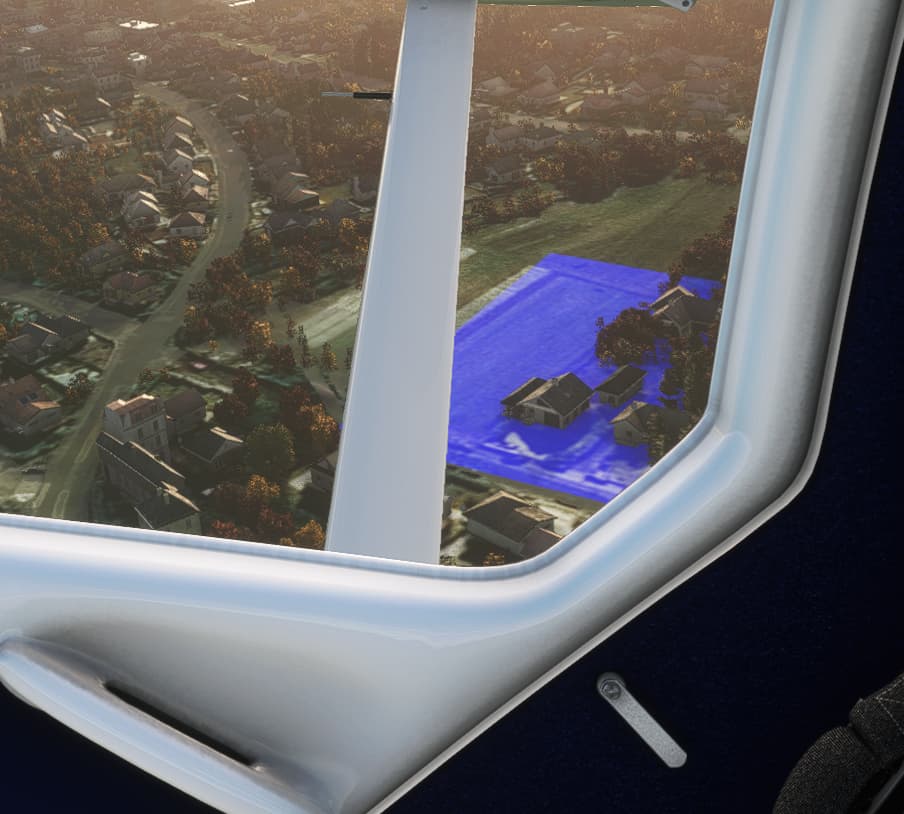
Hello - have had these blue pattern for a while now. They disappear when you look forward again and then back to where you saw these blue fields before. It appears to be a reload problem. The higher the settings, the more blue fields. I remember that after the penultimate FS update something should be changed in the graphics options. My PC / system is actually powerful enough to fly with ULTRA settings. Never had the problem before.
Hey, I think this is related to the Nvidia driver issue reported here New Nvidia 497.09 Always CTD
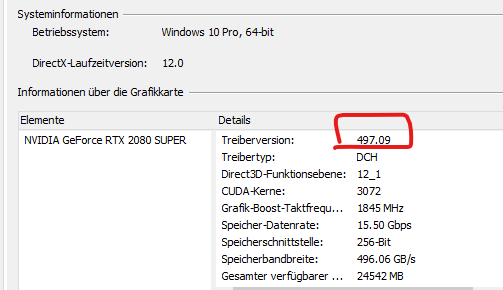
Yes, install the previous version - I had the same issues (CTDs and discolored squares) and reinstalled the older drivers yesterday and have had no issues since.
I can recommend 496.74, a clean install would be best but not essential
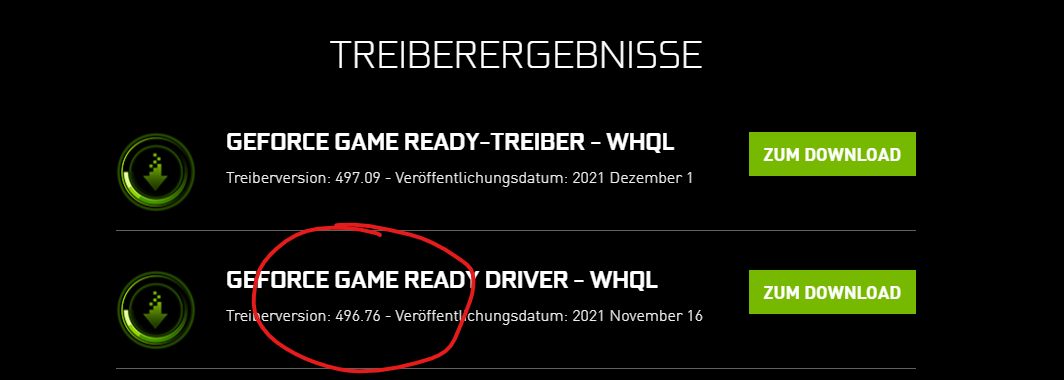
Very ok … especially with the latest Windows 11 preview.
I now have installed an older geforce driver version and now no more Blue/purple pattern and no CTD anymore! Thank you all for support. I think it is better to never touch a running system. It’s is not necessary to always update the graphic card driver, if there are no problems. More than 2 times a had issues after installing the latest driver. So better watch out and keep you working driver.
Interesting discussion on a possible related topic here-
BTW, in my own testing just now, reinstalling the latest driver 497.09 which caused the discolored titles and CTD on my system two days ago, by turning of Windows Hardware Acceleration, I’m not getting the discolored tiles and CTDs (yet).