@Corei7rocks yes sir. Once I get home I’ll have time to update the new update, see if they’re gone or not.
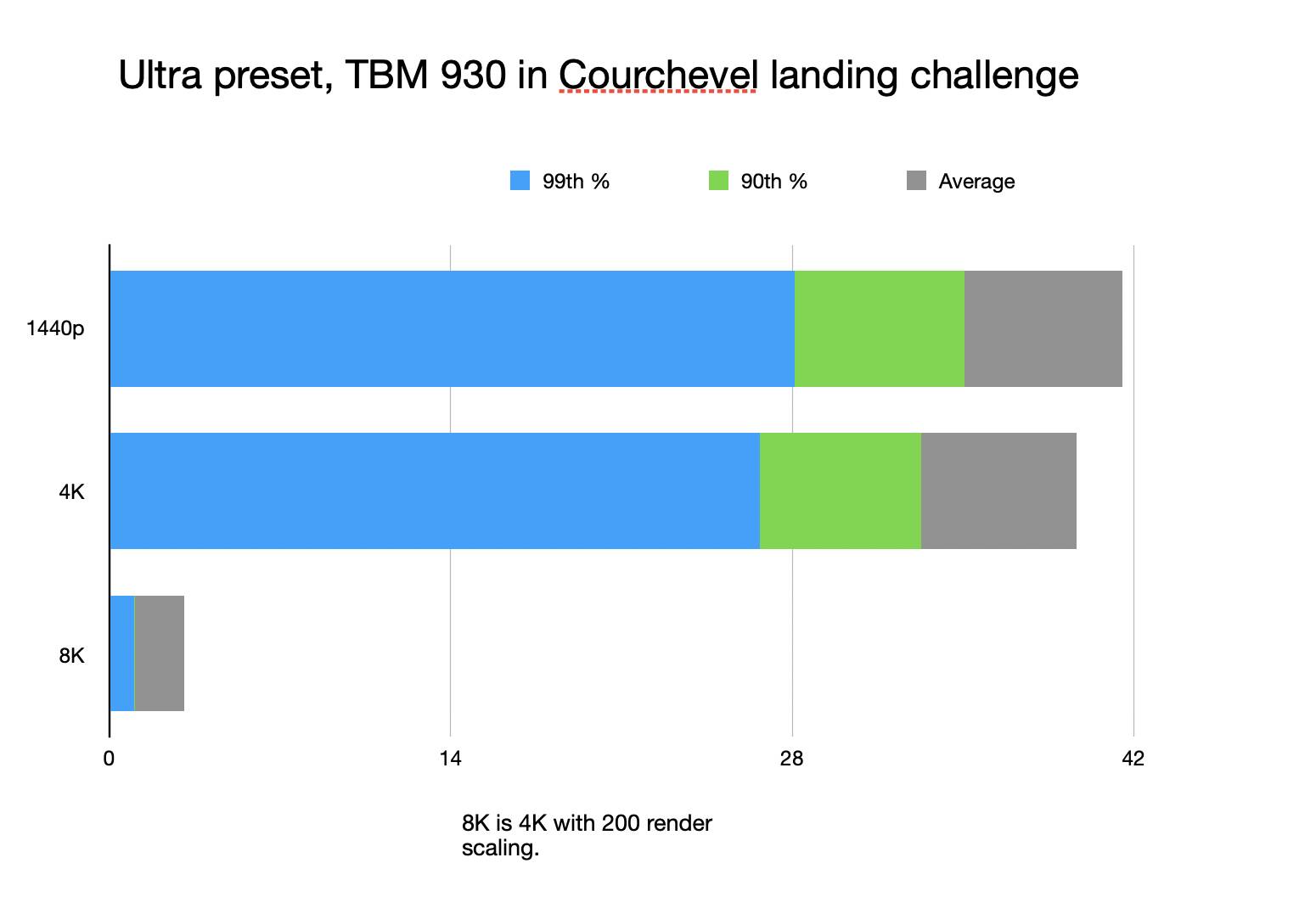
I did a more formal test using the TBM 930 in Courchevel. 1440p was CPU bottlenecked by my 3700X. 8K was quite clearly VRAM limited lol (it was painful to complete the landing challenge at 3fps average) but even a 3090 uses 20GB at 8K.
2 Likes
Hello,
I run a 10900k ai overclocked to overall 4,88ghz with asus 3090 OC. 3600mhz memory (32gb) and m2 drive.
GSync on monitor at 120hz. 2ms 34inch curved 3440 x 14.. resolution. Almost Everything on ultra except
AI planes are off. I fly on Ivao network.
Only render scale to 100% the rest to 200.
Smooth flights and around 35-60 frames depending the scenery.
1 Like
We have similar specs, the only difference is that my cpu is not overclocked. Also different monitor.
I have a 27” 60hz 4K
I have my settings set lower than yours and I’m still experiencing micro stutters. I don’t know what to do anymore.
How is your download speed?
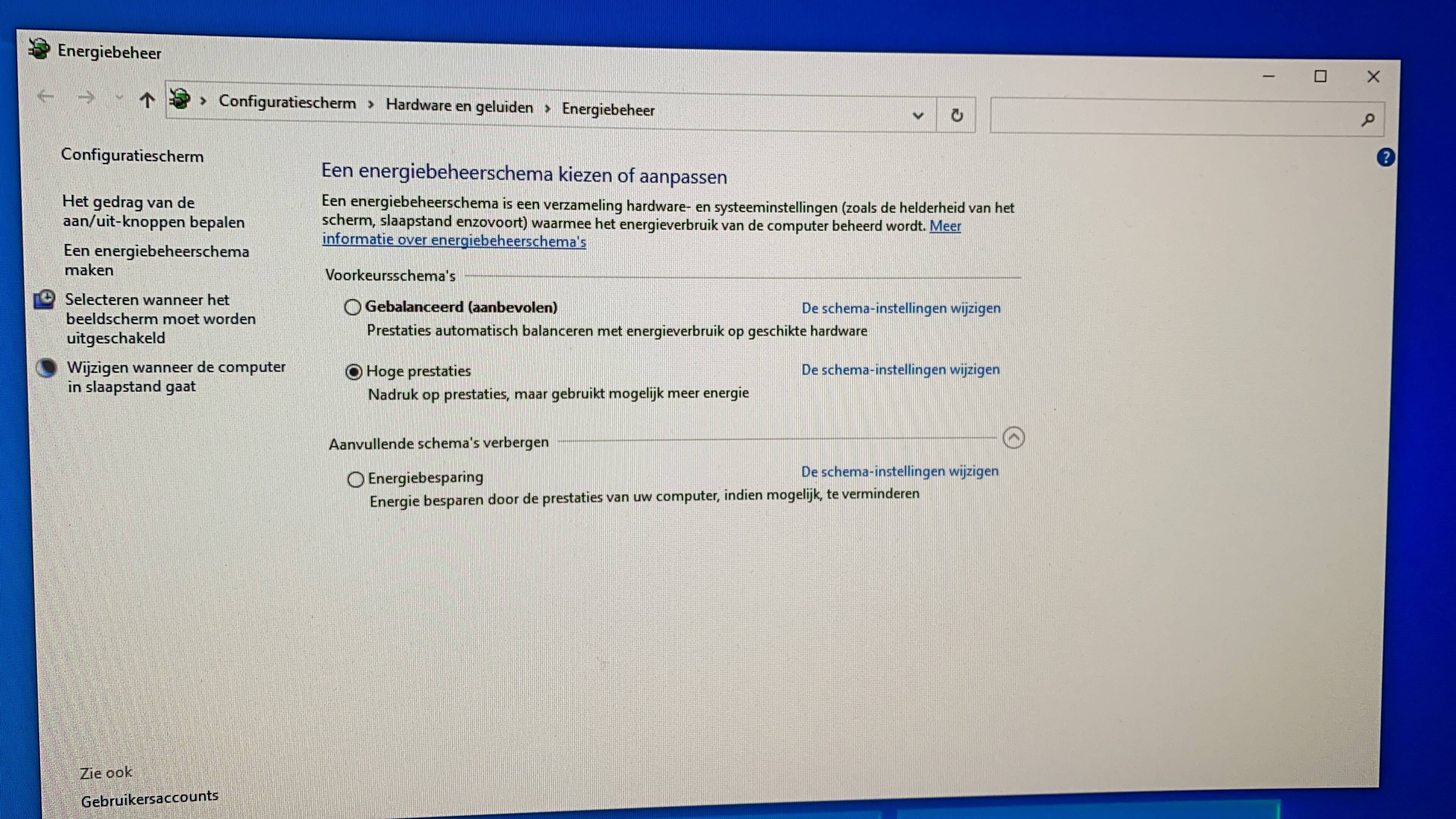
How are your power settings in windows? Balanced or high performance? Do you have game modus active in windows (I do).
Have you got your Nvidia settings changed in the control panel? Or is it on the selection that the program is in the lead? Do you have AI planes active? Do you have vsync engaged in MSFS2020 settings or running unlimited / 60 frames?
there is a windows option that you can change the settings between balanced or high performance? i thought this was a laptop option only
Hi @Camargo24
Try this if it help
I don’t have stutter with GA and and really rare with the airliner.
I have recently upgraded just to play MS FS 2020.
I9 9900K @5ghz all cores with HT enabled
64 GB of RAM @3600MHZ
z390 Aorus Master mother board
Samsung Evo 970 512GB SSD
RTX 3090 Asus Tuf OC edition - upgraded from RTX 2070
PSU Corsair AX 1000W
Brand new Windows 10 pro installation (all drivers and bios updated)
Playing at 3440x1440 with all on ultra in Manhattan I get 30 - 35 FPS. Over 40 - 50fps in the other areas of the game.
I was expecting more performance from these specs…
This mainthread limitation sounds a lot like how Javascript runs on the browser, I hope they can mitigate this with time. Although (as a developer) I know performance issues are the worse.
I’m open to try any advices that doesn’t involve upgrading my hardware again…
Does anyone have problem like I have? With weird fps drops for few seconds.
I have 9600K OC 4.8GHz (very stable) 32GB 3000MHZ CL14, 2080 SUPER O/C
I have ultra settings, sliders to 200. Full HD with render scale to 130 (so it’s 1440p)
For example ORBX airport I have 45-50fps. Bu yesterday I checked EGLL (MS premium London) and my fps was 45fps but when I few times moved camera it drops to 30fps! and after 15-20second it came back to 45fps…few times i have seen that fps drops…
What’s your native resolution 1080?
Yes 1080p native, and I set render to 130 (it gives me ~2500x1400) and performance is good(~50fps at airport), also on render scale 150 is OK~45fps, but sometimes I have weird fps drops. For example on EGLL from MS.
At airport from ORBX or FlyTampa in 9/10 cases there is no problem.
No, I have 2080 super and I get very high FPS on a laptop on 1080. Up to 115fps in rural areas and 60 60-70 fps at busy airports. LOD 200, ultra settings on clouds and textures.


1 Like
 man… Try 1000ft above Madrid City or NY or land at LFPG…
100fps I had on RTX2060 at 36 000ft
I still get high fps, about 60 to 70 fps above NY at 1000 feet.
I dont belive You. Show me 60-70fps ultra over Manhattan in A320 from FBW. 1000ft above. Cockpit view and outside.
Sure. I will send it after I finish work in few hours. Flying inside cockpit will be less but I will send both.
Just rememeberd I altready have a video flying low over new york with a320. But I will do a new one which will be higher FPS after the previous update.
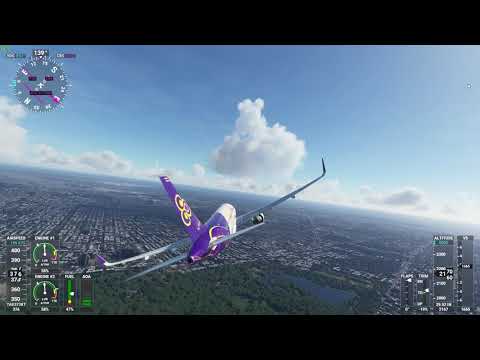
OK but its near 3000ft not 1000ft and outside, outside is not flying. Is it fbw?
Maybe I also have near 60fps but i have render scale 130.
But the problem is on airports and FPS drops. Can You try EGLL with render scale 130?
You didn’t watch the whole video. Even at landing it was high.
I have no reason to set the video at 130 scale. It looks very sharpe and clear at scale 100. I never claimed inside. I always said outside. Inside cockpit is lower fps.