Is this releasing soon ? Like hopefully this weekend !?
I have no idea what I have, but will check tonight. Thanks for the heads up.
I just wish we didn’t have to use that update application, instead of a link to a ZIP file.
I on the other side absolutely adore the updater. Before it was:
Checking on discord if you have the newest version and need to update > going to your account on the website and downloading it (most of the time slowly) > uzipping > launching the installer which would first uninstall the old one and install the new one asking you a couple of times along the way.
With the frequency in which Flysimware released patches (sometimes multiple times a week) this was like a second job. Now I just go to the installer, see there that there is a new version there. Uninstall the old one in a second and then click install and go for a tea. All ready without my involvement a couple of minutes later 
And I also don’t like the idea of having to manage many installers, but here it just makes so much sense.
They extend but you don’t notice a change in your airspeed?
Mine only extend once you’ve landed, not in flight.
This is post 0.1.3
I made some changes to the installation. I’m a TDS 750 user, so I don’t need the PMS 750 versions, so I deleted those folders from the installation.
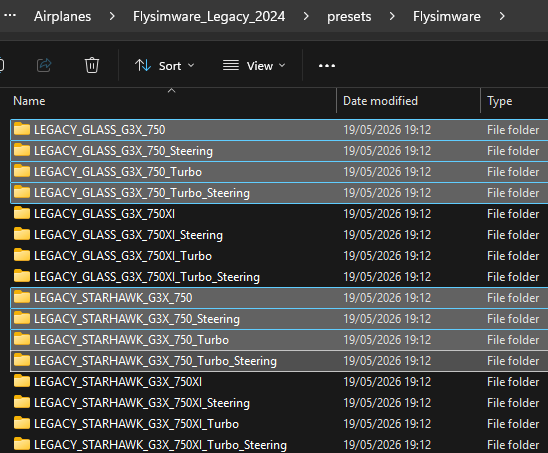
That halved the amount of versions available. I then edited the “aircraft.cfg” for each remaining preset to shorten the name so they don’t scroll on the selection window. Some of them are so long you can’t see what you are selecting until its name has fully scrolled.
Example, where I have removed the word “LEGACY” from the “ui_variation” line:

It now looks like this, which is much more usable:

There is now only one that is longer than the window, but you can still see enough to know what you are selecting:
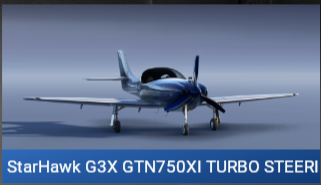
I figured the “LEGACY” bit was redundant as I know which plane I am picking a variant off already.
Regarding the spoilers, if you have them deployed on the ground they automatically retract on takeoff, and the reverse is also true. As you land they automatically deploy.
I normally edit out all the variants and liveries I don’t want but I figured there would be so many quick updates for this one it wasn’t worth doing that for a few weeks at least.
version 0.1.4
Oil temperature behaviour has been recalibrated for more realistic operation and improved cooling behaviour.
Propeller MOI has been increased to reduce how quickly the propeller accelerates, giving the prop response more realistic resistance.
Speed brakes have been fixed and now open correctly in the air.
Character-mode prop movement has been fixed , correcting an issue where manually moving the nose prop by hand could cause it to get out of sync with the spinner and nose cone.
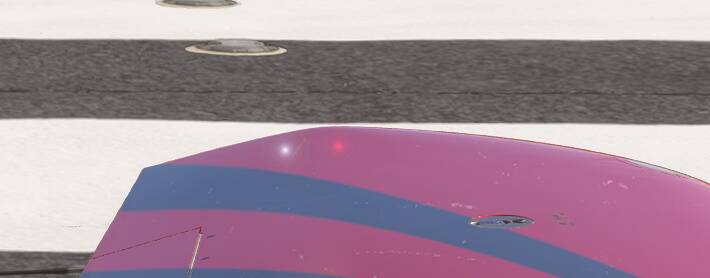
Still need to address the nav lights showing through the wing tip.
Not everybody has this problem because I don’t.
Curious why some see it and others don’t.
I’m not sure what the common denominator is here but I have the same issue with the lights in the Lear 35 and was told it’s my issue not the airplane…now it is happening again with the Lancair Legacy
Can you post a screenshot, please?
0.1.5 is out now. Looks like a big one.
I only just installed 0.1.4. 
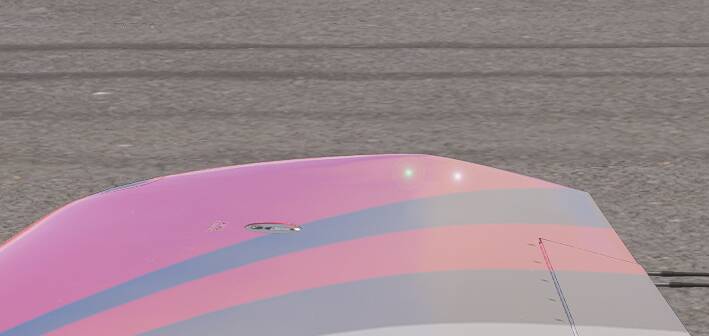
Does anyone else get terribly blurred ground textures and poor draw distance when using this add on?
Looks okay to me. Are you using FidelityFX sharpening? I find 200 works best with terrain.
I’ve done a sim re-install and everything is ok now.
It’s really weird, I have to do this every so often to make things decent again.
Using cache, WASM etc deletion tools doesn’t do anything.