Absolutely. And it gets worse, you could do all that and still not see a performance improvement…
So I went to KATL in the Inibuilds A32N, 7900xt , Ultra, 1440p no scaling. I’ve droned around the field and here I am in GTA mode:
In relation to FPS performance - VRAM bug? - #872 by nhc150
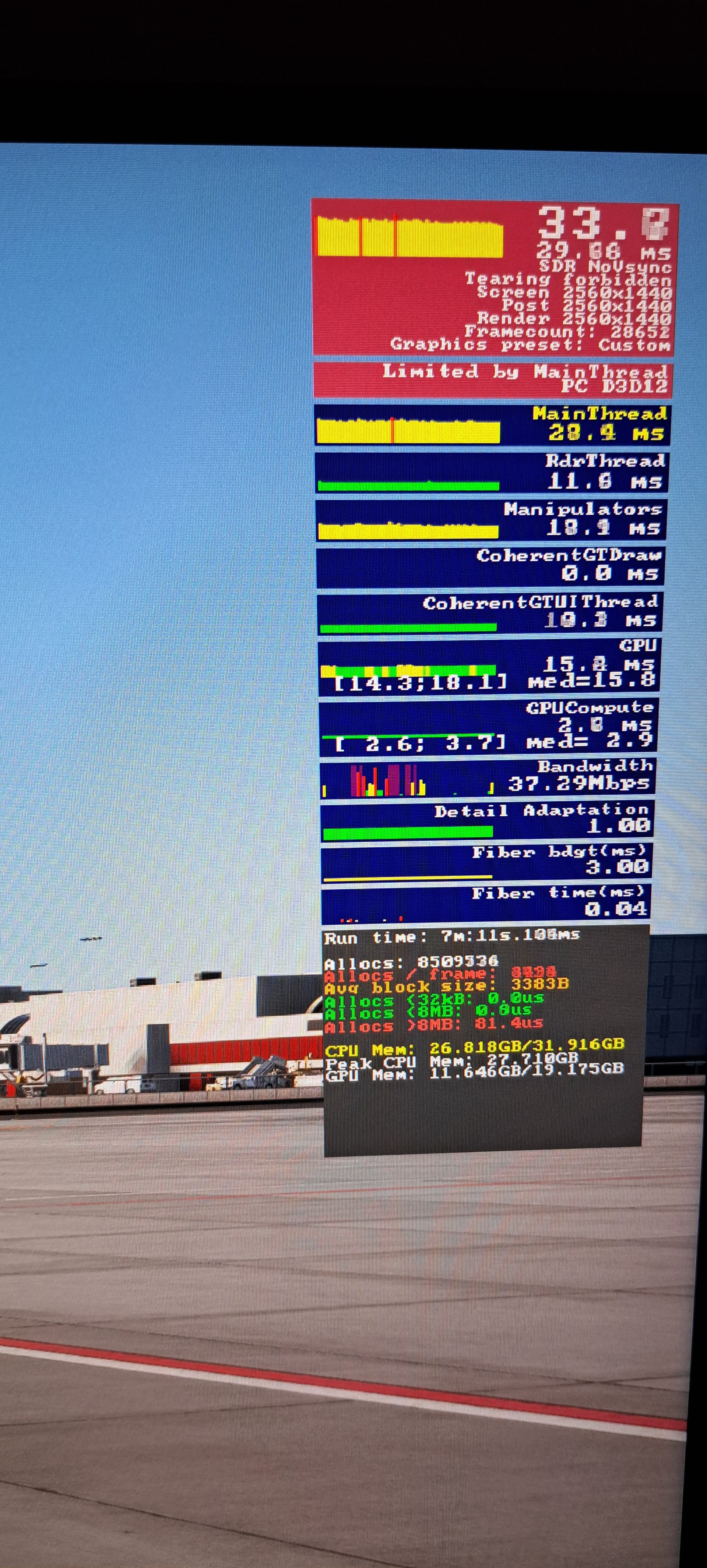
You’re limited by mainthread. What do you expect to be seeing here? If you want to improve your frames, you have to do what you have always had to do: reduce TLOD, OLOD, ground traffic, airport traffic, etc. on down the line of settings that all impact CPU processing time.
Scroll up. It was in response to what I posted earlier regarding VRAM usage at KATL.
Sorry yes, I should have tagged @nhc150 post above. Main focus is VRAM usage, ignore my peasant main thread.
The VRAM shown is about the same as what I see at KATL on my 16GB 4070 Ti Super. Nothing close to overflowing and no significant VRAM-related performance issues.
the man had to change his gpu because vram was overflowing, there is a whole thread above that screenshot alone
Yes I know it’s not a problem, I’m merely testing the same scenario as @nhc150 with my setup, and see notably different results regarding VRAM usage.
Why are you still confused?
There are several threads about VRAM overflowing now, actually. The problem does not seem to affect everyone though, which is the perplexing part.
Why are you confused to learn the problem is not universal? Something about your system and how it’s configured and being used is causing the sim to behave differently than it is for others.
And I know - you are not alone. The problem isn’t you, per se.
But it’s still not everyone, as frustrated as you obviously are.
No one is confused about anything. My bad for not referencing the post. 
I’ve yet to encounter this ‘bug’ or if I am having any VRAM issues I am not noticing them at all; performance has been stellar (even though I’m super critical of where the sim is from other aspects).
4090, i9-13900k, 64gb DDR5
Sitting in a 4090 isn’t frustrating. However, a 4090 with nearly 20 GB of VRAM usage by MSFS, not even at 4K resolution, is a legitimate concern that needs to be addressed.
People with completely over-allocated VRAM on lower-end hardware have a right to be frustrated, and you have 850+ pages for you to read if you need to be reminded.
Hey friend, get off the high horse and realize I get it. I UNDERSTAND. I’ve been following and sporadically participating in these thread since the sim launched.
That said, the sim is NOT acting this way for everyone, which is no doubt equally frustrating to the dev team as it is to those affected.
When I’m ideally CPU/GPU balanced (‘Limited By’ is rapidly flashing between the ‘Main Thread’ and GPU) it’s a carpshoot what the screenshot will show.
Sometimes it grabs at ‘Main Thread’ and sometimes ‘GPU.’
Same here, as apparently frustrating and potentially-rage inducing as it seems to be for some to hear it. I have even run repeated, timed tests of some of the scenarios people have asked others to try including the stock sim’s handcrafted KJFK and KSFOs, parking specific aircraft at specific gates, etc.
Yes, the sim allocates a big chunk of memory at the start (11 - 13GB sometimes) but that memory usage goes down as I prep the plane or even sit and watch traffic, and usually ends up somewhere between 10.5 - 11.5GB, going up and down slowly as traffic moves around. If I disable traffic, it basically goes down and moves a little bit as weather/cloud cover changes over time.
So again some peole are affected by this - disastrously so! But not everyone. And getting mad at each other because of the problem doesn’t help them resolve it, nor does it help any poor schlubs from the dev team assigned to scan through these threads looking for some kind of commonality.
At this point, I’m almost tempted to unplug my GPU and plug in my old bone-stock 3070 card this weekend, just out of curiosity. I had occasional VRAM overflows in FS2020 using DX12 until I turned down texture quality to medium but after that, never. I didn’t have any problems in the short tech alpha weekend a couple months back, even over major cities like New York or Chicago, but also didn’t have any complex aircraft to fly either.
Feel free to vote here. Feedback is already logged, hope they will log it as a bug…
Right, just hear me out… crash helmet and 3 layers of steel armour attached, but has anyone tried a full clean install of the sim? And I mean absolutely clean, sorry about those 100,000 keybindings etc.
Made no difference, maybe a short moment of glory and then it’s rubbish again.
A lot of work for nothing.
The sim is broke and Asobe has to start repairing the thing.