I didnt want to spend 180 dollar / year for Real traffic subscription that comes with it…
That’s fine with me, that is your decision, no problem. But your statement about FSLTL being the first was still wrong…
Btw. for real traffic you only need the normal license at 90 dollar a year not 180.
Don’t know about you, there is a lot of posts so I didn’t read all of them.
Tried with search but no results.
Problem is, when I am on ground, there are plenty of aircraft at gates and parkings. But when I am airborne, there are very few or none. I am using Little Navmap and it displays there are a lot of aircraft around me, but I can’t see them, not visualy or at TCAS (flied with FBW’s A320 and PMDG’s 737).
I set air traffic to 80%.
I was also wondering how FSLTL would handle a change of airports.
There should be traffic visible about 40secs after you started the injector. So as long as you started it after you started FS it should be good to go.
When you change airports the injector ‘waits’ before it automatically picks-up the new chosen location and starts to inject the nearby traffic. This (see screenshot) happened when I changed from LFMN to EDDL as my new takeoff location.
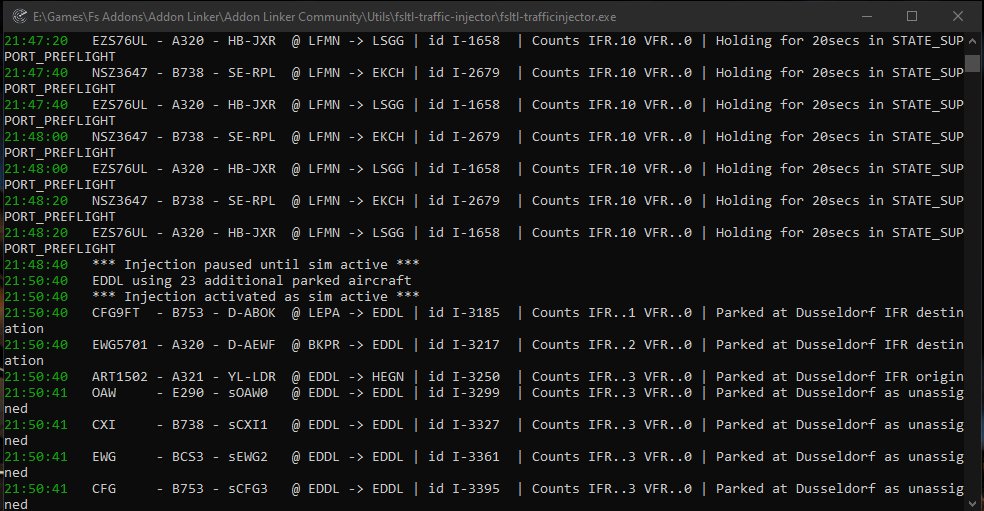
Hope it also works for you
As far as the TCAS goes, I have only been able to see traffic that departs the same airport that I am currently at or departed from. It will not display any other traffic, not even flights inbound to the same airport.
I can’t be 100% certain but I recall that the first time I installed and flew with FSLTL I was able to see all traffic on the TCAS screen. But again I’m not 100% sure about that.
As I haven’t seen anyone mention it so far…
There is a difference between FSLTL and AIG for Pilot2ATC users. P2A can see AIG-injected traffic, but it cannot see FSLTL-injected traffic. Which is understandable, as P2A doesn’t see MSFS default AI traffic either, and presumably FSLTL injects its items to be seen as base AI, in order for the in-game ATC to recognize and control them. (AIG does not.)
Using the Simple Traffic & FSLTL combo, plenty of IFR & GA traffic now.
Still some annoying issues such as go arounds but atleast the skies are filled with life.
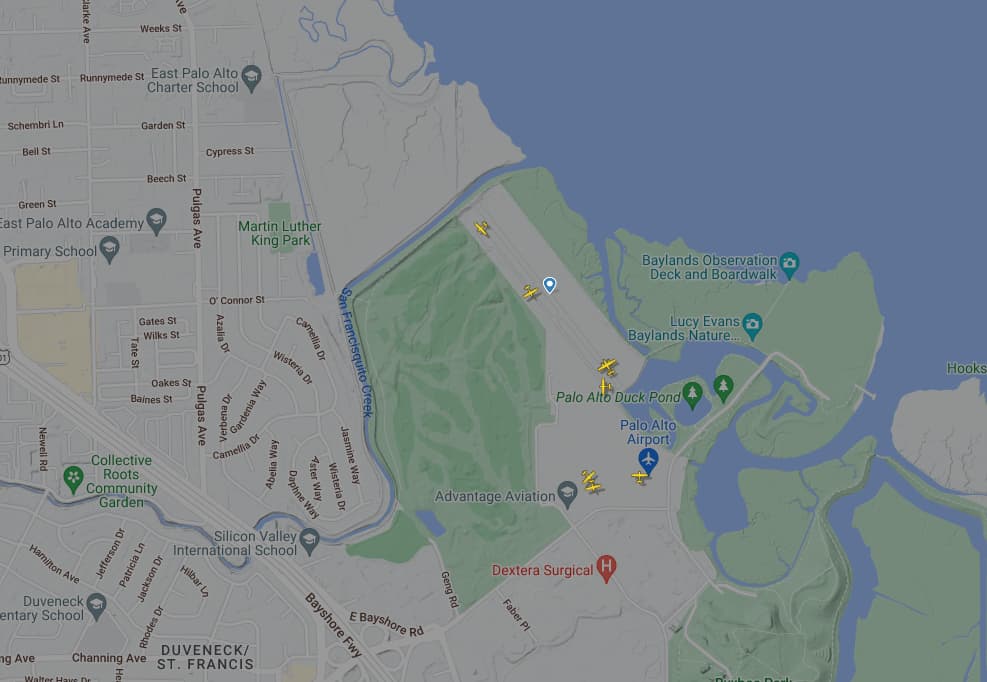
Did a VFR test at KPAO. Did not capture the Duchess taking off, zero traffic moving on the ground, nothing in the pattern. I sat and watched for a while.
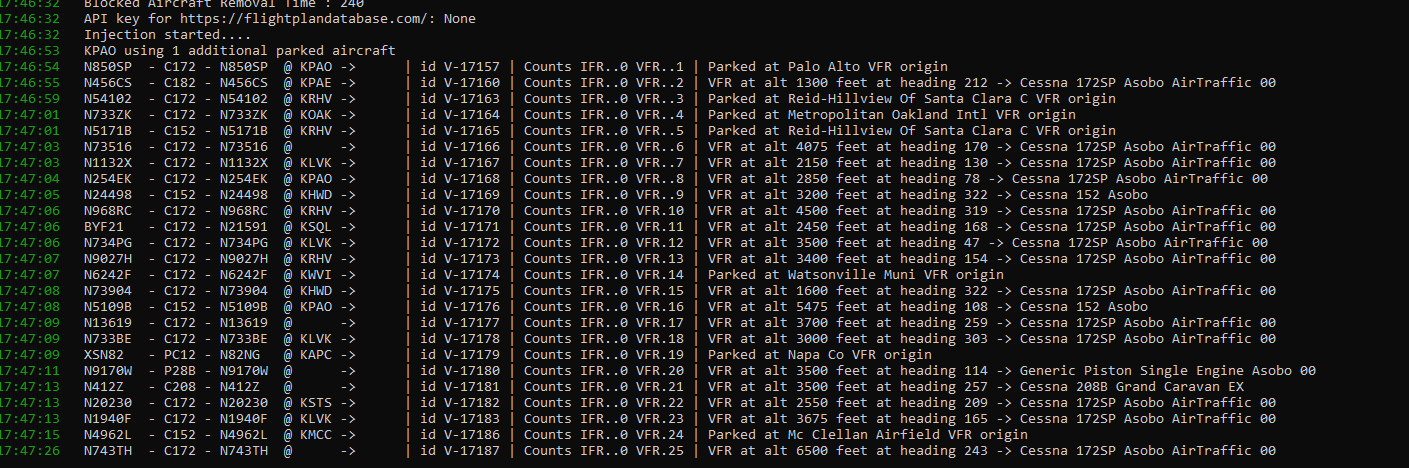
Here’s my settings:
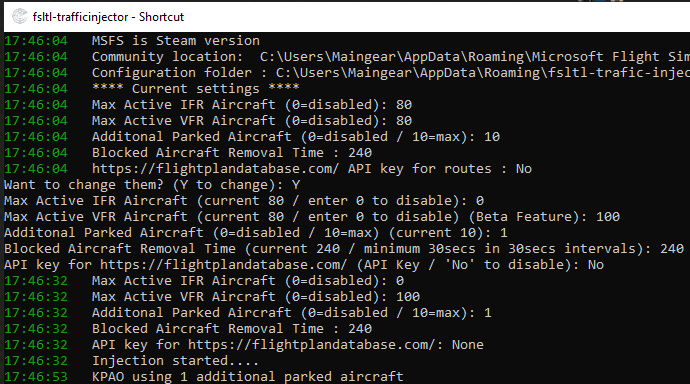
A couple observations:
-
VFR seems to mostly be functional for parked aircraft. I can’t find anything airborne despite what the injector says.
-
Injection distances need adjusting or at least customizing. If I’m flying GA VFR, I care about local VFR aircraft, not stuff far away.
-
Why does there seem to be no solution for getting busy GA airports with live traffic? It’s clearly showing with squawk codes on FR24. I’m verifying these from the injection. Yet I’m not seeing them take off or fly anywhere.
There is no “80%”. If you set to 80 that is a number of aircraft, not a percentage. Or are you talking about the Traffic tab of the General options?
Not sure about interactions (haven’t used it together for a longer time yet), but the P2A map definitely shows FSLTL aircraft
Pilot2ATC sees my FSLTL injected traffic just fine, but maybe it’s because I’m using a the P2A beta.
Ah, maybe that is the reason… I’m using the beta too
For all people who don’t see moving aircraft on ground, you got to set the airport vehicle density to atleast 1%!
I’ve got it set to 0 and I see movements on the ground. It takes around 5 minutes before they start to push back though. I think it’s supposed to be 0.
Well… that’s disturbing to hear, because it probably means there’s something wrong on my end. I had a FSLTL jet fly directly over me today and nothing showed up on the map at all. (It looked to be at the next higher FL, which I think would be enough clearance that ATC wouldn’t give me a warning, so I didn’t expect one.) Also using the beta (B3 specifically). It was definitely picking up the AIG planes (annoyingly so, since they’re all injected at your altitude, which meant alerts by the dozen), and I haven’t changed any settings… Apologies if I gave bad info.
I’m on beta 7B, but I don’t think there’d be much difference. I’ve been flying late at night, so haven’t really seen much traffic at all actually. The traffic does display on my P2A map, though I’ve noticed not all the parked aircraft do.
I have traffic alerts disabled, and I stopped using AIG because of all the aircraft flying at your altitude.
I’ve also noticed aircraft disappearing right before starting their approach..there seems to be some bugs to work out still, and I’m not sure which program various issues are with.
That is interesting, I have 3070 with i7 12700K and my FPS drop to 14-15 at initBuild EGLL @1440p. What settings do you use?
I don’t know if it’s relevant, but in the REFERENCE SPEEDS section of FSLTL aircraft files’ flight_model.cfg there is a line ‘spawn_decent_altitude = 5000’ . The correct spelling is ‘descent’ (i.e., going down), not ‘decent’ (i.e., pure or respectable). I don’t know if that invalidates that line or if it’s totally nothing to do with the presence of AI aircraft.
I know this affects many people but I’ve never had to do this to get departing and arrival AI
If you have notepad++ you can easily mass edit .cfg files. Just search “.cfg” in simobjects folder, select all the files to edit, open in notepad++. Then press ctrl + H (replace), put there " decent" in upper row, “descent” to lower row, them press “replace on all open Documents”… done.