Yes, I did the same . A/P OFF , A/P On then Emergency Autoland button..I was told to do this way and it worked.
1 Like
it’s SU3 changed light to looks like this in all aircraft very unreal
Can someone point me to the Vision Jet manual? I can’t find it with the other MSFS2024 aircraft manuals found here. Aircraft Manuals - Microsoft Flight Simulator
I flew this for the first time yesterday. Jumped in and brute-forced my way through the menus and startup with out any preparation. Previous G3000 familiarity got me up and down. Engine start was so simple, I couldn’t figure it out for a bit 
My biggest takeaway was this thing steers on the ground like a Formula 1 race car. Turning is instant with no feeling of inertia.
Personal Comments and Observations - Disclaimer: I am a FlightFX Staffer
There is none. You could try our manual, but there’s aspects of the G3000 that Working Title revamped and added since Microsoft took over our product and brought it into MSFS2024. We don’t cover things like Autoland for example, that’s something net-new added by WT. But if you’re looking for a mostly aligned player manual, ours could work out for you.
If it also helps, our resident Owner/Operator Tim Morgan aka Stretch flew an end to end flight on both our 2020 and the 2024 Vision Jets. It’s very useful to see from a RL SF50 pilot’s perspective.

3 Likes
Some of the ground handling tweaks were removed from our jet when Microsoft took it over. You may also note that the incorrect drift on take-off roll tends to reappear.
1 Like
The takeoff roll drift (along with lack of liveries) kept me from flying the MS Vision Jet up until about a week ago. I’ve just stayed with the FlightFX version from 2020. A nice set of new liveries has been done for the MS version now with dynamic registration and is available at flightsim.to.
In addition, I saw a tip that suggested using autorudder for the VJ to counteract the ground handling issues, and realistic it might not be but until such time as MS decides to upgrade or fix the ground handling problem it works great and makes using the MS version of the Vision Jet more enjoyable.
I didn’t notice any drift on the takeoff roll, but I could have just been preoccupied with everything else. I’ll pay closer attention next time.
Thanks for the liveries tip. I’m heading over to fs.to to check them out.
In the meantime I’m going to see if I can export the ground handling model over to MarioKart 
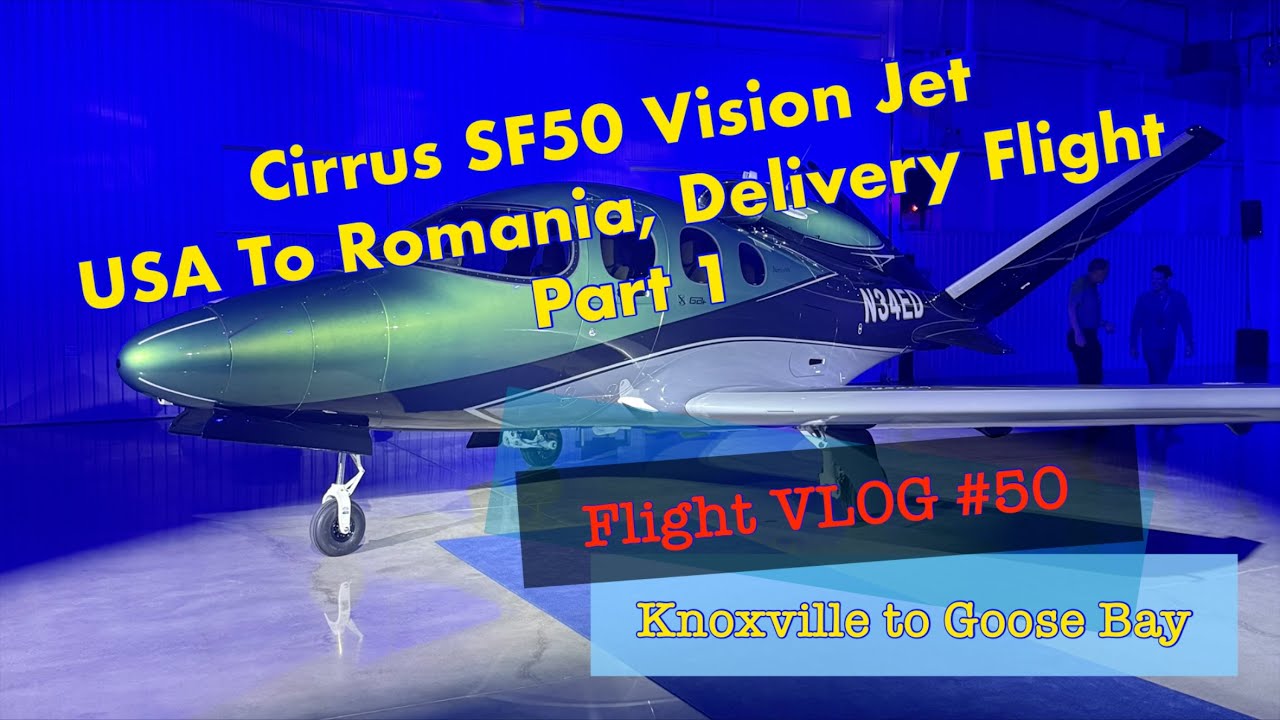
Ah yeah, these new liveries added recently for VJ on flightsim.to are super cool, guys. I was instantly in love with the Monteverde Green colour as soon as I saw it on John Page’s YT channel, and thanks to that being part of the pack, I could finally start recreating the N34ED ferry from Knoxville, USA, to Timisoara, Romania, in VATSIM. Currently halfway down the route, parked in Reykjavik. Lovely machine; I feel that the SU4 made it better, but still, the FFX version is in use too, and luckily, it works very well in FS24! As for the takeoff roll drift, I sometimes feel that it’s there, but I think I managed to nail it somehow with fine adjustments of the rudder pedals curves, so it does not really noticeably impact my “driving” …although I admit I am not the best driver anyway 


Does anyone else have an issue with audio of engine popping during flight?
I have stable FPS over 30 at all times, yet every 5-10 seconds the engine audio like pops, as if it lags or stutters. Otherwise its all good, game itself does not stutter or drop frames, just the audio.
And only this plane
is your CPU extremely maxed out? that can cause sound stutters.
I’m in a flight now in the Caribbean and it’s been stable so far. No audio issues on any of my flights yet.
I had a rather maddening taxi on my second flight. I’m not sure if this is an intermittent sim issue, or something that’s been noticed with this plane, but my nose wheel steering axis was completely non-functional. I had to use differential braking to get out to the runway and that was a mess. Very high thrust is needed to overcome the brakes to even start a gentle turn. Impossible to have a tight turn radius.
I checked my controller bindings, and everything was working in the settings. The control curves were behaving as expected. I even mapped the nose wheel steering to another controller axis to see if it was something weird going on with my rudder pedals, but even trying to use the twist axis on my joystick, nothing. Just completely unresponsive. And this was after just complaining that during my last flight, the nose wheel steering was way too sensitive. This flight, zero function. VERY annoying.
It’s also super annoying that clicking any of the lower buttons on the left-most GTC keeps toggling the parking brake, which is “behind” those buttons by the rudder pedals.
The Vision Jet doesn’t have nose wheel steering IRL and relies on differential breaking.
That’s bizarre. On my first flight I had quite a bit of nose-wheel steering!
Is it possible to miss something in the procedures that results in a red “FLAPS ICE” CAS message?
I got this during an approach when I went flaps full, and the error stayed there all the way to shutdown.
I was descending into light clouds at a few thousand feet, but not in freezing temps. This was in the Caribbean.
See comment by RISCfuture in that thread - that’s our O/O Tim Morgan.
1 Like
When I did a quick search, yes this is correct IRL.
However, @CasualClick , can you confirm if nose wheel steering is actually implemented in the sim version as a QOL improvement?
I have done three flights with the native SF50. The first and third flights definitely had NWS active. My second flight did not, which is I’m guess a bug for that particular flight.
As far as I know, we did not implement differential steering on our version. Ground steering would act as if NWS was present, at least if the player mapped rudder axis to a twist joystick for example.
MS would need to confirm if they added it to theirs.
OK, thanks. It seems likely that the MS plane has the same NWS mapping as the original version based on my observations, and the one flight where it wasn’t working was either a sim bug or some weird thing I did in pre-flight to disable it (which I’m not sure is actually possible, but you never know).