It’s never a bad decision to wait. Haste makes waste.
Looks like we have a lot of people who paid to be part of the beta testing process.
Still bad performance at ORBX KATL even with medium texture res for me on my 8GB RTX 4060 laptop with 32GB RAM and a Core i9-14900HX with latest NVIDIA Game Ready drivers.
SU 5 seems to have done complete opposite of what was promised. VRAM usage increased and I suspect it now has a memory leak as well that starts kicking in after couple of hours.
I have a similar config; do you use Aerosoft EDDF and if yes, how does your system fare with it?
1 Like
Faring OK with Aerosoft EDDF, it’s just KATL I’m getting bad performance with.
1 Like
Get on the 5.1 beta. It’s DRAMATICALLY better than the SU5 release, and it doesn’t break anything (as far as I’ve seen). If you’re seeing stutters, it’s almost certainly SU5 itself that’s the problem and not whatever scenery/aircraft you’re using. I have no idea how such significantly poor memory management got through a full beta testing with SU5, unless they changed something at the last minute (which is probably the case, knowing Asobo…).
1 Like
SU 5.1 beta to the rescue, then.
A big update to version 1.03 is now available via Orbx Central.
Changelog by Orbx:
Important: You can now toggle between “standard” and “simple” mesh modes via the control panel within Orbx Central.
• Reduced Draw Calls
• Reduced Nodes
• Reduced VRAM usage
• Improved PBR reflections over ground poly and building surfaces
• Added a new mesh system called “simple mesh” that removes all the terrain bumps/artifacts while keeping all the iconic Atlanta runway profiles and elevation
• Added, as requested by Atlanta lovers, the iconic “V loop” that is inclined with realistic elevation changes
• Fixed floating objects and taxiway signs for most of the airport surface
• Fixed broken “Renaissance hotel” animated elevator
• Improved definition of the terrain for west parking
• Improved definition of surrounding terrain
**Note: **Animated cars and GSE vehicles for the new mesh system “Simple Mesh” may have some vehicles that do not perfectly follow the terrain elevation. This is under development and will be fixed in future update.
4 Likes
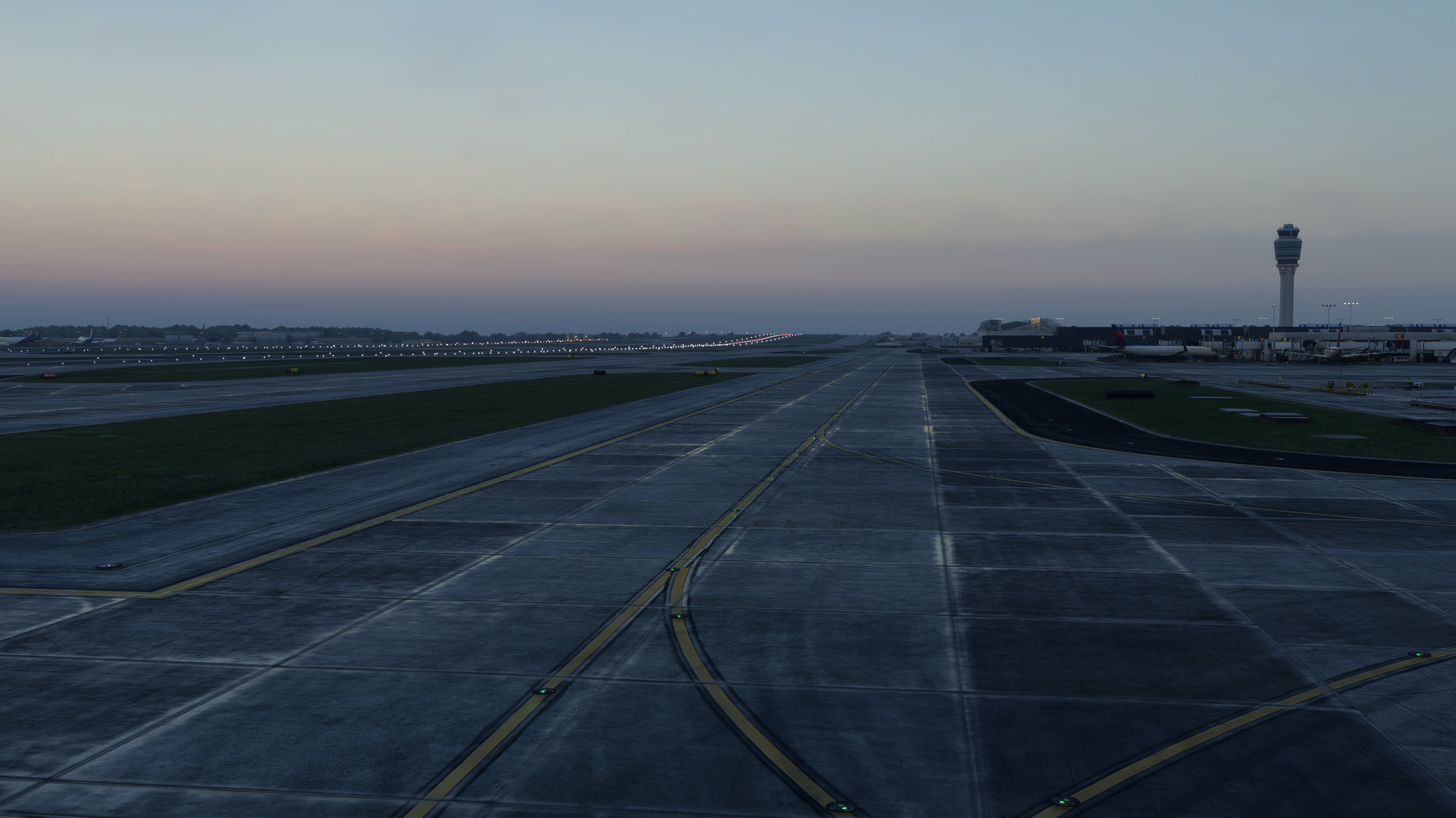
After an initial brief test, the new “Simple Mesh” option seems to offer a very good compromise between a realistic elevation profile for the runways on the one hand and bump-free taxiways on the other. And performance appears to have improved too. Further tests will follow tonight, but at first glance, the update looks very promising.
3 Likes
The control panel is now a bit confusing with both Standard and Simple Mesh options. Does checking off things disable or enable them? I thought before that checking meant disabled, but now not sure. I’d like to try the SImple mesh, do you check everything under the Simple Mesh section?? I think they need to change the wording in the CP…
Yes, looks like you uncheck everything in the Standard Mesh section and then check the first box in the Simple Mesh section followed by whatever options you want to enable. Not entirely intuitive but seems to work.
Planning a flight later.
1 Like
Thanks for the update and continued effort to make KATL as good as it can be-- I spend a lot of time in real life at this airport.
I know some folks have complained but this is already one of my top 2-3 airports (out of over 200 purchased). The attention to detail is great across an absolutely immense airside area.
I appreciate the pressure to make these airports perform as well as possible but I sincerely hope that does not result in quality reductions for those with hardware which does not suffer from performance issues. The path chosen here with simple vs. standard and an option control panel is a fair method to give users a choice to disable features if either performance or preference dictates it.
4 Likes
Overall I think the ATL update is great and there is considerable improvement. The ground is 1000x better than it was. Also, the performance is pretty solid.
Not to downplay the positives from this update, I wanted to say that I’m still seeing some stutters. It’s improved, but I feel like those could still be better. I turned off several of the items in config to reduce them. Seems like all of the GSE around the terminals causes some of it when it pops in. Also, the taxi signs don’t seem to have legs I’ve noticed. They seem to all be floating?
Again, overall a solid update and I think it’s very flyable at this point, but there’s still a little bit of room for improvement.
Another solid update-much happier with performance now.
God I hate Orbx. Really easy for them to take my $30, however trying to get the airport to download via Orbix Central is a joke. Been trying all AM. It’s in the queue…
Also, 7 gig for an airport? Wow…
Update - finally got it installed. Clicked on User Guide to see how to configure this, got a response “no user guide exists”. Can anyone who has this provide a bit of info on what (if anything I need to do in order to get this airport properly set up and running? I’m used to simply having the airports get installed into FS and away I go.
There’s something going on with Orbx Central that is weird. Like you said, if you download something, it stays in the queue forever. The only fix I’ve found: quit Orbx Central, then restart it. For some reason, everything works fine then. I think it’s some service failing to start? No clue. Not motivated enough to contact Orbx about it, honestly…
1 Like
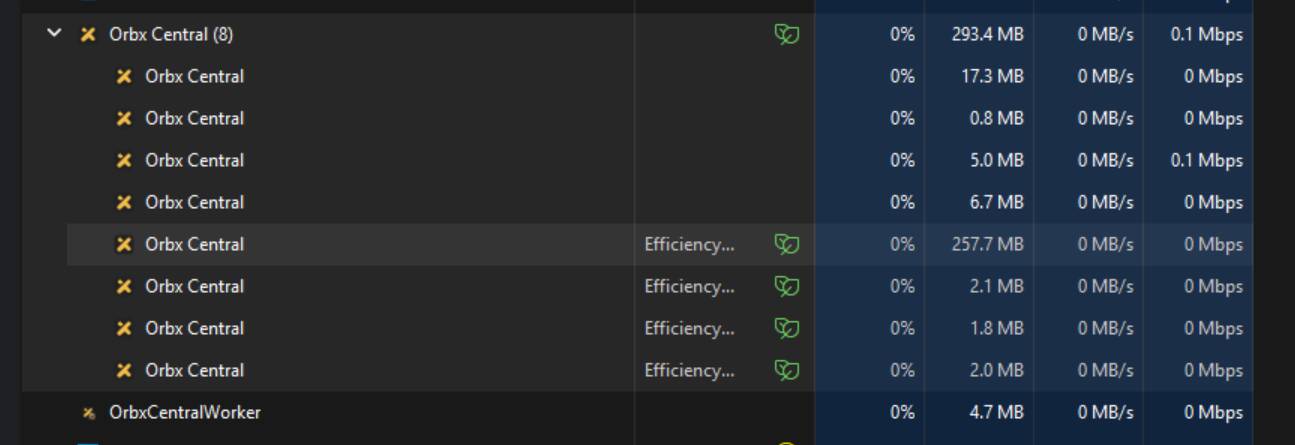
Orbx sure has a lot of processes running on my machine. Why does this app need this much stuff running to simply download files, even after I’ve (supposedly) closed the app?
Rebooting your machine or killing all Orbx tasks in Windows Task Mangler might be the best bet to get downloads working.
Back on topic, I just landed at KATL with the default scenery. Nice getting taxi instructions from SI where no taxiway exists. Might have to think about getting the Orbx scenery.
1 Like
Yeah, I had to reboot Orbx 4 times, then it finally downloaded ATL. It’s annoying that the Orbix app wants to run continuously in the background. Once ATL is patched to my satisfaction, I think I’ll uninstall it.
First impressions of KATL V3 are positive. Didn’t have a lot of time to explore the airport but it looks really, really nice from what I saw. Didn’t notice any performance hits, with BATC running as well. So far, so good.
1 Like
First landing into KATL last night. The place looks great. However, upon reaching the gate, no ground guide or mounted visual guidance display to guide me to the final parking spot at the gate. Am I missing something?
Also, it’s really hard to see what gate you are assigned. Is there not any signage in real life on the gate or terminal? Trying to zoom in to see the gate number painted on the tarmac is challenging.