ISSUE DESCRIPTION
Description of the issue:
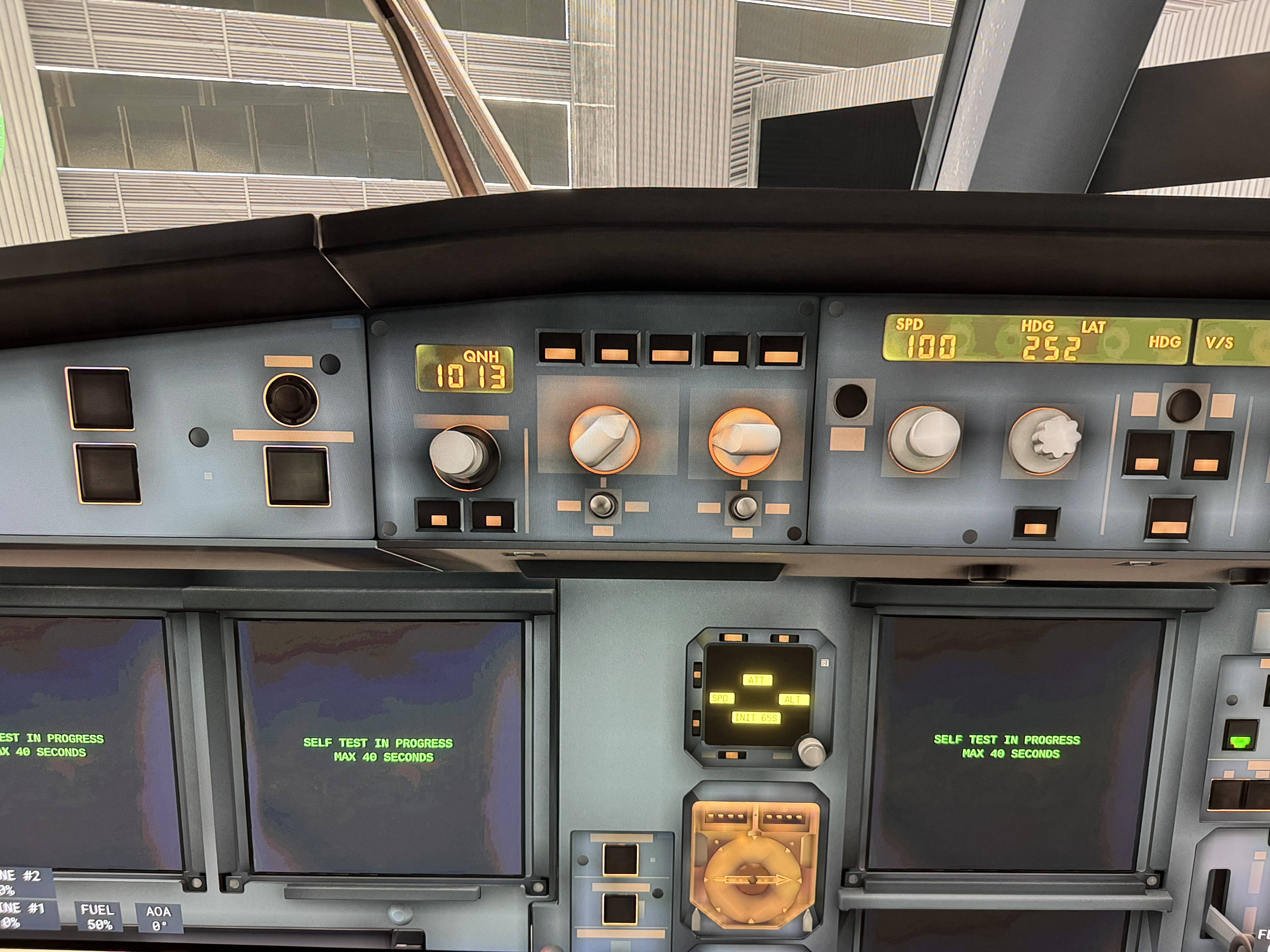
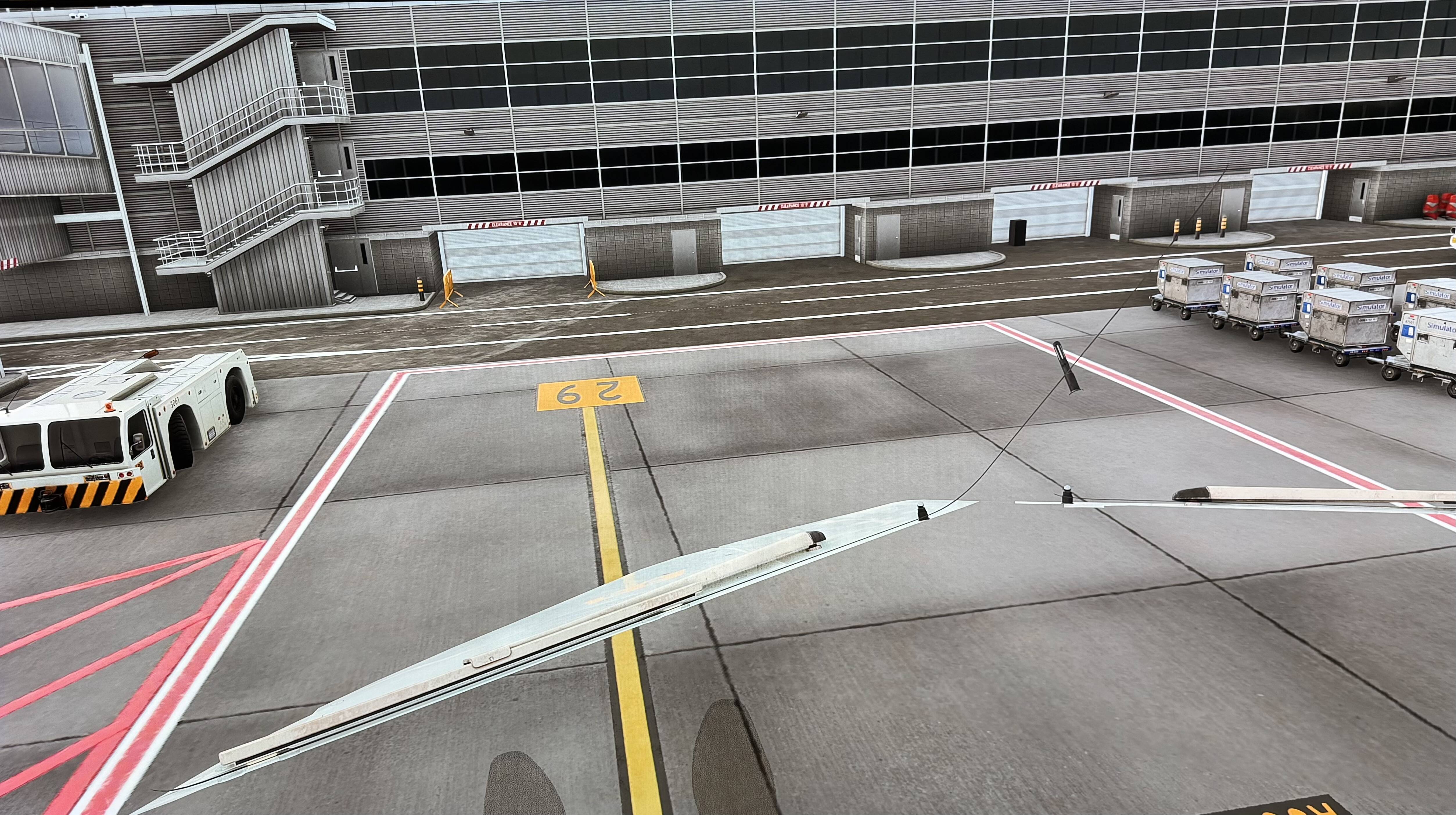
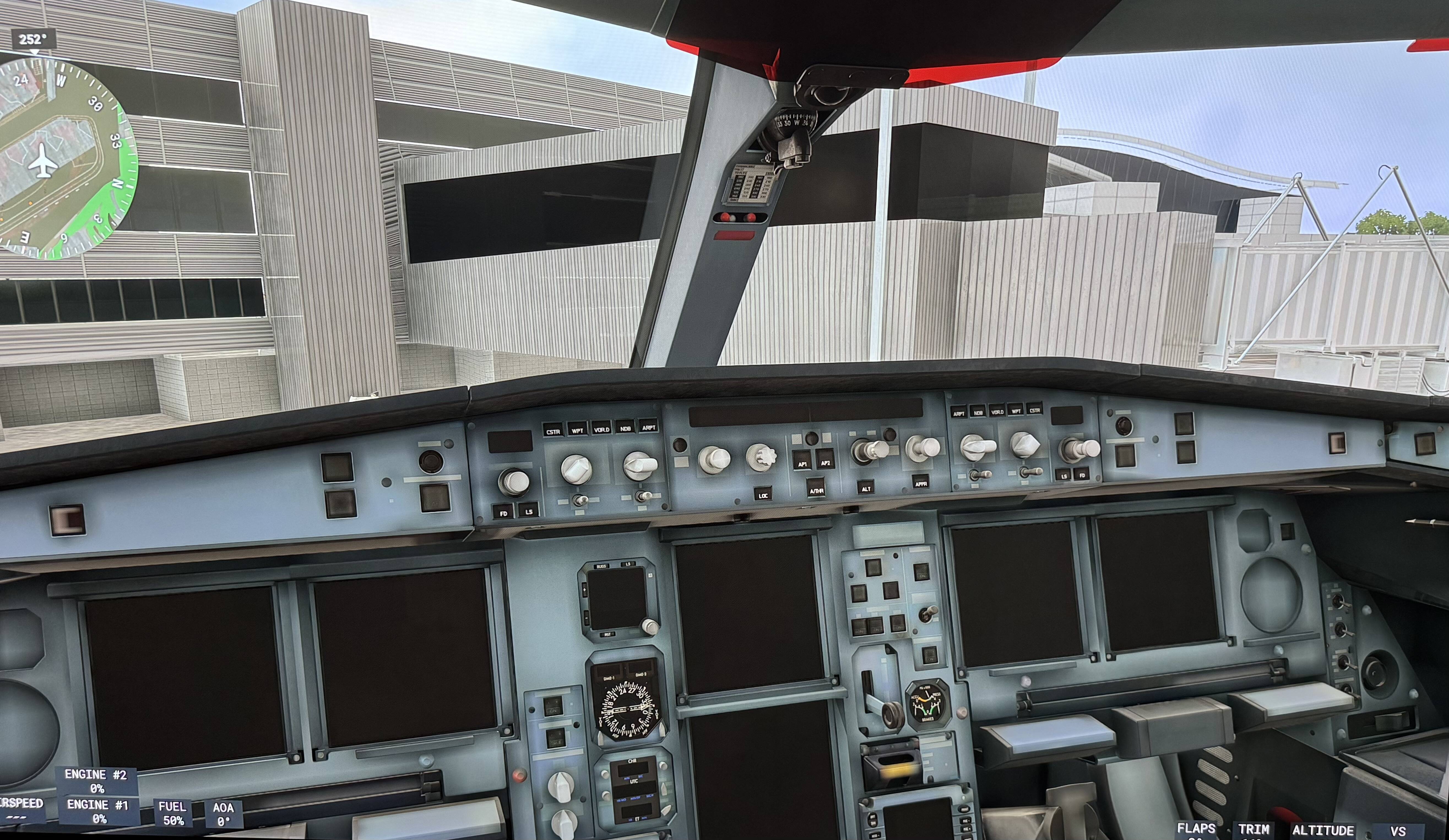
After SU5 on PS5 the memory management of the Msfs 2024 is completely broken. The avionics constantly crashing (see here G1000/3000 crashes/reboots regularly - #144 even more than in SU4) in every modern plane got way worse. Some missions aren’t playable anymore at all: Take for example the heavy cargo golden mission (the one with the A330): even on a freshly booted msfs 2024 on a freshly booted ps5 you get upon loading in the “running low of memory, disabling avionics” message. After that you find yourself in a cockpit with black screens and a black EFB. If you try to do a airline mission with the Boeing 737 Max 8 (e.g. from stansted) of a freshly booted msfs you get the same: low memory, avionics offline, efb black… unplayable !!!
Even on more simple planes (e.g. the Cessna 208B or the globemaster) you get these black screens if you don’t reboot the msfs after some successful flights. (Obviously memory leaks accumulating in this case. If there are too much, even the more simple planes don’t fit anymore in the memory. And the complex ones like the a330 or the 737 don’t work even work at all anymore even on freshly booted msfs instances). Even the most simple planes have constantly rebooting/aligning avionics, that are not usable at all (e.g. cessna citation longitude). It was already bad in SU4 and an extreme gamebreaker, but now it is completely over.
It is obvious, that the whole memorymanagement of the msfs 2024 on the ps5 is completely broken since SU5. I did not find any flyable mission for my Boeing 737… maybe it is possible to find a small airport without any bigger RAM load, but in general the bigger more complex planes are completely unflyable. We paid for this game more than two AAA games!
FREQUENCY OF ISSUE
How often does this occur for you (Example: Just once, every time on sim load, intermittently)?
Always
REPRODUCTION STEPS
Please list clear steps you took in order to help our test team reproduce the same issue:
-
Example: try to do the golden heavy cargo unlock mission (see here: Broken first mission heavy cargo ps5 - #16 by Arzgebirg1679 )
-
Another example: Try to do a mission with the 737 max 8 from a bigger airport
-
Another example: Do a flight with the Cessna citation longitude and see the avionics constantly rebooting and the autothrust disconnecting randomly.
ALL examples probably a symptom of the same issue: Broken Memory Management!
YOUR SETTINGS
PS5
It seems that GPU use has gone up in this release - it’s giving us issues very widely on Xbox too - although well optimised aircraft help. We’re lucky enough to have the PMDG aircraft - as you’ll find when you have them available, they perform much better than most of the stock aircraft.
But whilst there is stuff that works to help free up more GPU space ( I’ve found on Xbox a ROlling Cache of 16GB cleared every week or so, only streaming aircraft I fly frequently, installing the PMDG aircraft rather than streaming them, cutting down on live traffic, airport vehicles, static aircraft, ground workers, turning off photogrammetry ) -we’ve had time to have a lot of practice at doing this on Xbox - it seems our platforms are being pushed too close to the limit this time.. it definitely needs some developer intervention to help..
We on PS5 are not given the option to clear the rolling cache. The cache is there (you can see the used storage grow in the first days of playing until a ceiling niveau near 30GB) in the internal storage (not moveable to the additional SSD), but we are not given ANY option to clear it but to uninstall the whole game and re-download it.
Also the marketplace on ps5 is still rather empty. We are almost completely depending on the stock vehicles.
We paid (!!) for all those stock aircraft. We require them to be working as our real world money we paid for them works as well. Right know many carreer mode missions are barely playable due to poor memory management. Given the fact, that the msfs 2024 runs also on a xbox series S with only 12 gb of ram, it should surely run on a ps5 with its 16 GB RAM!
I could not find any working career mode mission with the 737 max 8 due to memory running low. The golden heavy cargo mission ia unplayable, due to this. The 208b and the globemaster had the same issues (the luckily worked on a fresh booted instamce without accumulated memoryleaks… bjt the 737 does not work at all anymore. She was okay in SU4) The whole memory system prevents playing right now. We paid for this!
How could this get through any quality assurance?
I share your pain - On Xbox we have to set our RC to 1 then back to the value we want which practically clears it - we have had to learn a lot about what we can do to make the sim work for us.
On Xbox and PS5, we depend on the devs giving us a base game we can work with as we can’t tweak like the PC users. So far it doesn’t feel like any of the dev team do any substantial testing on the Xbox or PS -if they did they would learn a lot which would benefit everyone.. I think they need a couple of Xbox and PS5 testers on their staff so they can give us a good base with a few tailored options to adjust performance.
I’m still - even now - shocked at the standard of QA we’re getting - and right after an extensive Xbox/pC beta programme where many of the isssues were highlighted - on PS it looks like there were only a few days of beta? (an afterthought…)
Yeah, we can’t even adjust the size of the rolling cache. All options hidden away from us. But it worked well for me in SU4 even after reaching the ceiling level of the cache size. I guess, this isn’t the issue. It is the RAM usage and managment, that is completely dysfunctional right now.
Yes, we on ps5 got only a week of beta testing, and if you don’t had the chance to test and give feedback, we see what disaster we get. I don’t understand why the introduction of psvr was more important, than delivering an actually working game.
As Yoda said: Do it, or do not…. there is no try.
I agree with OP post. We do have a cache that we can clear by holding the power button, then your ps5 enters safe mode, giving you the option to clear cache and rebuilt the database. However that sayd, WE SHOULD not have to this everytime we want to fly and by the way. I tried it and it does not makes any difference on my PS5 Pro…
I wish we could revert back to SU4… SU5 still needs some baking in the oven IMO… At least for us Playstation users…
As far as I tried clearing the console’s system cache by the way you described it does not clear the msfs rolling cache (at least it did not reduce the dozens GB of occupied memory on my storage).
WE NEED A HOTFIX NOW. Right now any complex plane like the A330 or the 737 Max 8 (Asobo) is not flyable due to the memory issues causing all avionics to be disabled.
SU5 should have improved the situation for us (rebooting avionics etc.), and not make the game complete unplayable !!! HOTFIX NEEDED! It is not bearable to make us wait until SU6 or later.
In fact, i was thinking about upgrading my msfs version to the aviator edition, but I will not give MS/Asobo more money unless the PS players are not treated second class anymore by not testing the release builts internally properly. If any internal testplayer would have tried eg. the new golden heavy cargo unlock mission (a good example, which shows it perfectly and reproducably) this would have been noticed before ruining the gameplay for all PS5-players by making the complex planes having shut down avionics.
Right now, the current state of the game is unplayable - bigger planes have disabled avionics (black screens) and smaller planes with glass cockpits have constantly rebooting avionics… UNPLAYABLE !!!
On PS5, you can clear the cache by completely restarting the console or by performing a hard reset. Hold down the power button for 5 seconds, and you will see a message that says “Clear console cache.”
My avionics on large planes works for 1-2 flights, then it shows the memory cache is full) and it won’t work in any way except rebooting the console, I really need an update to fix it.
I can only confirm what the other members say!! Su5 is a compete catastrophy on PS 5!!
Either a quick hotfix needed or back to SU4!!!
Clearing the console cache does not clear the rolling cache of the msfs. It clears only the ps OS cache.
Anyway, this is not root cause of the issue. The root cause is broken RAM management of the msfs on ps5. Complete disaster on ps5 since su5.
Su4 was already bad (repeatingly rebooting avionics, which drives me crazy and renders the planes almost unflyable) but SU5 made it even worse (more reboots on some planes, completely disabled avionics on other planes) !!! Is this a bad joke? Unplayable !!!
It is disturbing to find oversized cargo non-functional on PS5 after waiting for it to become available for so long. Clearing the console cahè via a hard-reset option does not provide the expected outcome consistently, over and above the fact that it mostly helps for a very short period of time only. It is not a practical solution. Sad, very sad.
We need a hotfix before SU6! There is no way to keep it that way until the next major update.
It is not the individual planes, that are broken - it the base game in the background and its memory management, that is broken. ALL avionics subsystems must be prioritized in the RAM before using any RAM space for trees and shiny reflections. Disabled or constantly rebooting avionics render every modern plane unflyable and worthless. (The memory management was already broken in SU4, see the all the constantly rebooting avionics, Autothrust disconnects, diconnecting APP mode ILS systems (while in the middle of a glideslope), etc. we already saw in SU4. But they made it even worse with SU5.)
We paid for that game and right know it is a complete disaster due to be not being tested obviously. And we paid a super-duper premium price for the msfs on ps5 compared to other AAA titles! No other AAA game is that expensive - and they actually work! Remember: It’s been half a year since the release on PS5. I’d expect a working game in that time !!! We paid full price for this!
I’m wondering how much time it will take to fix the memory cache issue, because honestly, I don’t want to play or constantly have to restart the console.
Added Xbox to the threadname and the tags.
Thanks ! It’s just horrible this bug… I want just play !
So do we all,… and we deserve it, because we paid full price for it. We deserve well tested builts!
I think #XPlane run better !
I’m effected as well. Even the lowest value of all graphic settings generating avionics memory blackouts. After change from camera view, the whole graphics have to render again for 5-10 sec until the whole interface is clearly back