For me on PS5 all avionics (e.g. in 737 or a330) of big planes start black and stay black. In more simple planes (e.g. cessna longitude) they keep rebooting partially every few seconds. It depends how complex the plane is, I guess.


 . Xbox cold and dark > I open MSFS2024, ramdom airport and plane… and… tada ! Memory ressources beginning to fall…
Is that the Inibuilds A300 or the A310? What other aircraft have you tried?
I have the same RAM memory issue on a standard PS5 when flying VIP Charter missions in Career mode with the Cessna Citation Longitude. The avionics crashes regularly. And about 50% into a 3-hour flight, the mission loses track of where it is (stops updating and no further announcements of the next mission waypoint). So for example, when it is time for descent, the simulator does not know that the descent step has been reached. It;s just silent. So the memory issue on PS5 is not just avionics - it sabotages the entire mission.
Does anyone have better luck on PS5 Pro (which has 18 GB of RAM instead of 16 GB in the normal PS5)? Or does the 2 extra GB of RAM dedicated to the PlayStation operating system on PS5 Pro not help? You would think that perhaps having 16 GB allocated just for games would help a little?
One tip I can give you all which has been working for me is to let everything stream in that has got to stream in when spawning into an airport. Wait a while before pressing ready to fly. If the low memory warning appears, just walk around the aircraft until all scenery and objects have loaded in. Usually, once you get into the aircraft and everything else has streamed in ok, it usually works fine then. then. I’ve managed 2 or 3 long hauls in the 777 by doing this. Don’t get straight into the aircraft when the low memory warning appears. Give it a good 30 seconds to a minute before getting into the cockpit. Hope this helps.
Tried that, unfortunately it did not work for me.
Which aircraft are you having problems with?
A330 and Boeing 737 Max 8 (Asobo) didn’t boot their avionics at all, regardless how long I gave the game properly load everything.
I also flew the longitude, which was a pain with avionics and autothrust constantly rebooting/aligning/crashing. Then I gave up for that day. To me the state of the game is currently: unplayable / unenjoyable
I consider the following issues to be tied to the broken memory management. I guess these are symptoms of the same thing. They were already bad in SU4 but got worse in SU5.
Man Low memory ?What did we do to deserve this  Man it’s unplayable
I am reporting a specific “Memory Resources Low” and avionics blackout event occurring exactly at the moment of touchdown. While the A320v2 is generally more stable than other airliners, it appears to hit a memory limit at high-density handcrafted airports like EHAM.
During a flight from EGPH (Edinburgh) to EHAM (Amsterdam Schiphol), the sim performed perfectly with high-quality scenery throughout the flight. However, the moment the wheels touched the tarmac on Runway 27 at EHAM, the “Low Memory” warning appeared and all cockpit screens went black immediately.
Description of the issue: VRAM/Memory exhaustion triggered by touchdown effects and high-detail airport assets loading at EHAM on Xbox Series X.
FREQUENCY OF ISSUE
Once (First occurrence on this specific route/airport combination since SU5).
REPRODUCTION STEPS
-
Launch MSFS 2024 on Xbox Series X.
-
Select the A320v2.
-
Fly a route from a medium-detail airport (e.g., EGPH) to a high-detail handcrafted airport (e.g., EHAM).
-
Conduct a full approach and landing on Runway 27.
-
Observe the “Memory Resources Low” warning and total avionics blackout at the exact moment of touchdown.
YOUR SETTINGS
-
Platform: Xbox Series X
-
Peripherals: Thrustmaster TCA Airbus Yoke and Thrustmaster TCA Quadrant
-
Connection: Hard-wired (Ethernet) @ 400+ Mbps
-
Rolling Cache: Enabled (16GB)
-
Troubleshooting: Full clean re-install performed since SU5; all caches cleared.
I’m genuinely shocked MS is trying to make this sim, that includes complex airliners, work on consoles with 16gb total shared memory.
Look at some of the PC specs of users that are struggling. Far beyond console specs.
Its happening everywhere in all modes and usually tied to larger airliner AC
Currently can’t find a work around
Can’t do any heavy cargo longer than 4 hrs.
The honeymoon was short and sweet, looks like back to GA in career mode until the heavies are ready, until the devs ack and fix.
did that still dont work… call it what it is, su5 is hot garbage, at least with su4 the game was playable, su5, i tried 3x and just rage quit… i shouldnt have to wait months for su6, I want a full refund at this point.
I’ll share my experience on Xbox since 2020.
MSFS on consoles with more complex add-ons has no future. Asobo is constantly chasing its own tail, and it’s always this rollercoaster of performance gains in one SU and performance losses in another.
It got to a point where I got tired. I built a PC and stopped stressing and falling for the “things will be better someday” line.
Six years have passed, the studio has many experienced people, and the mistakes are the same. There’s been no learning from this. They didn’t learn in 6 years, they won’t learn in 10.
Buy a PC and avoid the headache that I and many others have had over the years.
I got the error message and had the avionics shut down in the classic C172 with just the GNS530/430. I had just landed at the Inibuilds KJFK.
Easy to say which is ich Xbox player don’t want to have a pc?? Msfs2020 for Xbox was a nightmare 2024 is the next
I also think a big part of this is the hardware just can’t keep up. But the devs are in a spot where they have to make it work, but sometimes technical hurdles make that nearly impossible.
I agree with your advice. I dealt with these issues on Xbox Series X daily for 2 years, and in Dec. 2023 moved to PC. Since then, I’ve had no black screens and far fewer CTDs. The experience isn’t perfect (nothing ever is), but it’s head and shoulders above what’s going on with consoles if you’re using any sort of complex addons (or even more complicated base content).
We’ve seen instability, black screens, and memory problems for many years on Xbox. It’s just baffling that they’d extend these issues further by bringing the platform to PS5 without a full solution.
Xbox X SU5 1.7.27.0
After a full weekend of testing I can now confidently say that the new memory threading technique introduced in SU5 has rendered MSFS2024 unusable for me on Xbox.
I tested multiple long-haul flights this past weekend using the same standard I do on all my flights in SU4. Live traffic, live weather, filed flight plan on EFB and in-game ATC. All of these worked flawlessly in SU4.
Now pushing the sim this weekend on an A350 flight from KLAX/KJFK-RJTT, only 1/5 of them was completed successfully. The inconsistency and instability introduced in the new memory management makes the game unplayable and unreliable. Why should I going to fly for 12 hours if there is a good chance my system is gonna crash out at any given moment?
Here are several screenshots taken throughout the weekend showing the constant failings of the new memory management….often times before a flight has even loaded as we can see.


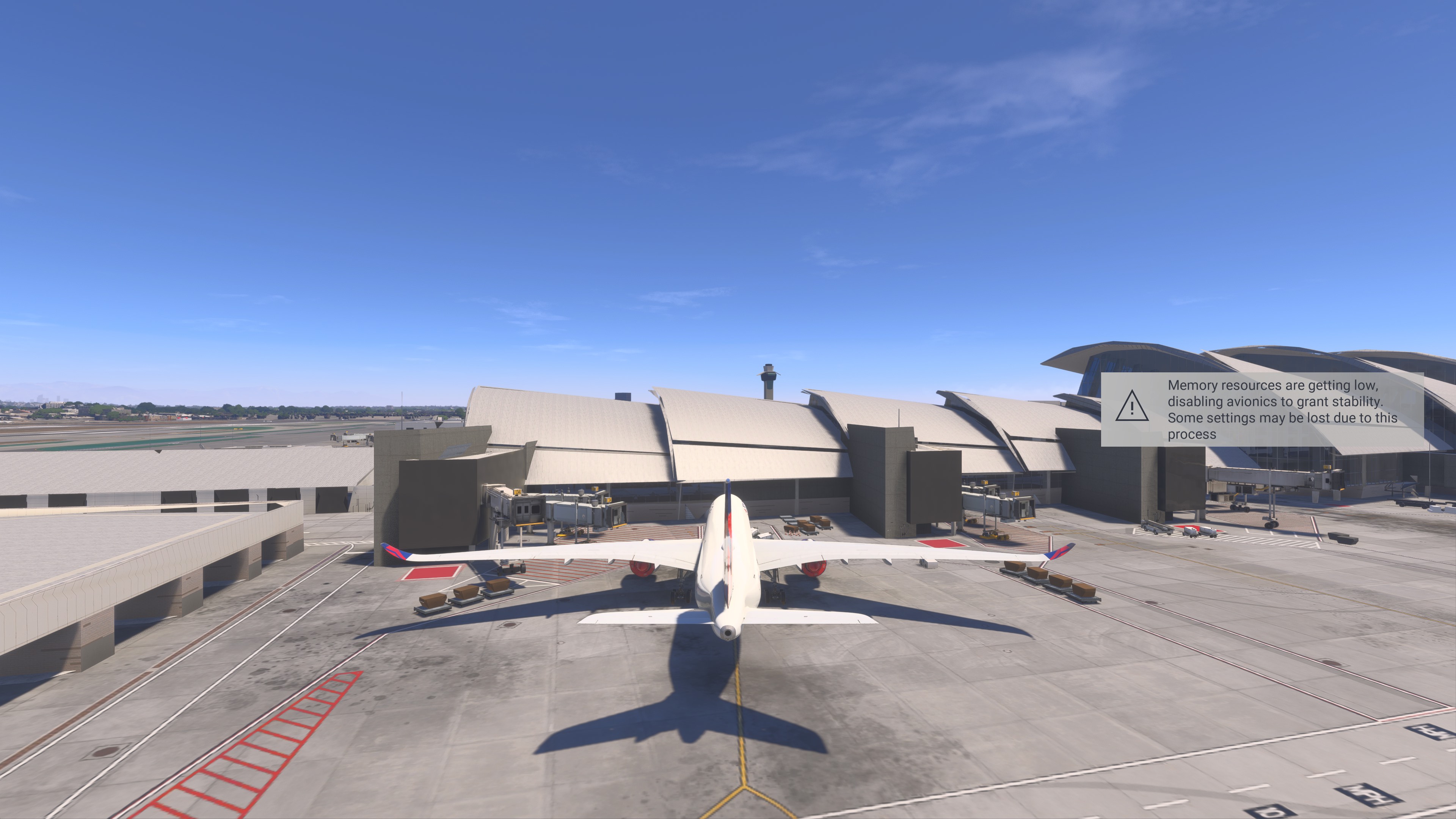
Other areas of failure in SU5….that worked reliably well in hindsight now during the 5 months or so of SU4 we had to enjoy the sim are as follows…
-
Overly aggressive and memory draining LOD management. This leads to poor texture quality and the constant blurring and rendering of textures even split-seconds apart from looking away. This is happening constantly and has started to hurt my eyes. It’s like it doesn’t know when to stop until it drains all memory.
-
The draw distance for LIVE and AI traffic as well as small airfield objects such as taxiway lights and signs is extremely short and only appear when you are right on them. This defeats the purpose and kills immersion.
-
Complex WASM-based aircraft are no longer flyable, as seen above in First and Third party aircraft, the new memory management technique in SU5 does not support them as did SU4.
As others have stated this weekend in these threads, Xbox specific coding/updates are likely needed going forward to help make the game playable on Xbox.
The current Sim Update is not acceptable.
–NN
All planes…