they can test that by now before the release.
Marwan also tested this very aircraft on Xbox before release. He posted on the discord about it and various other devs have been testing their addons on xbox beore release recently.
they can test that by now before the release.
Marwan also tested this very aircraft on Xbox before release. He posted on the discord about it and various other devs have been testing their addons on xbox beore release recently.
Nope, it doesn’t work. Also there is no control to bind anything to, that puts the throttle to cut off position. There is a “Throttle Cut” option but that’s the idle position only (A+B by default). So this is literally a feature that doesn’t exist in the sim. The only workaround, if you don’t have a mouse, is to remove all fuel via the top bar menu, that makes the engines stop. 
I meant the sim itself and not add-ons. I hear a lot of complaints about crash to dashboard in xbox. On pc i understand this may be due to user error and incompatible add-ons, unsupported hardware, os issue etc. But on xbox this should not happen, it’s one of the benefits of the platform being closed down. But somehow it still happens. But yes, when it comes to add-ons, most small Devs may not have an XBOX and certainly not an XBOX dev kit.
There is definitely some stuttering when panning the camera around and switching views on Series X.
It seems contained to just the aircraft, as the terrain outside the windows doesn’t stutter and if I switch to external view, it doesn’t do it outside the aircraft, either.
Perhaps related to the glass cockpit instruments? Have you tried chnging the glass instrument performance option in Graphics Options and checked out the effect of that?
I think there’s also some option you can turn on in Dev mode as well that helps with performance of glass instruments (personally, I hate that concept of having options in Dev mode given that when in Dev mode your flight isn’t recorded in your logbook).
We, Xbox users, unfortunately have zero options of that nature and do not have Dev mode, either.
It was definitely a good thought, though.
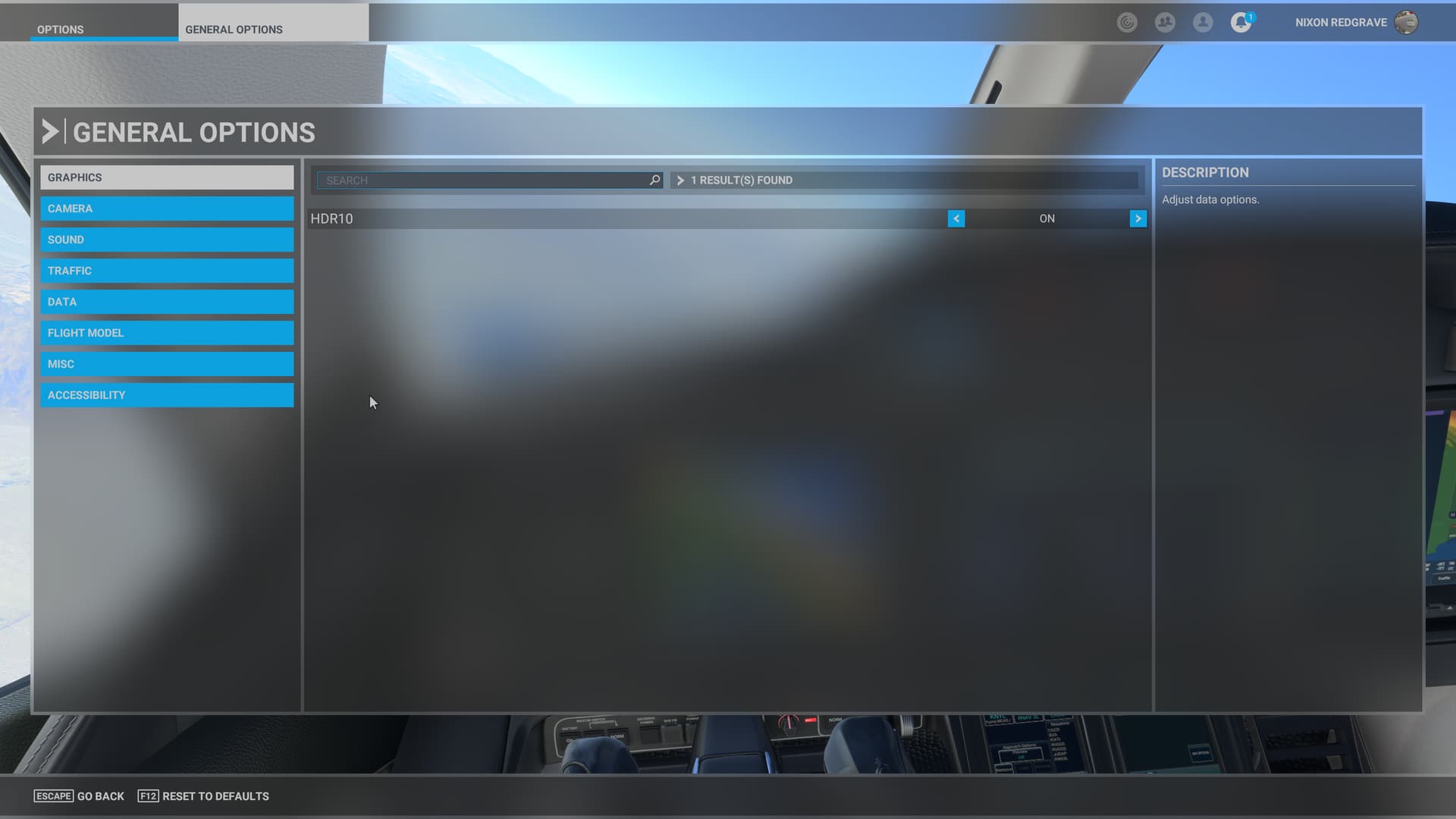
Are you sure? Check in Options / Graphics at the bottom of the list.
I don’t have an Xbox, but this has been an option since update 3 I think, maybe earlier. It basically reduces draws to the glass screen.
Lack of Dev mode, though, yeah, I should have thought of that.
Yes, I’m sure. All we have under graphics is HDR10 on/off.
I love the freedom from constantly feeling like I need to fuss with settings sliders that the Xbox frees me from, but at times the lack of customization of settings is frustrating, too.
You cannot have it all…
Really, you can’t control terrain LOD and all the other options on the first options page, and control ultra settings or any of those things? I’m talking about the first options page where you can control all of the detail of the scenery etc… at the bottom is “Glass Cockpit Refresh Rate”
Same. I found it to be quite odd tbh.
Wow, that stinks.
Same here. Overspeeds easily at 60% throttle and 270kts….note that it’s accurate as the POH (found it online) clearly calls out the maximum cruise speed at various altitude and the 420kts you see advertised on the marketplace is at 43,000 feet altitude. Down at say 10,000 feet it’s in the 300kts range and goes lower from there as you get down to say 3,000 feet….lots of data in the POH with tables showing the speed ranges and setup for normal cruise and high speed cruise.
Thanks for the info. Good to know that it’s true to the real ac then. This being the case, then I will keep stress damage activated. Don’t really fly jets so my knowledge here is pretty limited. Props are more my thing.
Looking forward to reading the user guide when it’s ready though. It all adds to the immersion 
thanks - so assume its ok if I keep the mod installed(it wont clash)?
hearing the 750 mod (pns) is clashing and needs to be removed(is this correct)?
also (have a navigraph subs) where can I activate it?
It didn’t seem to cause a problem for me…
I have the tdssim version of the gtnxi750 and it’s causing a conflict so I have to deactivate it in order for the g3000 units to work properly on the Hjet. Oh, and in VR it’s not possible to zoom in on the cockpit and the text isn’t very legible (this in the aero headset)….but the developer mentioned today he didn’t test in Vr and knows about some of these things already and they are on the list for future updates.
Interesting. I also use the tdssim GTN750nxi (in other planes) but I haven’t noticed any conflict with the G3000 in the HJet even when I have the tdssim version running (but not active).
What types of problems are you seeing just out of curiosity?
Some of the flight planning buttons (procedures for approach selection as one example are greyed out and not accessible). Weird and I don’t have this problem in the tbm930 which is using the wt g3000 mod and also with the tdssim gtnxi750 (so the executable file that runs in the background when MSFS starts up, I leave that running and the tbm930 g3000 works great, but the hjet version of the g3000 does not work). I’ll keep testing and maybe it’s some other mod interfering but the only other garmin mods I have are the g1000nxi from Asobo/wt/MSFS and the g3x from wt. I’m also getting an odd error in the hjet flight planning section of the g3000 that I have conflicting flight plans and to deactivate the current one. This all happens when I try to enter a simple Direct To and out in the airport code, execute it and then try to set up the approach (like an ILS to one of the available routes from the navigraph chart). Weird and it seemed to resolve itself when I turned off the tdssim gtn750 executable file that was running in the background….but if you have not seen this then perhaps I need to test more to see if I can recreate this a few more times to rule out something else.
Enjoyed a one hour flight around the Bahamas this evening. As a GA flyer I really enjoyed the jet.
There are some rough edges - mismatches between autopilot and PFD information. Some problems with control hotspots - menu buttons hitting nearby rotary controls instead.
But on the whole I got to grips with it. Managing a climb to 40,000 and then a descent and surprisingly successful landing.
I still don’t understand some of the data stuff to do with weight, the sim, and the plane. But I guess I’ll learn. Is there a manual anywhere?