Given that I’ve found the problem for me to be that it won’t load as well after long flights, it feels like a memory issue is preventing the loading of the layers between low and high detail so it gets stuck on low until it’s time to load high. One area I find interesting is around Geneva where the textures load in but the immediately unload again as it seems to decide that it can’t actually cope and unloads them before trying again
1 Like
That is, for me, an explanation for the Scenery Degradation all over the place.
People in FS2020 did also suffer from that Degradation.
I would say, the degradatiopn is about 50%.
Now, that is not Legal, they can not change FS2024/2020 Product base, and just use another Source that is worst than before.
So, there is room for Legal disputy,
It gives me the impression that some textures aren’t loading—or at least not fast enough to be render in time.
You should try opening the dev mode console when this happens to see if there are any error messages related to texture loading.
That’s impressively fast though, you would not survive playing this game on Xbox lol
On console this happens magnitudes slower, can’t wait to get the Helix next year
1 Like
A whole block around a POI in Copenhagen, Denmark (Amalienborg) has gone generic instead of photogrammetry.
I understand your point, but this time I’m not trying to figure out why the mountains disappear and have to be rendered again after switching views. I already know the issue isn’t on my side or on the side of other flight simmers. I’m also not looking for an explanation or speculation about what might be causing it. What matters to me is that Asobo recognizes the issue and fixes it.
2 Likes
My concern is that MSFS/Asobo seem not to have seen (or do see) any of the above issues despite the previous Beta feedback, hence only putting out a survey this week into perceived degradation of terrain/LOD in relation to what they see as scattered reports of problems. Hopefully, this thread is useful to them.
1 Like
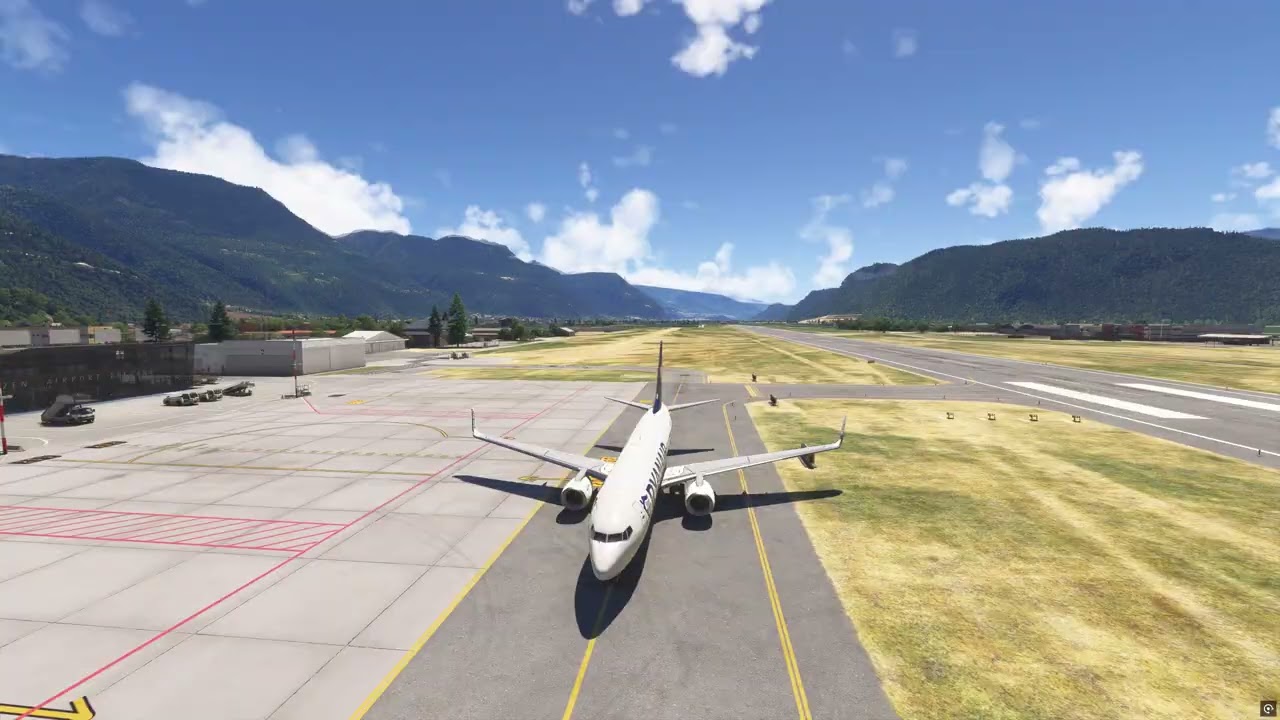
For comparison, here is how changing views looks in MSFS 2020

MSFS 2024 SU6 beta
6 Likes
From the April 15, 2026 Developer Livestream at 46:40, Q&A World & Weather
(Note youtube links with timestamps seem to be stripped out by the forum software, so you have to find the time marker manually …)
Question: In the October Developer Livestream you mentioned you were working with the Asobo Art Director to improve the scenery using a mix of both the original 2020 aerials (SU15 and earlier) and the 2024 aerials, picking whichever looked the best of the two. Can you share a status upate about htis? When can we expect to see this “best of both worlds” solution live in the sim?
Jorg: (uncomfortably…) Yeah, so World is near and dear to my heart as you probably know, so, I honestly don’t know the answer. So we’re currently obviously focussed on some other topics. This is something I really would like to do, but … So the Bing Team … we had one data provider for aerials, it’s now switching to another. And that is good and bad for us.
I would say it’s good for us in that we have much better control over what is going on. Meaning, because we share our data with Bing, and for us to convince them to do something to their data was a little bit difficult, quite frankly. Now we are sort of having our own think about as a shard of that data (hard to understand what he said) so we can do it but it needs to be really carefully done.
So I’m not sure exactly when this is going to happen. It’s not to say it won’t happen. I want it to happen, but whether or not it’s this year or next year, I’m not 100% sure because we don’t really… So we’ve collected everything that was in the community thread about the areas. And frankly, you know, selfishly speaking, one of my favorite places in the world is Kindlevald in Switzerland. And it doesn’t look that good right now, like it looked better in 2020 and it makes me really sad because the the 2020 images were from the summer and the the 2024 images were from fall where everything is yelloe, it’s like, oh great…
And here is the previous discussion in the October 2025 Developer Stream at 7:13 with some more details about Bing aerials…
I’m realizing it’s likely none of this happened - Jorg must feel pressure to promise things long before they can or will happen, but it then creates expectations and disappointment.
I think what is most likely is due to financial constraints (artificial constraints) Bing is serving up lower res imagery to reduce costs. I could be wrong, but it would explain things…
2 Likes
I wasn’t going to respond to this post because the question seems incomplete and I also haven’t done enough testing. I will say that LOD and textures seem fine and even great in some locations. I’ve been flying the recent world update areas (WU22 and CU13 mostly) and even my flight across rural Tennessee looked very good to me.
Today was a different story as I set out from Linden NJ just west of downtown NY NY and flew to an addon that I recently purchased – none of which was in the RC. Things looked fine enough until I got to Bridgeport which looked kinda sick and then I approached ‘visual 02’ at KHVN new Haven and , as I did, as I descended on approach,the whole scene redrew itself. the airport never completely appeared and cars in the parking lots were flashing slowly on and off. I made the assumption that the addon simply wasn’t yet compatible with SU6 and disabled all of my addons so I could refly the flight tomorrow. It’ll probably be better simply due to the cache.
bottom line for me I guess is that it is still location dependent (and addons dependent until I find otherwise)
EDIT: sometimes I wonder if AIRAC updates and navdata errors cause stutters.
This is precisely what I’ve been complaining about since SU 5.
Had my my first experierence of poor terrain today in a very very long time.
-
Your platform : PC / MSStore, more details below.
-
What aircraft you were flying: Joby Aviation Joby S4.
-
The geographic location: Flying north along the Little Missouri River from the Painted Canyon Visitor Cener (South Unit of Theodore Roosevelt National Park) to the North Unit of the park (off US 85 / ND200, south of Watford). Exact coordinates provided below.
-
Were you using any third-party airport or scenery add-on products? Yes, details given below.
-
The phase of flight when you encountered the LOD reduction: Cruise, ~ 140 Knots, 3,000 ft AGL.
-
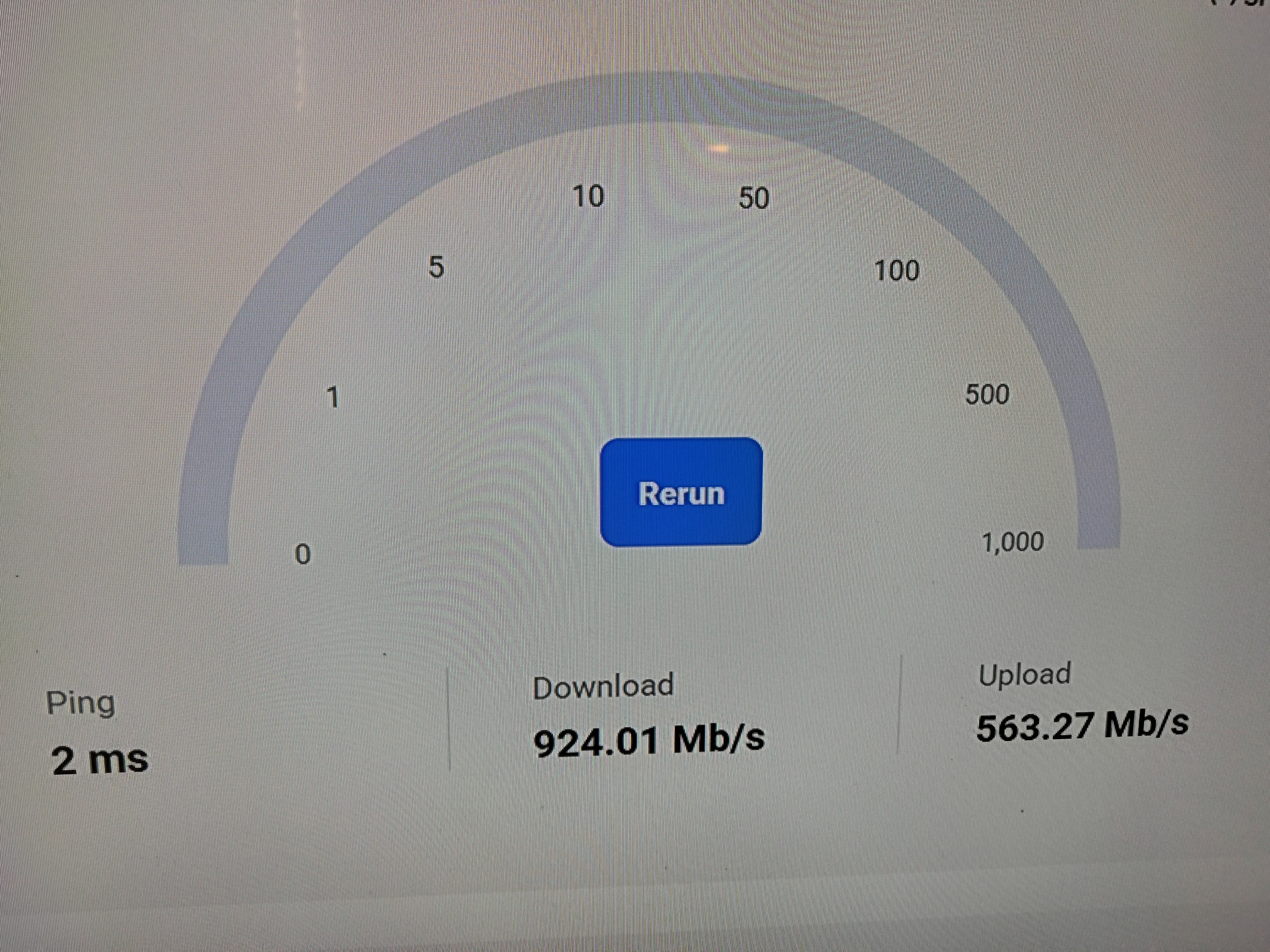
Your internet connection speed. Don’t have a screenshot from that time-period, but was monitoring the Internet connection in the Task Manager widget during that portion of the flight. Download speeds (Receive) ranged from the low 10 Mbps to mid 50’s Mbps. More details about my connection given below.
-
Any other pertinent details:
First ,note that I’ve never flown in this area before, and always clear all caches & create a new rolling cache at the start of every beta build, so there should have been no data for this area in any cache on my PC prior to reaching this area.
This is the location of the following five screenshots in one group of 3 and a second group of two. Note the ground speed is shown as 18 knots as I’m in photo-mode at this point. Prior to entering this mode it was ~ 140 knots.
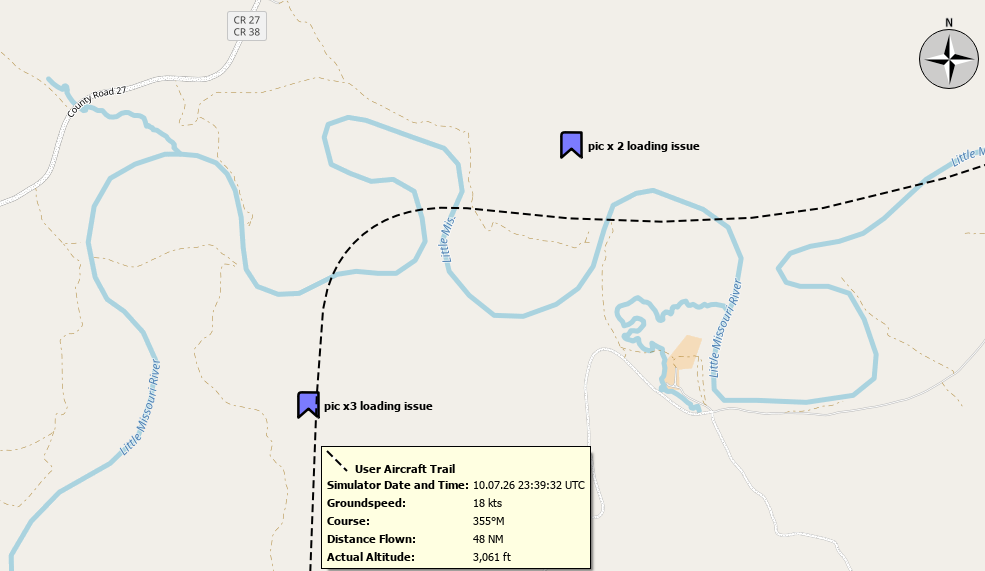
The first 3 (screenshots A1-3) are taken at 47.5076° N 103.6031° W, the second two (screenshots B1-2) at 47.5207° N 103.5813° W
The flight has been paused to take these screenshots using the Camera-Mode (the one that places white horizontal & vertical lines on the screen to help one compose the shot):
First notice the poor terrain rendering in the tiles directly in front of the aircraft:
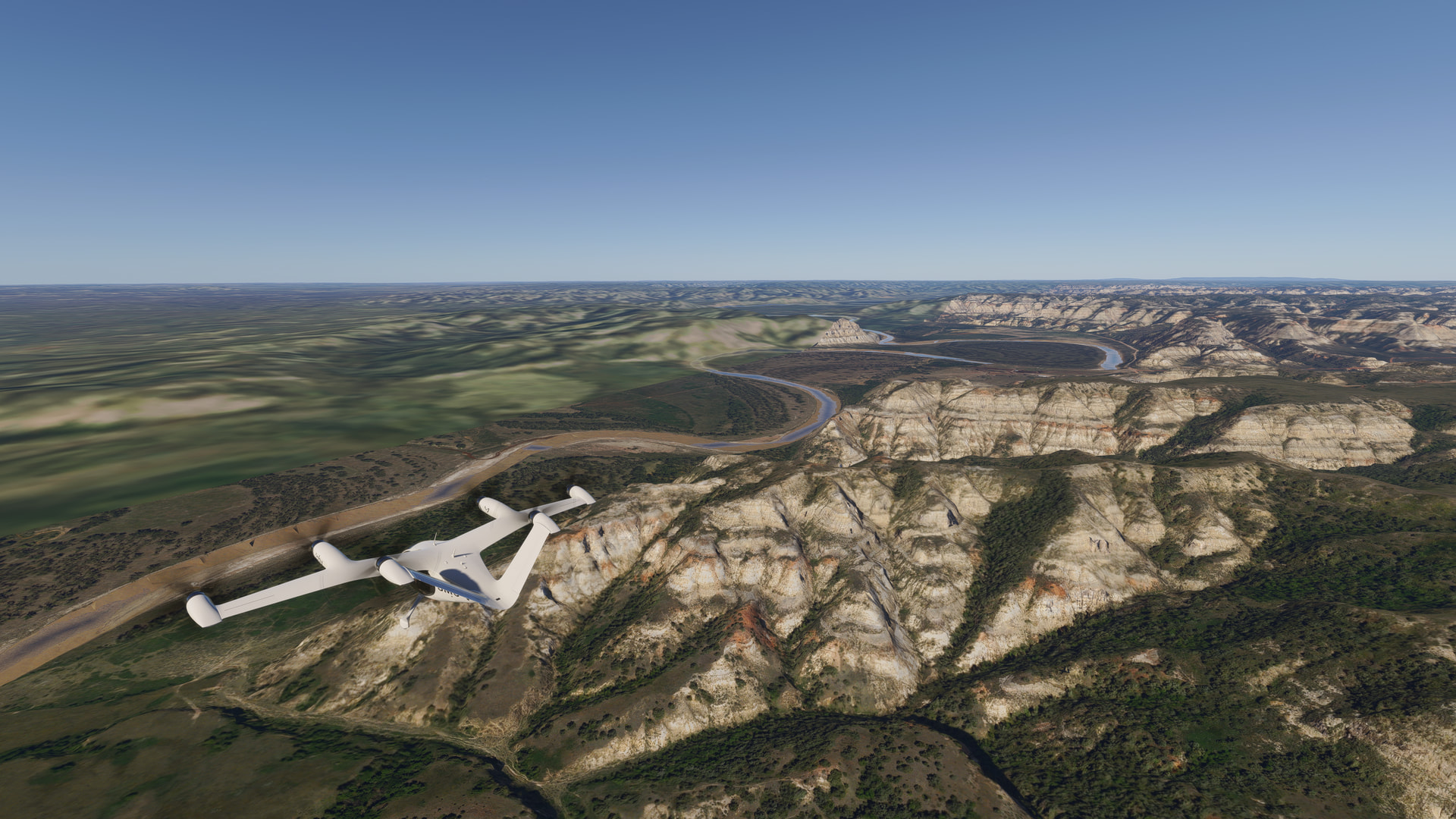
Camera-mode is enabled, and I’m watching the download speed in task manager - ~ 50-58 Mbps at this point, well below my maximum speeds of between ~ 250-400 Mbps. For example, tested just now at 06:04 UTC:

I wait for between 10-15 seconds before capturing the next shot, which shows that just some additional vegetation has loaded:
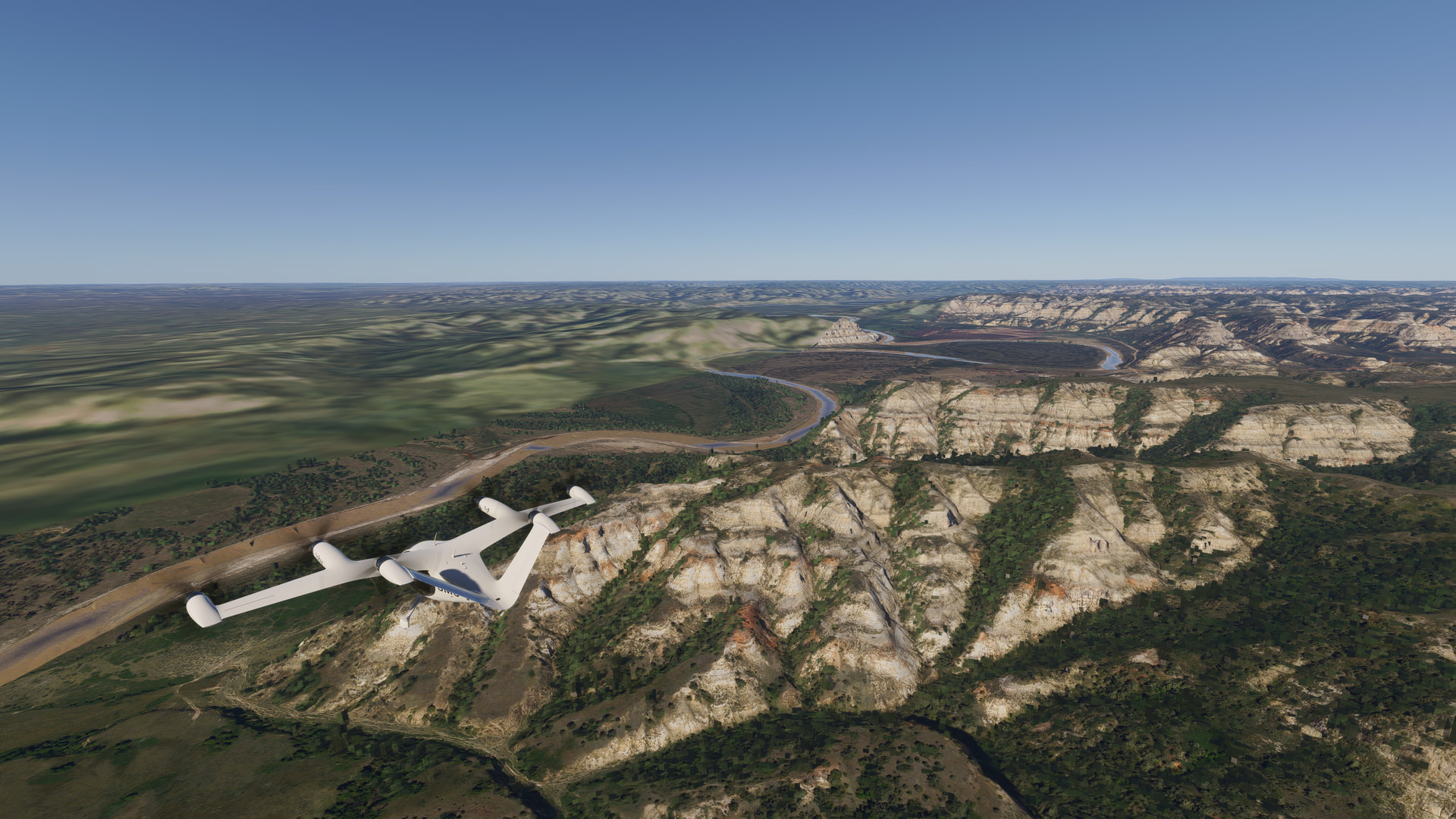
another wait for between 10-15 seconds before capturing the 3rd shot (all three shots show the same time stamp in file explorer):
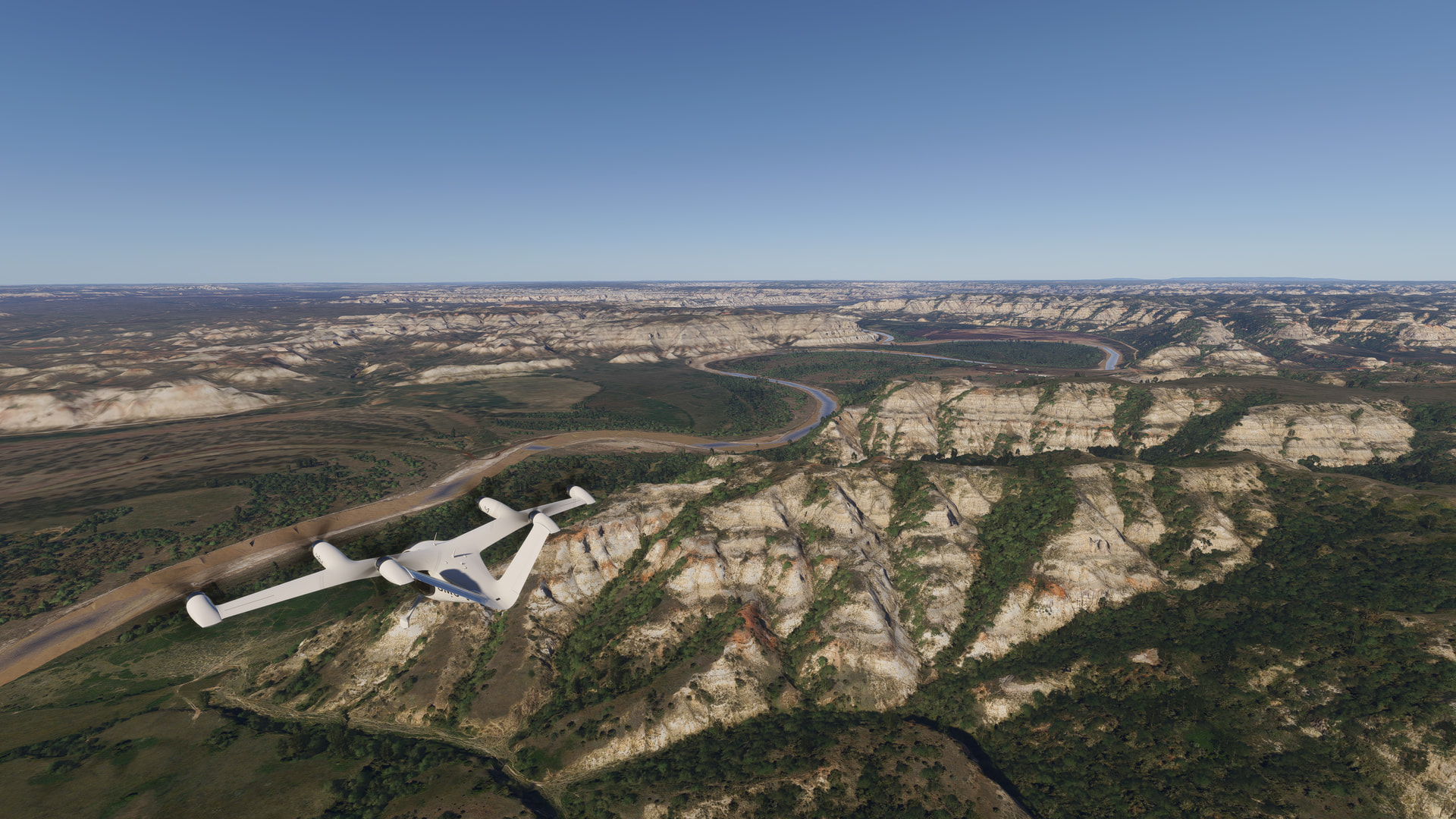
At this point the tiles are fully rendered and data download speed drops from the 50’s to the 10s Mbps.
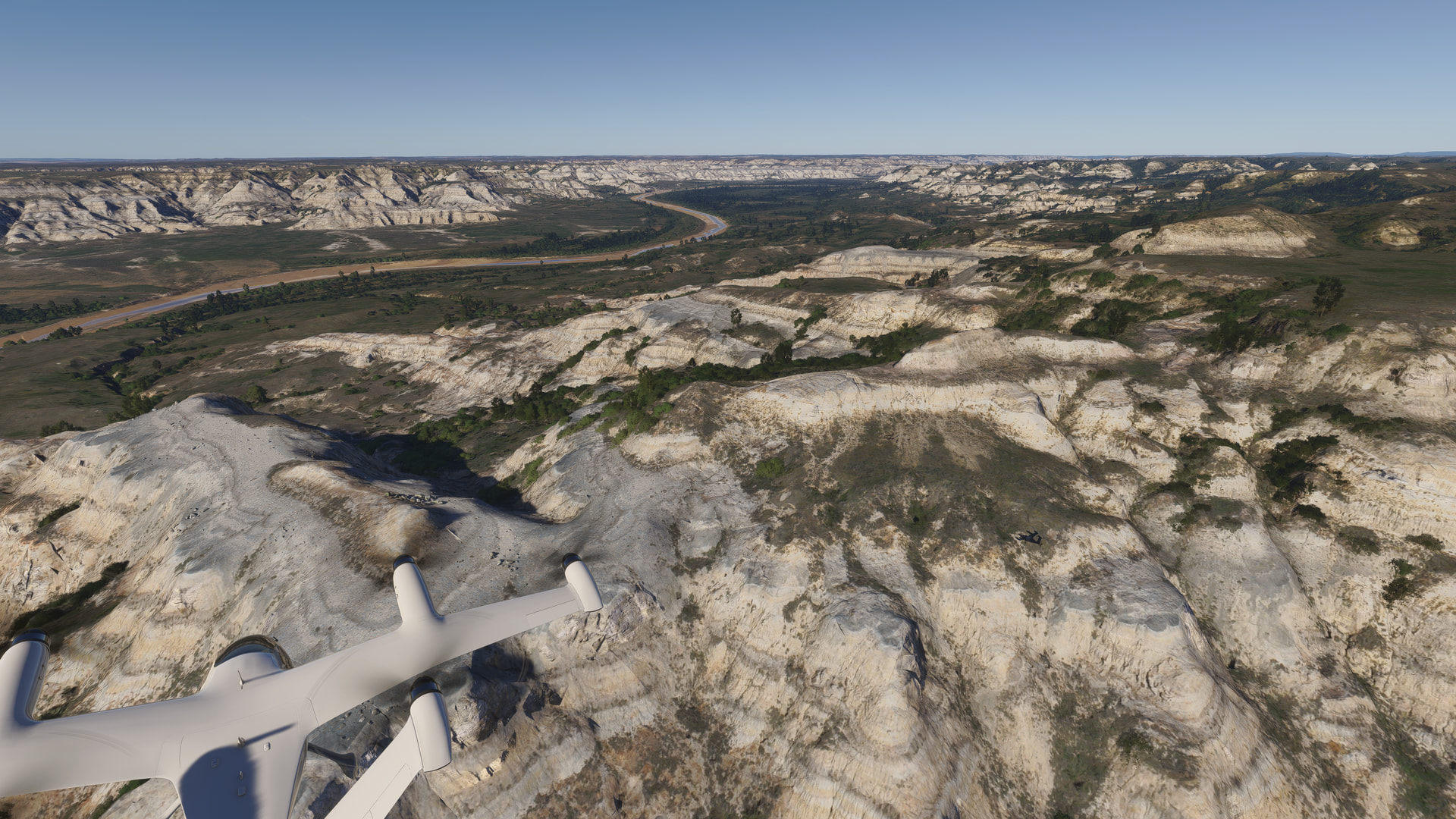
At the second site, I first see this - notice the lack of detail on the right-hand side.
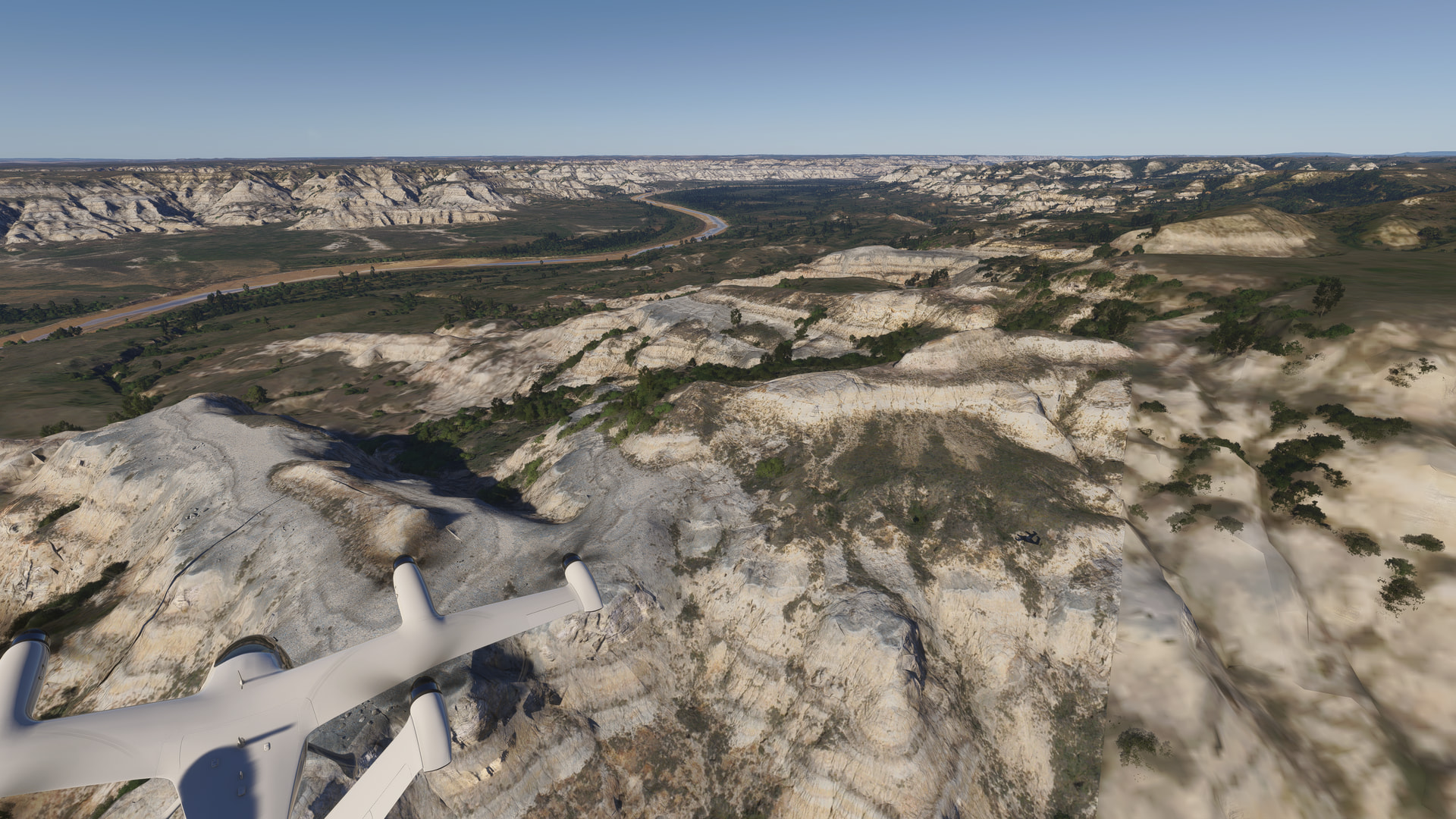
I follow the same steps as above. The second shot is taken ~ 10-15 seconds later, when the terrain is fully loaded. The same network load is noticed - speeds in the 50’s during loading, dropping to the 10’s once loaded:
IMO, this is does not appear to be a client issue - it is so rare that if caused on the client, I’d expect to see this much more often. It could be a network issue, or possibly something on the server-side, but that is pure speculation on my part.
Expand to see my basic PC specs:
| Item | Setting |
|---|---|
| CPU | i7-12700K (no overclocking or undervolting) |
| RAM | 32 GB 5200 MHz DDR5 CL40 RAM |
| GPU | AMD Radeon RX 9070 XT (16GB) Driver v32.0.23017.1001 (Adrenalin v26.1.1) |
| Rebar BIOS Setting | On |
| Main monitor (MSFS) | 55" Hisense U7 4K TV @ 120Hz |
| Secondary monitors (EFB, L.N.Map, etc.) | Two 32" 1080p 1360 x 768 @ 60 Hz |
| Internet | Starlink, with max download speeds of ~ 250-400 Mbps |
| Peripherals | Microsoft USB Natural Keyboard, Microsoft USB Wireless Intellimouse Explorer, Turtle Beach VelocityOne Flight Yoke & Rudder. |
| OS | Windows 11 Pro 25 H2 v26200.8655 + all OS updates. |
| MSFS 2024 Edition | MS Store Aviator + all WUs & CUs |
| Current Build Version | SU6 v1.8.5.0 |
| Downloaded Core Content | None (i.e., all Streamed) |
| Marketplace Addons (Streamed) | BijanStudio Seasons Enhanced 2024 v4.5.0, MamuDesign Marinas v0.9.3, Seafront Simulations Global Shipping 24 v1.3.0, Black Square Real Taxiways 2024 v0.1.0 |
| Community Addons (Local) | None |
| Community 2024 Addons (Local) | None |
Expand to see my graphics settings
| Item | Setting |
|---|---|
| Display Mode | Full Screen |
| HDR10 | On |
| Exposure Compensation | EV-1 |
| Full Screen Res | 3840 x 2160 |
| Anti-Aliasing | TAA |
| Render scaling | 100 |
| AMD FidelityFX Sharpening | 200 |
| Max Frame Rate | On |
| Max Frame Rate Value | 60 |
| Frame Generation | AMD FSR 3 |
| Framerate Multiplier | 2x (N/A) |
| VSync | Off (N/A) |
| VSync Interval | Monitor refresh rate (N/A) |
| Dynamic Settings | On |
| Frame Rate Target | 40 |
| - | - |
| Global Rendering Quality | Custom |
| Terrain LOD | 400 |
| Off Screen Terrain Pre-Cache | Ultra |
| Displacement Mapping | On |
| Buildings | High |
| Trees | Medium |
| Plants | High |
| Rocks | High |
| Grass | High |
| Object LOD | 200 |
| Volumetric Clouds | Ultra |
| Texture Resolution | High |
| Anisotropic Filtering | 16x |
| Water Waves | High |
| Raytraced Shadows | Off |
| Shadow Maps | 2048 |
| Terrain Shadows | 512 |
| Contact Shadows | High |
| Windshield Effects | Medium |
| Ambient Occulsion | High |
| Cubemap Reflections | 256 |
| Raymarched Reflections | Medium (reduces windshield reflections) |
| Light Shafts | Ultra |
| Depth of Field | Ultra |
| Motion Blur | Off |
| Visual Particle Effects Quality | High |
| Glass Cockpit Refresh Rate | High |
| Characters Quantity | Low |
| Characters Variety | Ultra |
| Characters Quality | Medium |
| Airport Services Quantity | Low |
| Airport Service Variety | Ultra |
| Parked Aircraft Quantity | Low |
| Parked Aircraft Variety | Ultra |
| Aircraft Traffic Quantity | Low |
| Aircraft Traffic Variety | Ultra |
| Road Traffic | Ultra |
| Sea Traffic | Off |
| Fauna | Ultra |
| Seatbelt Visibility | On |
Expand to see my other settings
| Item | Setting |
|---|---|
| Online Tab | |
| Photogrammetry | On |
| Aircraft Traffic Type | AI Offline Experimental |
| Air Traffic in Career | Off |
| Live Weather | On |
| Multiplayer | Off |
| Multiplayer Servers | Automatic [West USA] |
| Show MP aircraft in close proximity | Off |
| Multiplayer Replication Models | High Fidelity |
| Rolling Cache | 16GB |
| Bandwidth | Unlimited |
| Flight Model Tab | |
| Flight Model | Modern |
| Advanced Options Tab | |
| Developer Mode | Off (Dev FPS displayed by using the -showFramerate switch) |
2 Likes
Not sure, if that belongs here, but in the Florida Keys the shallow water detail is atrocious:
It’s just OK around the Fort at the end, anything else is a blurry mess from VFR height.
Edit:
It’s not only the Florida Keys but parts of the Carabean and most of the pacific archipelagios, except for bespocke ones like Bora Bora. Also visible in SU5.1 so not really a regression.
made a general bug report
2 Likes
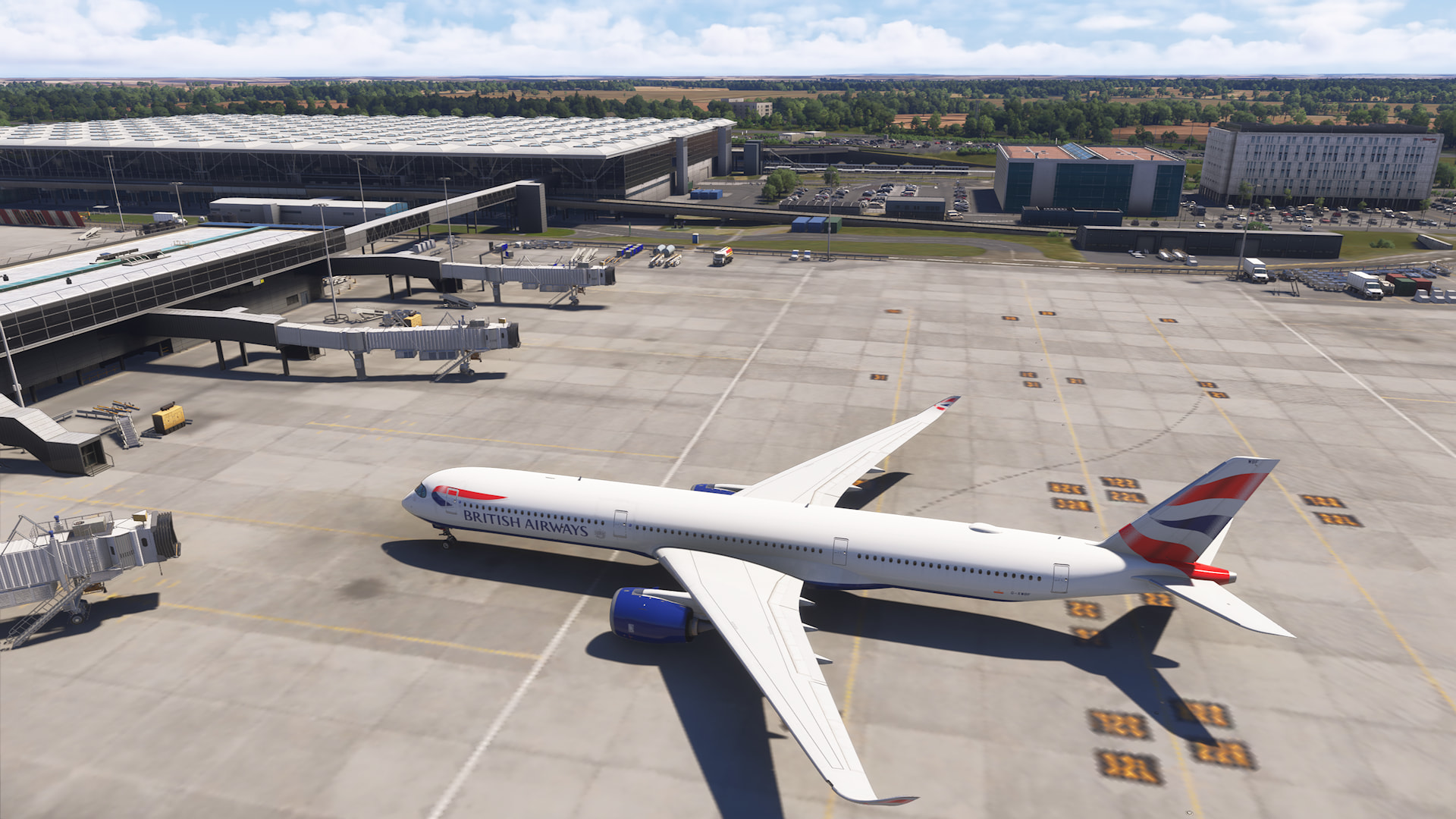
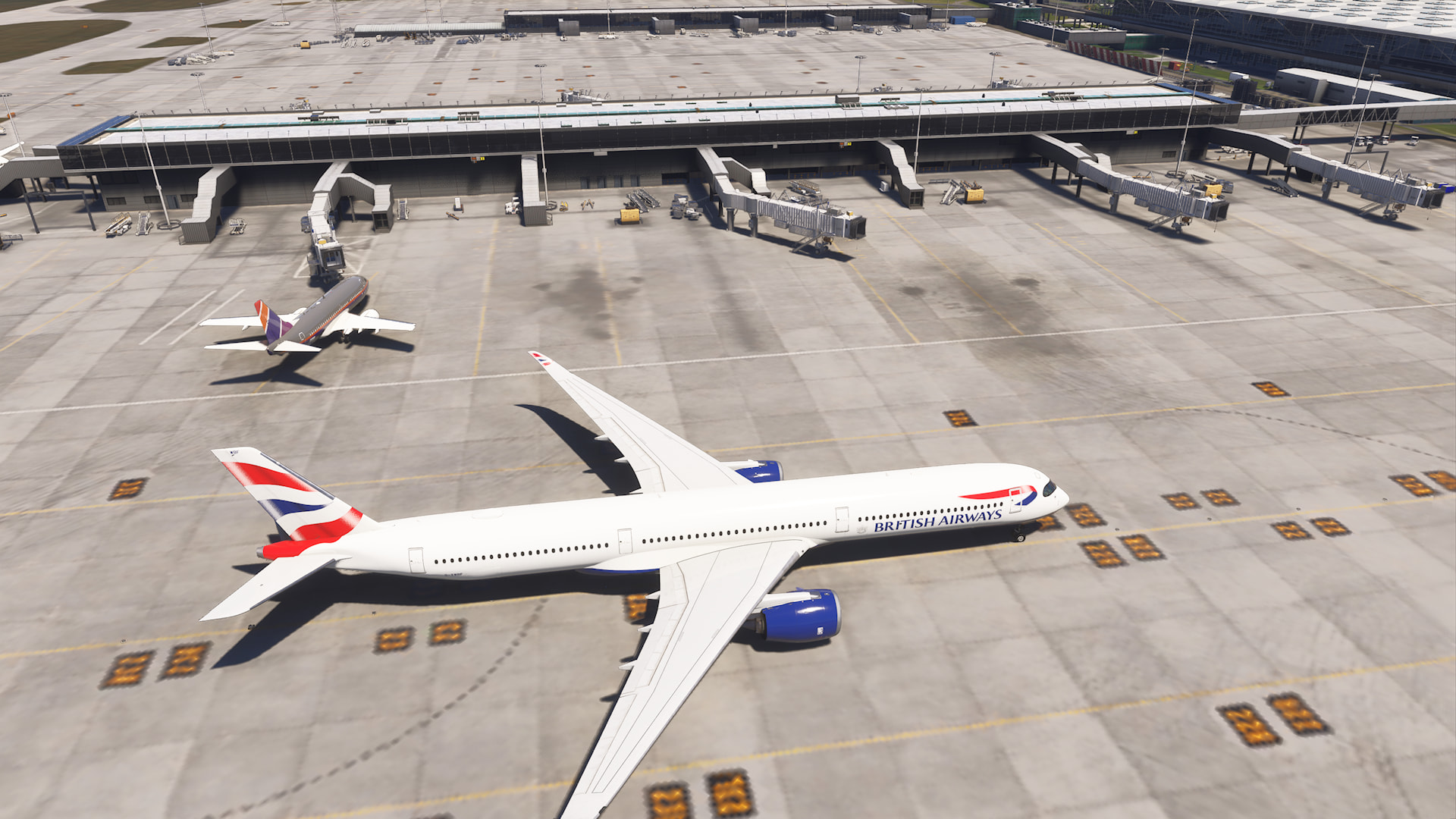
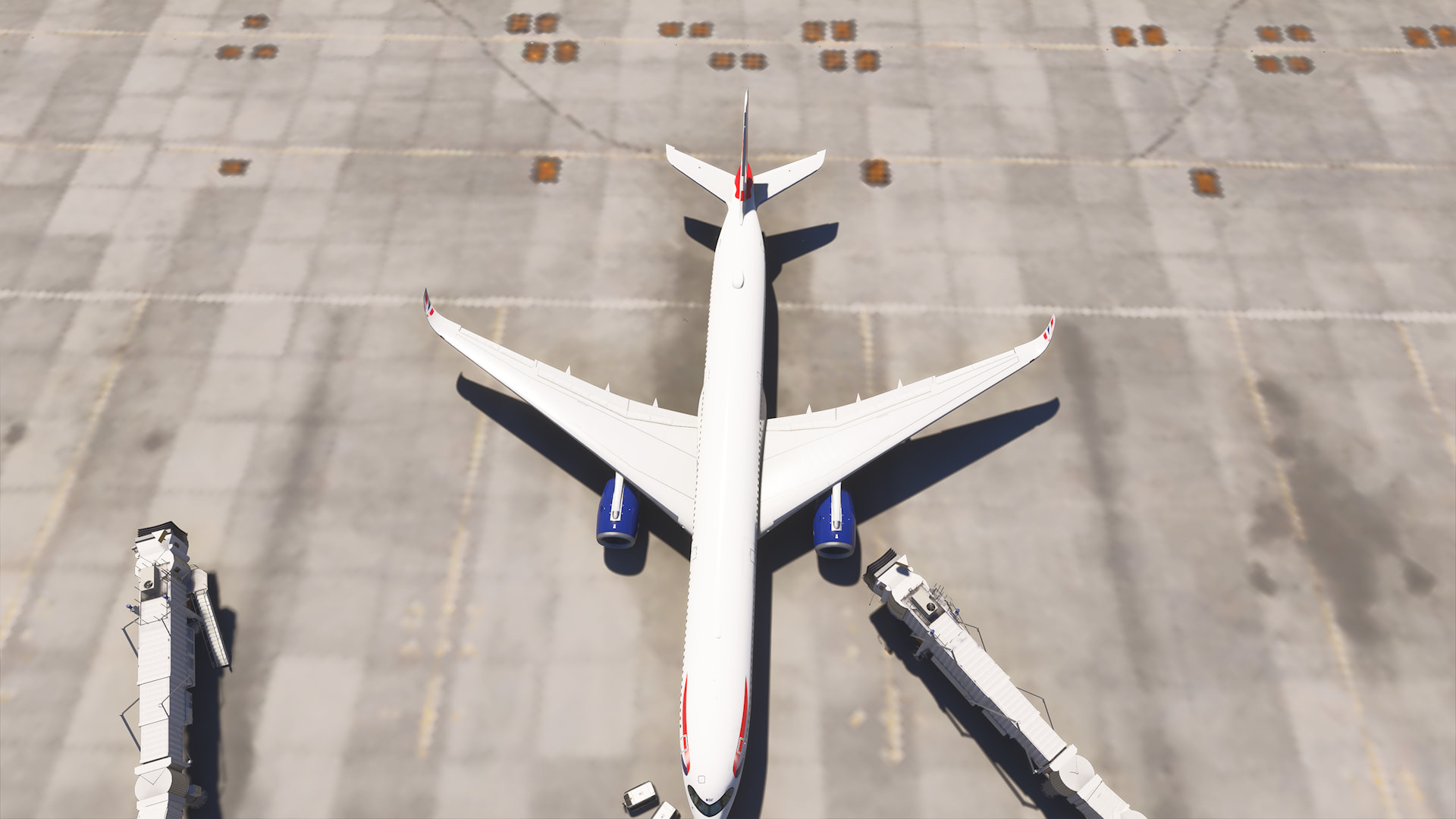
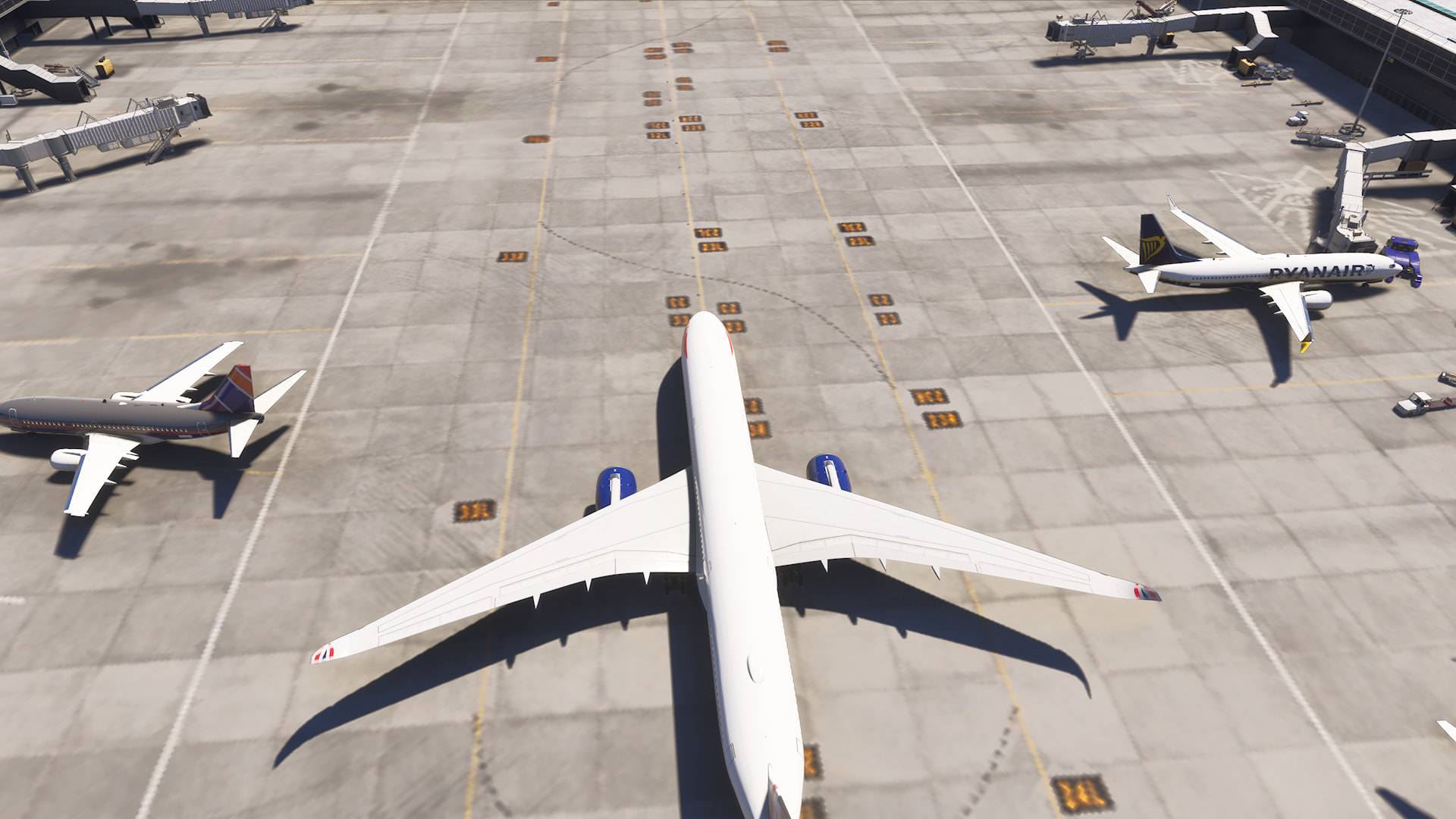
I actually had the airport enhanced texture pack from zinertek active there, so this might have played a role in the strange behavior.
Anyway, I find the texture resolution LOD curve too aggressive:
At KJFK,
TLOD300/OLOD200 at ultra settings, dynamic settings off
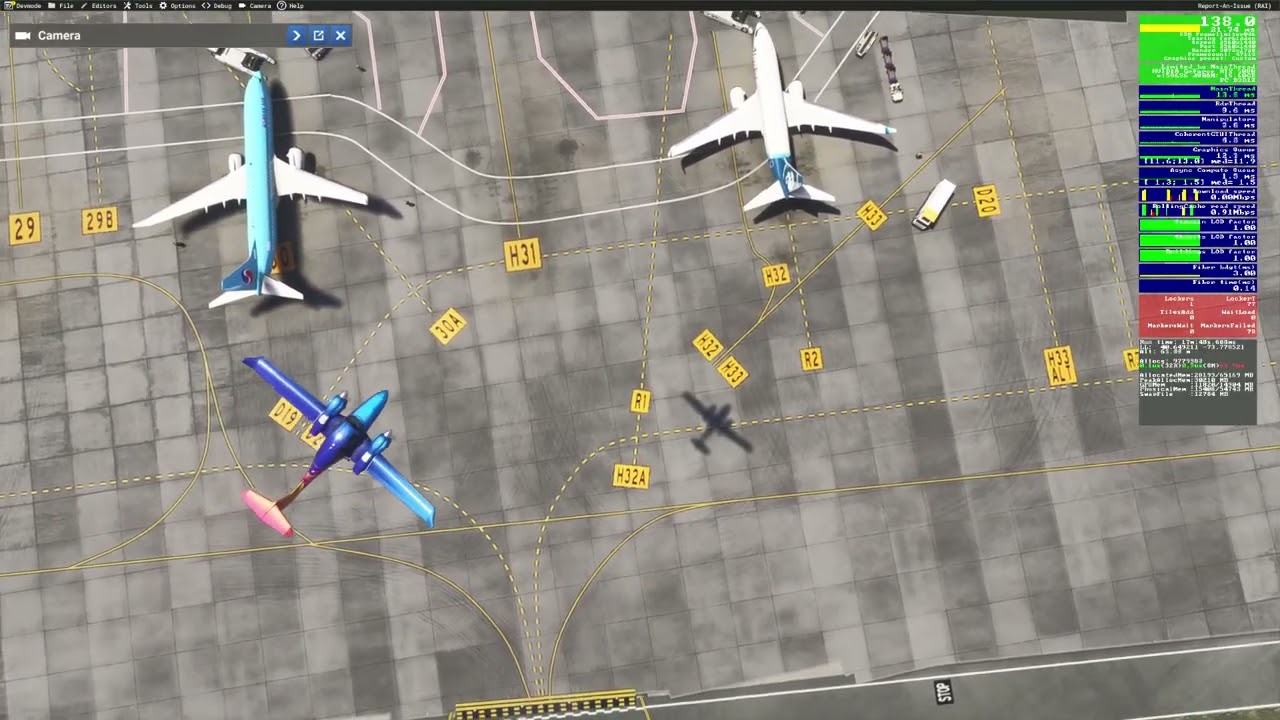
The textures blurr out at already ~100m camera distance, at ~30-50m the resolution reduction is allready producing jagged edges on the lines on the apron. Be aware that the ground level lies at around -25m even though a quick search told me KJFK should be at +4.
I also tried different screen resolution settings, like TAA supersampling up to 150% (4K in my case with a 2560x1440 base) and DLSS DLAA mode, didn’t made a difference.
More examples, today from VTBS to VDPP (Asia).
A nice reference screenshot to start with. Really nice ground textures here, very sharp and how I hope it will all end up. Look at the part in front of the engine at the lower part of the image. This is what the sim is capable of, and what I assume is the intention for all of it.
Again, follow links, and click ‘download image’, and then see at 1:1.
Then somewhat degrading to this standard, where it’s not terrible, but nothing seems to be really sharp anymore, like the above example.
And again here, not sharp at all.
And now for some of the weird artifacts showing up:
And this one, ouch:
The last ones with the obvious artifacts/blobs don’t clear up after waiting, or shifting camera. They stay in their weird state.
1 Like
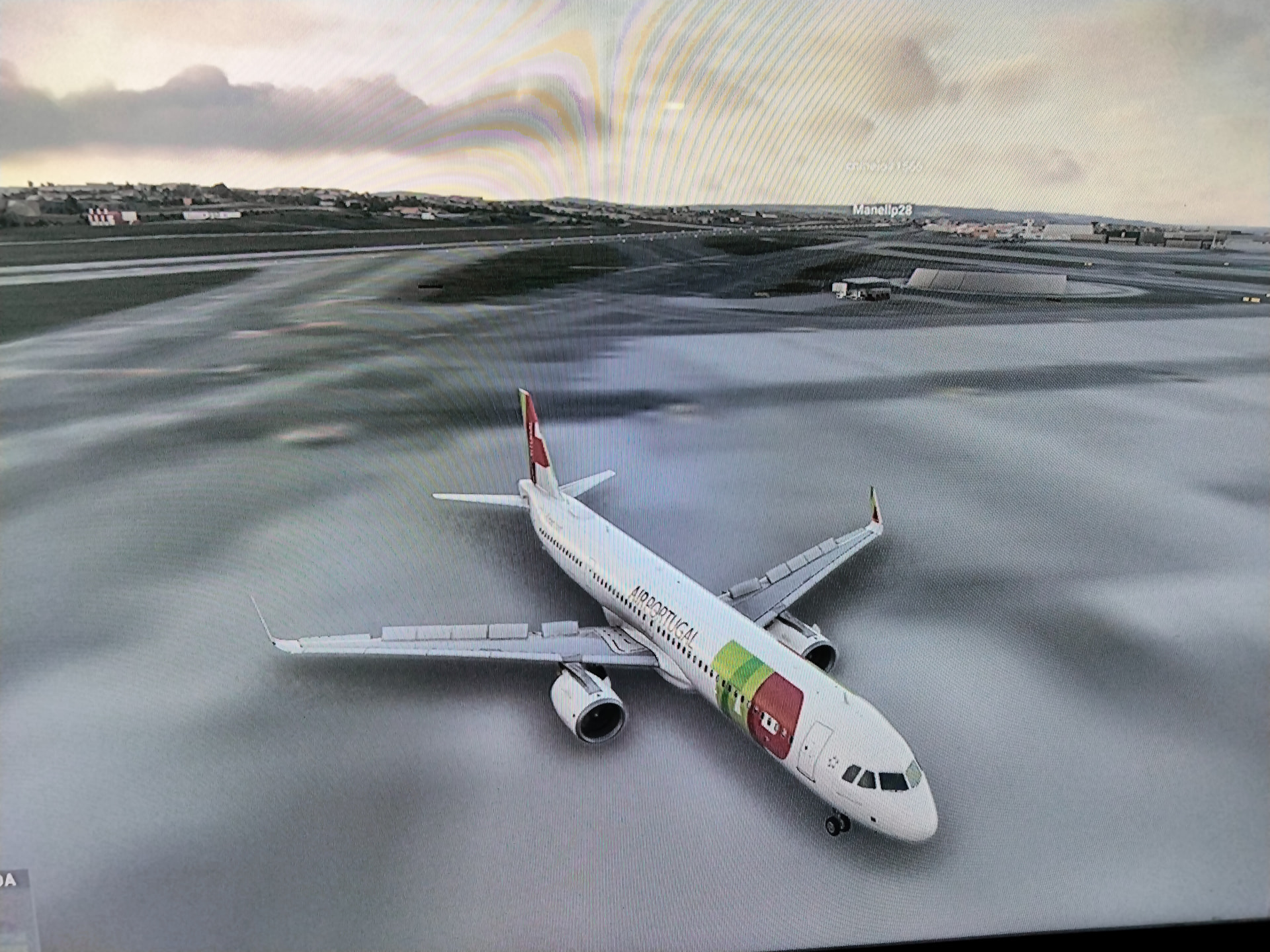
Inibuilds A321 Neo
EHAM(Feel there)-LPPT(MK Studios)
Xbox series S
Experienced blurry textures on arrival into Lisbon.The surrounding area loaded in just fine but the airport remained blurry.Started experiencing this on SU5, where the textures even on default airports would become blurry after a few minutes of loading in.SU5.1 and SU6 have fixed the issue on the departure airports but I’m still getting blurry textures on arrival airports.
2 Likes
Arrival into Inverness. Slight change to camera angle and height gives you a very different terminal building (roof).
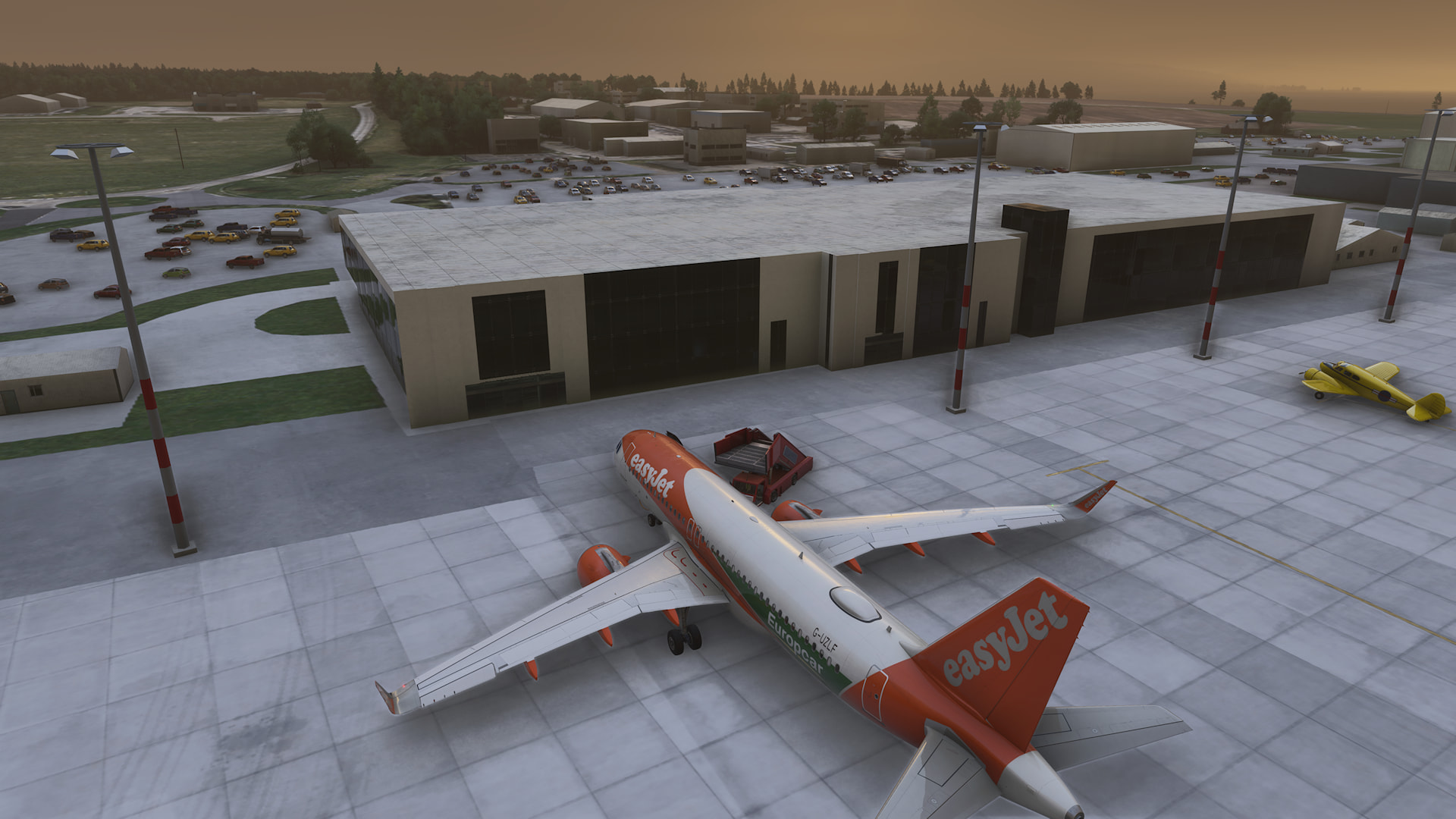
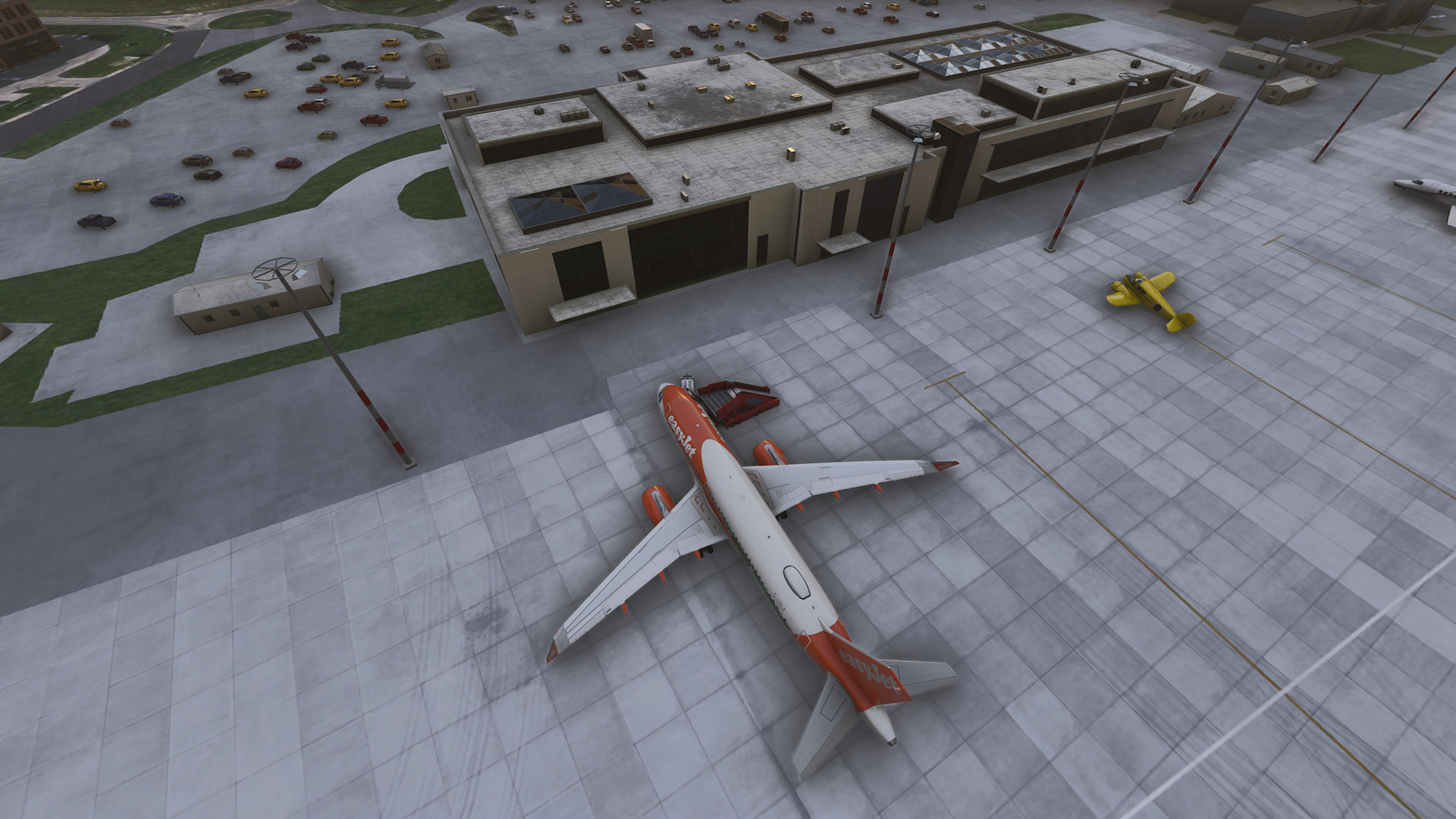
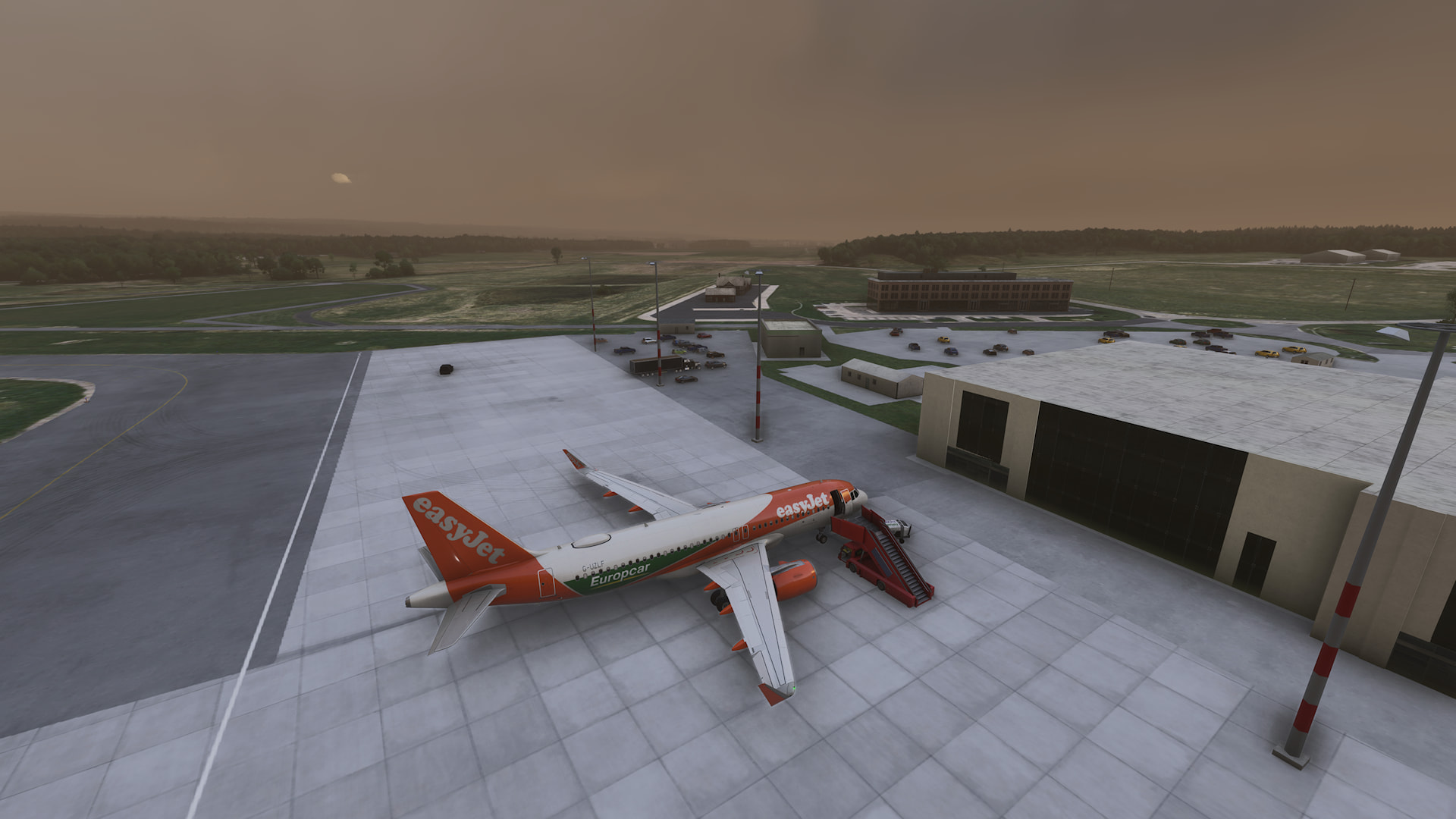
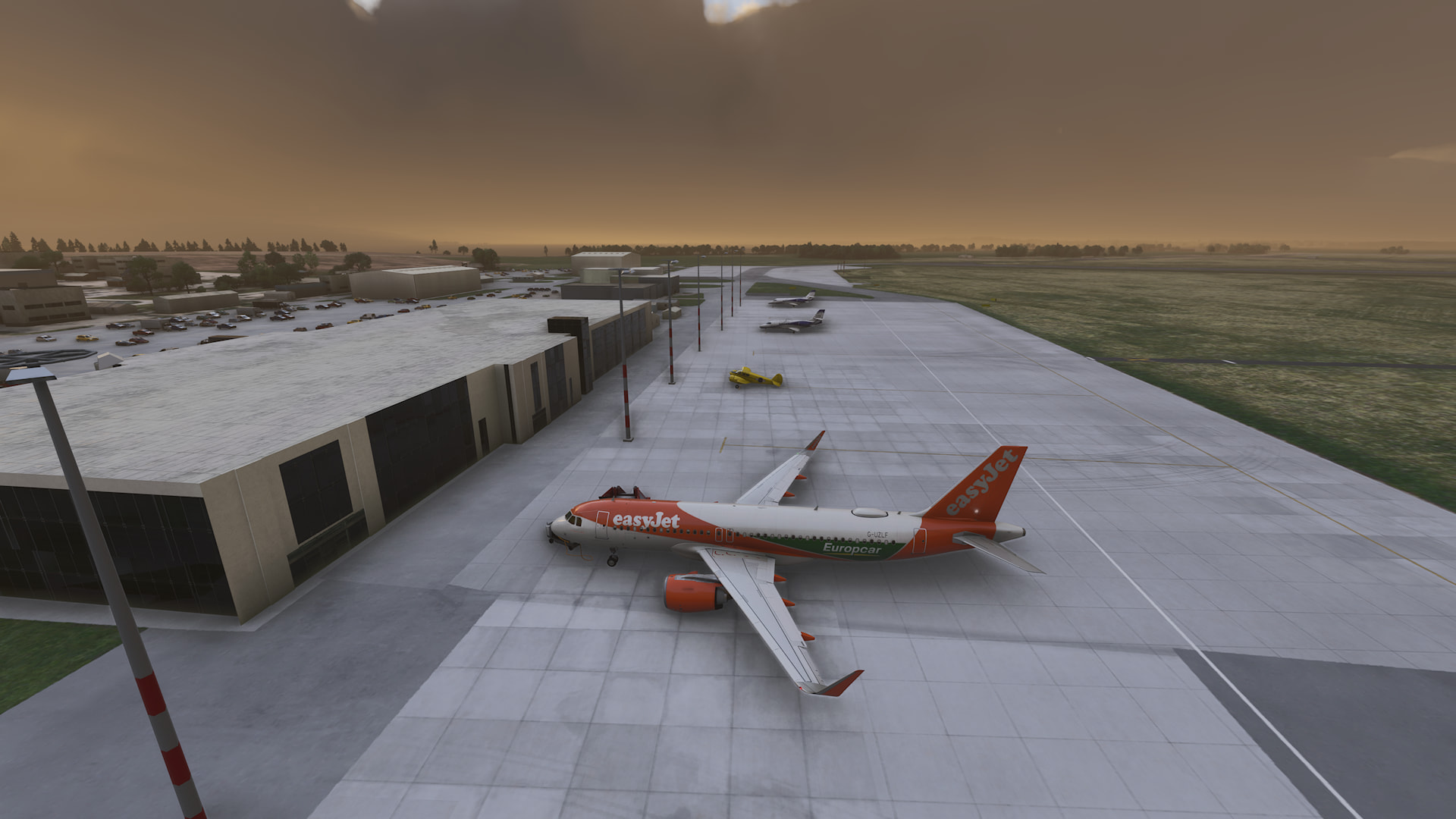
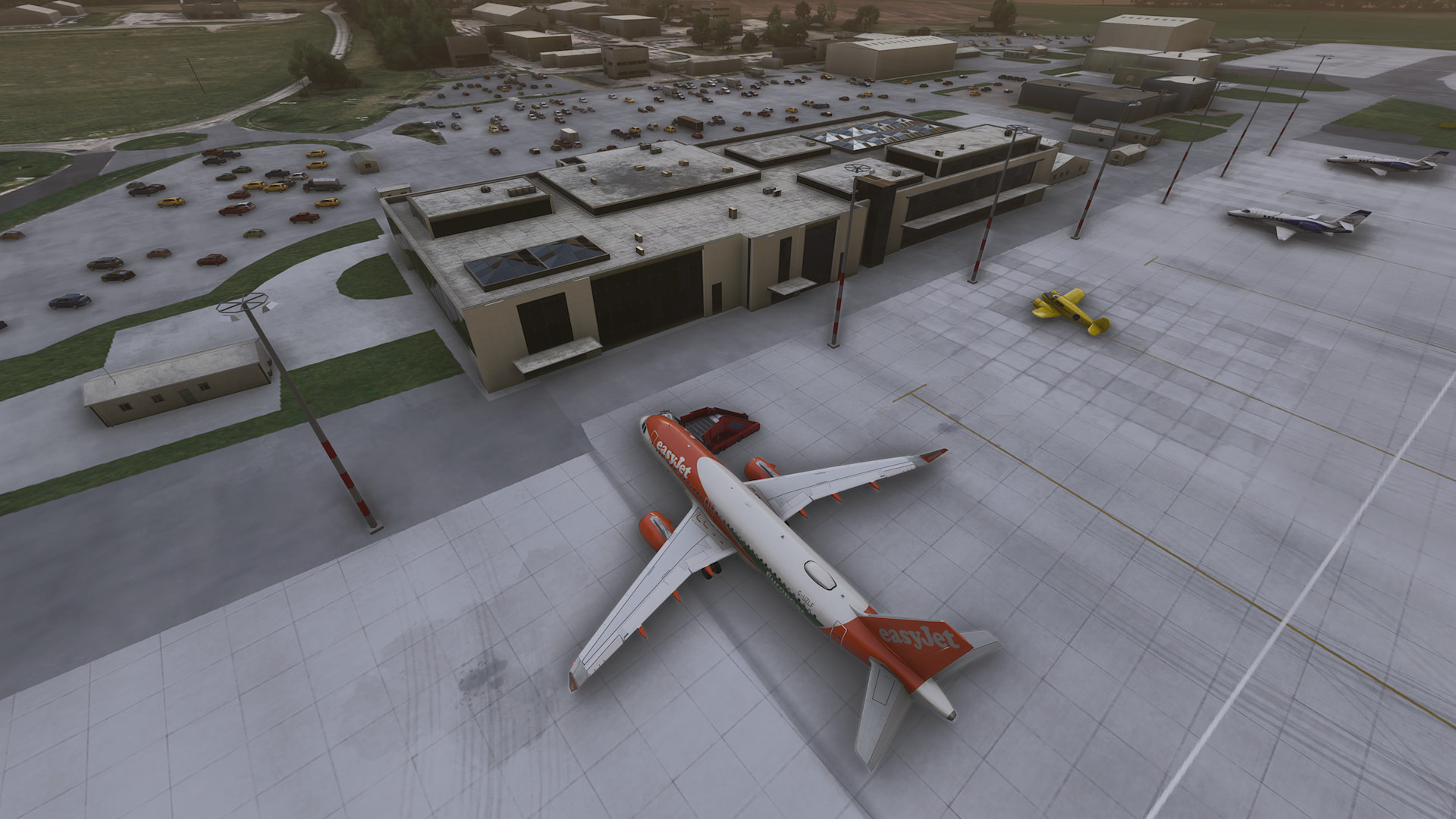
What is going on?
5 Likes
My Personal Comment & Observation
I think that’s the new modular system in action. It’s not new to SU6 - I’ve seen this going back for quite a while (maybe even to release, but have not checked my pics to confirm). 2024 buildings can be built from reusable “modules”, which can be appear / disappear independently of each other depending upon their size on the screen. Those with a better understanding of the SDK can jump in here & explain better.
just a note - I spent several hours flying all over that area a few days ago and I never encountered any issues. Today, Saturday, I feel that performance everywhere has decreased slightly (10%?) as scenery is slow to load in full HD in both New York area and Brisbane area. Its patchy though - some areas good, other areas bad.
It must be a server issue. or is it true that an AIRAC update can cause issues?
1 Like