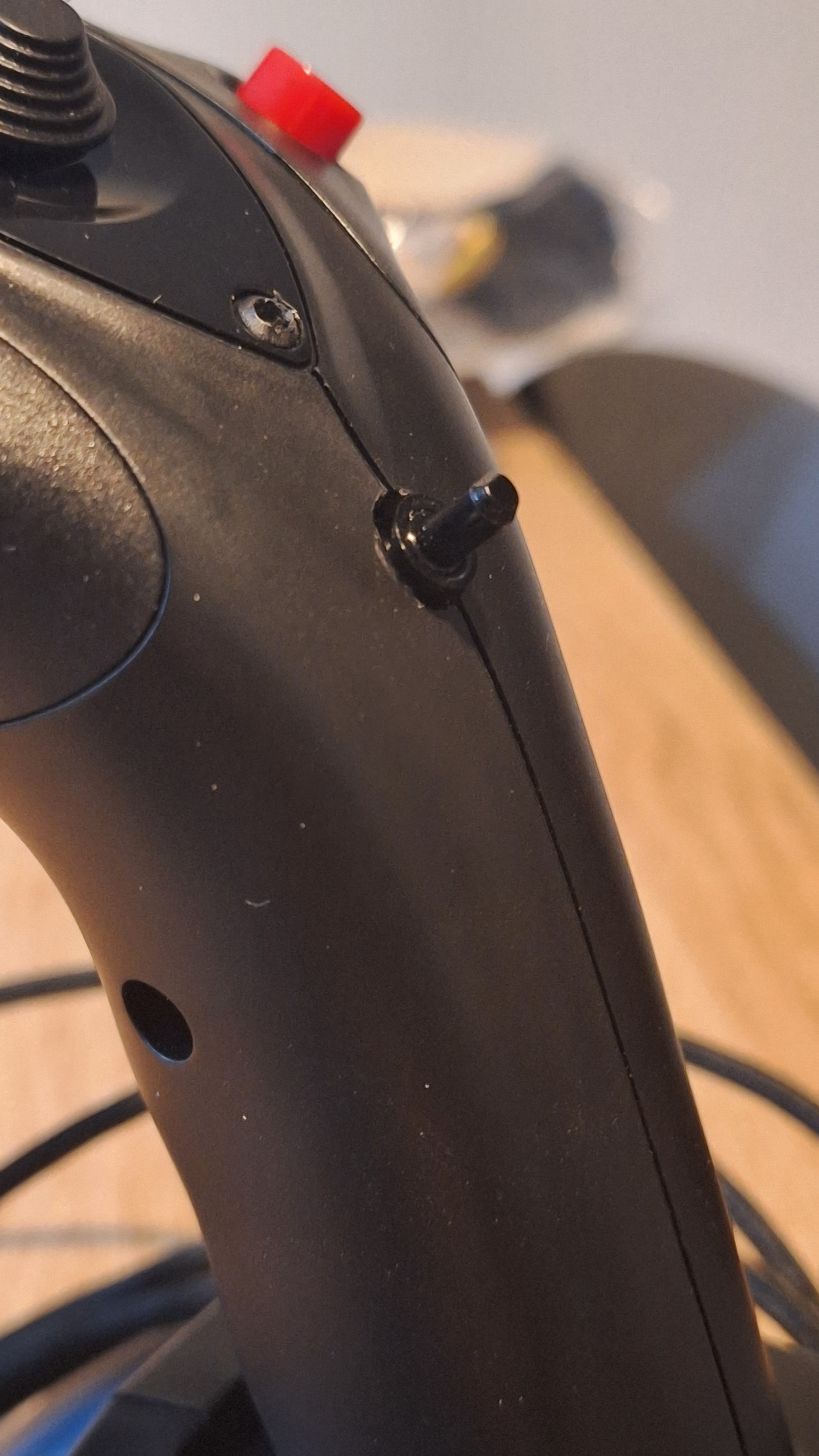
Thanks for the immediate answer! I immediately tried and destroyed my joystick… No I’m kidding!
I wasn’t able to put the wiring as shown on the photo because the board wouldn’t fit properly anymore. The wiring are too shorts. So I pushed them further down and tried, and it works properly now! Awesome!
I guess this is temporary… Wiring might move. If it happens again I will ask for a remplacement where I purchased.
i have the same problem with my TCA Airbus edition, it was hard to take off airplane as ruder go crazy. i twistet joystick a bit hard it stops for a few minutes but then it started again as soon i just touch it , i am glad to se that post, now where is my screw driver ?
The twist potentiometer failing is a common problem with the Thrustmaster t16000m. Many say it’s not a matter of if it will fail, but when.
The TCA Sidestick has a different grip but as far a I know all the internals are the same and likely have the same issue.
One of the solutions I’ve seen for the t16000m is taking the potentiometer out and cleaning it with contact cleaner and shaving a bit of plastic off the casing that holds it in place since it is putting pressure on the potentiometer which is causing it to fail. Sorry I don’t have a link handy to the exact place that recommended that.
A google search for t16000m potentiometer fix will probably find a bunch of tips for fixing it.
It was actually a widely reported problem at least as far as I can tell when I got my copy last year. Some folks didn’t have it, but many of us did. For some it happened over time, possibly with the wiring harness slipping internally over use.
Not to throw water on your post, but I looked at the assembly and predicted the wires to the circuit boat could be part of the problem. It looked like they were on the ‘goop’ on the axis wires. I was going to cut the posts you recommended, but decided to see if I could get some wire slack to get away from the pivot point. I GENTLY pulled the board wires out a bit at a time until they could clear the screw post. I put them around that post and back up to the board.
I didn’t cut any posts at all. My first attempt was to move them over the posts but eventually time and tension got the worst of it, so I put them back. Seems to be working okay for me now.
Im having an issue with this too. Im on xbox series x, i have rudder peddles, throttles and side stick. The setup is different, the peddles and throttle have to all plug into the side stick, which in turn goes to the xbox. Then i lock the side stick off with that button on hand rest part. So i can’t take the z-axis off, because they are cloned, the peddles are identified as the sticks z-axis and vice versa. But when doing my flight control checks before taxi the peddles (in the cockpit) go mad. Im going to attempt a repair now ive seen this forum thread. Hard to believe the date this thread started and these side sticks still have this issue
I’m on PC and unfamiliar with the x-box so forgive me if I’m being unrealistic! Could you plug the throttle and pedals separately into your x-box? It’s possible the rudder feedback you describe is caused by the sidestick Z Axis not being deleted, my experience is that the button on the grip doesn’t stop this entirely. Or maybe fly with just the joystick and see how it behaves on it’s own, might save having to delve inside it unnecesarily.
No, i mean it may depend on the peddles but mine have a RJ11 connector that plugs into the throttle quadrant, then Usb to the sidestick, then side stick to xbox. In the settings it just shows it as being the side stick only. However i have an update! After taking it apart ive solved it (personal preference). Initially i just tried unplugging the potentiometer, but it gave a left rudder signal when removed. Next i plugged it back in but didnt replace it back in the post hole, which worked after having to adjust it “in game” by fine tuning the “nob”. That then gave me the idea to drill a hole through the handle, in a spot that isn’t in the way of my hand, and hot glued it in place. That way it eliminates having to open it up again if adjustment is needed. And if i want to put it back to factory, then i would have a hole in the handle, but i could live with that.