lovely, thanks for the update!
1 Like
I will need to play around with it but last night this latest 1.4.1 update wasn’t working in the pre plan map window phase. Plan outline appeared to begin with, I move the mouse and the blue line appeared but the final position plane outline was missing and unable to designate a destination, then when I quit it and came back in, there was only the blue line appearing, no plane outlines and blue line in wrong place. Should I be clearing rolling cache? Will try it out again later. Using the tool for manual push back was fine.
1 Like
same for me
1 Like
In case the aircraft icon or path disappears in the pushback planner, simply resize the Pushback Planner window a little bit, which will trigger a map reset but leaves your planned route in tact and restores the Aircraft Icon and Path.
5 Likes
ok thanks will try
Thank you, will give that a try tonight.
Just to report back, Didn’t have the missing line/aircraft outline issue last night, tool worked perfectly. Not sure what hapened 24hrs earlier. Will keep the workaround in mind if I do though. Loving this pre plan pushback tool, so useful.
2 Likes
How do you get the voices to work like th cockpit to ground sounds? The pushback works great but I can any chatter. Thanks
If you’re using Microsoft Flight Simulator in any language other than English and want
to use the Interactive Pushback Audio, please run the ENABLE_INTERACTIVE_AUDIO.bat
https://forums.flightsimulator.com/t/toolbar-pushback/404054/161
Sweet! Thank you! so I see you have to have voices enabled? How would you do that if you don’t use in game atc? I use pilot 2atc?
The Interactive Pushback Audio does not require any ATC to work. It’s even better when not using the sim ATC at all. Just make sure the “voices” audio setting in the sim is set loud enough.
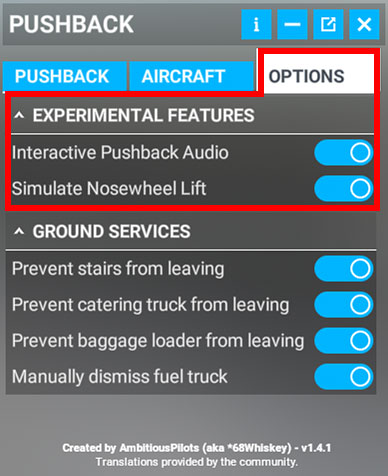
Simply enable the pushback audio in the options tab of the add-on window:
Hi All,
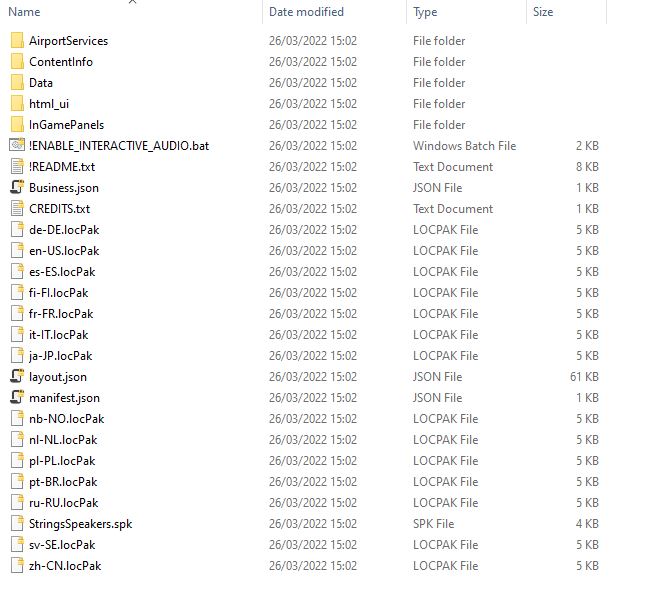
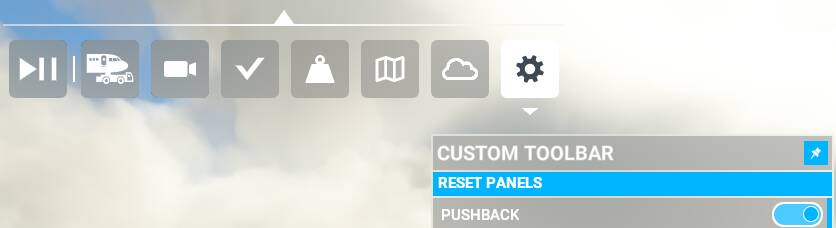
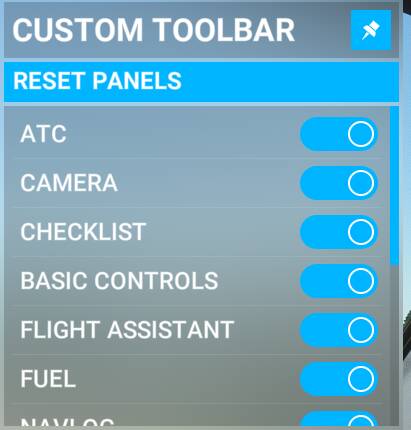
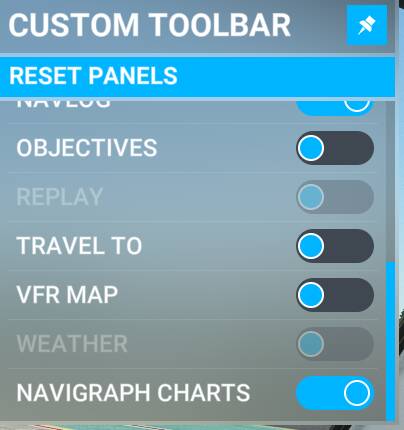
Just downloaded 1.4.1 and unzipped the file in the community folder. See screens below. But whatever I try, the toolbar doesn’t show.
Did follow the steps on flightsim.to:
- Download the latest release of “Toolbar Pushback”
- Extract the zip file into the community folder
Think that I made a mistake but can’t find out what. I also removed my complete community folder (besides A32NX) but that didn’t make any different.
thanks for any tip!
Community directory>>> …LocalCache\Packages\Community

ambitiouspilots-toolbar-pushback

Is there a sure way to avoid the audio from repeating itself. Sometimes it happens sometimes it doesn’t. Seems very random to me.
Double check if you put it in the correct folder. Somehow certain installs have multiple Community Folders
MS Store
C:\Users[Your User Name]\AppData\Local\Packages\ Microsoft.FlightSimulator_8wekyb3d8bbwe\LocalCache\Packages\Community
Steam
C:\Users[Your User Name]\AppData\Local\Packages\Microsoft.FlightDashboard_8wekyb3d8bbwe\LocalCache\Packages\Community
Custom Install
If you happened to use a custom location for your Flight Simulator installation, then proceed there. Example: F:\Flight Simulator\Community\
Still can't find it?
- While running MSFS 2020 do the following:
- Go to Options / General
- Click on
Developerswhich you will find at the bottom of the list on the left- Switch Developers Mode on
- On the Dev Menu on top select
Tools > Virtual File System- Select
Packages Folders>Open Community Folder
1 Like
Checked it 
Other add ons working correctly
Allright that rules that out. Restarted the sim after editing the community folder / made sure sim was closed down before?
What can help as well is to delete the CONTENT.XML in the %localappdata% folder
Allright that rules that out. Restarted the sim after editing the community folder / made sure sim was closed down before?
Yes, I always do.
What can help as well is to delete the CONTENT.XML in the %localappdata% folder.
Will try
Nope, removing content.xml didn’t work.