Guys I have misunderstood and have to correct my post above as I also DO HAVE this scenario from time to time. When it happens, I just CTRL+TAB out of VR mode in FS, activate Link again and reselect all settings in OTT to activate them. Then I just CTRL-+TAB back into VR.
Sorry for the confusion. I thought you were referring to a CTD (Crash To Desktop) scenario of FS when in VR, which I indeed haven’t experienced so far.
Hi Tony ! Thank you for your guide, i use Virtual desktop and quest 2 and your settings helped me smooth my experience, even if i can use OTT, because of VD.
You talk about a Virtual desktop guide. Is there any chance you have time to do it someday ?
45 minutes is what the forum suggest the read time to be for this thread, I beg to differ🤦♂️. My god is there a wealth of info here. Thanks to Tony and all others for this thread.
I am seeing similar behaviour as reported by @FlobudTnT Quest 2 Settings - Sharp and SMOOOOTH! - #134 by Flobud ie similar performance and visuals whether I reach the roughly 4k*2k resolution by upscaling in Oculus Debug Tool (render scale 60%, ODT pixel override 1.6) or keep default settings (render scale 100%, ODT pixel override 1.0).
It does sound like you have got different behaviour and I’m keen to get your method working to see if I can benefit from it ( I know first hand the value of running a low render scale and then upscaling elsewhere - before I got this PC I was running with integrated graphics, 2d 1080p at 50% render scale (effectively 540p!) and then applying heavy Radeon Image sharpening to get a decent result!)
I noticed that when I increase the SS in ODT, it does impact the render resolution numbers shown when adjusting the render scale slider in FS settings, and therefore it is not so surprising that the performance and visuals are similar no matter how this resolution is achieved. Do you see this? I wondered if maybe you do not see this, and somehow your oculus super sampling is applied at a later stage (a bit like my Radeon Image Sharpening in my old PC.) Thanks!
I’m getting “reset” flashes in VR. Don’t know what they are called, but seems like quick flashes of the entire picture. Really annoying. So I am switching back to the OLD nov. Nvidia driver and trying with v24 and go from there. It just seems still a lot of work to make this work.
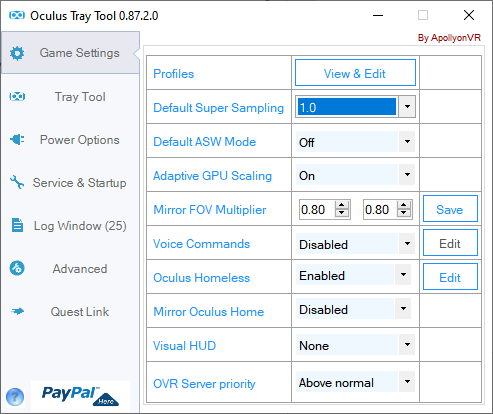
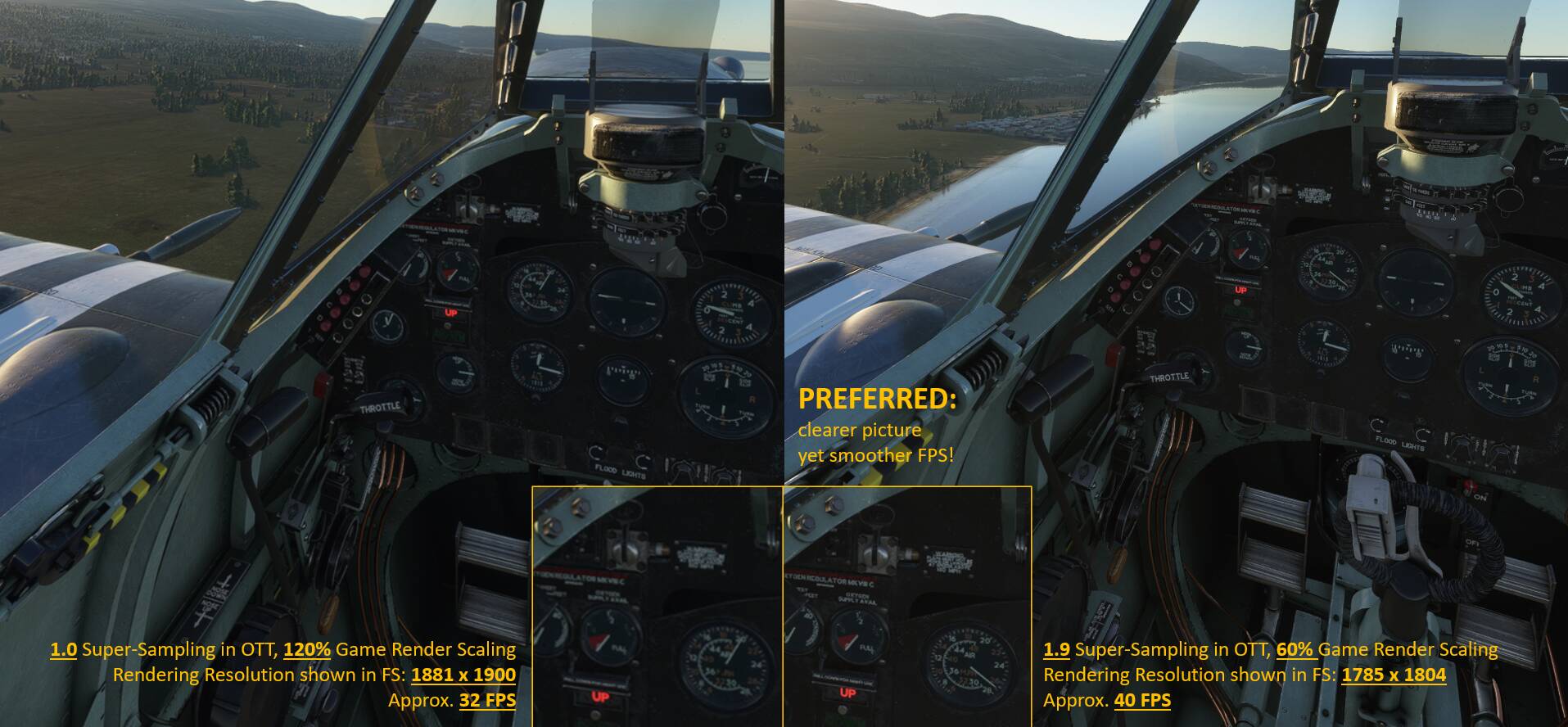
@RebuffedBee9595 it’s true that looking at the VR render scale resolution shown in FS, the figures look similar, but the rendered image goes a completely different way. Let’s do 1 by 1:
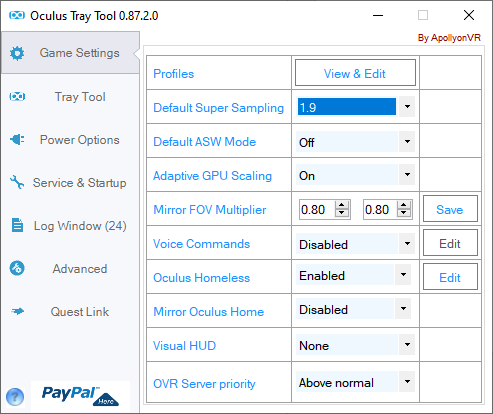
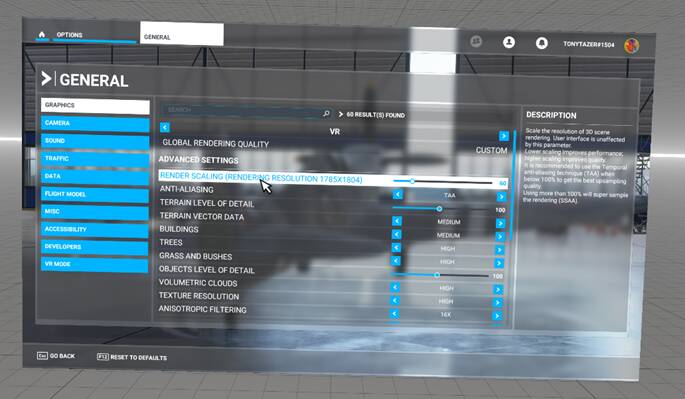
My preferred scenario: OTT with 1.9 super-sampling, game render scale of 60%:
You can immediately notice in the menu, that it gets unbearably blurry. Note this doesn’t improve when you increase Render Scaling as per step 3. The menu and the matrix lines stay thick and blurry.
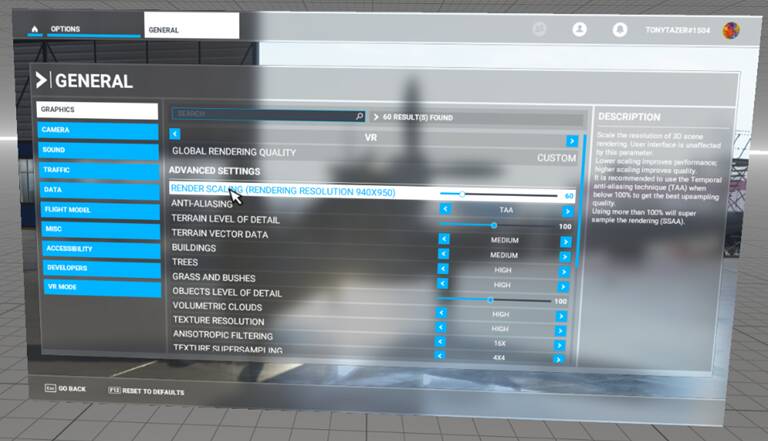
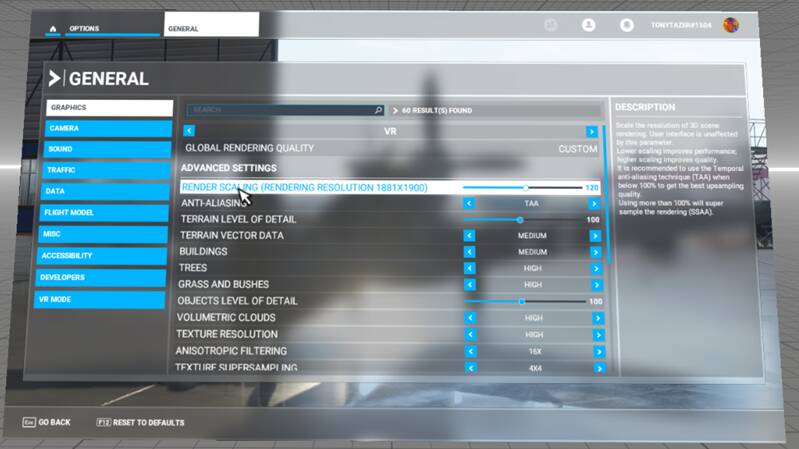
In order to get back up to a similar rendering resolution, I have increased Render Scaling to 120%. This gives me 1881 x 1900:
Now to the most important part. The results of step 3 in the cockpit look (despite an apparently very similar rendering resolution) completely different. It’s way more blurry AND slower on FPS! The VR mirror screenshots are not really reflective of the visuals in the headset, but please just check the gauges in the Spitfire:
Thank you for confirming. I wonder why I see the same image/resolution impacts as you but without the FPS benefit . I’ll download OTT and try applying SS there instead of through ODT to see if it can be different
By the way, reducing FOV is really of great help. I’d suggest you still try a few settings, maybe keep vertical at 0.95 and just reduce horizontal to 0.8. It really helps over-proportionally as it cuts away the barrel-distorted area of the image, which is computing heavy.
Thanks, yes I have those settings. I have just redone some tests and again see the same with OTT as I did with ODT - so similar performance+quality between 1.6+60%, and 1.0+100%. FYI the test I did was the Toronto landing challenge in the TBM, I am usually bouncing between 31-36fps. If I bump to 1.9+60% it is more in the high 20s-30 . I wonder why you and others see FPS uplift from the Oculus SS method but Flobud and I do not. (PS I am very happy with this performance by the way , but like us all am always interested to find any more “free” resolution or performance )
Hmm, sorry to hear that. Maybe it’s the photogrammetry in Toronto? Can you do me one favour? Take your favorite analogue plane without any EFIS (e.g. a Spitfire if you have it! ) and take off from EGOD in Wales. Head south along the coast to the big river mouth and follow the river eastwards to the north entrance of the Mach Loop. And then, if you’re not familiar with the Mach Loop path, just get lost somewhere flying low in these beautiful valleys. Try LIVE weather. It’s so lively up there, you can have rain and very low visibility and then suddenly a few miles onwards it clears up and you are chasing rainbows. And if today’s weather turns out as really too ugly, change in flight to broken clouds or clear skies. I would be curious to hear back from you what you say around performance and overall experience there…
You should better display the Debug windows using the DevMode ON. It will show the Game render resolution, and the final resolution send to the headset drivers.
The render scale is computed on the latest, so the idea is to keep at least a game render resolution equal to your headset native render (or more). E.g. you can perfectly have render scale really low, like at 50%, if your final supersampling is equal to 200%, you will not lose any render pixel regarding your headset, and the image will be reduced by the headset drivers, so will be super crisp. I already posted this below regarding my Oculus CV1, but it help to understand the math and the GPU usage. The base line is at the middle with TAA 100% and no supersampling (x1.0):
 )
 ) and take off from EGOD in Wales. Head south along the coast to the big river mouth and follow the river eastwards to the north entrance of the Mach Loop. And then, if you’re not familiar with the Mach Loop path, just get lost somewhere flying low in these beautiful valleys. Try LIVE weather. It’s so lively up there, you can have rain and very low visibility and then suddenly a few miles onwards it clears up and you are chasing rainbows. And if today’s weather turns out as really too ugly, change in flight to broken clouds or clear skies. I would be curious to hear back from you what you say around performance and overall experience there…

