What do you mean?
He is using a test driver (or is it a .dll, cant remember) that has this warning. Im using it as well
Downloaded from the sites you gave.
Now to left is a message about nvidia confidential, a non- disclosure, and not to make available!
On a large 4k screen it is not a major problem but would rather not have it!
Thanks
Do you have the same issue if you follow the OP’s steps to reproduce it?
YES
Provide extra information to complete the original description of the issue:
Directly after Nvidia 531.79 update, I get this FS Error and FS Crashes/Freezes.
If relevant, provide additional screenshots/video:
Image of error provided above
If on PC, Fault Bucket ID - Instructions here - Please type in just the Fault Bucket ID # rather than a screenshot for privacy reasons:
I have tried it. But could only make one short flight. At least nothing negative.
All other things like image quality are maybe a placebo effect
The fix for me was going back to 531.29 and then clearing the shader cache.
It seems that people are still experiencing the same problem with the more recent drivers.
Also for me .29 still work excellent with DX12 after a lot of crashes with all the other drivers above 531.29 and DX12.
Hello, I have 2 PCs.
In one an Nvidia GeForce RTX 3060 and in the other an Nvidia GeForce RTX 3070.
For both I have been using the Nvida driver 531.41 for months without any problems.
Best regards,
1 Like
I have a video card RX590 AMD
I changed the version of the AMD driver, cleaned the system, increased the size of the paging file - all to no avail.
The simulator lives its own life.
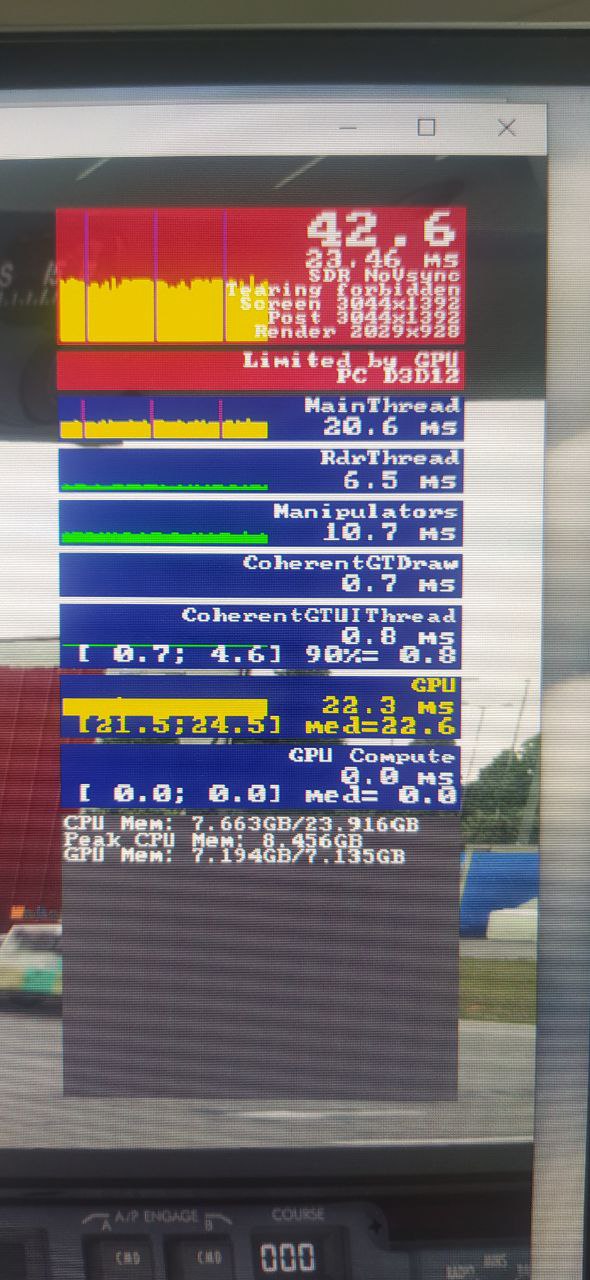
Sometimes it loads and lets it take off from the airfield, and crashes (black screen for a while, the computer freezes and then the white screen hangs).
Sometimes when loading the simulator crashes to the desktop.
Sometimes it crashes from the aircraft selection menu.
Benchmark tests in FurMark - everything is fine, the video card heats up to 81 degrees and nothing crashes.
By the way, the simulator stopped showing the window with overheating or some other reason, as before - perhaps the simulator was updated and the developers removed this window ?!
The last crash was with such parameters - I don’t know what could be the reason.
I decided to make a third-party test - I downloaded the unreal engine 5 (demo) and it also crashes, but writes more information about the crash.
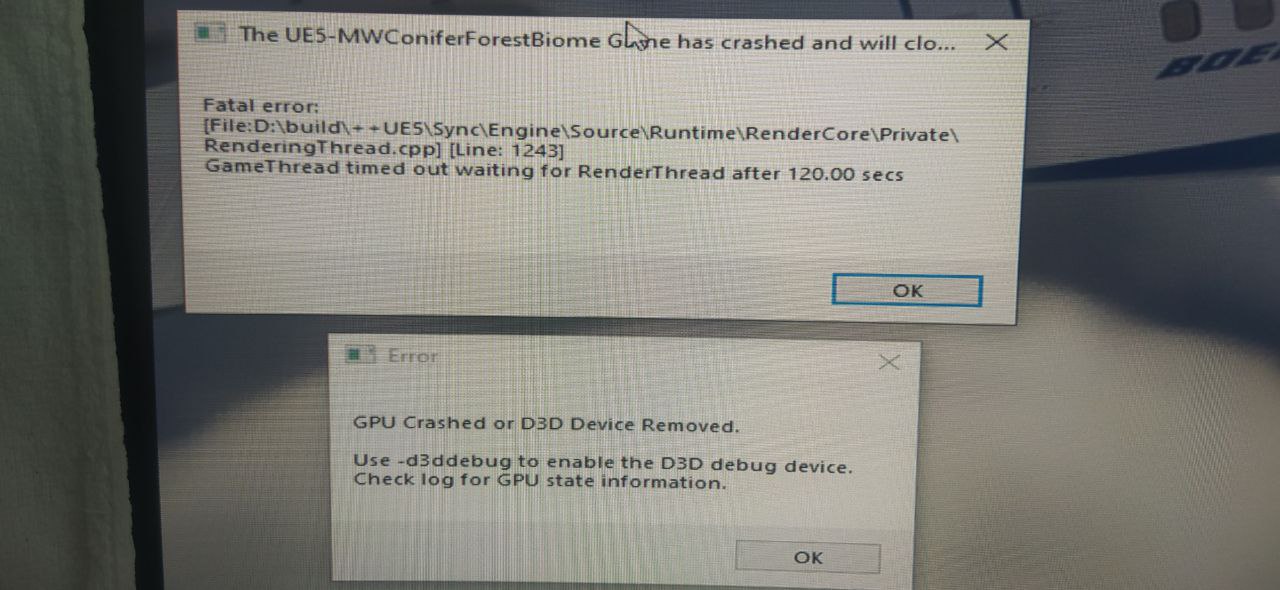
What could be the reason?
Lack of video memory on the video card?
Or the video card starts to break down?
In this thread, everyone is discussing nvidia - but not everyone uses their video cards, there are also crash problems with AMD.
… isn’t the fix for me , all worked fine for two test flights and three hours total flight on DX11 TAA and DLSS until switch to DX12 DLSS , same issue-message on main menu …
531.79 rtx3080ti 16gb
first time happened to me after SU12 update and 531.41 driver and with all versions
till now …
DX12 - DLSS is working only with 531.29 version
1 Like
Hm, I am currently on 531.79 and it seems to work fine with DX 12 and and frame generation (I don’t bother using DLSS). I know those without a 40 series card don’t have this option.
I am on 531.79 with a 4090, DX12, and DLSS and I just had this error.
Have you tried it without DLSS? Again I don’t use it personally and I can fly for hours upon hours on end without issues.
EDIT: Does seem some have issues with it…
Do you have the same issue if you follow the OP’s steps to reproduce it?
YES
Provide extra information to complete the original description of the issue:
I’ve got the error with NVIDIA 531.79.
If relevant, provide additional screenshots/video:
It’s happened when i lunch MSI Afterburner, i think it’s due to overlay.
This issue is not solved and the blame game is going back and forth. I just wiped clean everything nvidia in safe mode, and clean installed bare minimum, wiped all cache from both nvidia and rolling cache, and still get this annoying error. The latest bug list remarks this as an external problem belonging to Nvidia. Not so sure this is the case. No other heavy on performance simulation I have has had a crash. MSFS since updating to SU11 running vanilla with no addons continues to crash. Error reports yield very vague information. Tried every other suggested solution on here. Right now MSFS is useless.
2 Likes
I am getting this error with my 6900XT also…
Nvidia cannot be the problem.
3 Likes
With exactly the same message? That’s interesting
1 Like
Well I had a GTX 1070 until 01/2022, but I used DDU several times since then.
But I never reinstalled Win11 completely.
I don’t know…remains of the Nvidia driver should not be responsible.
Last time it happened I was in the middle of a VATSIM flight and the PFD of my Fenix A320 started to be sluggish. I then pressed ALT+TAB to find out whats going on in the background an BOOM: Your graphics device has encountered… 
I have a RTX4090 currently running on 531.79, and regularly have this same error with the same message. It’s a new rig with focus on ventillation, so overheating or overclocking are out of the question.
The one thing I just today noticed is that I may be getting this error more often (if not exclusively) when I launch MSFS directly via its own shortcut, rather than launching MSFS via the tile in GeForce Experience. I’ve conducted two flights this evening with MSFS launched via GeForce Explorer, both no problem. Will test further, but I have a good feeling that I can consistently avoid the error by launching MSFS via the Experience app.
Update: no, just had the same crash while using GeForce Experience as well 
4080/13900K here - only “solution” is to stay on .29 without updating (DX 12 / DLSS / frame generation on). While Diablo 4 beta forces me to get a newer driver.
Hopefully they solve it soon.