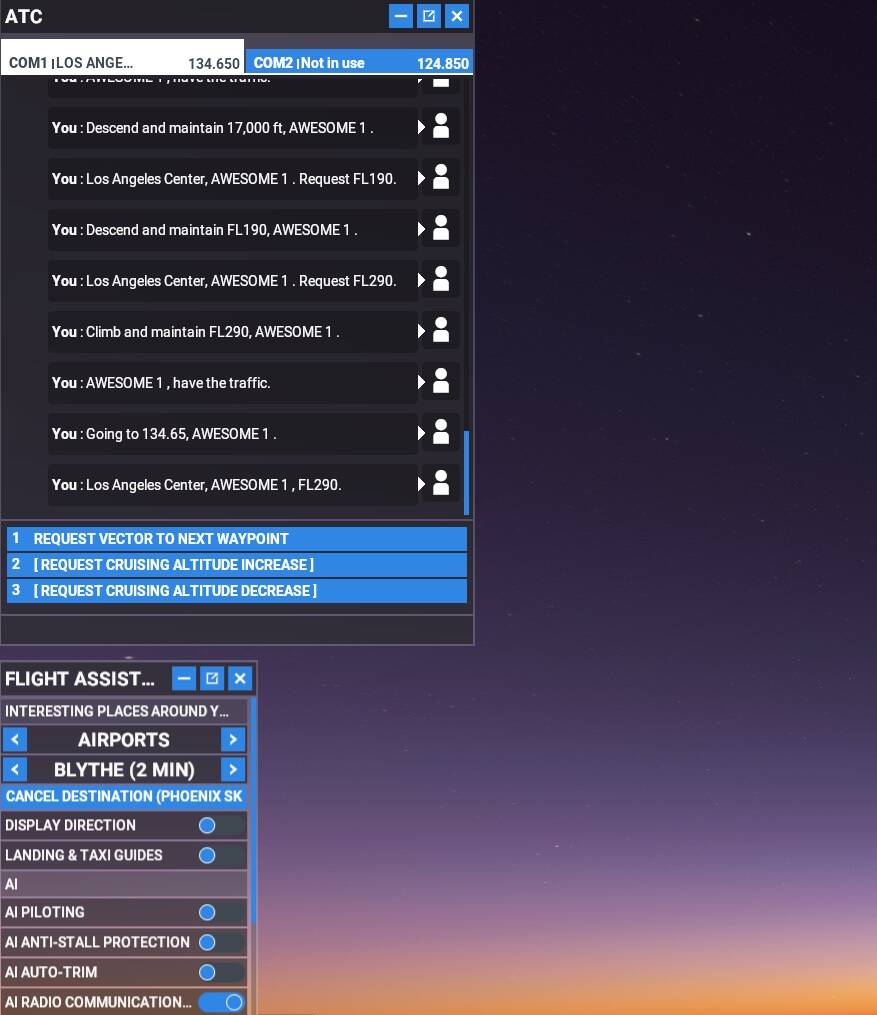
Since yesterday, the ATC is totally mute. I can see all the communication messages, but the only speaking sound I hear is “my” replies. Any other radion sound is mute (ATC and other communication with other planes).
I don’t have any sound mods installed, not atc mods, the atc is turned on, sound is on. How do you fix this? It became mute by itself just like that.
For anyone who wants to contribute on this issue, Click on the button below to use this template:
Do you have the same issue if you follow the OP’s steps to reproduce it?
Provide extra information to complete the original description of the issue:
If relevant, provide additional screenshots/video:
Yes, the comms volume in the cockpit was already on max.
Now I just noticed that text-to-speech function was off (and yet “my” voice wasn’t mute). Don’t even know why, cause I never touched these settings at all. Turned it on and everything’s seems fine now.
Hi Guys, My ATC is not talking to me.. the text comes up in the conversation box as usual but no audio comes from ATC. The pilot speaks as usual and is ok.
The only utility mod i have is the pushback one, nothing that has anything to do with voices etc.
Also the only addons i have are aircraft and airports… Any one got any idea?
This used to happen a lot because the Azure server would get overloaded or something along those lines. Somewhere in settings you should find an option to change the ATC voice from Azure to Local or Offline or something along those lines. Try that, see if it works.
Sorry to state the obvious, but check the volume knob on the com radio? I never touched it, so I was baffled why I lost ATC voices, until I saw the knob was turned all the way down. Perhaps I accidentally changed it by rolling the mouse wheel over it unintentionally, but it seemed like it loaded like that by default even.
additonal to mentioned OFFLINE mode, ensure that you have choosen the correct first setting ( first line in sound settings ) - usualy ‘default’ . There is a setting where com is forwarded to another sound device.
I went back on there and tried it in the TBM, CRJ, C172 and 787.
It worked in the TBM then tried and failed on the rest of the mentioned and i went back to the TBM and is not working again… a bit of a mystery!!
Also Comm Selection is set to Default and ATC text to Speech is Set to Azure. Some have said there is a LOCAL option for that too but all i have is Azure and Off.
ATC voices in Assistance menu is also on
So far I remembe is a precondition a installed English language pack. “Offline” ( former called Windows-Offline ) means that “text to speach” is done on your PC ( no network connection to Azure Servers ). In first releases the “Offline” mode helps to avoid crashs because Azure Servers.
Yes, one sided conversation… AI handling radio.
Flying Longitude. Conversation goes one sided shortly after take-off, after reaching first altitude assignment. ATC gives handoff then nothing.
My sim just started having ATC issues this evening…I was unable to hear ATC or see any text…switched from Azure to Offline for now…are the MS Azure servers offline?
during the flight I can no longer see or hear the news from the ATC. Only my answers are displayed and audible. Is very common with me. does anyone have any idea?
Thx
 For anyone who wants to contribute on this issue, Click on the button below to use this template: